 One of the main features of WordPress is the ability to quickly and easily enhance your WordPress website’s functionality using applications called plugins.
Understanding Plugins
Like most of us, you most likely use a device like a cell phone. What happens when you would like to access something new on your device like a new application, game or business tool?
You download and install an app!
An app is a little software that is simple and easy to install and adds new functionality to a mobile device.
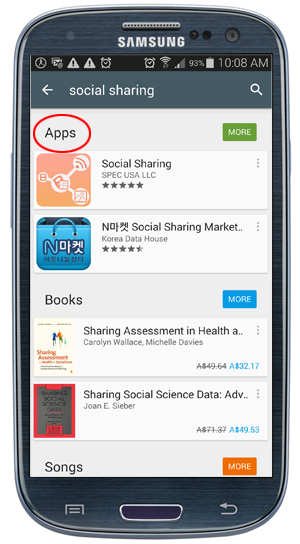
(Just like you will find social sharing apps …)
A WP plugin is like an app. You download and install a software that adds new functionality to your website …
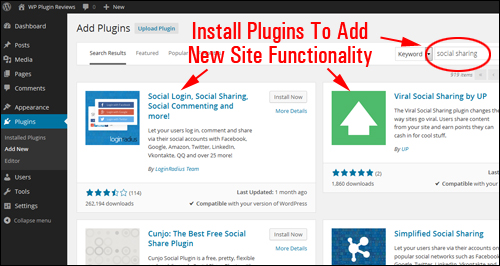
(… you can also find social sharing plugins for WordPress users!)
Almost always, expanding the functionality of your web site involves additional cost. Depending on the complexity of the feature or enhancements, the cost can be quite significant, especially if web developers have to create new code or modify templates or install scripts that integrate with your existing set up.
This is also applicable to developing a new website. Businesses tend to pay for features or options they probably will never need.
For sound, strategic business planning reasons, we recommend a modular approach to setting up your website and WordPress plugins are ideal for doing this.
Imagine being able to:
1) Start simply and inexpensively. Get a basic, professional website up and running fast, then …
2) As the need becomes evident, add new software modules with only a few mouse clicks directly from within your admin area, and give your website or blog a whole new and expanded range of possibilities, and …
3) Cost not a single dollar more to install on your site?
Well, this is exactly what a plugin enables you to do!
WordPress Plugins – Benefits & Advantages
Earlier, we compared WordPress plugins with apps. In a similar way that many apps are free to download and some may cost a little money, so do plugins.
In fact, many plugins are freely available for users.
Plugins that cost money are referred to as “Premium” plugins. The good news, is that when you compare the price of purchasing a Premium WP plugin to the cost of hiring a professional web developer to get the same features and functionality on your site, most Premium plugins cost very little.
Also, since WordPress distributes its software as an Open Source application, anyone can create, edit and customize any part of the code. This has allowed thousands of third-party web development companies to enhance and contribute to the core WP software application.
- Plugins let you get started with just a basic online business presence and add new features and enhancements to your site as required.
- WordPress plugins allow you to add practically unlimited features to any web presence easily, quickly and very inexpensively.
- Plugins give you almost unlimited expanding capabilities.
- Plugins allow non-technical website owners to have a site that they can manage themselves.
- Most plugins typically work “right out of the box” and only require installation and activation to provide your website with instant new capabilities and functionality.
- Some plugins offer more advanced options and may require some initial configuration.
Plugins – Powerful, Flexible … And (Often) Completely FREE!
Like themes, thousands of WordPress plugins are made available to WP users … often at no cost!
You can download thousands of WordPress plugins from the Free WordPress Plugin Repository …
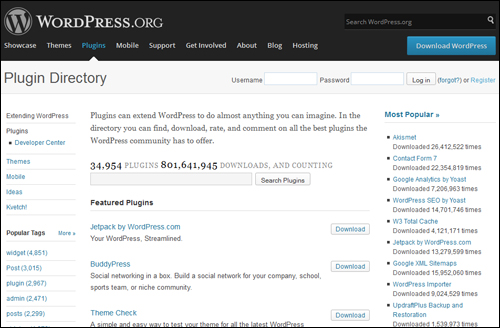
As previously mentioned, you will find WordPress plugins that can do just about anything you need done.
Plugin categories cover:
- Blog Administration
- Content Syndication
- Traffic
- User Engagement
- Social Sharing
- Media Utilities Automation
- Increasing Website Conversions And Lead Generation
- Data Reporting Tools
- WordPress Security
For example, you can expand a WP site with plugins like:
- Contact forms
- Quizzes and polls
- Social contests
- Managing advertising banners
- E-commerce (from managing single-item ordering with PayPal buttons, to enterprise scale e-commerce stores with online shopping carts, payment processing, recurring billing, coupons, etc …)
- Social media integration
- Private Membership sites
- Newsletter opt-in forms
- Sales workflow
- Mobile conversion
- Improving your site’s SEO
- Image galleries (with rotating images, lightboxes, etc.)
- Customer testimonials
- Language translation (e.g. you can instantly change your site’s content from English to Portuguese)
- Statistical reporting (e.g. number of visitors, pages visited, keywords searched, etc.)
- Custom navigation
- Customer engagement – contest, live chat, currency conversion, etc.
- Media integration
- Making pages load faster
- Event management
- Business directories
- Automatically sell and manage spots on your site
- Set up appointments and reminders
- Automate reservations and bookings
- Detect broken links and email you reports
- Redirect URLs
- Monitor what other sites are posting about your business
- Make your pages printable or downloadable as a PDF file
- Add a site map
- Exclude pages from displaying on areas of your site (e.g. site maps, feeds, etc.)
- Protect content on your posts and pages
- Migrate information from other CMS applications
- Perform bulk content replacements
- Prevent SPAM commenting
- Customize visitor discussions (e.g. display Facebook comments)
- Insert HTML and script elements into your posts
- Add tables
- Add animated graphic elements and advanced font display formatting options
- Add and manage QR codes
- Improve Google local search
- Add business location maps
- Post your posts automatically on social networks like Facebook, Twitter, LinkedIn, Pinterest and others
- Display countdown timers (for scarcity offers, discount coupons, etc …)
- Display custom greetings, timed offers, etc …
- And so much more!
As you can clearly see, WordPress plugins give you practically endless business scalability. If you are currently planning to build a web site, or your existing web site was not built with WordPress, then consider using WordPress in the future.
If you’re still wondering about the power and flexibility of using plugins, let me show you how you can benefit instantly by installing an inexpensive plugin on your website.
For example, if you want content protection, you can use plugins to make a section of a post or page inaccessible, or transform your WordPress site into a complete membership site with personal login details for all users …
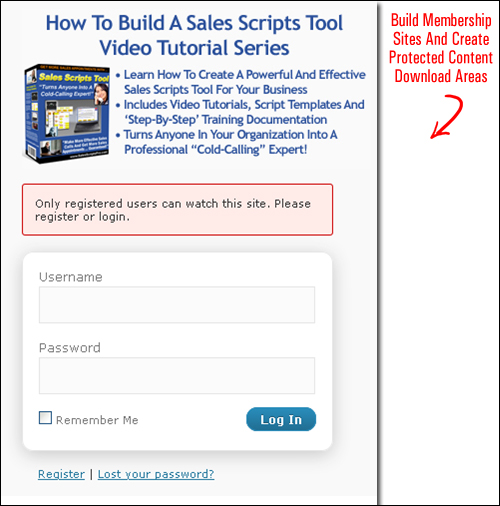
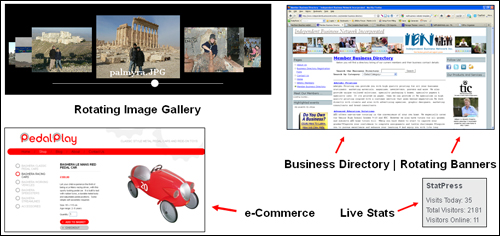
As mentioned before, you can use free plugins to improve your website in lots of different ways. From installing functionality that can improve your business, your site’s user experience and your understanding of what is happening on your site …
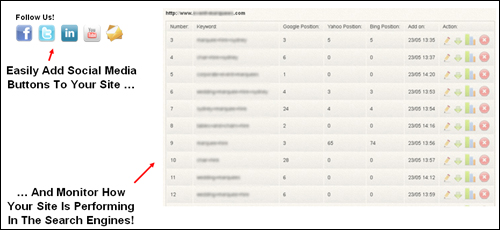
To extending your business visibility across multiple social networks and search engines …
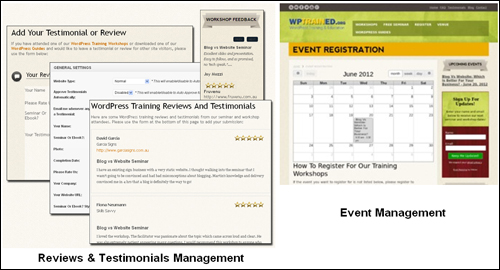
You can also add sophisticated functionality to your website using relatively inexpensive paid WP plugins. For example, you can download plugins that automate functionality on your site such as displaying customer testimonials and event bookings …
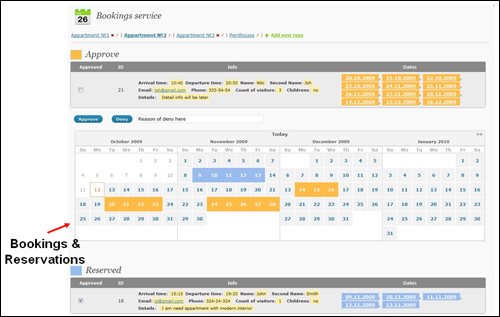
And even run a custom bookings and reservations system online … all for a tiny fraction of the cost of hiring web developers to build custom applications for you …
You can also take advantage of native WP commenting features and plugins that will allow you to engage better with your web visitors, customers and registered site members …
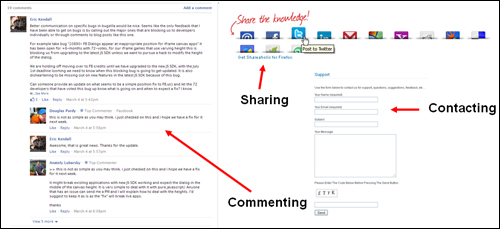
For example, your visitors can easily:
- Leave comments on your blog posts (which can turn into online discussions) using either the native WP commenting function, or integrated Facebook comments (which then get displayed throughout your visitors’ Facebook pages, providing you with added exposure).
- Share your content with other online users on social networking sites.
- Contact you using contact forms
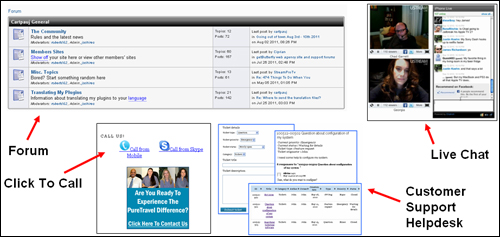
- Engage in online discussions with other members through forums or even set up a private online social network on your own site.
- Engage with your support staff through live chats
- Call your business from their devices when browsing your pages
- Get help via a customer help desk
- And much more …
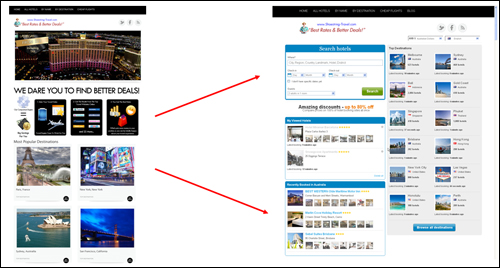
Finally you, can also integrate sophisticated enterprise-level applications within a WP “front end”. This enables you to manage the content that your visitors will see on your site, while your third-party application handles the technical functions …
Plugins – Additional Information
- There are many WordPress plugins available. Be careful of overloading your site with too many plugins, as this can affect your site’s resources and site loading times. It also creates more maintenance issues for you as a consequence of possible conflicts and errors.
- Install only the plugins you really plan to use. Delete any plugins you don’t need from your site, as these also utilize server resources.
- Many free plugins typically receive little to no support from the plugin author. When choosing premium WordPress plugins, ensure that you do a little research first to see what kind of reputation the developer has when it comes to offering support, updates, new improvements, etc. Be sure to check some of the plugin reviews we publish here for more information.
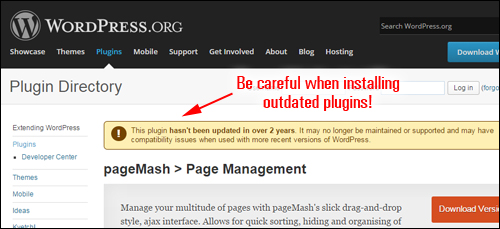
- If you see that a plugin has not been updated for a while (e.g. two years), then think twice before using it. WordPress is updated often and older plugins that have not been updated can create conflicts.
- Always maintain your plugins upgraded to their latest version. Outdated plugin not only can cause errors and conflicts, they may also have security vulnerabilities that can be exploited by hackers and malicious users.
As you can see, plugins are an important aspect of WordPress and contribute to making it the most popular content management system available. Plugins also provide WordPress users with an easy, simple and inexpensive way to add new features to their website without having to spend thousands of dollars on outsourced web development.
One last thing regarding plugins:
Whatever feature or functionality you need for your web site, you can be sure that a someone has probably already authored one that will do just what you need it to do, and that this plugin will either be available at no cost, or if it’s a premium plugin, that the cost will be very reasonable.
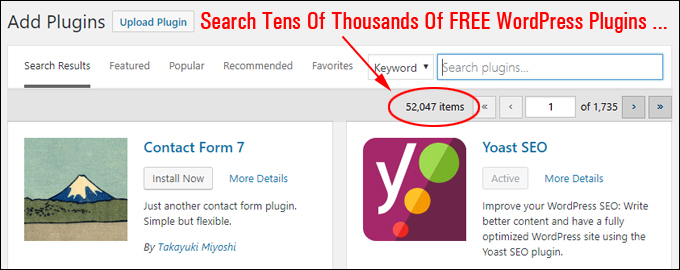
(Whatever you need done, there’s a WordPress plugin for that!)
And, if by chance this WP plugin does not exist, then a custom plugin that does just what you need it to do can certainly be created for your business at a reasonable cost.
Hopefully, now you have a better understanding of plugins – what plugins are and how they can help to improve your web site. See our related posts to learn about more popular plugins that we recommend using.
***
"This is AMAZING! I had learnt about how to use WordPress previously, but this covers absolutely everything and more!! Incredible value! Thank you!" - Monique, Warrior Forum
***