 The scale of attacks on websites and blogs worldwide is rising, and the situation is only going to get worse.
You can safely assume that if you haven’t been hacked yet, then it’s inevitable that at some point in time someone will attempt to hack into your site.
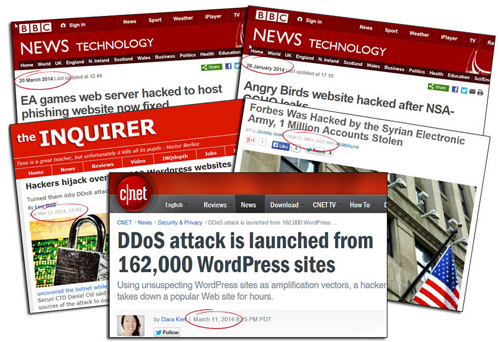
On March 11, 2014, technology sites like Cnet.com began reporting that 160,000+ WordPress sites had been hacked.
Thousands of websites are hacked every year! Will yours be one of them?
(Image source: Blog Defender)
According to the Cnet report,
“With some old-fashioned trickery, hackers were able to get more than 162,000 legitimate WordPress-powered Web sites to mount a distributed-denial-of-service attack against another Web site.”
(Source: cnet.com/news/ddos-attack-is-launched-from-162000-wordpress-sites)
As described by security firm Sucuri, hackers had leveraged a well-known flaw to attack unsuspecting WP sites and direct a distributed-denial-of-service attack (DDoS) towards another popular website.
You may think that the information in your website or blog has nothing to offer to hackers, but the reality is that to a hacker, every website is an opportunity to gain some benefit at your expense.
If hackers can find a way to gain remote access and control of your website, your website can then be used to target more valued sites.
The reality is that hackers are most likely trying to hack into your website or blog while you are reading this page. Whether they can break in successfully or not, will depend on how difficult or easy you will make things for hackers or bots to continue trying until they either can find a way to get in, or give up and decide to look for a more vulnerable target.
How Much Information Are You Broadcasting To Hackers About Your Site?
Do you own a WordPress site? If so, visit Hackertarget.com and run your website through their WordPress security check …
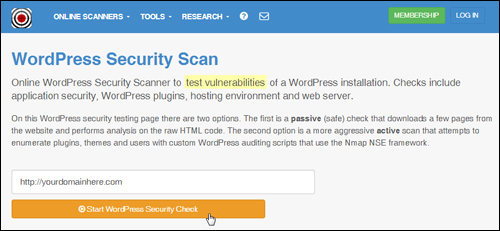
(WP Security Check Screenshot: Hackertarget.com)
You will see that the check will yield various results and information about your website …
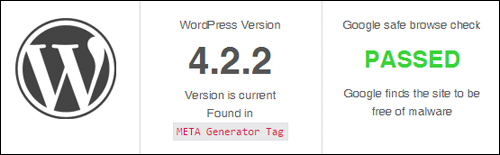
(WordPress security check results. Product image source: Hackertarget.com)
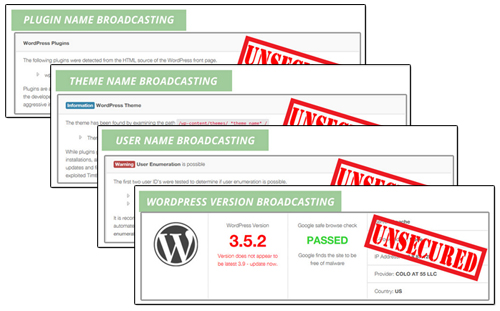
It should be obvious after using the tool shown above that if you are able to access all of this information, hackers can too.
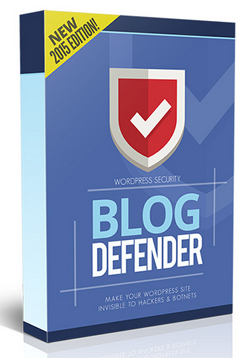
(Product image: BlogDefender.com)
Being able to see what version of WordPress you are using, which plugins and themes you have installed on your site, and which files have been uploaded to certain directories can all be valuable information to hackers, as this informs them about exploitable vulnerabilities, especially where the owners haven’t updated their sites.
Fortunately, there is a way to stop broadcasting all of this information about your web site and make your site invisible to hackers and bots.
Blog Defender Security Solution
Product Description
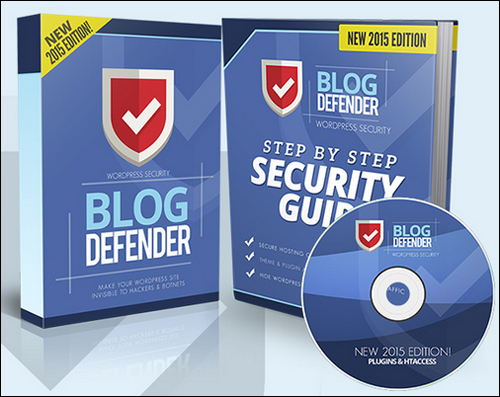
The product is a suite of WordPress security video tutorials, WordPress plugins and tools, plus a WordPress security PDF/DOC file.
Matt Garrett, the creator of BlogDefender began developing BlogDefender after noticing that a WordPress blog he set up for his mother had been hacked into. This site had literally nothing to offer, yet it still was targeted by hackers.
Matt only became aware of this after being informed by his host and noticing that a significant amount of suspicious activity had occurred within his site, as well as the addition of several malicious files by whoever had broken into his site.

(Product image source: BlogDefender.com)
Matt’s experience should be enough to illustrate the fact that every website is valuable to hackers.
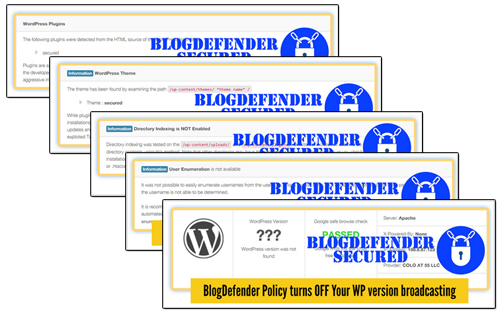
Blog Defender shows you where the security holes in your web site are …
And let’s you easily fix these …
Plugins
The product suite comes with 3 plugins for WordPress:
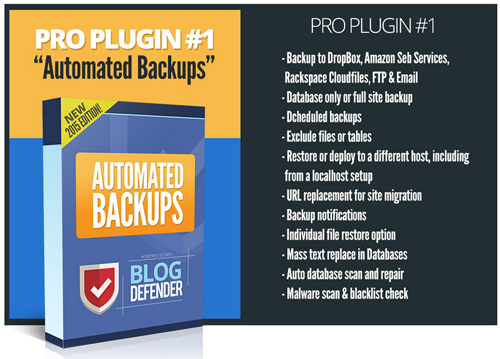
Plugin #1 in the product suite helps you schedule automated backups …
(Screenshot source: BlogDefender.com)
Plugin #1 “Automated Backups” lets you do secure site, file and data backups to your server, third-party servers and popular cloud-based backup solutions using different backup methods, automate full or partial backups, exclude tables or files from backups, restore previous backups, replace URLs (useful when migrating websites to new domains or server locations), do mass text string replacements in databases, perform auto database scans and repairs, and more.
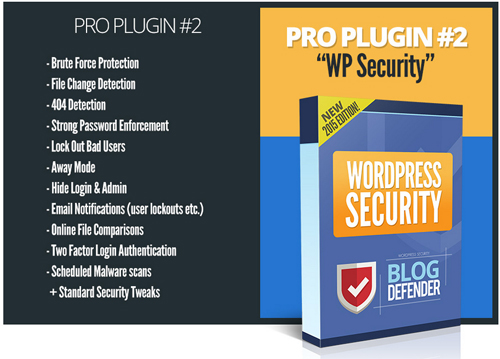
Plugin #2 provides your site with security …
(Source: BlogDefender site)
The plugin performs a range of file and site protection functions (see “Product Features” section below).
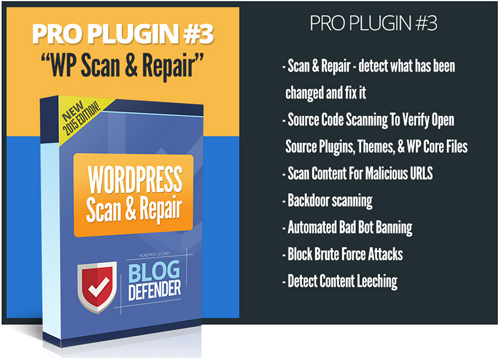
The third plugin allows you to scan your website to see whether anything unusual in your files has been altered, and fix problems …
(Product image source: Blog Defender)
Pro Plugin # 3 also scans content to see if any malicious content have been added to your site files, bans bad bots, blocks brute force attacks and detects any content leeching (where people benefit from your hard work without providing you any benefit in return).
Video Training
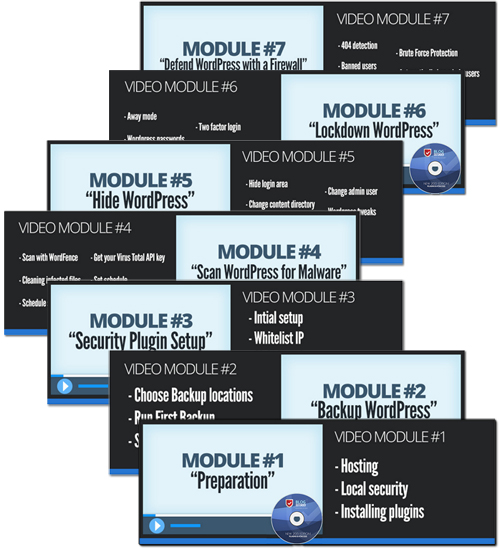
In addition to plugins, the Blog Defender WP security product suite also includes 7 step-by-step video tutorial modules plus printable documentation that teach you exactly what you need to do to protect your site from malicious attacks …
(Source: BlogDefender website)
More info:
Plugin Benefits
Below we have listed just a few of the benefits of using Blog Defender to make your WordPress site invisible to hackers and botnets on your site:
Easy To Install
The plugins included in the Blog Defender product suite install like any regular plugin. Simply upload a zip folder containing the plugin files to your Plugins folder via your dashboard and activate.
Really Simple And Easy To Follow
Blog Defender is a step-by-step training product that will take you through the website security process and show you exactly what to do, including how to set things up, and even which free plugins you should use to get the job done without incurring additional costs.
Additional benefits include:
- Protect your WordPress website from hackers, spammers, botnets, data miners and malicious users attempting to exploit your site for personal and financial gain at your expense.
- Protects Intellectual Property From Being Stolen – If you are an info product creator (e.g. downloadable ebooks, video training, etc.), your product can end up as freeware on download sharing sites.
- Avoid A Nightmare Situation – When a site has been hacked, you can expect to go through a serious amount of inconvenience and aggravation. It can take days to uncover the problem and sort through any issues these have caused. In the meantime, your, sites could be closed by your host, or even deindexed in search engines. And if that is not painful enough, hackers can spam your contact list and steal your personal details and financial information, you could be fined or even charged with fraud, and much more.
Blog Defender Features
Blog Defender offers many features to WordPress users.
The product helps you fix the following security areas and vulnerabilities:
- Host Security Advisory
- WP Plugin Security Audits
- WordPress Theme Security Audits
- Anti Brute Force Security
- Anti Cross-Site Scripting
- WordPress Database Security
- Nefarious Traffic Blocking
- Hide WordPress ‘Tell Tale’ Signs
- Anti-Comment Spam Blocking
- Monitoring Files
- Link Monitoring
- Known Offender Blocking
- Automating WordPress Updates
- WordPress Security Audit
- Tighter Server Security
- Kick Out Policy
- Reputation Checking
- And More …
Blog Defender follows a logical process for securing your your WordPress installation, addressing hosting security, using tools to quickly identify risky WordPress themes and WordPress plugins, and then helping you implement site-wide security using the tools and plugins provided.
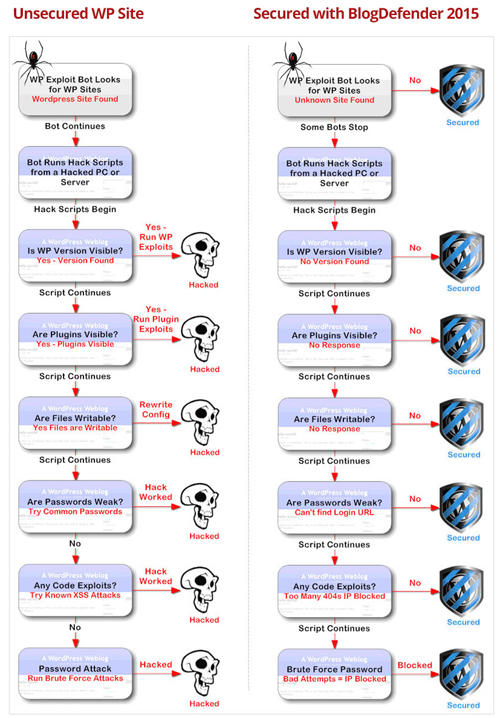
(Blog Defender security process. Image source: BlogDefender.com)
User Feedback
Below are a few of the testimonials that plugin customers have written about Blog Defender:
”This is a seriously good product!” Simon Hodgkinson, www.hodgkinsonpublishing.com
***
”I discovered some incredible security tricks!” David Walker – www.inboxrockstar.com
Useful Tips
According to the plugin’s website, since Blog Defender was first released in 2012, no Blog Defender-secured websites or blogs have been hacked.
Matt Garrett, the product developer also states on his site …
“With the volume of attacks nowadays … we probably won’t hold forever, so we’ve been busy creating even tougher WordPress security.”
Cybersecurity is is a perpetual game of cat and mouse and all security solutions are only as good as the knowledge and technologies that developers can harness. The latest release of Blog Defender creates an easier security solution that doesn’t need constant attention, is quite inexpensive and it’s as good if not better than many premium security products or services currently being offered at a higher price.
Blog Defender Plugin Support
The product is well-supported, can be used by both Mac and PC users, is compatible with the latest WordPress release and is backed by a no-risk, 30 day, 100% money-back guarantee.
Software Price
Blog Defender is normally available with a personal license only for use on unlimited sites. When we last checked, however, it was also being sold with Developer rights, allowing users to secure client sites as well.. Cost = $47.00.
Note: The cost to purchase Blog Defender can vary, depending on whether there are any promotions or limited-time special offers. Presently, the software is selling for the pricing shown above. This may not be the actual pricing set by the plugin developer when you visit the plugin site and there may be additional upsells or one-time offers after purchasing.
Check the plugin’s website for the current pricing information:
Additional Information
For help documentation and tutorials, FAQs, support helpdesk, contact details and more, visit the Blog Defender website.
In Conclusion
No matter what kind of business you run or plan to run online and how small you think your web presence is, you simply cannot afford to ignore the importance of website security.
WordPress is a secure web platform, but neglecting essential maintenance tasks like keeping your WP installation, WordPress plugins and WordPress themes up-to-date, tightening file and data protection and taking other necessary precautions can expose your site to attacks by hackers and bots.
Blog Defender helps you understand what’s going on in your site and where the vulnerabilities are, what hosting companies can and can’t do if the security on your website is compromised, what security features to look for in a webhost, and which tools can make the task of securing your WordPress site easier.
For more information, visit the plugin website: Blog Defender Security Product Suite
***
***