
WordPress Releases New Version: WP 4.5
WordPress has just released WP v. 4.5, named “Coleman” as a tribute to jazz musician legend Coleman Hawkins. Learn about the new WP v. 4.5 improvements below.
***
 New WordPress Version: WordPress 4.5
WordPress has just released WordPress 4.5, named “Coleman” in honor of legendary jazz artist Coleman Hawkins.
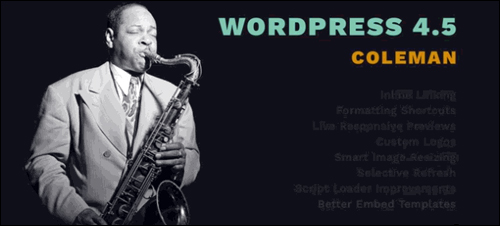
WordPress 4.5, released on April 12, 2016 focuses on helping you streamline your workflow.
Here are just some of the changes you will see in WordPress 4.5:
Inline Linking
Coinciding with the release of WordPress 4.5 is a new inline linking tool. This provides WP users with a less distracting interface …
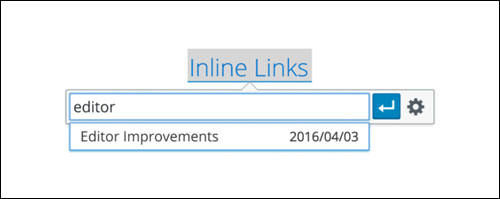
(Inline Linking)
This tool allows you to easily add external and internal links to your content with less distraction …
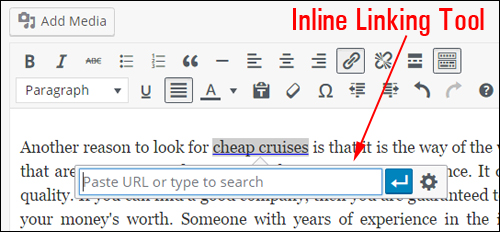
(WP version 4.5 – Inline Linking)
Formatting Shortcuts
Prior to the release of version 4.5, WordPress introduced formatting shortcuts for lists and headings. In WP 4.5 you can now also use formatting shortcuts for horizontal lines and code …
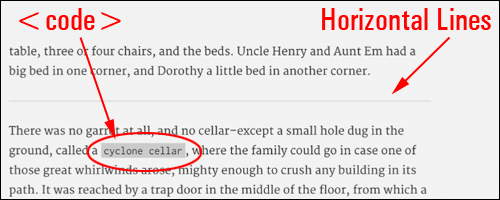
(WordPress 4.5 – Formatting Shortcuts)
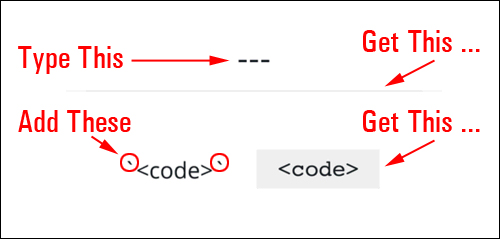
Add three horizontal dashes to insert a horizontal line and enclose your text in backticks to turn your highlighted text into <code> …
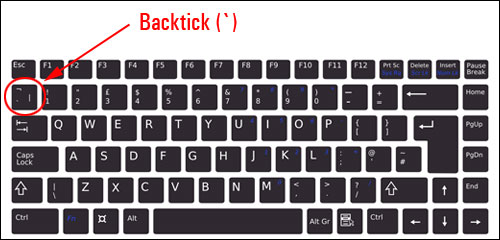
(Formatting Shortcuts – Backticks)
The formatting shortcuts for horizontal lines and code are shown below …
(Inline Linking)
Live Responsive Previews
From WordPress version 4.5, live responsive previews are now available …

(WP 4.5 – Live Responsive Previews)
You can preview desktop, mobile, and tablet views directly in the customizer …
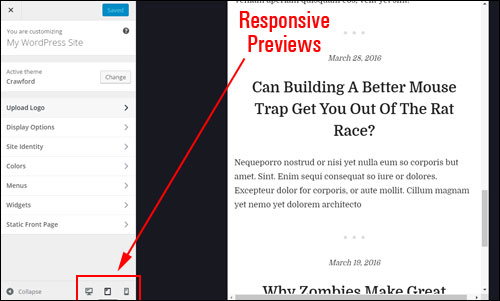
(WordPress version 4.5 – Live Responsive Previews)
Upload Logos
WordPress 4.5 now allows themes to support business logos …
(Custom Logos)
The ‘Custom Logos’ feature can also be accessed from the Theme Customizer …
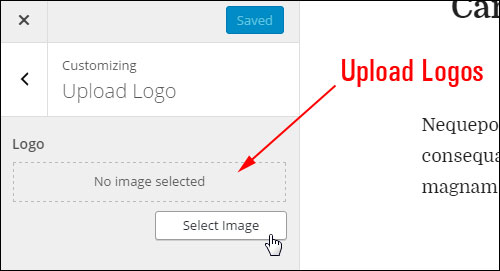
(WordPress Theme Customizer – Custom Logos)
Additional WordPress Version 4.5 Release Notes
WordPress 4.5 also includes additional ‘under the hood’ improvements, such as:
- Smart Image Resizing
- Selective Refresh
- Script Loader Improvements
- Better Embed Templates
- JavaScript Library Updates
WordPress version 4.5 – Additional Fixes & Enhancements
In addition to all of the above, WordPress 4.5 also includes many other enhancements and bug-fixes.
Important Update Tips

We recommend doing the following before upgrading to any new version of WordPress:
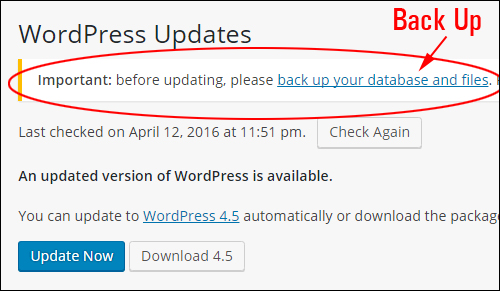
- Perform a complete backup of all your WordPress files and database.
- Search online for any problems or issues that other WordPress users may be experiencing with the new version. This includes incompatibilities and conflicts with plugins, themes, and other issues (search for “WP 4.5 Coleman problems” or “WP 4.5 bugs”, then go through some of the results to see what kind of issues and errors users are experiencing).
- Once you have done the above, then upgrade to the new version as soon as possible to ensure that your site remains protected against any security vulnerabilities found in previous versions.
Note: Some images on this page were sourced from WordPress’ own release material.
Need WordPress Help?
Find professional WordPress service providers in our WordPress Services Directory.
***