Please note: This plugin is no longer supported.
All the information that was included in this plugin can now be found on WPCompendium and The Complete Step-By-Step WordPress User Manual.
Do you need to learn WordPress fast?
WordPress currently drives millions of business and personal web assets and web blogs around the world, including site for many leading organizations, educational institutions and world-famous celebrities.
WordPress also enables you to quite easily set up and manage really powerful, professional and beautiful-looking websites. In actual fact, you’re able to use WordPress to set up anything from commercial web sites, your personal blogs, internet affiliate marketing and / or product or service review online sites, to online commerce sites, member websites … even social networks!
WordPress isn’t just the world’s most popular CMS and web publishing program, but it is also totally free to download and use!
The Not So Good News …
You could just pay someone like your web developer, or a webmaster to take care of everything that needs doing on your website, but that can become expensive, especially if you are running a small business, things are tight, and you only need small things done that take very little time to do and require no technical expertise, like making small content changes, changing settings or installing plugins, themes, etc.
Learning how to use WordPress can save your business a significant amount of time and money. You can manage things that don’t require knowledge of editing code quickly yourself, and bring in a professional only when you really need assistance (e.g. technical support, custom website development or coding, web consulting, etc.)

(Save time and money learning how to use WordPress!)
Learning how to use WordPress, however, has its challenges.
Although there’s a lot of content on line related to working with WordPress, a great deal of it can be disjointed and consists mostly of online tutorials and tips designed for computer savvy individuals like web developers. You can end up spending all of your precious time searching online for answers, and still find yourself confused.
And then, of course, there are many things which YOU DON’T KNOW concerning WordPress! Things like simple methods to configure WordPress to drive leads to your web site, plus time-saving strategies, specific tools and techniques you could use (often at zero cost) to deliver you BIGGER, BETTER, and FASTER results, and a whole lot more!
There has been no in-depth step-by-step learning system that you can follow to learn how to benefit from, maintain and expand a web presence fast and professionally with WordPress, especially if you are not technologically knowledgeable … until now!
The GREAT News …
WordPress lets you control all aspects of your digital business presence, with no technical knowledge required … and for almost no cost!
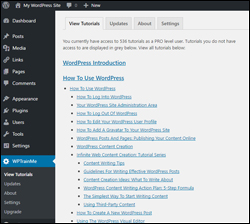
WPTrainMe – WordPress User Tutorials Plugin
(Learn how to use WordPress fast inside your own WP dashboard with hundreds of detailed step-by-step WordPress tutorials!)
Plugin Description
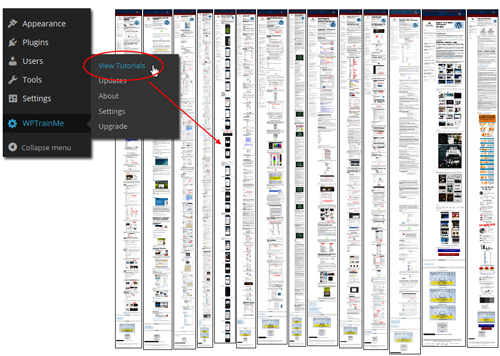
WPTrainMe is a complete and easy-to-use WordPress A-Z learning system. The WPTrainMe plugin provides access to lots of detailed step-by-step screenshot online tutorials covering all aspects of using WordPress from your own WP admin.
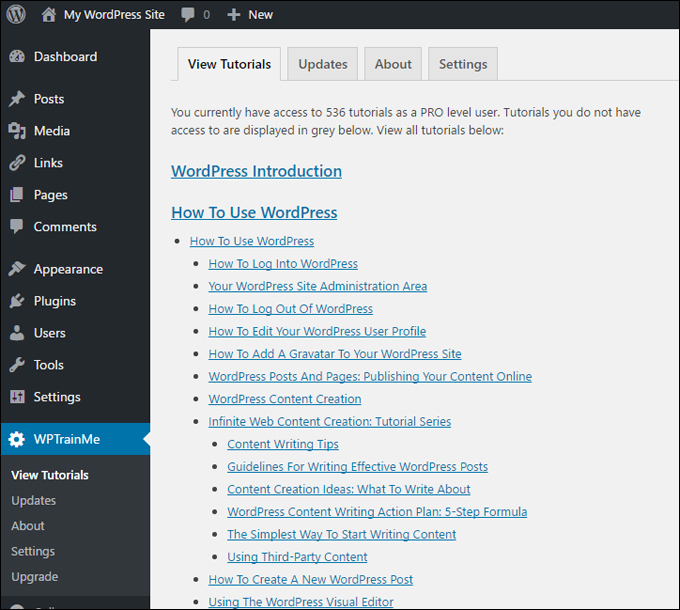
(WPTrainMe tutorials can be instantly accessed directly from your dashboard!)
The tutorials show you the simplest way to install, set up, configure, customize, use, look after, expand and earn money with WordPress without making you jump all over the internet trying to get answers.
WPTrainMe is comprised of scores of useful step-by-step online tutorials with tons of screenshots, downloadable check lists, templates, related video tutorials and much more.
Best of all … absolutely no techie expertise is necessary!
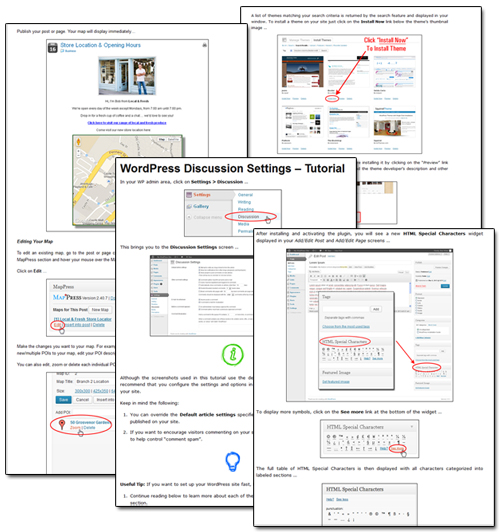
(teach yourself WordPress with comprehensive tutorials!)
Everything you need to learn WordPress is covered in the WPTrainMe training. And you’re able to view every one of the tutorials instantly from your own WordPress dashboard whenever you require help with WordPress.
Go here to learn more: WPTrainMe
Plugin Benefits
Here are some of the various advantages of choosing the WPTrainMe plugin to learn WordPress:
Ideal WordPress Training For Non-Techies
All WordPress tutorials have been specifically written for non-technical people, not web site builders or tech “geeks.” The tutorials are laid out in logical order together with navigation menus and search features that make WPTrainMe easy to use and find what you are looking for. All the training content and information is kept simple and easy to understand and presented by means of detailed step-by-step instructions.
Links to relevant tutorials are also supplied after each tutorial, plus related “over the shoulder” video tutorials if you want to review the material. Best of all, no html coding experience is necessary to implement what you learn in the tutorials.
Learn What To Do In WordPress As You Go
The plugin will provide context-related instructions, so if you need assistance with whichever area you happen to be working on, just click on the help tab within your dashboard and a list of tutorials relevant to that section will display, providing you with instant access to helpful information on how to proceed with the next step.
Plugin Tutorials Are Kept Up-To-Date
WordPress is constantly growing and being developed. With WPTrainMe, information can be maintained up-to-date to reflect the latest WP software and functionality changes. New lessons are regularly being uploaded to the plugin to help you learn all that you can do through WordPress. As soon as new WordPress tutorials are changed in the WPTrainMe program, these become automatically made available to you within the administration area.
Additional benefits include things like:
- Save time: All you need to know to master using WordPress is immediately available in a single place and accessed with a single click inside the dashboard.
- Save money: WPTrainMe can save you many hundreds of dollars on WordPress education. WordPress users will find themselves hard-pressed to come across an alternative WordPress learning program that delivers so much information and true value for your dollar.
- Learn WordPress on your own time: The online tutorials are available 24/7 inside your WordPress site’s administration panel, so you can learn the material in your own time frame and within your own schedule.
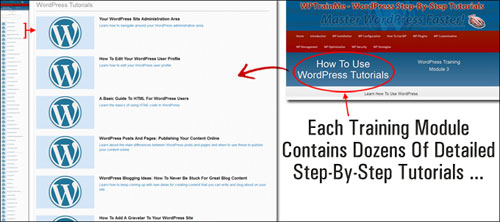
(WPTrainMe’s training modules are arranged in logical sequence and each module contains dozens of detailed step-by-step tutorials!)
Features
The plugin’s tutorials teach you about all the main WordPress sections and cover all aspects of using WordPress.
Users have access to a growing library of comprehensive online tutorials organized into ten course modules:
- WP Introduction
- How To Install WordPress
- Configuring WordPress
- How To Use WP
- WordPress Plugins
- Customizing WP
- How To Manage WP
- WordPress Optimization
- How To Secure WP
- WordPress Strategies
Additional features include things like:
- Works on all devices: WPTrainMe is built on a fully-responsive platform, enabling you to get into the tutorials from your desktop computer, mobile computer, tablet or smart phone.
- Created by WordPress expert users for non “tech savvy” WordPress users: All tutorials are expertly authored for non-expert users, presented in logical order and wholly interlinked with related information.
- A comprehensive WP learning plugin: WPTrainMe tutorials include 500+ screenshot tutorials with step-by-step instructions, related training videos, flowcharts, templates, check lists, additional downloadable information and much more!
- Immediate access: All you want to know to build and manage your own small business digital presence is immediately accessible at the press of the mouse within the website’s WordPress control area.
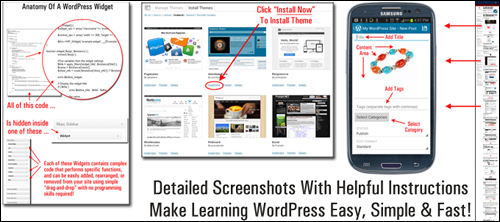
(Detailed tutorials with helpful instructions make learning WordPress fast, easy and simple!)
Testimonials From Plugin Users
Here are a few of the testimonials users have provided concerning WPTrainMe’s plugin:
”This is AMAZING! I had learnt about how to use WordPress previously, but this covers absolutely everything and more!! Incredible value! Thank you!” – Monique, Warrior Forum
***
”Wow! I never knew there’s so much to learn about WordPress! I bought one of the WordPress for Dummies three years ago, such authors need to be on this course!” – Rich Law, Create A Blog Now
Useful Plugin Tips
If you need to train staff to use WordPress, then the WPTrainMe plugin is a valuable, time-saving and effective teaching system. As an alternative to having to spend a long time teaching employees how to use WP, you can easily install WPTrainMe on your domain and then teach them how to access the tutorials instead. This way, you’ll be encouraging them to educate themselves about all the things they need to know to use WordPress efficiently anytime they have questions.
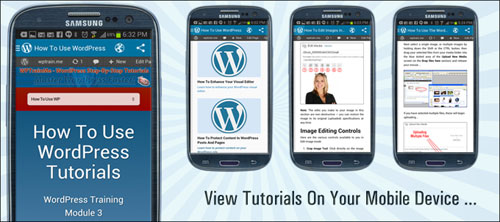
(WPTrainMe tutorials can be viewed on any mobile device)
WPTrainMe Plugin Support
Because the WPTrainMe plugin functions mostly as an interface to an external site where all of the tutorial pages are actually located, the plugin is extremely light-weight and uses very little of your site’s resources. Nonetheless, the plugin is technically well supported and includes a detailed online user guide with videos that show you how to install and use the plugin, as well as FAQs and a support helpdesk.
Software Pricing
WPTrainMe is available for downloading in 4 different licensing options:
- FREE – The FREE edition lets website owners access dozens of detailed ‘step-by-step’ tutorials on using WordPress. Price = Free.
- PRO – This lets users access the complete WPTrainMe library, which includes hundreds of step-by-step tutorials. Price = $37 (yearly).
Note: Price details for the WPTrainMe plugin depends on whether there are any promotions or limited-time special offers. The price above was current when this content was written. This may not be the actual pricing charged by the software developer when you visit the plugin site.
Check the plugin’s website for current pricing details: WPTrainMe – WordPress Step-By-Step Tutorials Plugin
Additional Info
WPTrainMe allows the training information to be easily updateable whenever WordPress makes significant changes to features or functionality, as all of the tutorial content is stored on external servers and delivered to users via the plugin’s interface.
In fact, the WPTrainMe plugin allows you to access all of the written tutorials here on WPCompendium.org plus hundreds of additional WordPress and online marketing video tutorials …
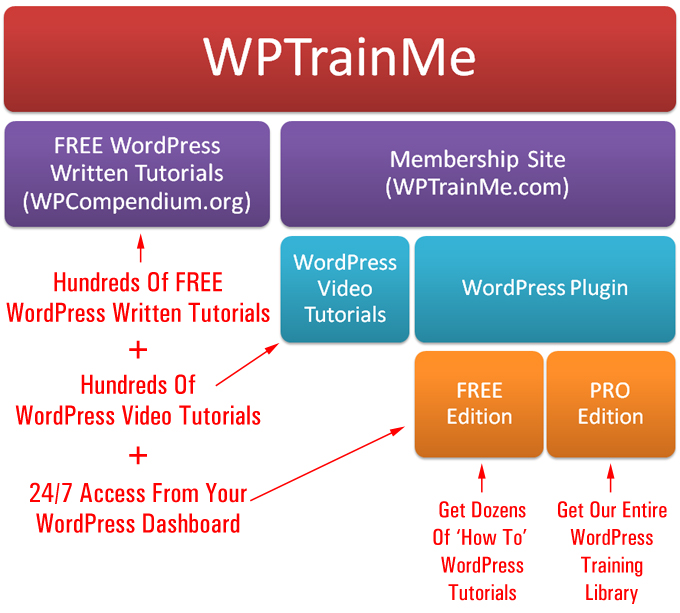
(WordPress tutorials can be easily updated in the plugin whenever important features are introduced to WordPress!)
For more details about the WPTrainMe plugin, visit the WPTrainMe website.
We Highly Recommend This …
If you plan to start, grow or manage your own WordPress web site, then we recommend that you consider purchasing the PRO version of the WPTrainMe plugin, which gives you complete access to all of the tutorials and updated training content.
As an extra bonus, PRO users get a downloadable +250 page step-by-step PDF guide showing you how to install WordPress, which is extremely handy, as you will need to install WordPress before installing and accessing the WPTrainMe plugin on your web site.
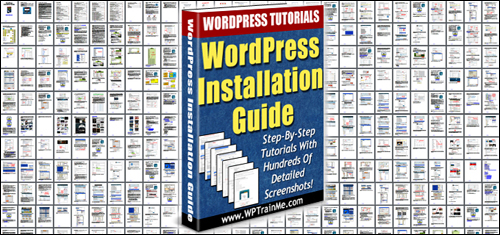
(A detailed WordPress Installation Guide is included for PRO plugin users!)
For full details, check out the plugin here: WPTrainMe – WordPress Step-By-Step Tutorials Plugin
***