WordPress Security Plugins
This section of the WordPress Security Tutorials module includes tutorials on WordPress security plugins.

Some tutorials in this module may require editing your WordPress template or server files. If you need help modifying template or server files please contact a professional or experienced WordPress user for assistance (learn where to get help with WordPress).
Important: Always do a backup of your WordPress site (files and data) before modifying any files. If you don’t want to perform manual backups, then get professional support services, or use a backup plugin.
You can read about a WordPress backup plugin that can automate your site backups here:
Click below to view tutorials {on|about} the importance of {WordPress security|securing your WordPress {installation|website}}:

WordPress GDPR Plugins – General Data Protection Regulation Compliance

WordPress Brute-Force Attack Prevention Plugins

WordPress Backup Plugins
MalCare Security Service: One-Stop WordPress Security Solution

Blog Defender – WordPress Security Suite
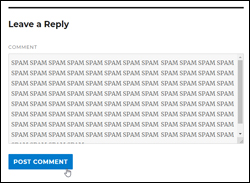
How To Stop Comment Spam On Your WordPress Media Attachment Pages

How To Prevent Content Theft In WordPress

WP Total Audit – Find And Fix Common WordPress Errors

WordPress Security Plugins
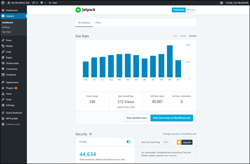
Jetpack Plugin – 40+ Useful Website Tools In One WordPress Plugin
WordPress Security Plugin – BulletProof Security
How To Add Google reCaptcha Security Captchas To WordPress Forms
Backup Creator – WordPress Backup Plugin

How To Set Up Website Downtime Monitoring For Your WordPress Site
WordPress Anti-Spam Plugins
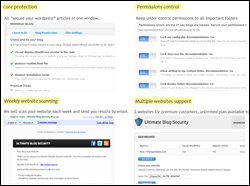
WordPress Security Plugin – Ultimate Security Checker
Free eCourse For WordPress Users
Enter your details in the form below to subscribe …
***
"These tutorials have so much information and are easy to understand. If you use WordPress or plan to in the future these will help you with everything you need to know." - Valisa (Mesa, Arizona)