 As discussed in this post, HTML is the foundation of modern web design.
One of the best things about using WordPress is that you don’t have to know HTML to create and format content in your blog’s posts or pages. WordPress has unique features like “themes”, “plugins” and “widgets” that let you manage your website without having to touch code, and a powerful, built-in visual editor that allows you to compose and easily format your content simply by clicking on a few buttons.
Even though you don’t need to learn HTML to create and format content in your posts thanks to the easy-to-use WordPress editor, if you are trying to create complex layouts such as highlighted segments, review tables, etc., then the WordPress visual content editor has a few limitations.
In this case, your options are:
- Learn at least some basic HTML
- Use a true WYSIWYG content editor, such as the one discussed here: Discover The Simplest Way To Create Stunning Content In Your WordPress Web Site
- Use cut & paste HTML resources to shortcut the learning process (see below).
In this post you will learn about a simple, fast and easy-to-use shortcut to create and add complex layouts to WordPress without learning HTML.
WPCheat – Create Web Content Faster
Product Description
If you want to insert design elements into your content, such as lists, section boxes, highlighted segments, download pages and more, then we recommend a very time-saving cut & paste tool called WPCheat …
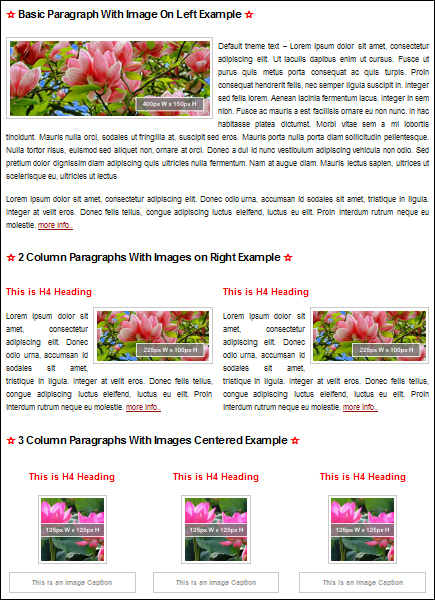
WP Cheat lets you immediately access a large collection of pre-formatted web content elements that you can simply copy and paste into your text editor when creating posts and pages.
Essentially, all that is required is choosing an element that you would like to insert into your content, copying the HTML code associated with the element, pasting it into your text editor, and then replacing any dummy text with your own text to create your styled content …
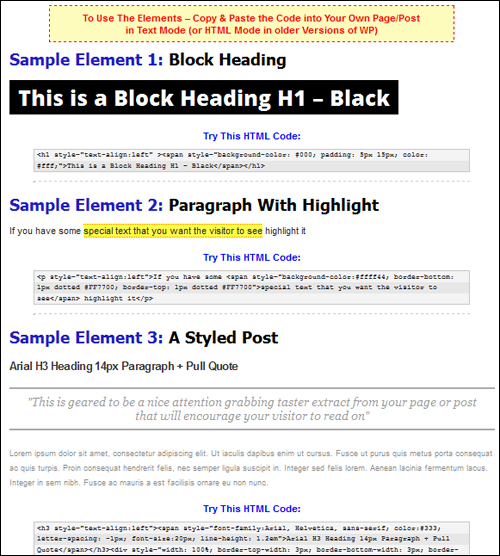
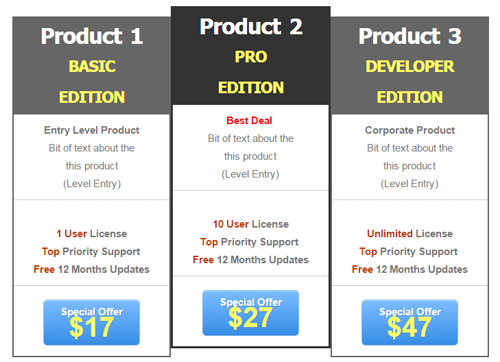
For example, suppose that you want to add a multi-pricing table element like the one shown below …
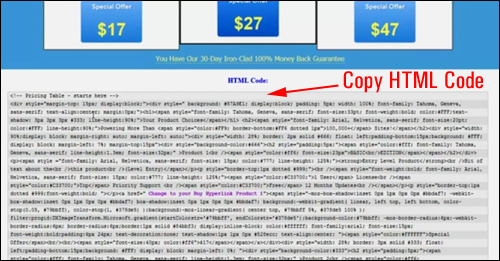
First, locate the pricing table file in WPCheat, then select and copy all the HTML content in the text field below the object to your clipboard …
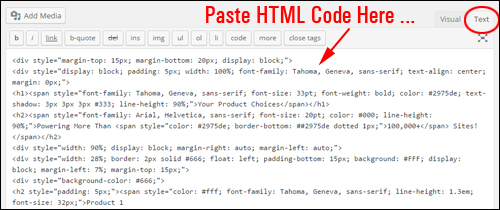
Next, paste the code from your clipboard into your WordPress post or page (inside the “Text” editor) …
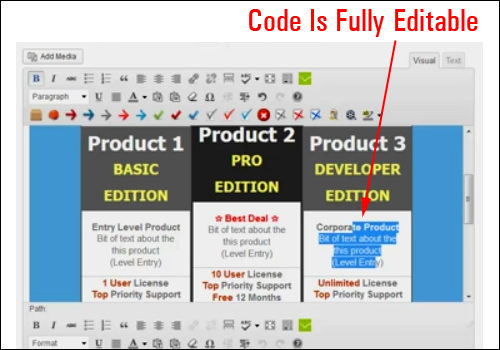
The multi-pricing table graphic element is fully editable, so change anything required to suit your needs …
Now, simply save and publish and you’re done!
To learn more about the product visit the website:
Benefits
Here are just some of the many benefits and advantages of using WP Cheat to to make the process of content creation easier on your web site:
WP Cheat Is Not A Plugin
WP Cheat is not a WordPress plugin. It is a really simple product consisting of copy-and-paste code snippets.
Nothing To Break
Since you are only adding text-based HTML code that that is fully compatible with WordPress, your content will keep its formatting and not get messed up by the WordPress editor.
Search Engine-Friendly Content
Most of the elements are built using text. This makes the content easily editable, fast to load on your web pages and search indexable.
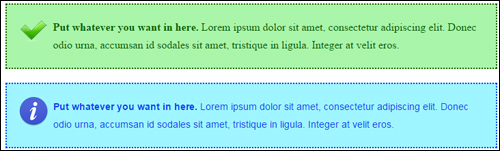
(WP Cheat lets you easily add completely customizable graphic elements like highlight boxes with icons to your WordPress content using copy and paste)
WPCheat Features
Below we have listed just some features of WP Cheat:
Mobile Responsive Elements Works On All WordPress Themes Or HTML Websites
Create mobile-friendly content instantly in all WordPress and HTML websites.
2,300+ Copy And Paste Code Cheats For WordPress
You get access to 2,300+ HTML code cheats for WordPress …
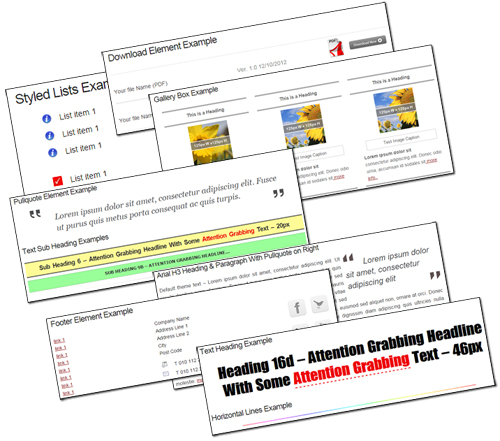
(2,300+ copy and paste code cheats for WordPress)
With WP Cheat, you can create product review pages, image galleries, styled lists, sales pages, pricing tables, custom widgets and so much more.
Below is a summary of what you’ll have access to with WPCheat:
Product Summary:
WP Cheat includes hundreds of basic content elements with cross platform compatible fonts, in the following categories:
- 153 Paragraph Elements
- 36 Styled Blog Elements
- 201 Styled Download Elements
- 54 Styled Gallery Elements
- 249 Styled Text Heading Elements
- 15 Text & Image Link Elements
- 273 Image & Text-Based List Elements
- 72 Pull Quotes
- 24 Colored Text Boxes
- 45 Text-Based Styled Sub Heading Elements
- 363 Typography Elements
- 125 Horizontal Lines
- 39 Styled Footer Elements
Additionally, WP Cheat users get these bonuses:
Bonus #1 – Sales Page Content Code Snippets
- 8 Styled Buy Boxes (in various colors)
- 8 Guarantee Boxes: 2 Styles with 30, 45, 60 & 90 day money-back guarantees
- 48 Highlight Boxes (in various colors)
- 20 Pricing Tables (in different colour choices & two or three columns)
- 12 Summary Boxes (in various color options)
- 99 Stackable Numbered Lists – Round Icon
- 96 Stackable Numbered Lists – Square Icon
- 54 Sales Letter Intros
- 342 Image Based List Elements
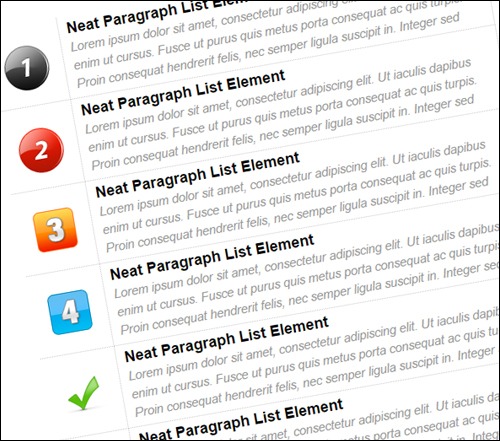
(Bonus #1 - Sales Page Content Code Templates)
Bonus #2 – Review Page & Product Rating Code Snippets
- 18 Review Page Elements
- 9 Star Rating Summary Boxes
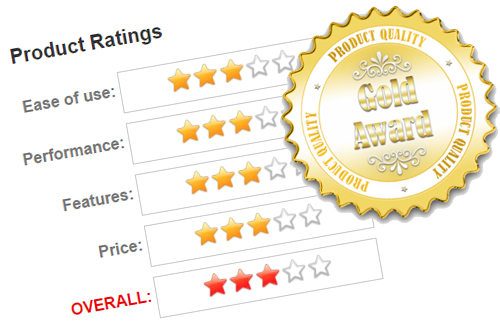
(Bonus #2 Includes Product Ratings And Review Cheats)
Bonus #3 – Small Graphic Elements Pack
Included in this package are more than 5,000 mini graphics to break up text and highlight content. Mini GFX Bonus Pack categories include badges, downloads, keyboard keys, plus, software, warning, etc.

(Bonus #3 - Mini Graphics Pack)
Bonus #4 – 125 Graphic Headings/Subheadings & Code Cheats
This bonus includes an editable collection of clean sales page headings in PSD format (requires Photoshop or GIMP).
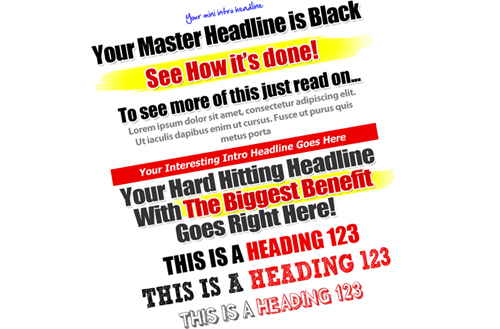
(Bonus #4 Includes Hundreds Of Graphic Headings)
Bonus #5 – 15 WP Text Widgets Content Elements
You can insert various graphic elements into your sidebars using WP text widgets, such as biographies, ad spots, social media bars, news, link lists and more …
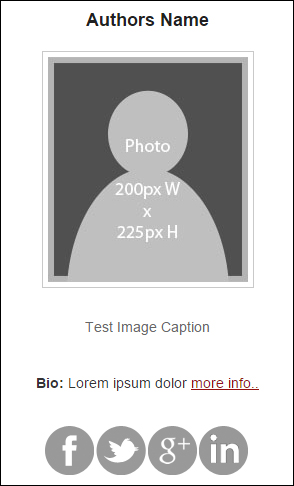
(Bonus #5 - 15 Widget Content Elements)
User Testimonials
Here are a few of the comments that users have submitted regarding WPCheat:
“I have been struggling to get a picture surrounded by text on one of my site pages, and had resorted to using a table structure to get my image to be in the right place. WPCheat solved that problem for me in minutes! Thank you for creating this software. It’s awesome!” Donna Lamb
***
“WP Cheat is also a great tool, when I understood that I could get rid of most of my graphic shortcode products (a “ahaaa” moment!) which are a big problem in case you want to deactivate them, there was no doubt that I would get it.” Alexandra Lemonnier
Product Tips
The web page content included in this product can be tweaked and work on all well-coded themes. Changing aspects of the elements like colour, size, alignment and spacing helps you learn the basics of HTML.
WP Cheat Product Support
The templates are downloadable and include twelve months of updates and technical support, as well as hosted video tutorials. WP Cheat is backed by a no-risk, thirty day, complete refund guarantee.

Product Licensing Pricing
WP Cheat normally retails for $67. When we last checked, it was being offered at a lower price of $37 for a limited time.
Note: The cost of purchasing the WPCheat software can vary, depending on whether there are any promotions or limited-time specials being offered. The price above was current when this content was published. This may not be the actual price set by the product seller when you visit the site and you may be shown additional upsells or one-time offers after purchasing.
Check the product’s website for the current price:
Additional Information
WP Cheat is designed to work on all versions of WordPress (Mac or PC). For a demo video of the product, FAQs, support help desk, contact details and more, visit the WP Cheat website.
In Conclusion …
If you are looking for a simple, fast and easy-to-use way to shortcut the process of creating and adding content your site’s pages and posts that normally requires learning HTML, then WP Cheat is a time-saving, cost-effective and useful resource that you may want to consider purchasing.
For more details, check out the product here:
***
***