WordPress is one of the easiest and simplest to use content management platforms. With WordPress, all you really need to do is think, write and publish.
Whether you own a digital business or a blog, there is plenty to write about. Over a period of time, you can end up with dozens of published articles on your site … especially if you collaborate with others.
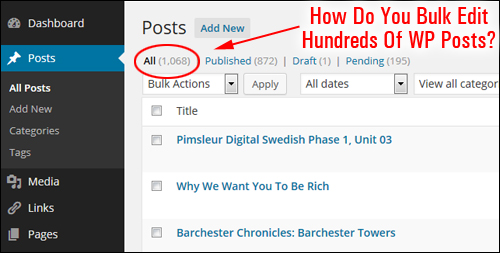
(How do you bulk edit hundreds of WordPress posts?)
WordPress Bulk Editing Plugin
What happens if, let’s suppose, after a period of time, you have loads of published content on your site and realize that you have to replace something?
If you know code, you could do bulk edits within the WP database.
Fortunately, if you are a non-technical WordPress user, there is a WordPress plugin that lets you change content throughout your posts and pages without having to open mySQL databases or modify files.
WP BulkEditor – WP Bulk Editor Plugin
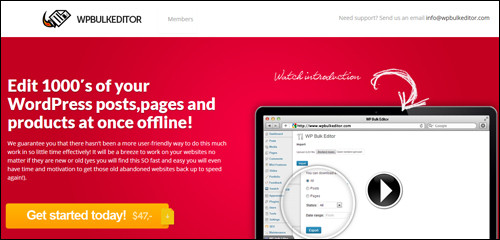
(WP BulkEditor – WordPress Bulk Editing Plugin)
Plugin Description
WP Bulk Editor is a simple and easy-to-use bulk editing plugin for WordPress that lets you modify dozens of WP posts and pages quickly and easily.
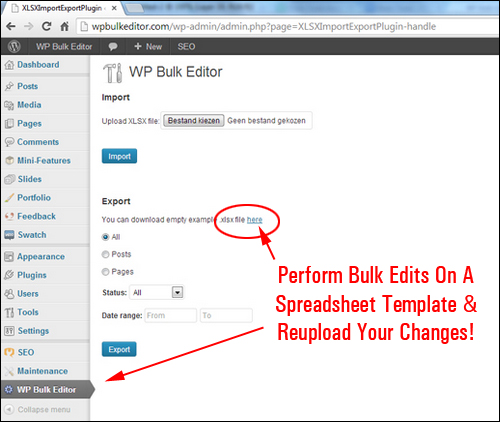
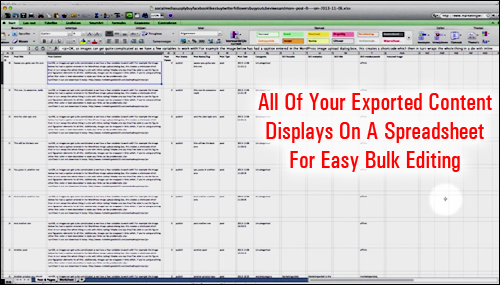
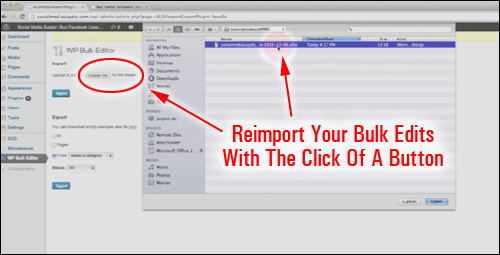
WP Bulk Editor is easy to install and simple to use. Once the plugin is installed and activated, it adds functionality to your site’s dashboard with similar features to the WordPress Tools > Export/Import area. You simply download a template with all of your site’s information, edit the template and then reupload the document with all the changes you have made and your content will be updated.
More info: WP Bulk Editor
Plugin Benefits
Here are just some of the benefits of using WP BulkEditor to edit your web site:
Unlimited Amount Of WP Posts And Pages You Can Edit
WP BulkEditor lets you change hundreds, even thousands of posts and pages at once.
Edit WordPress Content Offline
WP BulkEditor allows you to perform all of your modifications offline. This is helpful if you intend to work in places where there is no access to online services, or outsource the job to others without having to give them access to your site.
Create Fast Backups Of Your Site
You can create backups of your web site content fast with this plugin.
Additional plugin benefits include the following:
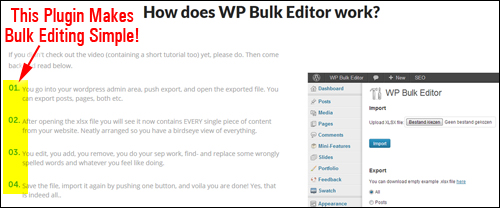
- Easy To Use: There are just 3 simple steps to using this plugin: exporting the data, editing and saving your modifications, and re-importing the spreadsheet to your web site.
- Import & Export Content Easily: You can import and export one, a few or loads of new WordPress posts with only a few mouse-clicks.
- Make Bulk SEO Changes: If you use a plugin like WP SEO by Yoast, you can easily make bulk edits to aspects of your product SEO descriptors.
Plugin Features
WPBulkEditor offers many unique features to web site owners. Here are just a few:
- Quick and easy to install and set up. Goes to work in minutes.
- Compatibility with other WordPress plugins and themes. WP Bulk Editor works with WPSEO by Yoast and online commerce themes like WooThemes.
- User-friendly bulk replacement tool. Perform bulk replacements of affiliate links, misspelt text, etc. with no coding knowledge required. Note: MS Excel is a requirement for opening and changing exported files offline.
- Windows And Mac Compatible.WP Bulk Editor allows both Windows and Mac users to use the same .zip file on both operating systems.
User Testimonials
Here are some of the testimonials that users have written about WP BulkEditor:
“Editing my WordPress pages and posts truly never was this easy!” Tim Jenkins, large blog owner.
Plugin Tips
WP BulkEditor is not only useful for performing bulk editing tasks on your current WP posts and pages. It can also be used to update all of your WordPress sites.
If you have old affiliate links pointing to missing locations, for example, you can easily replace those non-working URLs with active hyperlinks.
Here’s a useful tip: Let’s say that you conclude all posts on your business blog with a call to action that includes asking visitors to contact such and such a person (e.g. “To request a prospectus contact James on 1234-567890”) and this member quits your team. You can replace the name of the departed colleague with the new contact person’s name, and do the same thing for their email addresses, telephone numbers, etc. You can also duplicate posts with different city names for publishing on regional websites!
Product Support
The WP Bulk Editor website contains a video tutorial that explains how to use the plugin, and the developer can be contacted for support, or for suggestions on ways to add new features to the plugin.
Software Cost
Last time we checked, the cost of purchasing WP BulkEditor is $49.
Note: The cost to purchase WPBulkEditor can vary, depending on whether there are any promotions or limited-time specials being offered. The pricing above was current at the time this article was published. This may not be the actual price charged by the software author when you visit the website and you may be shown additional upsells or one-time offers after purchasing.
Check the plugin’s website for current pricing details: WP Bulk Editor – WordPress Bulk Editing Plugin
Additional Info
For ”how-to” videos showing plugin usage, including help documentation and tutorials, FAQs, customer helpdesk, contact details and more, visit the WP Bulk Editor website.
Our Recommendation
If you need an easy WordPress plugin for performing bulk editing on your site or blog, then WP BulkEditor is a great plugin to keep in mind. The plugin is sold with a sixty-day, 100% no-risk money-back guarantee, which is backed by the merchant, so no matter what happens, you will be automatically refunded if you’re dissatisfied in any way with your purchase.

For more information, check out the plugin here: WP Bulk Editor – WordPress Bulk Editing Plugin
Alternatively, here’s another WordPress bulk editor plugin you can check out …
WordPress Advanced Bulk Edit
(WordPress Advanced Bulk Edit)
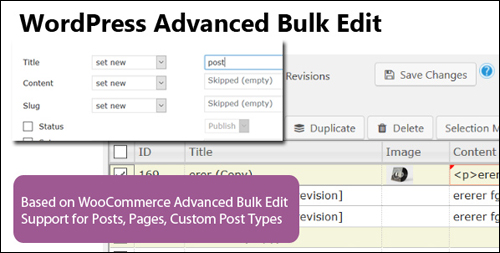
WordPress Advanced Bulk Edit plugin lets you easily edit your posts, pages and custom post types individually or in bulk …
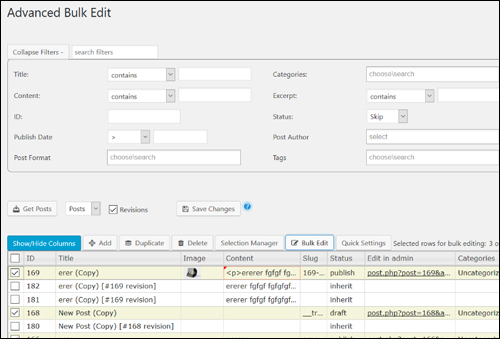
(Advanced Bulk Edit screen)
Some of the features of this powerful bulk editor plugin includes filtering posts by title, category, tags, description and excerpt, status, and post author. Bulk editing functions include appending, prepending and replacing text in text fields, increasing and decreasing by value/percent, setting, adding, and removing categories, and being able to copy values from one field to another …
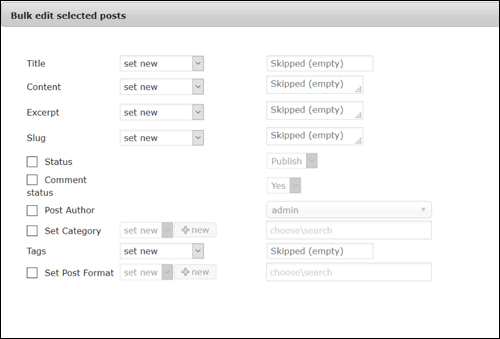
(Bulk Edit Select Posts screen)
Additional features include the ability to show/hide table columns, create posts and categories, delete posts and the option to delete images from the server when permanently deleting posts …
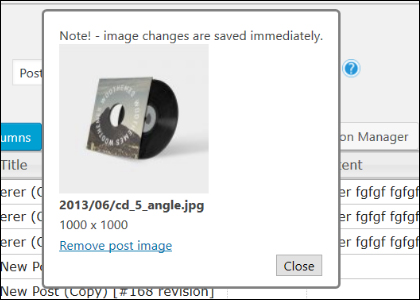
(Delete images from server when deleting posts)
The plugin also includes support for custom meta fields and custom taxonomies, linked editing of selected products (quick bulk edit), customizable post limit, translation support and a powerful selection manager that lets you select posts via search conditions …
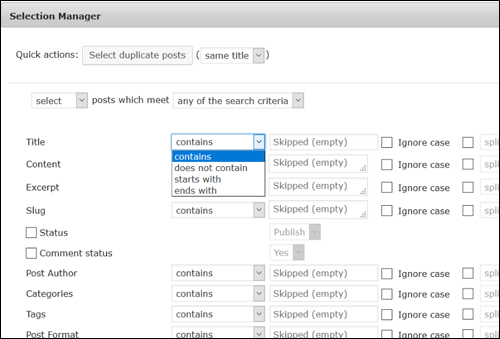
(Selection Manager screen)
You can also export posts to a CSV file …
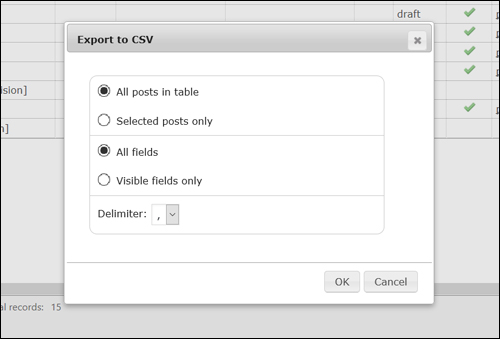
(Export posts to a CSV file)
WordPress Advanced Bulk Edit supports the following fields for bulk editing:
- Title
- Description
- Excerpt
- Publish Date
- Post Author
- Post Slug
- Categories
- Tags
- Image
- Status (draft, published, private, pending)
- Post Permalink
- Post Format
- Menu Order
- Comment Status
For more information, check out the plugin here: WordPress Advanced Bulk Edit
Additional Resources
To learn how to make global changes to WordPress post and pages, see the tutorial below:
***