If you plan to grow a successful business online, you do not want to learn the hard way that you have broken the law.
Online laws, regulations, and guidelines are designed to protect consumers and apply to anyone who markets, sells or promotes products or services online. Anyone who owns a website risks being sued for not following compliance laws. Feigning ignorance about legal requirements will not excuse someone from taking legal action against your business.
Recent laws introduced in 2014 regulating how businesses promote advertising on their sites state that if you promote anything on your site for profit, you need to follow certain disclosure guidelines to prevent enforceable orders being issued against you by consumer protection departments, such as the (US based) Better Business Bureau, also called the BBB. Do a search online for “The Online Interest-Based Advertising Accountability Program,” which regulates behavioral advertising across the internet to learn more.
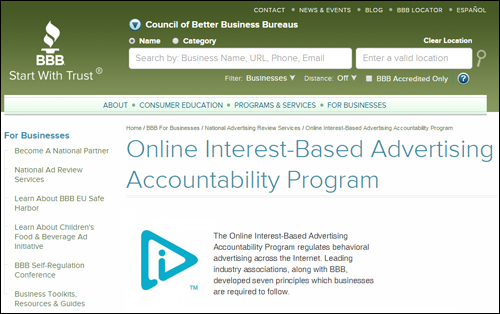
(BBB – Online Interest-Based Advertising Accountability Program)
The introduction of new laws affect several business categories, including:
- Any kind of advertising, e.g. contextual advertising
- Retarget Marketing
- Google Analytics (or other analytics software)
- Affiliate Marketing
- Product Creation
- Blogging
- etc.
If your site does not display certain legal pages (e.g. terms and conditions of use, privacy policy, financial disclaimers, etc.), many third-party sites like Google won’t let you advertise, digital marketplaces like ClickBank will not allow you to list digital products, PayPal could close down your account, Facebook will disapprove your web applications, and you won’t be allowed to enrol in various advertising and affiliate merchant networks.
Plus, you may also be inadvertently leaving yourself open and vulnerable to litigation.
The purpose of this article is to make you aware that your site(s) are required to comply with certain legalities, the importance of being compliant with the terms of service of third-party providers whose products or services you may be advertising on your website, and that there are plugin-based solutions for WordPress that can help your site become compliant, such as the tools listed further below.

Does Your Site Comply With The Law?

Legal Disclaimer: Please note that we are not lawyers and we do not provide legal advice. You must carry out your own due diligence and we recommend consulting a legal expert about the best way to ensure that your website is compliant with all laws wherever you do business.
Why Having A Compliant Website Is Important
Is your business at risk? Consider for a moment what could happen to your business if these scenarios were to occur:
- Someone has a cardiac arrest after they use your online fitness workout.
- The skin care lotion you sell as an affiliate marketer gives someone skin rashes.
- You’ve informed your subscribers that you won’t sell their information, but you have not spelled out exactly what you’ll do with the information you’ve collected.
- Someone copies your content and puts it up on their own website.
- There is no statement on your website or blog letting your visitors know that you are an affiliate for the product you’re marketing that you could receive financial benefits if visitors buy it.
- You don’t spell out the conditions of your return policies.
- Visitors claim your testimonials are fake and decide to sue you.
- You have not disclosed that you received a free copy of the product you reviewed.
- Your site contains adult information and you haven’t taken sufficient measures to restrict access by underaged persons.
Consider now the actual case studies of costly compliance breaches listed below:
- A CPA Marketer failed to provide adequate disclaimers telling visitors they would be required to give up personal information to complete an offer they were promoting. In addition to a hefty $390,000 fine, they’re now required to issue a copy of the judgement to everyone they do business with for the next 20 years — including employees.
- A social networking app developer was slapped with a massive $800,000 fine for collecting personal information from mobile device address books without the owners’ knowledge and consent – including storing private details about children.
- Facebook’s Terms Of Service does not allow users to scrape UIDs. Many internet marketers took a risk and lost. Their accounts were shut down, resulting thousands of $$$ in lost revenue.
- An independently-conducted study by Brad Geddes of SearchEngineLand, showed that, of a couple of hundred websites chosen at random, more than 90% had infringed at least one of Google’s policies, more than 65% had broken at least two of Google’s policies, and more than 40% had broken at least 3 of Google’s policies. Although the website owners could technically be sued by Google, more than likely what could happen, is that they would be issued cautions or lose access to the Google program with the violation, which could result in loss of income (e.g. AdSense or AdWords).
Can you see how easy it is to be exposed to the risks of litigation?
Regardless of whether you are a:
- CPC (Cost Per Conversion) Marketer
- MLM Networker
- Affiliate Promoter
- AdSense Publisher
- Product Publisher
- Amazon Associate
- e-Commerce Store Owner
- Adult Content Publisher
- Provider Of Freelance, Coaching Or Consulting Services
- Online Seller Of Any Product Or Service
it’s important to make sure that your digital presence remains legally compliant.
Complying With Third-Party Companies - ToS, Policies, etc.
Big companies and government trade regulatory agencies emphasize the importance of observing the terms and policies of 3rd-party service providers.
You are required to let your site visitors know that your business complies with laws and professional guidelines. This not only improves trust and confidence in your site, it’s also a requirement of most companies you engage with online.
For example:
Google requires you to display certain information when using many of their services and features. This includes Google Analytics …
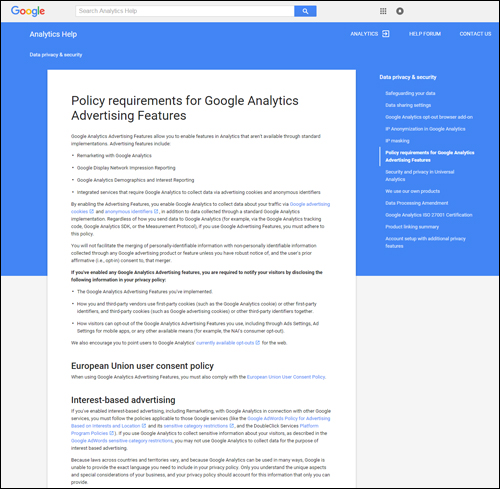
(Policy requirements for using Google Analytics)
Monetizing your sites using Google AdSense online advertising …
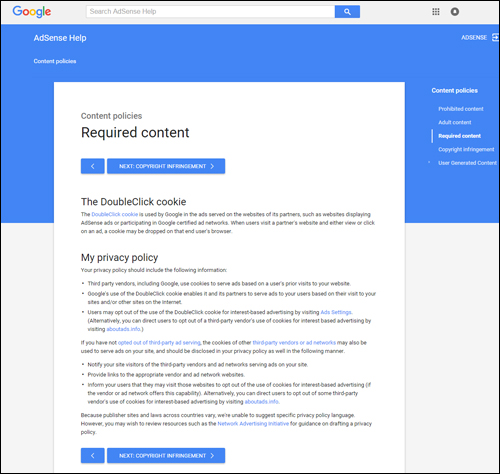
(Google AdSense online advertising policy requirements)
Or promoting your services via Google AdWords …
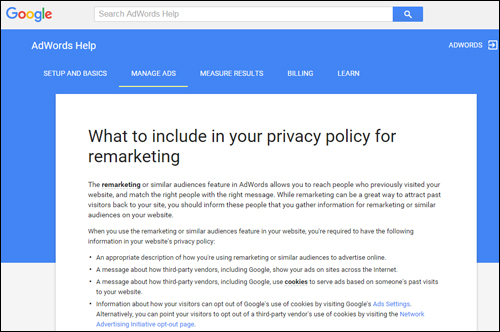
(Google AdWords – Policy Requirements)
If you sell digital products via merchants such as ClickBank, JVZoo, or other established merchant networks, you will need to add a number of legal pages before they will approve your products for sale …
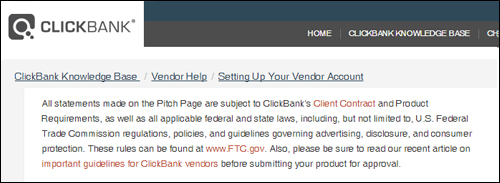
(Policy requirements for selling through ClickBank)
The Federal Trade Commission (FTC) also requires you to include clear disclaimers and policies on your website, especially concerning the use of testimonials or product endorsements …
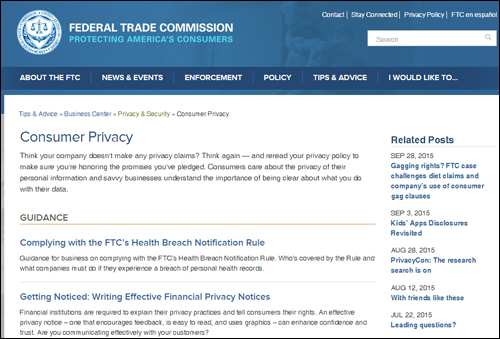
(Federal Trade Commission – consumer policies and regulations)
FTC Regulations – Ensure That Your Site Is Compliant
New FTC regulations governing the conduct of doing business online were introduced in March 2012. Search online and you will see that many sites are still unaware (or choose to flaunt) these requirements. As is already the case, this typically prompts the FTC to make an example of businesses and prosecute site owners for breaches of regulation in an effort to get other businesses to comply.
If you plan to do any kind of selling online, therefore, it’s best not to take chances. Even if your business does not operate in the U.S. we strongly recommend protecting your business interests by making sure that your website complies with FTC regulations and guidelines.
A number of business resources provide guidelines on how to structure disclaimers and disclosures to help you meet FTC requirements. See the references and useful resources section at the end of this article for more information …
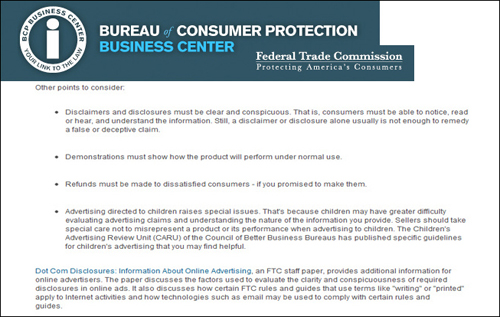
(Structuring your disclaimers and disclosures correctly is important to avoid running foul of laws and regulations)
Don’t Forget Social Media Apps
If you are planning to create apps for your website, you will also be required to provide social networking sites like Twitter, Facebook, and many others with information about various legal pages …
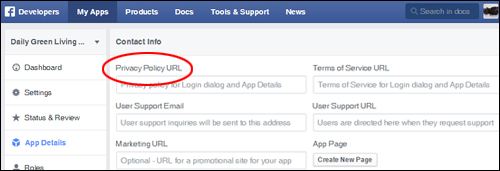
(Apps that integrate with social networking sites like Facebook also require compliance)

- If you are not sure whether you are breaking the law, and/or Terms of Service policies and guidelines of websites like Google, Facebook, etc., then you most probably are.
- If you plan to promote services or products on your site as an affiliate marketer, or generate revenue online with Google AdSense, ads for Amazon or eBay products, or use Google AdWords to drive visitors to your pages, etc., then find out exactly what kind of legal information you are required to display on your site to comply with their Terms Of Service and policy requirements - don’t risk having your accounts shut down.
- If you’ve been wondering if “borrowing” a Copyright Notice is Copyright infringement, take proper precautions to protect yourself and your business interests.
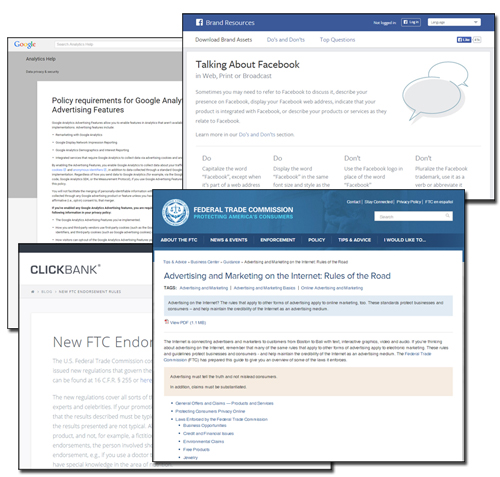
(In addition to legal and regulatory compliance, most 3rd-party websites require you to comply with their terms of use and policies)
What Legal Information Should You Add To Your Website To Be Compliant?
If you suspect that your website or blog lacks in terms of compliance, then you will find this section helpful.
Adding the following legal pages to your website will help keep your business out of trouble with most consumer protection authorities and third-party service providers, and help to avoid possible legal issues):
- About Us
- Contact Page
- Privacy Statement
- Terms And Conditions
- Disclaimer Pages
- General Data Protection Regulation (GDPR) Compliance
Additionally, you may want to look into including any of the pages listed below where applicable:
- Affiliate Agreement (if you sell products or services through an affiliate program)
- Anti-Spam Policy
- Compensation Disclosure
- External Links Policy
- Health Disclaimers (e.g. if your website or blog provides general health or medical information)
- Refund Policy (if you run an e-commerce site)
- Use Of Media (e.g. if you allow media downloads on your site)
Disclosure Pages – Types
Adding the correct type of web content disclosure is important. For example:
- No Material Connection – Informs readers that you are not being paid for writing the content.
- Affiliate Links – Notifies visitors that you may receive compensation if they act on your recommendation and buy through affiliate links on your site.
- Review/Sample Copy – Disclosure that informs users that you have been given a sample or review copy of the product or service you’re reviewing.
- Sponsored Post – Lets users be aware that you have been compensated in some way to write the article.
- Third Party Advertising – Informs your visitors that you’re using online behavioral tracking technology. This is required to comply with the “enhanced notice” the Better Business Bureau has been requiring online publishers to show prominently on their sites since January 1, 2014.
How To Add Compliance Pages To Your Site
Ideally, you will have a lawyer prepare the content of your legal documents. Once this has been completed, there are several ways to add them to your website.
Upload Legal Pages To Your Website
If someone prepares and delivers the legal content for you as standard web pages (e.g. HTML), you can simply upload these to your server, or have someone upload these pages for you.
We recommend creating a legals folder in your web server and uploading HTML pages containing your legal documentation to this directory using FTP …
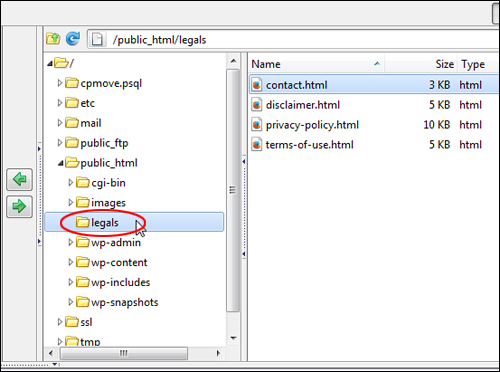
(Create a ‘legals’ folder in your web server and upload pages via FTP)
You can then add a link to these legal pages in WordPress using a custom WordPress menu …
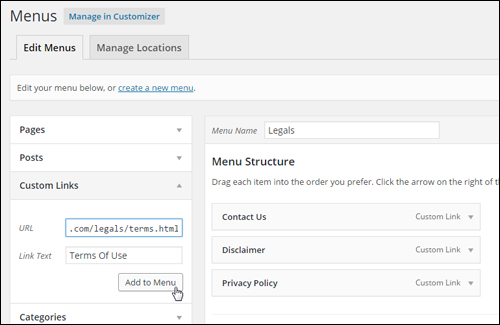
(WordPress Menu)
Make sure that your legal pages are kept up-to-date and display clearly to visitors. You can add links to your legal pages to your WordPress sidebar (or place them in the footer of your site) to ensure that visitors have access to the information from all of your pages …
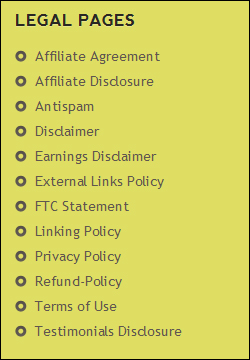
(Display links to legal information to visitors on all of your website’s pages)
We have written a detailed tutorial on adding links to pages on your sidebar and footer using widgets here:
Legal Templates
You can easily find downloadable attorney-drafted disclosures and website forms and agreements just by searching online, or going to websites like the ones listed below:
Find Legal Forms
(FindLegalForms.com – Legal forms)
For more information, go here:
Another option is to purchase a package of legal templates drafted by legal attorney Scott Talbert to help businesses protect themselves online …
Cut And Paste Website Legal Pages

(Cut & Paste Website Legal Pages)
These templates were created by an attorney and feature less passive voice and more plain language phrasing and can be customized with a quick search and replace to insert your own business name and URL, then pasted into your pages.
The legal templates included in Scott Talbert’s Legal Forms include:
- Anti-Spam Policy
- Copyright Notice
- Disclaimer (multi-discipline professional disclaimers)
- DMCA Compliance
- FTC Compliance (This proprietary FTC page reflects new Federal Trade Commission guidelines that came into effect in 2012)
- Privacy Policy
- Terms of Service & Conditions of Use.
You can either create a new WordPress page for every legal form you want added to your site, then paste the content from the templates into your pages and publish or upload the pages to your web server as described earlier.
More info:
WordPress Legal Page Plugins
As well as using templates, another option is to use a plugin.
Here are some WordPress plugins worth looking into:
WordPress Legal Pages

(WordPress Legal Pages Plugin For WordPress)
If the idea of creating legal pages manually seems too time-consuming for you, then consider using a plugin like WordPress Legal Pages instead …
This plugin is not free, but it’s a low-priced and well-supported premium plugin that will help make the work of creating and implementing legal pages on your website a lot easier and save you time.
Some of the benefits of using WP Legal Pages are:
- Built-in Legal Templates – The plugin gives you access to over 20 built-in legal page templates created by professional lawyers.
- Very Quick And Easy To Use – You can set up most of the basic legal pages you need in a few minutes with a few mouse clicks.
- Fully Customizable Pages – The plugin includes fully customizable and easily editable legal form templates (e.g. ToS, Disclaimer, Earnings Disclaimer, Privacy Policy and more!)
- Easy To Edit Pages – WYSIWYG editor lets you edit legal pages just like any other page on your website.
- Shortcodes – Add shortcodes to your pages and the information is then automatically inserted into your content when published.
- Exclude pages. The plugin lets you exclude pages from menus with a simple check box and delete and manage these like any other WordPress page.
- Forced Options – Force page or post lockdown. When users agree to the terms, the page unlocks.
- New Features – More features are being added to this plugin with each new version.
After installing WordPress Legal Pages, a menu feature will be added to your main navigation section …
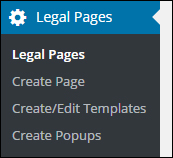
(WordPress Legal Pages Plugin For WordPress – Menu)
This lets you create, edit and view your legal pages from your admin area …
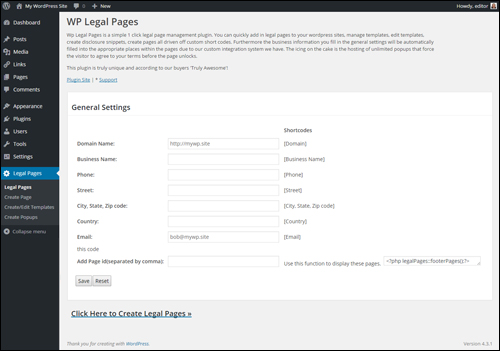
(WordPress Legal Pages – Settings Area)
The plugin gives you the option of creating legal pages for different types of websites, such as business websites with products, niche websites, Amazon sites, etc …
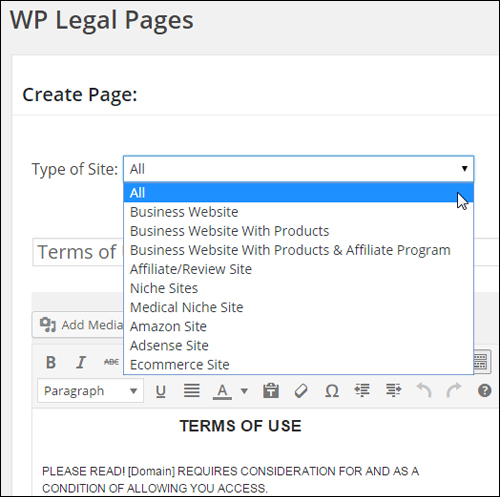
(WP Legal Pages – Page type dropdown menu)
Choose from several pre-written legal templates …
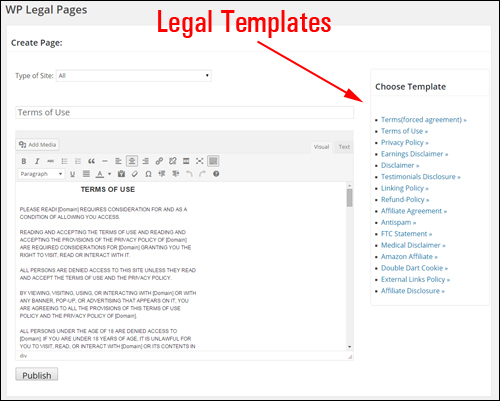
(WP Legal Pages Plugin For WordPress – Legal Templates)
Legal page templates include:
- Terms of Use (Users are forced to agree to Terms and Conditions before using site)
- Linking Policy
- External Links Policy
- Terms and Conditions
- Refund Policy
- Affiliate Disclosure
- Privacy Policy
- Affiliate Agreement
- Facebook Privacy Policy
- Earnings Disclaimer
- Antispam Policy
- DoubleClick DART Cookies Policy
- Disclaimer Template
- FTC Disclosure Statement Template
- Medical Disclaimer Template
- Testimonials Disclosure – As per FTC guidelines
- Amazon Affiliate Disclosure Template
- DMCA Policy Template
- California Privacy Rights Policy Template
- Digital Goods Refund Policy Template
- COPPA – Children’s Online Privacy Policy Template
- Blog Comments Policy Template
- Newsletter Subscription Policy and Disclaimer Template
- FTC Disclaimer Widget
For more details about using this plugin, go here:
Compliance Bar – Website Compliance Plugin For WordPress
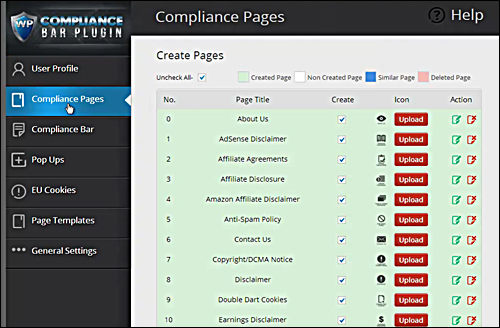
Compliance Bar is a simple WordPress plugin with over twenty customizable legal templates for your digital presence …
For more details go here:
Legal Suite Pro Plugin
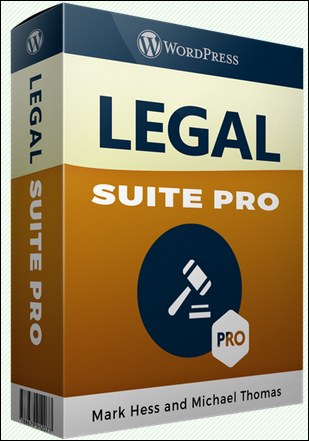
(Legal Suite Pro Plugin)
Legal Suite Pro Plugin For WordPress lets you easily install professionally-written legal pages such as:
- Anti-Spam Policy
- Copyright Notice
- DMCA Compliance
- FTC Compliance
- Privacy Policy
- Social Media Disclosure
- Medical Disclaimer
- Terms of Service
- Earnings Disclaimer
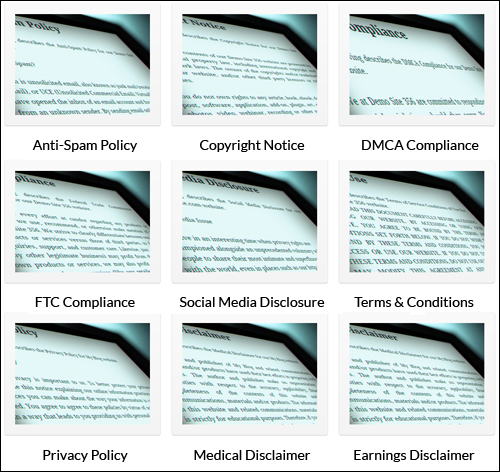
(Legal Suite Pro For WordPress – Professionally-written legal forms)
Additionally:
- Drag & Drop FTC Disclaimer Widget: Add an FTC Disclaimer to any WordPress sidebar or widget area.
- Customizable EU Cookie Compliance Bar: Display an EU cookie compliance bar if you are getting traffic from the EU and your sites use cookies.
With just one-click you can install almost all of the legal pages your site needs and these professionally written legal pages can be created in your theme and/or as a standalone page outside of your theme.
The plugin developers have packaged high quality, professionally written legal disclaimers into a plugin that can be installed quickly on any WordPress powered site. Your legal pages can be installed and set up on your site in one minute or less and the plugin licensing is flexible, allowing you to install and use the plugin on all of your sites.
More information:

If using the services of a lawyer to create your legal pages is currently out of your budget, then consider at least implementing some basic kind of legal protection on your site until you can afford professional legal services.
We want your business to be legally safe!
Download the FREE Legal Pages Generator software below, or consider using one of the better solutions we discuss in this article, such as using ready-made legal forms, or a plugin - see section below.
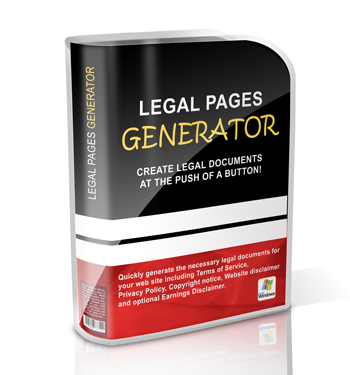
(Legal Pages Generator)
Legal Pages Generator lets you easily generate basic legal documents for your website including Terms of Service, Privacy Policy, Copyright Notice, Website Disclaimer and optional Earnings Disclaimer.
***
As we’ve previously pointed out, if you are making money online (or plan to), it’s important that your website stays compliant with regulatory agencies and the terms of service (TOS) and guidelines provided by third-party sites that you may decide to promote or offer online. Your website must comply with numerous regulations, many of which you may not even be aware of.
Non-compliance puts you at risk of suffering both financial losses and the loss of your reputation. Why risk your money and reputation, when you can protect yourself so inexpensively?
Disclaimer: Once again, please note that we are not lawyers and we offer no legal advice. Do your own due diligence and consult legal experts about the best way of ensuring that your website is compliant with all legal requirements concerning your specific business.
Legal Resources And References
Below is a useful list of sites we recommend you visit to better understand what your business requires to remain compliant and meet its legal requirements and guidelines:
- Federal Trade Commission Latest List Of Rules & Regulations
- Federal Trade Commission Advertising & Marketing Rules Of the Road
- FTC Advertising And Marketing On The Internet
- Online Interest-Based Advertising Accountability Program
- Dot Com Disclosures: Information About Online Advertising
- Restore Online Shoppers’ Confidence Act
- CAN-SPAM Act Guide
- Children’s Online Privacy Protection Rule
- FTC Regulatory Review Web Page
- FTC Rules and Guides Currently Under Review
- The Department of Commerce Internet Policy Task Force – Commercial Data Privacy and Innovation in the Internet Economy: A Dynamic Policy Framework
- FTC Staff Report: Self-Regulatory Principles for Online Behavioral Advertising
- FTC Final Guides Governing Endorsements and Testimonials
- US Patent and Trademark Office
- US Copyright Office
Additionally …
- Google Analytics Help – Policy requirements for Google Analytics Advertising Features
- Google AdSense Program Policies Explained
- Google AdSense Help – Required Content
- Google AdWords – Information Collection And Use
- AdWords Help – What to include in your privacy policy for remarketing
- ClickBank – Creating Your First Product
- Facebook Platform Policies
Hopefully, this article has helped you understand why it’s important to have a compliant website. Use the information provided above to quickly and easily add all necessary legal pages to your site using simple methods and resources.
***
"I love the way your email series "Infinite Web Content Creation Training Series" is documented and presented. It is very absorbing and captivating. The links and tutorials are interesting and educational. This has motivated me to rewrite my content following the concepts I am learning from the email series." - Mani Raju, www.fortuneinewaste.com