 Advanced web publishing technologies like the WordPress CMS platform have effectively improved web design and web development for business users.
This is great for entrepreneurial-minded people wanting to start a website that is simple, easy and inexpensive to manage.
Before “blogging” and the development of advanced CMS tools, if you wanted a site, you had to wait until both the web development and web design processes were fully completed. This could take weeks, even many months!
WordPress themes changed all this. In this post, you will learn what themes are, how themes save you money on web design costs, and how themes help you easily customize your site.
Web Design Evolution
Businesses are benefiting from a tremendous revolution in website design that has been going for a number of years now. If you own a business, you may want to learn about this, because it could save you thousands of dollars on web development and website design costs.
In a nutshell, this is what used to happen before a CMS application like WordPress was developed:
The first step would be to meet with a web developer or designer for a brief. Next, the actual “web design” would be discussed and agreed upon. This required spending time and money with someone with web design skills going over areas of the site like the layout, colours, formats, visual elements, content, etc.
Every page of your web site then had to be hand-coded with the elements and scripts coded into your page content. All of the pages were then assembled into a website using hyperlinks and navigation menus and uploaded to your server, along with all other files required to make your website work – script libraries, graphic images, media elements, etc.
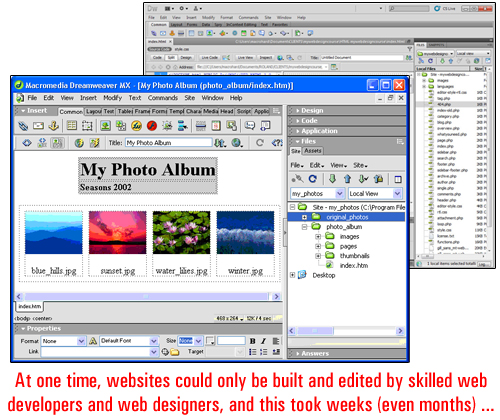
(image source:adobe.com)
Only once everything passed testing and worked how it should (and looking how a client had wanted it to look), was the web site considered as being finished and ready for sign off.
The next stage in the evolution of business web design was the introduction of “web templates”. A website template allows the ”look and feel” of the website to be worked on separately from the page content. The introduction of templates helped to make the process of creating websites faster and resulted in lowered costs of production. This also enabled website designers to expand their services to include smaller business clients and clients with less money to spend …
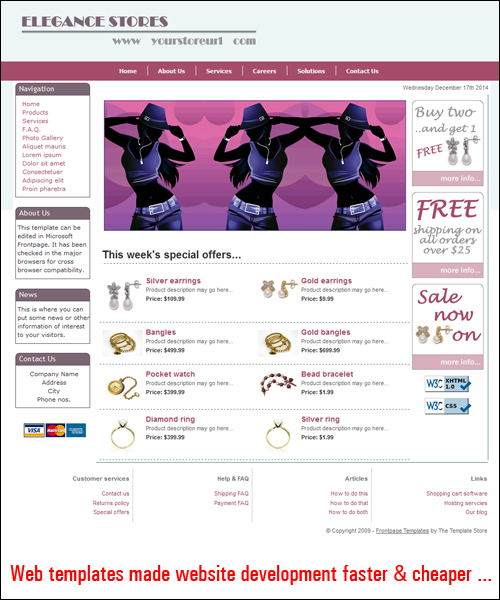
(image source: www.dreamweaver-templates.org)
As the number of businesses choosing “template-based” websites increased, templates were designed that could provide clients with various custom features, like color palettes, the ability to pick different styles and elements, etc …
As web sites and website editor applications evolved, website templates also began to transform into web templating “systems” that let website owners customize the design elements of their web site.
Then, WordPress came along and helped to kick off a new business website revolution …
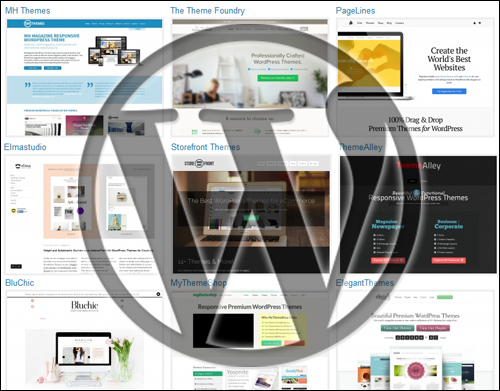
(WordPress – A Content Publishing Revolution)
To learn more about content management systems and the benefits of the WordPress CMS, see the tutorial below:
WordPress Themes
A WordPress theme takes web template systems further.
The WordPress theme system controls the design areas of the website. It lets you add a “skin” over your site much like a template system does but also gives you complete control over the management and ability to customize all template features.
As the official WordPress site states …
A WordPress Theme is a collection of files that work together to produce a graphical interface with an underlying unifying design for a weblog. These files are called template files. A Theme modifies the way the site is displayed, without modifying the underlying software. Themes may include customized template files, image files (*.jpg, *.gif), style sheets (*.css), custom Pages, as well as any necessary code files (*.php).
(source: WordPress.org)
As stated above, one of the unique and revolutionary features of a WordPress theme is that how your web site looks to visitors is controlled separately from how your website is configured internally to handle areas like content management and functionality.
In plain English terms, what this means is that a theme lets you modify the design of your website as much and as often as you want without modifying your website’s content and all the functionality you’ve built into it. For example, if your site has been configured for e-commerce, replacing the theme won’t affect the content or the functionality of the web site. All e-commerce features, site settings and product information will remain intact, but your site will look completely different.
This is important. Why?
Because when you use WordPress, you no longer have to wait until your website’s design is done. You can get your website built quickly and start with any WP theme you want, and then change the entire look, feel and design of your site in mere seconds, whenever you want … and as many times as you like!
Even better, you can easily install a theme on your site without requiring website coding knowledge. Just choose a WordPress theme you like, install it on your site and activate it. WordPress allows you to change your web design and modify elements like header images, layout, style settings and more in minutes …
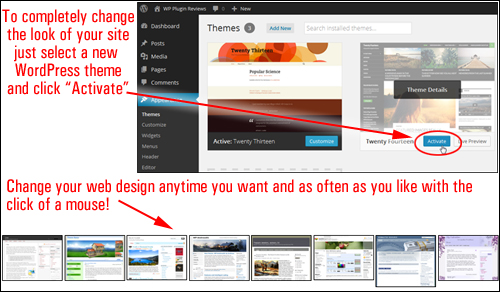
As WordPress is made available as open source software, website designers all around the world can design themes specifically for the WordPress platform using the WordPress template system.
This means that thousands of high quality WP themes can be downloaded by WP users. Themes are normally distributed as Free Software under the terms of the GNU General Public License Definition, or they can be purchased as Premium (paid) WordPress themes.
The WordPress development team keeps a FREE WordPress Theme Directory which allows WordPress users to download, access and install thousands of excellent website templates for free …
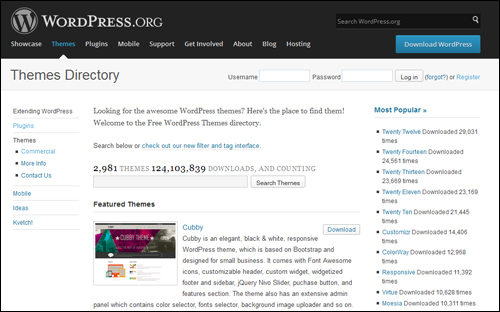
(WordPress.org – Themes Directory)
As more users turn to WordPress for publishing and managing their digital presence, more designers are now focused on creating themes for a wider range of applications.
WP themes vary from bare-looking, to designs that are breathtaking and could easily cost many hundreds of dollars to develop. Surprisingly, most premium WordPress themes are fairly inexpensive to purchase.
You can see a number of theme galleries containing stunning examples of themes here:
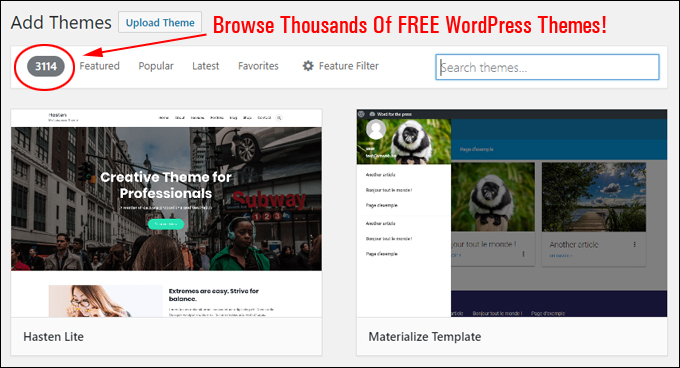
(Browse Thousands Of FREE WordPress Themes!)
Themes – Benefits
Here are just some of the benefits and advantages of using WordPress themes over choosing applications that require traditional web design:
Be Up And Running In Very Little Time
Themes are very easy to install on your site. Just upload it to your Plugins folder via your WP dashboard and activate. Even easier still, you can install any of the themes listed in the free WP theme repository at WordPress.org) directly from your WP admin’s “Theme” section.
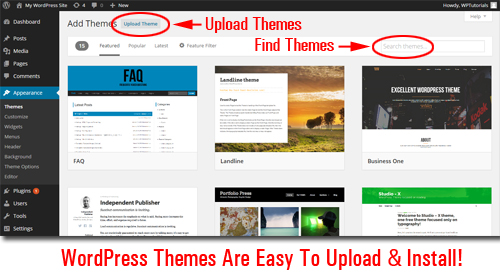
Additionally,
- WordPress has a growing online community of professional web designers who, collectively, contribute thousands of excellent WP Themes available to WordPress users. And many of these themes are completely free to use!
- Themes give sites a consistent look across all your site’s elements, i.e. pages, headers, footers, layout, etc …
- A “theme” works independently of your web site’s content. This makes it possible to swap themes as often as you like without disturbing the settings.
- Many themes provide additional functionality and options that let you easily customize the theme’s style, layout and design elements to create a unique look to suit your needs.
- Many WordPress themes are built using a framework that enables you to upgrade themes to a newer theme version without losing any customizations (e.g. CSS styles)
- WordPress allows you to search, import, install and update WordPress Themes automatically inside the admin panel.
- Themes helps you save hundreds, even thousands of dollars on web design costs. Free themes cost nothing and most “Premium”themes are typically quite affordable.
About Responsive Theme Design
Many theme designers are now developing themes that incorporate “responsive” design standards.
A responsive theme enables websites to automatically readjust the web layout to display smoothly across different screen sizes and resolutions, as well as different platforms) …
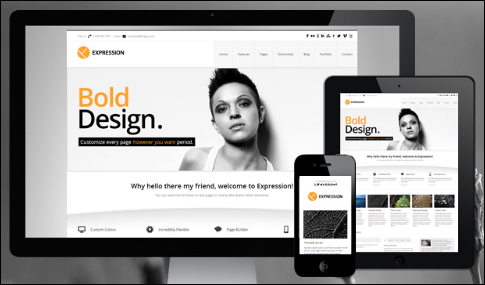
Responsive themes are also optimized for each platform. Users can scroll, read and load the site on all device platforms without having to resize anything, or requiring the website owner to have installed additional themes.
Note: When purchasing WordPress themes, we strongly recommend choosing a responsive WordPress theme. Not only will a responsive theme ensure that the content and layout of your site will display correctly across your visitors’ devices, but it also means that the theme is newer than most non-responsive themes and therefore probably complies with the latest standards and practices of web design and coding.
Hopefully, this overview has helped you gain a clearer understanding about themes, what WP themes are, how themes help you and your business save money on web design costs, and how themes make customizing web sites easy.
To learn where to search for great themes for your website or blog, visit this page: How To Find The Best Paid And Free Responsive WordPress Web Themes Online.
***
"This is AMAZING! I had learnt about how to use WordPress previously, but this covers absolutely everything and more!! Incredible value! Thank you!" - Monique, Warrior Forum
***