 Powerful website publishing systems like the WordPress Content Management System (CMS) have truly simplified web design and web development for users.
This is a great thing for individuals or businesses thinking of running a website that is simple and easy to manage.
Before “blogging” and the introduction of powerful and effective content management systems, if you wanted a professional business site, you normally would have to wait until both the website development and web design processes were completely done. This process could take weeks, sometimes even months!
WordPress themes changed all this. In this article, you will learn what themes are, how they save you money on web design costs, and how WordPress themes help you easily customize your site.
Web Site Design Revolution
More website owners will benefit from a tremendous change in website design that has been going for many years now. If you are a business owner, you will want to know more about this, because it can save you a lot of time and money on web development and web design costs.
In a nutshell, here’s how things worked in “traditional” web design before WordPress came along:
The first step would be to meet with a website developer or designer for a brief. After this, the actual design of the site itself would be discussed and agreed upon. This required spending time and money with a professional website designer discussing things of the website such as the layout, colors, styles, graphic elements, content, etc.
Every page of your site then had to be hand-coded with all of your design elements and codes inserted into your page content. The pages were then assembled together into a web site using hyperlinks and navigation menus and uploaded to your server, along with all other files needed to make your website work – script libraries, images, media, etc.
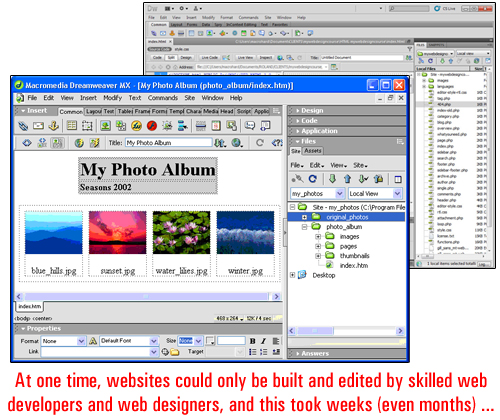
(image source:adobe.com)
Only once everything had been tested and performed how it was intended to (and looking the way the client had imagined it to look), was the site considered as being finished and ready for delivery.
Then, website “templates” came along”. Web templates allow the design of the web site to be worked on separately from content on the page. Having template elements helped to speed up the process of developing web sites and resulted in reduced production costs. This also allowed web developers to work with smaller businesses with less money to spend on marketing …
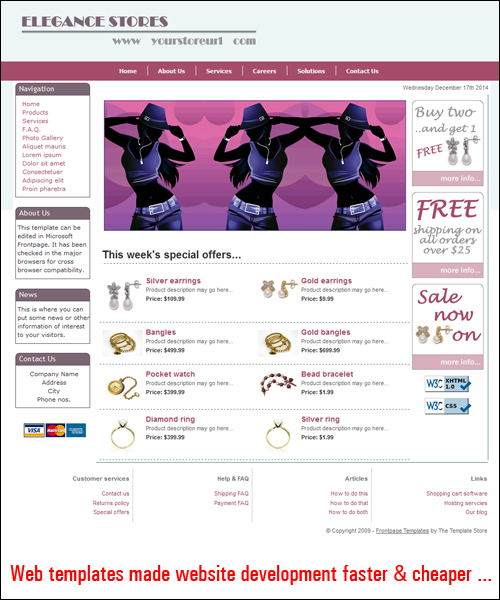
(image source: www.dreamweaver-templates.org)
As more small businesses started choosing “template-based” web design services, web templates started being designed to provide clients with various customizable settings, like the option to choose different colours, styles, layouts
As websites and web editing applications evolved, web templates also began evolving into website template “systems” that let users customize their website’s visual aspects.
And then, a “blogging” application called WordPress was introduced and helped to start a new online publishing revolution …
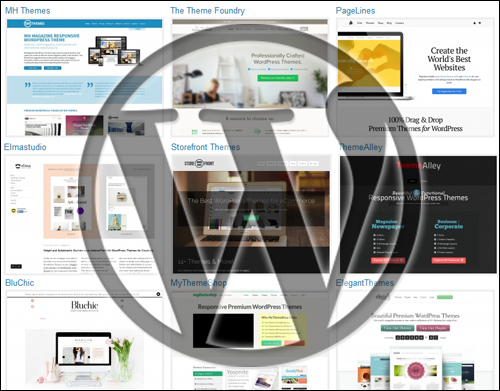
(WordPress – A Content Publishing Revolution)
To learn more about content management systems and the benefits of the WordPress CMS, see the tutorial below:
About WordPress Themes
WordPress themes take website templating systems one step further.
The WordPress theme system controls and unifies every aspect of your web design. It allows you to add a “skin” to your entire site in a similar way that a template system does but it gives you complete control over the management, appearance and customization aspects of template features.
As WordPress has stated in its official web site …
A WordPress Theme is a collection of files that work together to produce a graphical interface with an underlying unifying design for a weblog. These files are called template files. A Theme modifies the way the site is displayed, without modifying the underlying software. Themes may include customized template files, image files (*.jpg, *.gif), style sheets (*.css), custom Pages, as well as any necessary code files (*.php).
(source: WordPress.org)
As stated in the quote above, one of the unique features of WordPress is that the way your site displays to visitors is managed independently of the way your content is managed.
In simple terms, what this means is that a theme lets you modify the design of your website as much and as often as you want without touching your site’s content and all the work you’ve put into it. For example, if your website has been configured for e-commerce, replacing the theme won’t affect the content or the functionality of your web site. All e-commerce features, site settings and product information will remain unaffected, but the site will look completely different.
Why is this important?
Because when your site is powered by WordPress, you no longer have to spend weeks or months waiting for your website to be completed. You can get your website built quickly and start with any WordPress theme you like, and completely modify the look, feel and design of your site in a few seconds, whenever you choose … and as many times as you like!
Even better, you can easily install a theme on your site with no website code programming knowledge necessary. Just choose any theme you like, upload it to your website and activate it. WordPress lets you change your site’s design and customize elements like headers, page layout, typography and more in a few seconds …
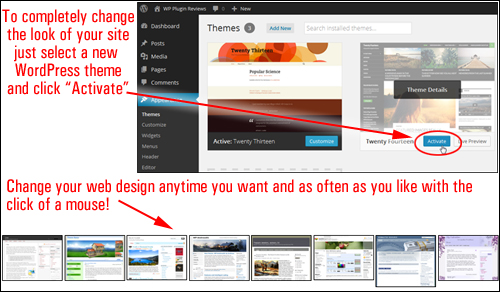
As WordPress is made available as open source software, web design companies from all over the world can design themes specifically for the WP CMS platform using the WordPress templating system.
This means that thousands of great WordPress themes are made available to WP users. Themes are generally distributed for FREE under the terms of the GNU License Definition, or they can be purchased as Premium (i.e. paid) themes.
The WordPress development team maintains a FREE theme directory which gives WordPress users access thousands of excellent themes completely free of charge …
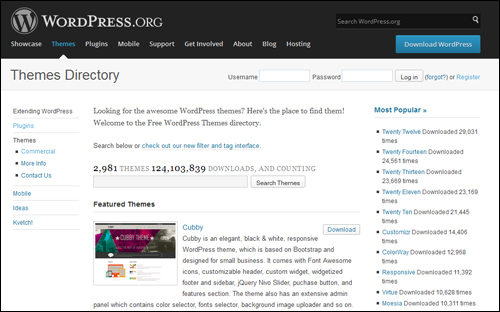
(WordPress.org – Themes Directory)
As more users turn to WordPress for online publishing, more designers are now focusing on creating themes for a wider audience of web users.
WordPress themes vary from bare-looking, to designs that are simply beautiful and would typically cost hundreds to thousands of dollars to develop. Surprisingly, WP themes can be bought fairly inexpensively, especially when you compare the cost to what it would have cost you if a web designer had to create it from scratch.
You can view a number of WordPress theme galleries that include stunning examples of great premium WordPress themes here:
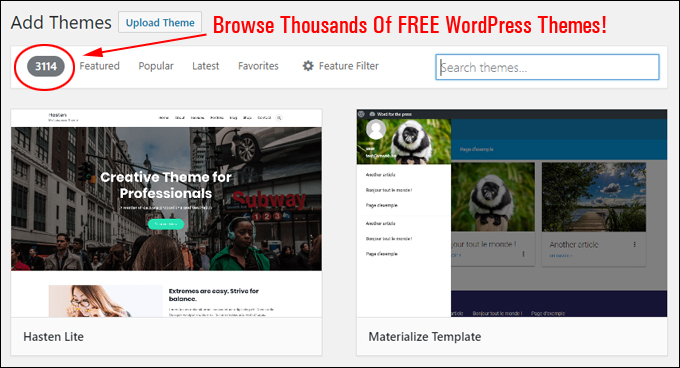
(Browse Thousands Of FREE WordPress Themes!)
Benefits And Advantages Of WordPress Themes
Here are just a few of the benefits of choosing WordPress themes over using traditional web template design:
Be Up And Running In Very Little Time
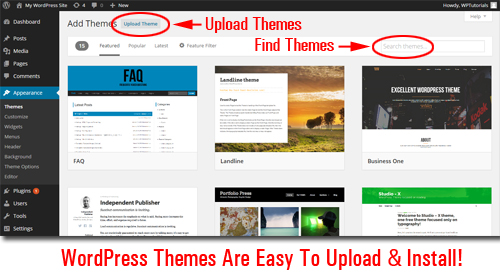
Themes are quite easy to install on your site. Just upload the plugin file to your Plugin folder via your administrator section and activate. Even easier still, you can install any of the themes listed in the themes repository at WordPress.org) directly from within your WordPress site’s admin area.
Additionally,
- WordPress has a large online community of professional theme designers who, collectively, contribute thousands of professional WordPress Themes available to WP users. And many of these themes are 100% free to use!
- Themes give sites a unified and consistent look across all your site’s elements, like pages, headers, footers, menus, etc …
- A “theme” works independently of your website’s content. This allows you replace the “look and feel” of your web site as often as you want without modifying the settings.
- Many themes provide built-in features and settings that let you customize your theme’s style, layout and design elements and create a unique look to suit your needs.
- Many themes are built using a framework that enables users to upgrade themes to newer versions without losing any customizations (e.g. CSS styles)
- WordPress allows you to search, upload, install and update WordPress Themes automatically directly from within your site’s administration interface.
- WordPress themes helps you save thousands of dollars on web design costs. Free WordPress themes cost nothing and most “Premium”WP themes are typically very inexpensive.
About Responsive Theme Design
Many theme developers are now developing themes that incorporate “responsive” functionality.
A responsive theme enables websites to automatically readjust screen size to display smoothly across different screen sizes and resolutions, as well as different platforms) …
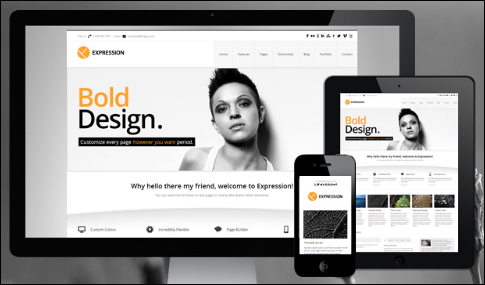
A responsive theme is also optimized for each platform. Users can scroll, read and load a site on various device platforms without having to readjust their browser settings, or requiring the website owner to install additional themes.
Note: When downloading WordPress themes, we recommend choosing a responsive WordPress theme. Not only will a responsive theme ensure that your website will work correctly across your visitors’ devices, it also means that the theme is newer than most non-responsive themes and therefore complies with the latest standards and practices of website design coding.
We hope this post has helped you gain a better understanding of WP themes, what themes are, how they help you and your business save money on web design costs, and how WP themes make customizing websites easy.
To learn where to search for great WP themes for your website, visit this post: Finding Great Premium And Free Responsive WordPress Web Templates Online.
***
"This is an awesome training series. I have a pretty good understanding of WordPress already, but this is helping me to move somewhere from intermediate to advanced user!" - Kim Lednum
***