 If you are new to WordPress, make sure you read our overview of WordPress themes. We’ve written an in-depth article that explains what WP themes are and how they can save business website owners time and money.
This step-by-step tutorial will show you how to upgrade a theme with just a few clicks inside the admin area.
Updating Your WordPress Theme – Best Practices
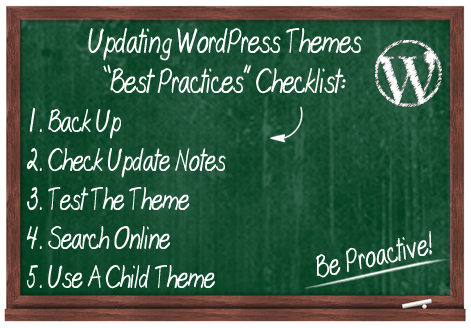
Before updating any themes, we recommend going through the checklist below to ensure that your update goes smoothly.
1. Back Up Everything
Backing up your site before making any changes to your site is vital. This way, if things don’t go as planned, you can always restore everything to its previous settings.
If you don’t want to perform manual backups, there are many WordPress plugins you can use. You can read about a WordPress backup plugin that can fully automate your site backups here:
2. Check The Theme Update Notes
When WordPress upgrades its software to a new version, this can affect the functionality of certain themes. Depending on the theme you are using, there may be a changelog file accompanying an update listing new features, improvements, security fixes or any other information pertaining to the new version.
If the changes seem irrelevant or unimportant, you can skip the update. Otherwise, you should upgrade.
3. Test The Theme
If you can, it’s a good idea to check the theme before installing it on your site.

Typically, web service providers will set up a test site where they can test the latest version of the theme, track any bugs and check to see if all plugins are working fine with the new theme before applying it to a live site.
If you manage your own website, you can install a test WordPress site on a subdomain or a separate domain name with the same configuration settings (e.g. plugins) and play with the new theme versions on your test site before applying it to your live site.
4. Search Online
Before updating your theme, it’s a good idea to do a quick search online and see if other theme users have reported any serious problems with the new theme version.
You can type the theme name and version into Google, and search the theme developer’s support forum (many developers offer this for paid themes, and even for some free plugins).
5. Is Your Theme Heavily Customized? Use A Child Theme
If you have made extensive customizations to your existing theme files, updating your theme could result in your custom modifications being overwritten. To prevent losing your theme modifications, therefore, we recommend you learn how to create “child themes”.
A WordPress child theme is a theme that inherits the functionality of another theme, called the parent theme, and allows you to modify, or add to, the functionality of the parent theme. When you update the “parent theme”, all customizations get preserved through the “child theme.”
If you plan to customize your theme files, then we recommend becoming familiar with the use of child themes, especially if you use a theme that gets regularly updated. You can learn more about child themes by searching online, or visit the official WordPress child theme page here:
As you will see below, the actual process of updating a WordPress theme is very simple. The part that takes the most time and effort to complete is the preparation involved prior to upgrading.
Many people don’t upgrade their themes regularly, while others upgrade without going through some or all of the steps listed in the section above. As mentioned earlier, the above are recommended “best practice” methods to help you avoid problems. Ultimately, as a website owner, it is solely your responsibility to protect your online properties.
Updating A Theme In WordPress – Tutorial
Upgrading your themes in your dashboard is simple.
Log into your WordPress admin area …
Depending on the theme(s) you have installed on your site, you may receive an occasional alert in your dashboard that new theme versions are available and require updating …
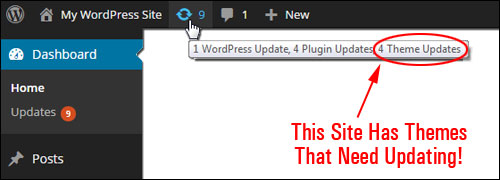
Updating WordPress themes from the WP dashboard is quite a simple process. You can update your site’s theme via the “Themes” area, or the “Updates” area.
Updating WordPress Themes From The “Themes” Screen
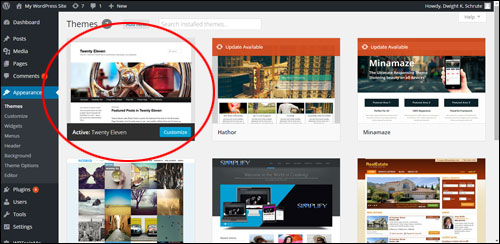
To see which themes need to be updated, go to your Themes page.
Select Appearance > Themes from your WP admin menu …
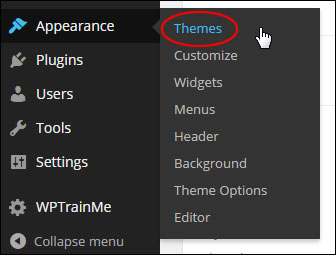
This opens up the “Themes” page …
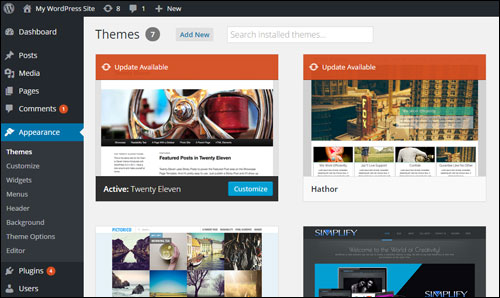
WordPress Themes that need updating display an “Update Available” message over the theme’s thumbnail image …
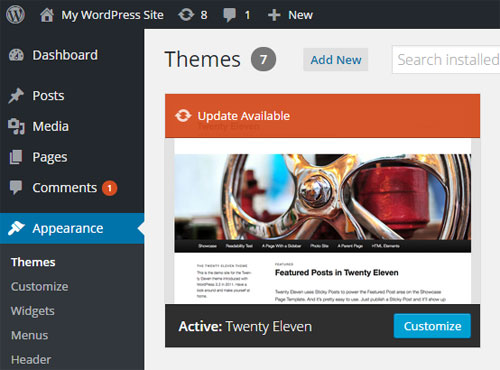
Locate the theme that needs to be updated and click on the “Update Available” message.
When the theme details window opens up, click on update now …
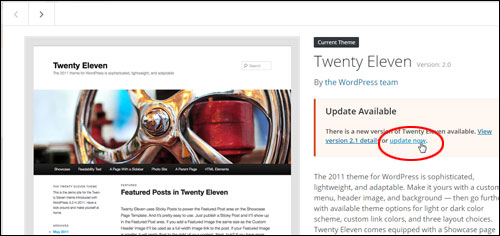
WordPress will automatically update the theme …
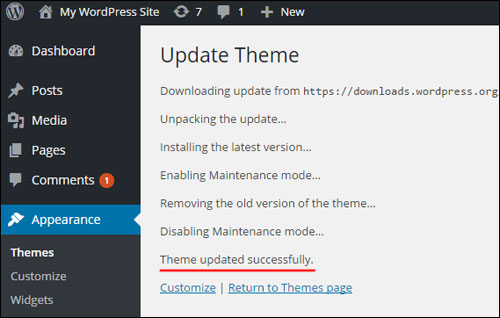
Your theme is now updated …
Repeat the process described above to update all of your outdated themes, or use the method below to bulk upgrade multiple themes at once.
Updating Your Site Themes Via The “Updates” Screen
Update your theme via the “Updates” area as follows:
To view all themes in your website that require updating, click on Dashboard > Updates …
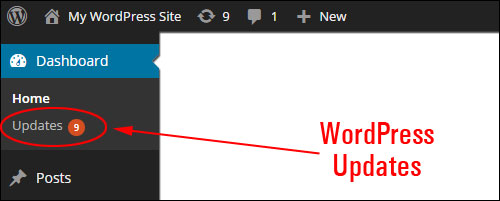
This opens up the Updates screen. Scroll down to the Themes section …
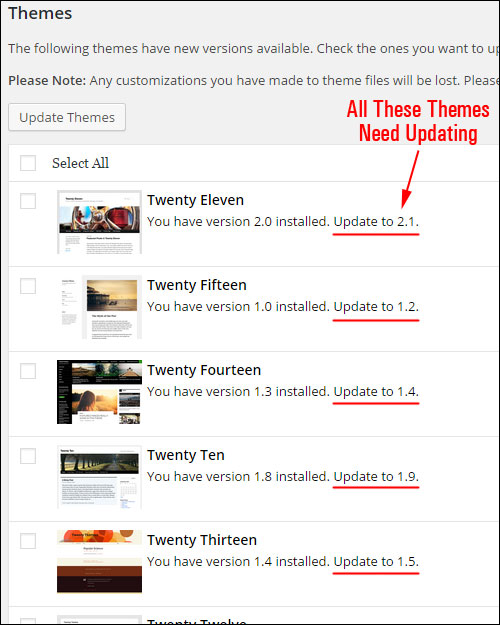
Check the box next to all the themes you want to update and click on Update Themes to complete the update process …
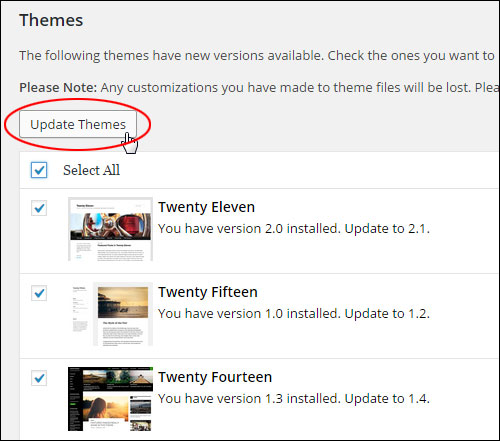
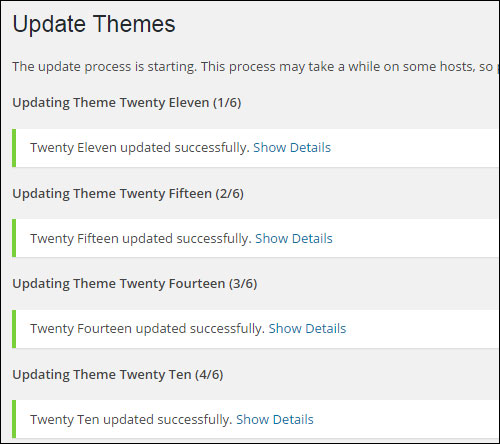
WordPress automatically updates all of your selected themes …
Congratulations! Now you know how to update your WP themes from your dashboard.
***
"Your training is the best in the world! It is simple, yet detailed, direct, understandable, memorable, and complete." Andrea Adams, FinancialJourney.org