 The sheer number of attacks on websites and blogs around the world is increasing on a daily basis, and this is getting worse.
You can safely assume that if your website or blog hasn’t been hacked yet, then it’s inevitable that at some point in time someone will attempt to hack into your site.
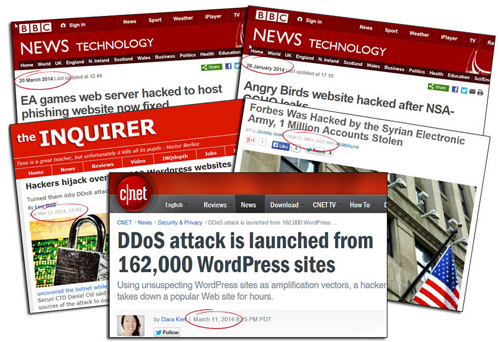
On March 11, 2014, technology sites like Cnet.com began reporting that over 162,000 WordPress-powered websites had been hacked.
Thousands of websites are hacked every year! Could your website be next?
(Screenshot image: Blog Defender)
According to the Cnet report,
“With some old-fashioned trickery, hackers were able to get more than 162,000 legitimate WordPress-powered Web sites to mount a distributed-denial-of-service attack against another Web site.”
(Source: cnet.com/news/ddos-attack-is-launched-from-162000-wordpress-sites)
According to security firm Sucuri, hackers had leveraged a well-known flaw to attack unsuspecting WordPress websites and direct a distributed-denial-of-service attack (DDoS) towards another popular website.
You may think that the information in your website or blog has no significant value to hackers, but the reality is that to a hacker, every website provides an opportunity to profit or benefit at your expense.
If someone can hack and gain complete control of your website or blog, that website can then be employed as a “bot” in a planned cyberattack against other highly-valued sites.
The truth is that software-driven bots are trying to break into your website or blog right now. Whether they can get into your site successfully depends on how challenging you will make it for hackers or botnets to keep persisting until they discover a way to get access, or decide to look for an easier target.
How Much Information Are You Broadcasting To Hackers About Your Site?
Does your website run on WordPress? If so visit Hackertarget.com and run your website through their WordPress security check …
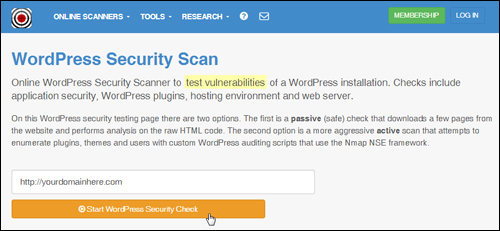
(Hackertarget – WP Security Check Screenshot: Hackertarget.com)
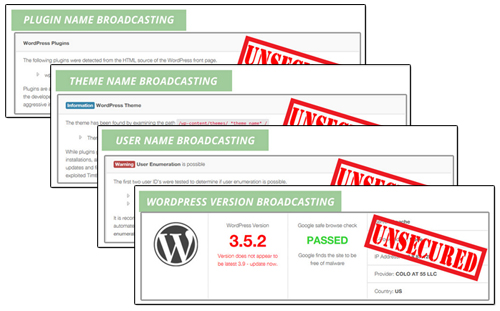
You will see that the test will yield a number of results and information about your site …
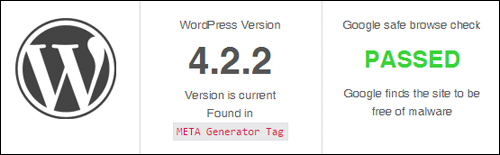
(website security check results. Source: Hackertarget.com)
It should be obvious after using the tool shown above that if you can see all of this information about your site, hackers can too.
(Product image source: Blog Defender)
The ability to see which version of WordPress you are using, which plugins and themes you have installed, and which files have been uploaded to certain directories in your site can all be useful information to hackers, as this can inform them about potentially exploitable vulnerabilities, especially in older versions.
Fortunately, there is a simple solution to stop broadcasting all of this information about your website and protect against other malicious threats.
Blog Defender Security Product Suite For WordPress
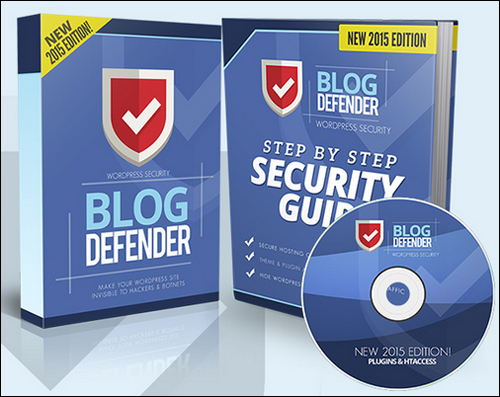
Product Description
Blog Defender is a package of WordPress security video tutorials, plugins and tools, plus WordPress security documentation in PDF and DOC formats.
Matt Garrett, the creator of the BlogDefender security suit began to develop BlogDefender after noticing that a WordPress blog he set up for his mother had been hacked into and suspended. This blog was quite new and had practically no value to offer, yet it was still targeted by hackers.
Matt only became aware of the event after being suspended by his host and seeing that a significant amount of unusual activity had occurred within his site, as well as the addition of a number of malicious files designed to lure visitors to the site and hijack their Paypal account details.

(Product image source: BlogDefender website)
Matt’s experience provides the valuable lesson that every website has value to hackers.
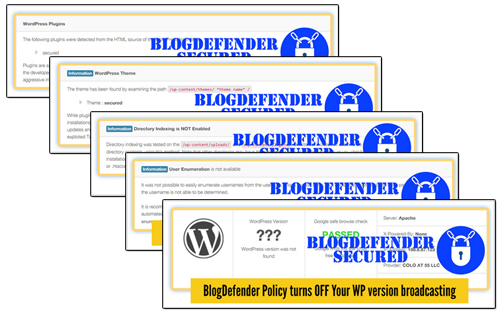
Blog Defender scans you website for security holes …
And then shows you how to fix these quickly …
Blog Defender – Plugins
Blog Defender comes with 3 plugins for WordPress:
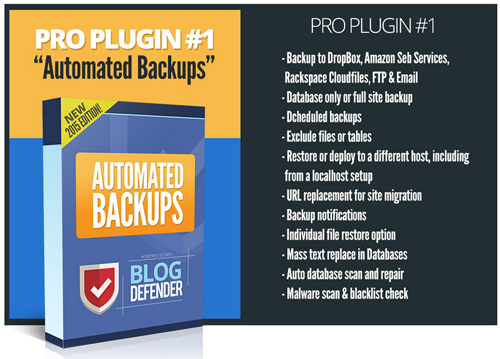
Pro Plugin # 1 in the Blog Defender product suite helps you schedule automated backups …
(Product image source: Blog Defender)
The “Automated Backups” plugin lets you do automated site and file backups to your server, external servers and popular cloud backup solutions using different backup methods (including FTP and email backups), schedule full or partial backups, exclude files or tables from your backups, restore backups, replace URLs (useful when migrating websites to new domains or server locations), do mass text string replacements in your WordPress database, perform malware scans and blacklist checks automatically, and more.
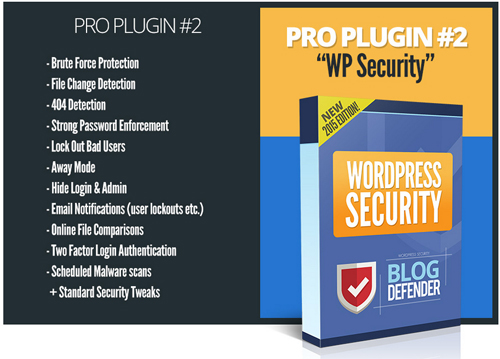
Plugin #2 provides your web site with security …
(Screenshot: Blog Defender)
Plugin #2 provides a range of vital site protection functions (see “Plugin Features” section below).
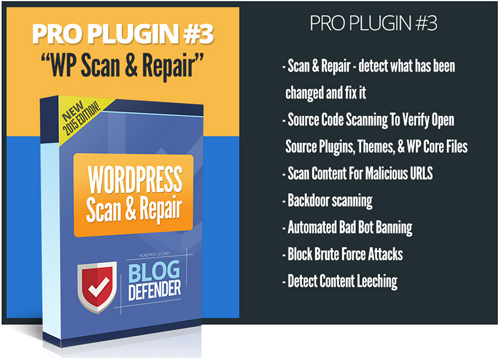
The third plugin lets you scan your files and content to see if code in your files has been modified, and fix any problems it finds …
(Screenshot source: BlogDefender.com)
Pro Plugin #3 “WordPress Scan & Repair” also scans content to see if any malicious URLs have been added to your site, bans bad bots, blocks brute force attacks and detects any content leeching (where others benefit from your hard work without reciprocating the favor).
Blog Defender – Video Tutorials
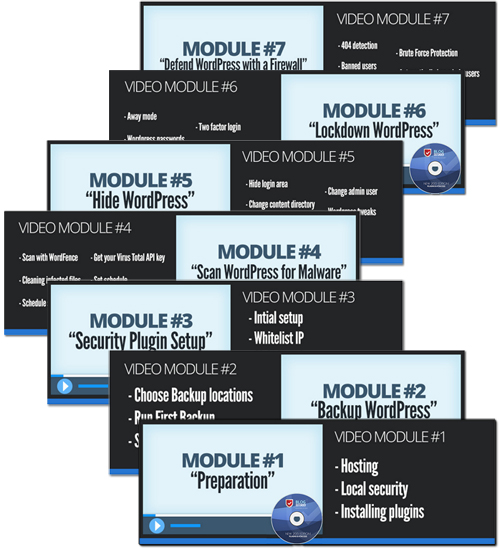
In addition to plugins, the Blog Defender suite of products also includes several step-by-step training in video format and PDF/DOC guides that will show you exactly what to do to protect your website from hackers and bots …
(Product image source: BlogDefender.com)
Learn more about the plugin here:
Benefits
Here we have listed just some of the many benefits of using Blog Defender to make your WordPress site invisible to hackers and botnets on your site:
Fast And Easy To Install And Set Up
The plugins are really easy to install. Just upload a zip file containing the plugins to your Plugin folder via your WordPress admin user section and activate.
Really Simple And Easy To Follow Training
Blog Defender is a step-by-step training product that will walk you through the website security process and show you what to do, including how to set things up, and even which free plugins you should use to get things done inexpensively.
Additional benefits of this plugin include:
- Secure your website from hackers, spammers, bad bots, data miners and malicious users attempting to ruin your business for personal and financial gain at your expense.
- Protect Your Info Products – If your site sells digital products (e.g. downloadable e-books, video training, etc.), your work can be stolen and end up as freeware on free downloading sites.
- Avoid A Tragic Situation – When a site has been hacked, you should expect to go through a whole lot of frustration and heartache. It can take days to uncover problems and sort through any issues these have caused. Your, website or blog can be suspended by your host, or even blacklisted in search engines. And if that isn’t painful enough, your personal contacts could be spammed, your customer list and financial details could be stolen, you could be fined or even charged with fraud, and a whole lot more.
Blog Defender Features
Blog Defender provides many features to web site owners.
The product addresses the following issues:
- Webhost Security Advisory
- Plugin Security Audits
- WP Theme Security Audits
- Anti Brute Force Security
- Anti Cross-Site Scripting
- WordPress Database Security
- Nefarious Traffic Blocking
- Hide WordPress ‘Tell Tale’ Signs
- Anti-Comment Spam
- File Monitoring
- Link Tracking
- Known Offender Blocking
- Automate WP Updates
- WordPress Security Audit
- Tightening Server Security
- Kick Out Policy
- Reputation Checking
- And More …
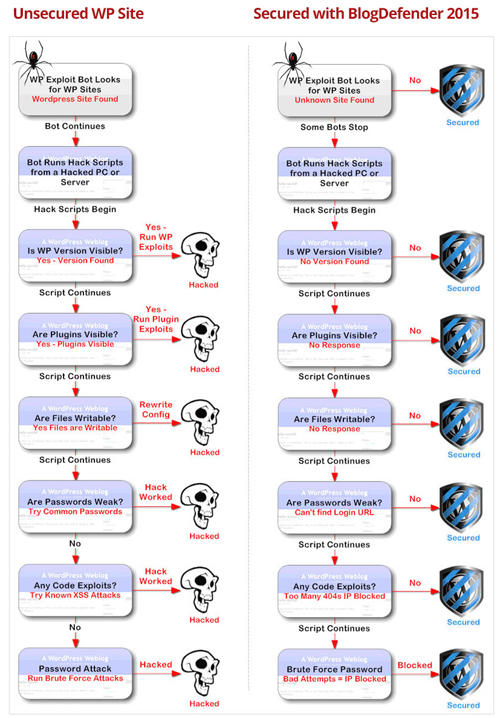
Blog Defender provides a logical process to help protect your web site, addressing potential hosting security issues, using scanning and detection tools to quickly identify risky WP themes and plugins, and then implementing website-wide security using the tools and plugins provided.
(Blog Defender WordPress security process. Image source: BlogDefender website)
Testimonials
Below are a couple of the testimonials and feedback that users have published about the Blog Defender plugin:
“You are literally walked through the process!” Nikki Stephens, www.nikkistephens.com
***
”Since working with blogs, I… like many others, have been concerned about how to handle the constant threat of blog attacks. After having a look at Blog Defender you can’t help but become most aware of the vulnerable areas all bloggers need to protect. Blog Defender is viable WordPress blog security prevention system that offers video instruction along with 3 software plugins that are free to download. The instruction shows the optimum settings on how to use the free plugins that will allow you top level force against blog hacker attacks.” Micheal Nicholas, Impact Info Marketing
Plugin Tips
According to the plugin developer, no Blog Defender-secured websites or blogs were hacked since Blog Defender’s first release.
Matt Garrett states on his site, however …
“With the volume of attacks nowadays … we probably won’t hold forever, so we’ve been busy creating even tougher WordPress security.”
Cybersecurity is an escalating arms race and all security solutions are only as good as the information and tools that developers can currently access. The latest release of Blog Defender creates an easier security solution that doesn’t require constant attention, won’t cost a fortune and it’s as good if not better than many premium security products or services currently being offered at a higher price.
Product Support
The product is well-supported, can be used by both Mac and PC users, is compatible with the latest WordPress release and is backed by a risk-free, 30 day, full money-back guarantee.
Plugin Cost
Blog Defender is normally available with a personal license only for use on unlimited sites. When we last checked, however, it was also being sold with Developer rights, allowing users to secure client sites as well.. Price = $47.00.
Note: The cost of purchasing the Blog Defender software depends on whether there are any promotions or limited-time specials being offered. The above reflects the pricing at the time this review was published. This may or may not be the actual pricing set by the product developer when you visit the site and there may be additional upsells or one-time offers after purchasing.
Check the plugin’s website for current pricing details:
Additional Info
For help documentation and tutorials, FAQs, customer helpdesk, contact details and more, visit the Blog Defender website.
Install These Plugins
Regardless of the kind of business you run or plan to run online and how small you think your web presence is, you cannot ignore the importance of securing your websites.
WordPress is a secure web platform, but neglecting basic maintenance tasks like updating your WordPress installation, WP plugins and themes, tightening file and data security and taking other necessary precautions can expose your site to attacks by hackers and bots.
Blog Defender helps you understand what your security responsibilities as a website owner are, what hosting companies can and can’t do if your websites are hacked, what security features to look for in a webhost, and which tools can make the task of securing your site easier.
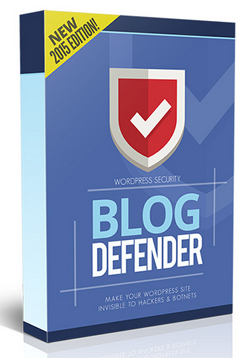
For more details, visit the plugin website: Blog Defender Security Plugin
***
***