
Being able to display tables on your pages can be very useful. Tables are great for sorting and presenting data to visitors in a way that makes your information easier to understand.
WordPress provides users with a great visual editor, but there are some things that the default editor won’t do, like being able to create tables without having to learn code.
Although you can create tables manually in WordPress if you have knowledge of HTML (Hyper Text Markup Language) and CSS (Cascading Style Sheets), for most non-technical users, this is not a feasible option.
Fortunately, you can do almost anything you can imagine on a WordPress site with plugins, and inserting tables into your content with the click of a mouse is no exception.
In this step-by-step tutorial you will learn how to create and add tables easily into your site’s pages with no coding skills required.
How To Create And Insert Tables In WordPress
If you want to add tables to your WordPress posts or pages with no coding skills required, then the step-by-step tutorial below will show you how to easily do this using a FREE WordPress plugin called TablePress.
WP Plugin – TablePress

TablePress is a powerful and time-saving WordPress plugin for creating, editing and managing tables in WordPress.
TablePress doesn’t require you to have any knowledge or skills coding HTML, CSS, etc. It lets you easily edit table data. Tables can contain any kind of data, even formulas.
An additional JavaScript library can be used to add features like pagination, sorting, filtering, and more for your site visitors. You can insert tables into your pages and blog posts using shortcodes and even display tables inside text widgets.
Tables can also be imported and exported from/to CSV files (e.g. from Excel), HTML files, and JSON formats.
The plugin was written and developed by Tobias Bäthge and is licensed as Free Software under GNU General Public License 2 (GPL 2).
How To Use TablePress WordPress Plugin – Tutorial
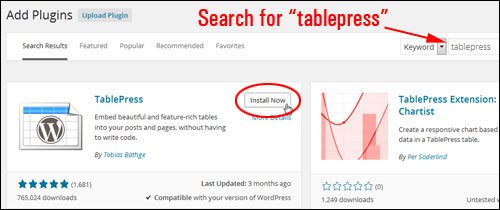
To create and manage tables in WordPress with TablePress, first install and activate the TablePress plugin.
You can download the plugin here:
https://wordpress.org/plugins/tablepress
Or install it directly from your Dashboard …
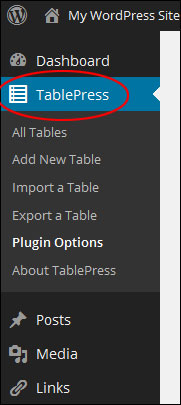
After the plugin has been installed and activated, a new menu item will appear on your WordPress admin menu called TablePress …
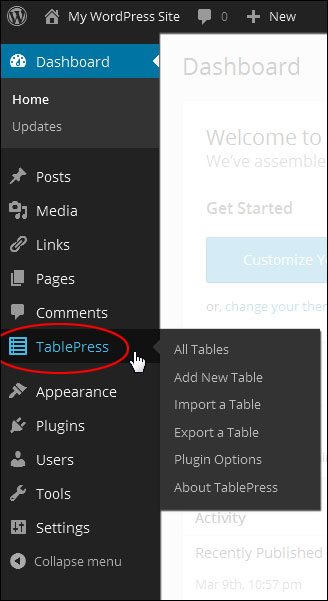
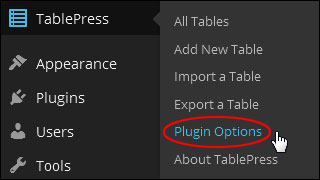
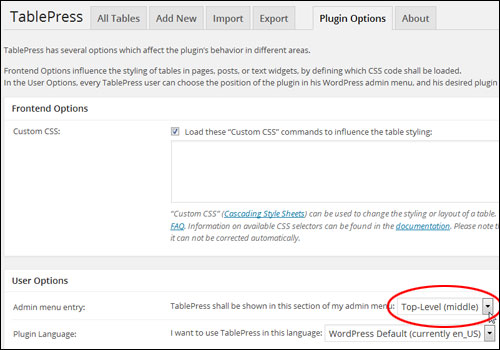
Click on TablePress and choose Plugin Options from the submenu list …
The “Plugin Options” screen controls your plugin styling and display settings …
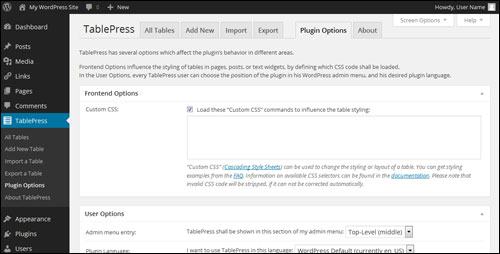
For example, in the “User Options” section, you can specify the position of the TablePress menu entry in your Dashboard menu.
By default, the menu item displays around the middle of your menu column. If you plan to use this plugin a lot, then you can easily position the menu option towards the top of your Dashboard menu by selecting “Top-level (middle)” on the User Options > Admin menu entry dropdown menu …
The TablePress menu entry will now show closer towards the top of the menu list …
You can also play with other plugin options in the “Plugin Options” section, such as table formatting styles, default language, etc. If you don’t need to modify these settings, just leave the default options.
With TablePress, tables are created and edited inside the plugin screen. Tables are then added via a shortcode into your posts. The table will then display or update when your content is published or updated.
The great thing about doing this is that you can easily modify the information in your tables without having to open any of your posts and pages. The plugin then updates all of your table information in all instances where the table has been added to your content.
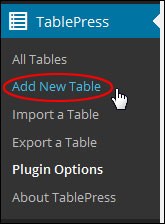
To create a new table select TablePress > Add New Table …
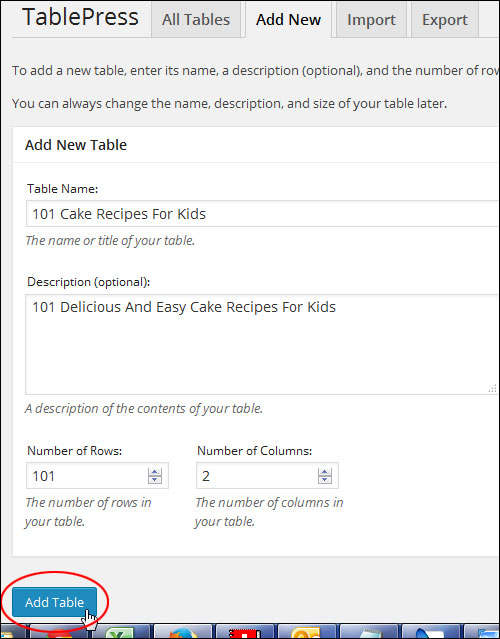
Enter the table name, an optional description, and the number of rows and columns you would like for the new table into the “Add New Table” form in the Add New tab, then click on the Add Table button to create your new table. You can edit the name, description and size of any table you create at anytime…
Once the new table is created, it will appear in the “All Tables” list and be assigned a unique Shortcode ID …
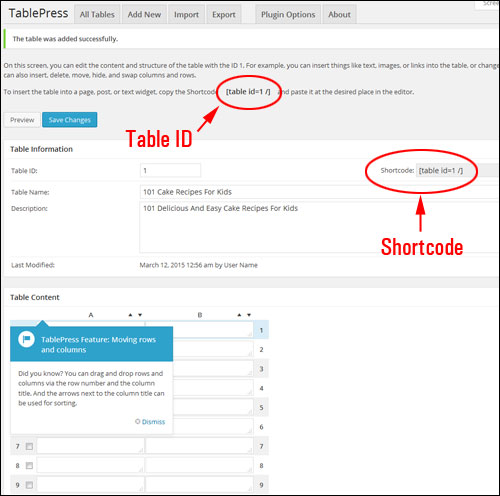
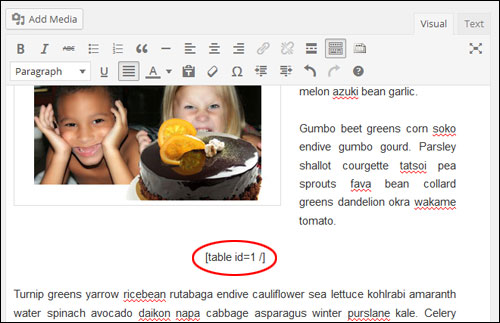
The TablePress shortcode allows you to easily insert tables anywhere in your content by simply inserting or copying and pasting the shortcode wherever you want to display a table …
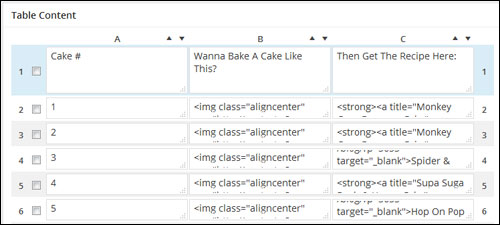
Once you have created a new table, adding content to the table is very easy.
In the “Table Content” section, just click inside the cell and either type or paste the content you want to display. You can add text, images and format your content (e.g. add bold text, insert links, etc …)
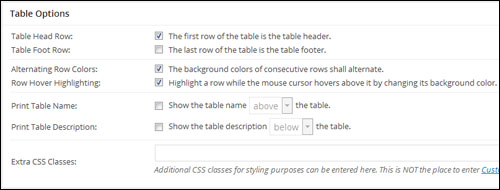
After your new table has been created, displays a number of additional options that will let you configure your table.
For example, in the “Table Options” area you can select the first row of your table to be the table header and the last row of the table to be the table footer, display alternate background colors on consecutive rows, highlight rows when a visitor hovers their mouse over the table, display the table name and description above or below the table, and more …
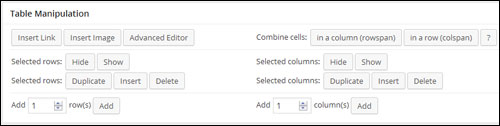
You can also modify your table content after it has been created in the “Table Manipulation” section. You can insert links and images, hide, show, insert, delete and duplicate selected rows and columns, add new columns and rows, combine cells, etc …
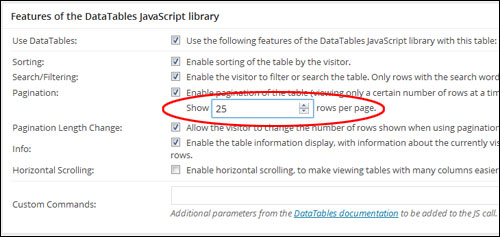
You can also enable JavaScript library features in your tables that will allow visitors to sort, filter and search your table content, set the number of table rows showing on your content (and also allow visitors to change the number of rows displayed), display table information, etc …
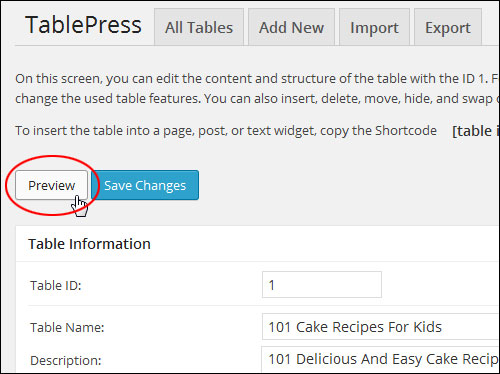
You can preview your table anytime, by clicking the Preview button …
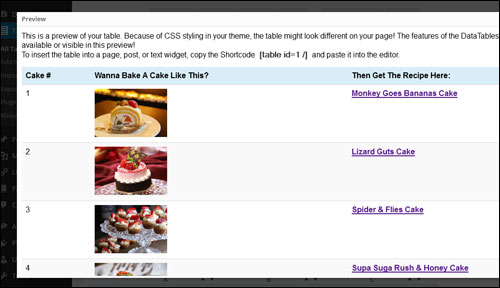
A preview window will open on your web browser displaying the table. Certain features such as the JavaScript options are disabled in preview mode, but will display once your table is published …
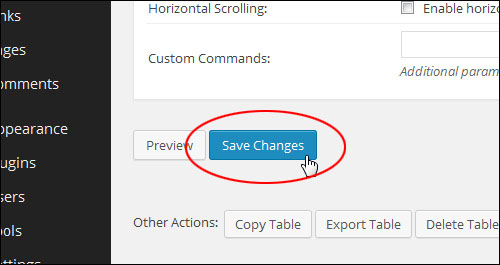
Click the Save Changes button when finished to save your new table data …
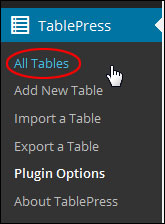
To view a list of all the tables you have created select TablePress > All Tables …
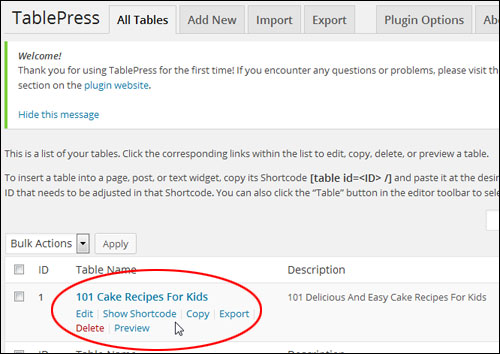
All the tables you have created are displayed in this section. You can edit, see shortcodes, copy, delete, export and preview tables …
How To Use The Shortcode To Insert Tables Into Your Pages And Posts
You embed tables inside pages and posts using the TablePress shortcode.
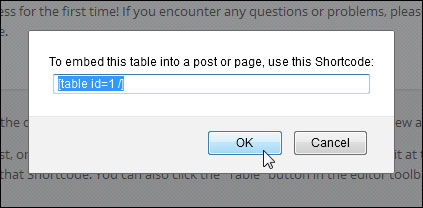
Click on the Show Shortcode menu item below your table title to get the shortcode …
The plugin also adds a shortcode menu icon to your WordPress content editor. This allows you to easily insert tables into your posts and pages while working on your content.
Place your mouse cursor where you want your table to be inserted then click the TablePress menu icon …
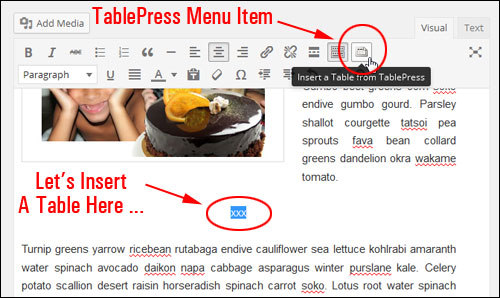
TablePress Menu Icon In WordPress Visual Editor Screen
Note: You can also insert a table when working in the “Text” area of the WordPress editor …
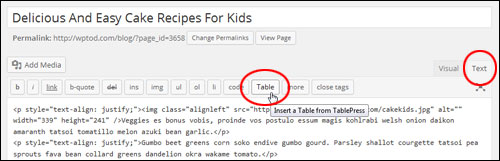
TablePress Menu Icon In HTML Editor Screen
Clicking on the menu icon brings up a list of your available tables.
Select the table you want to embed in your post or page and click Insert Shortcode …
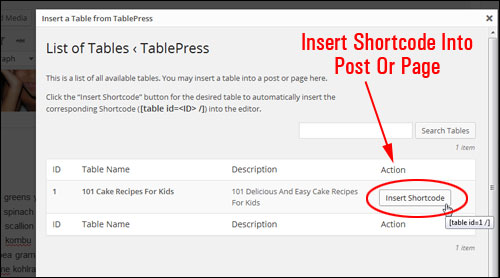
Your TablePress shortcode will be inserted …
Publish your post or page to view your table and table contents …

As stated earlier, one of the great things about this plugin is that you can change data after publishing the table without having to edit your post or page. Edit the content in the plugin area, then save the new table settings and refresh your content to view the updated information.
Another great time-saving feature of this plugin, is that if you plan to keep adding new data to an existing table, just export your current table, then add new data, make changes, etc. You can then re-import your exported file with the news changes and your table content will be automatically updated throughout your site.
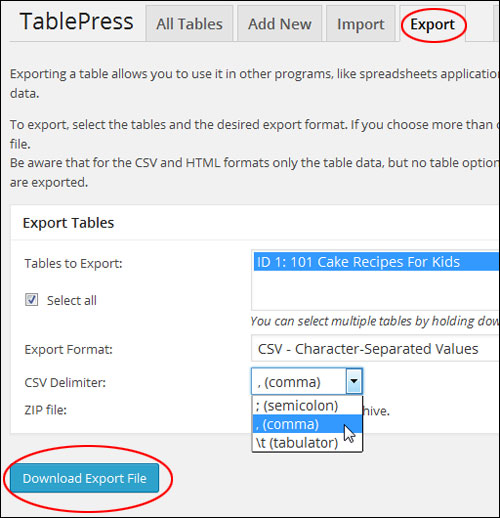
To export an existing table, select TablePress > Export a Table in the WP admin menu …
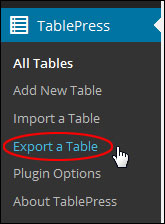
In the “Export Tables” section, select the table(s) you would like to export (you can select multiple tables by holding down the “Ctrl” key), then select the Export Format you want(e.g. CSV) and any other export options you’d like to make and click on the Export Table button to download the table file to your hard drive …
After editing and resaving your file, you can then easily reimport your table into WordPress.
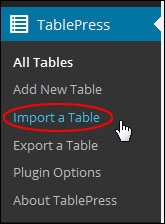
To import a table, go to your sidebar menu and choose TablePress > Import a Table …
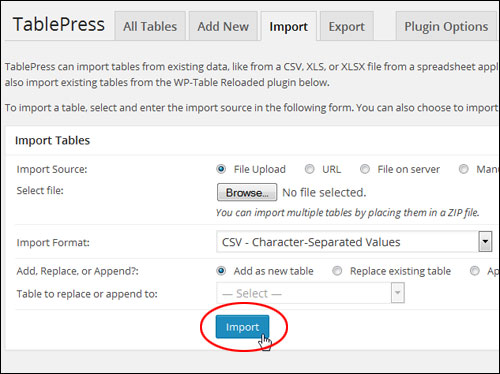
TablePress can import tables from existing data, such as CSV file data, from a spreadsheet application, an HTML file, or its own format.
To import a table, select and enter the import source in the “Import Tables” section. You can also import multiple tables from a compressed (ZIP) file and choose whether to import a table as a new table or replace an existing table.
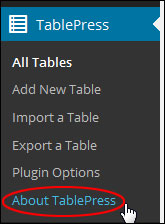
For more information about the plugin, including where to access the plugin documentation for additional features, get plugin support, contact the plugin author, etc., click on the “About Tab” in the plugin admin section, or select TablePress > About TablePress …
As you can see, TablePress is an extremely useful and feature-rich free plugin will help you easily create and embed tables into your site content.
***
"This is AMAZING! I had learnt about how to use WordPress previously, but this covers absolutely everything and more!! Incredible value! Thank you!" - Monique, Warrior Forum