 The development of content management applications like the WordPress Content Management System (CMS) has truly improved web design and web development for non-technical website owners.
This is great for businesses planning to run a website that they can easily manage by themselves.
Prior to blogging and the introduction of powerful CMS software, if you needed to get a website built for your business, you typically would have to wait until both the web development and website design processes were completely done. This could mean weeks, even sometimes many months of waiting!
The introduction of WordPress themes changed all this. In this post, we explain what WordPress themes are, how themes help you and your business save money, and how themes make it easy to customize your site.
Website Design Revolution
More businesses have been benefiting from a tremendous revolution in web design that began shortly after websites were first introduced. If you own a business, you will want to learn about this, because it can save you a lot of time and money on web development or web design costs.
Let’s review what used to happen before tool like WordPress was introduced:
The first step would be to discuss your project with a web site development company or web site designer. After that, the “web design” itself would be decided upon. This involved time and money being spent with a professional website designer discussing areas of the web site such as the layout, colours, formats, page elements, content, etc.
Each page of your site then had to be hand-coded with the elements and scripts coded into the page content. All pages were then assembled into a web site using hyperlinks and navigation menus and uploaded to your server, together with all other files needed to make your website work – script libraries, graphic images, media, etc.
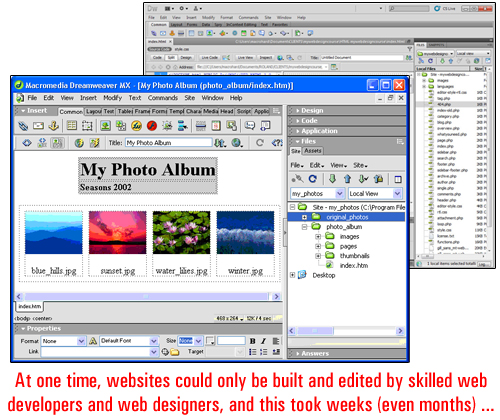
(image source:adobe.com)
Only once everything had been tested and performed the way it was intended to (and looking the way the client had wanted it to look), was the web site deemed to have been finished and ready to go live.
Then, website “templates” came along”. Website templates allow the design of the website to be worked on separately from content on the page. The development of template elements helped to speed up the process of developing web sites and resulted in lowered costs of production. This also allowed web site designers to service smaller businesses and clients with smaller budgets …
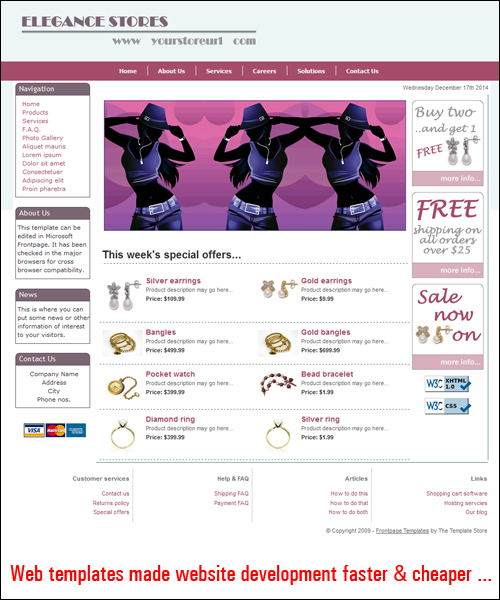
(image source: www.dreamweaver-templates.org)
As the number of small businesses adopting “template-based” web design services increased, web templates were created to offer clients with various customizable options, like the option to choose different colours, styles, layouts
As websites and web building tools evolved, website templates also started evolving into web templating ”systems”, permitting website owners to manage the design components of their web site.
And then, WordPress came along and helped to kick off a new website revolution …
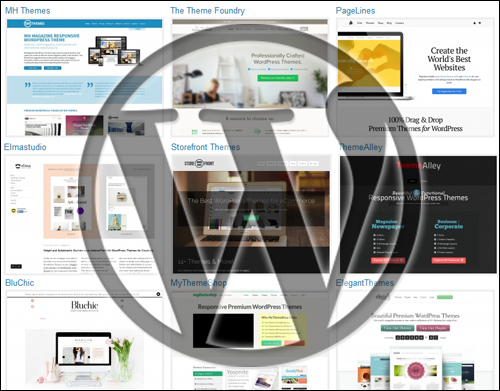
(WordPress – A Content Publishing Revolution)
To learn more about content management systems and the benefits of the WordPress CMS, see the tutorial below:
About WordPress Themes
WordPress themes expand web template systems one step further.
The WP theme system controls and integrates every aspect of your site’s design. It lets you add a “skin” to your entire site in a similar way that a template system does but it also also provides users with complete control over the management and customization of all template features.
As the official WordPress site explains …
A WordPress Theme is a collection of files that work together to produce a graphical interface with an underlying unifying design for a weblog. These files are called template files. A Theme modifies the way the site is displayed, without modifying the underlying software. Themes may include customized template files, image files (*.jpg, *.gif), style sheets (*.css), custom Pages, as well as any necessary code files (*.php).
(source: WordPress.org)
As the above quote states, one of the unique features of the WP theme is that the way your web site displays to visitors is managed separately from the management of your content.
In simple terms, what this means is that themes let you modify the appearance of your site as often as you want without affecting your site’s content and all the functionality you’ve built into it. For example, if WordPress site has been configured for e-commerce, replacing the theme won’t affect the content or the functionality of your website. All e-commerce features, settings and product information will remain unaffected, but your site will look completely different.
This is huge! Why?
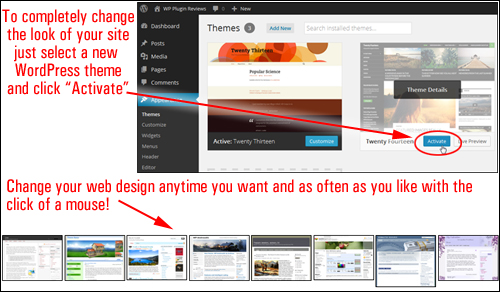
Because when you use WordPress, you no longer have to spend weeks or months waiting for your website design to be done. You can get your business website built simply and start with any WordPress theme you like, and then completely modify the look, feel and design of your site in mere seconds, whenever you choose … and as often as you like!
Even better, you can easily install a theme on your site with no website code development skills required. Just choose any WP theme you like, upload it to your website and activate it. WordPress lets you change your website design and customize elements like headers, page layout, style settings and more with just a few mouse clicks …
Because WordPress is open source software, website designers from all over the world can create themes specifically for the WP CMS platform using the WP templating system.
This means that loads of great WP themes can be downloaded by WordPress users. Themes are generally distributed for Free under the terms of the GNU General Public License Definition, or sold as Premium (i.e. paid) WordPress themes.
The WordPress team keeps a FREE directory of WordPress themes which gives WordPress users access thousands of excellent themes for free …
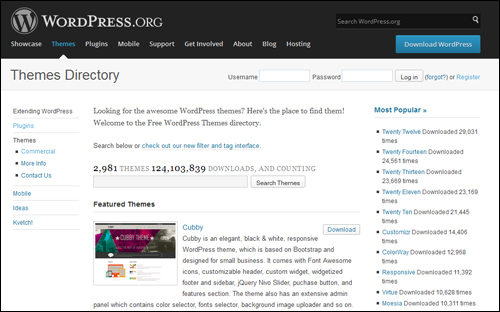
(WordPress.org – WordPress Themes Directory)
As the popularity of WordPress soars, more designers are now starting to develop themes for a wider audience of web users.
Themes range from simple-looking, to jaw-dropping designs that are breathtaking and could easily cost thousands of dollars to create. Surprisingly, most WordPress themes can be purchased very inexpensively, especially when compared to what you would have been charged if a website designer had to create it from scratch.
You can see several WP theme galleries containing stunning examples of great premium themes in this page:
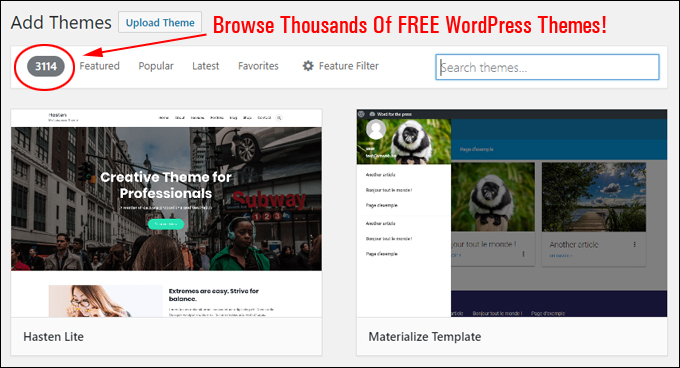
(Browse Thousands Of FREE WordPress Themes!)
Benefits & Advantages Of WordPress Themes
Here are just a few of the benefits and advantages of choosing WordPress themes over using web development applications that require traditional website design:
Easy To Install
Themes are very easy to install on your site. Just upload the plugin file to your Plugins folder via your administrator login and activate. Even easier still, you can install any of the themes listed in the WordPress themes directory at WordPress.org) directly from your WordPress dashboard.
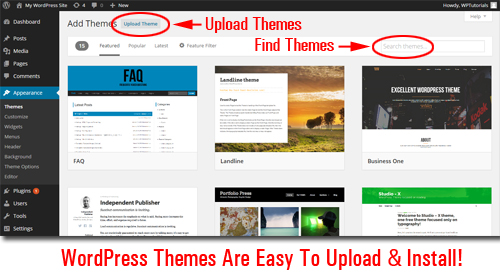
Additionally,
- WordPress has a large community of commercial web developers and development companies who make thousands of professional WP Themes available to WordPress users. Many of these themes are 100% free to use!
- Themes give sites a unified and consistent design across all of your blog’s elements, like pages, headers, footers, menus, layout, etc …
- A “theme” works independently of your web site’s content. This allows you change WP themes as often as you like without deleting your blog data.
- Many themes provide additional features and options that enable you to customize the site’s layout and design elements and create a unique look to suit your business.
- Many themes are built using a framework that allows you to update themes to newer versions without losing any customizations (e.g. styles)
- WordPress allows you to search, import and install WordPress Themes automatically directly from your admin panel.
- WordPress themes allow users to save hundreds of dollars on web design costs. Free themes cost nothing and most “Premium”WordPress themes are normally quite inexpensive.
About Responsive Themes
Many WordPress theme developers are now creating “responsive” themes for WordPress.
A responsive theme enables a website to automatically resize to display smoothly over different monitor sizes and screen resolutions, as well as across different devices (e.g. PCs, tablets, mobile phones, etc.) …
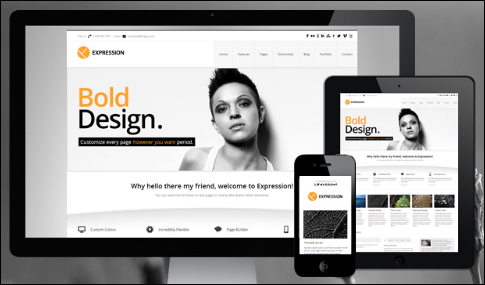
Responsive themes are also optimized for each device type. Users can navigate, read and load a site on most device platforms without having to resize anything, or requiring website owners to have installed additional browser elements.
Note: When selecting, WordPress themes, it’s a good idea to choose a responsive WordPress theme. Not only will a responsive theme ensure that the content and layout of your site will work correctly on all devices, it also means that the theme is newer than non-responsive themes and therefore should comply with the latest standards, practices and techniques of website design and web coding.
I hope that this basic overview has given you a better understanding of WordPress themes, what WP themes are, how themes can help you save money on website development costs, and how themes make it easy to customize a web site.
In the next blog post on basic features and functionality of WordPress, we show you where to search for great WP themes for your website or blog.
***
"Learning WordPress has been a huge stumbling block for me. I've been looking for something that covers absolutely everything but doesn't cost an arm and a leg. Thank you so much ... you have just provided me with what I have been looking for! Truly appreciated!" - Tanya
***