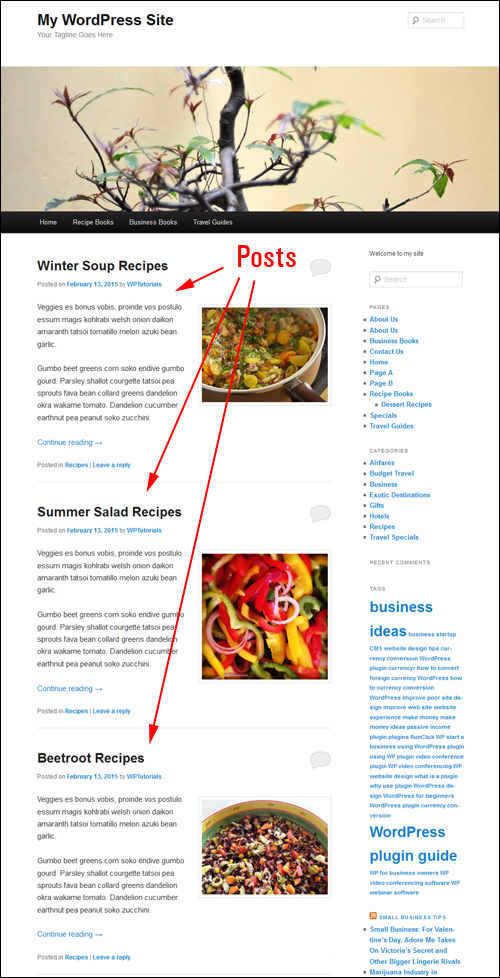
 As we’ve discussed in other posts, by default, WordPress treats your site as a ‘blog’ and displays your most recent posts on the home page, unless you specify a page as your main page.
In a previous article, we also explain how to create a WordPress blog page to display your latest published content.
Regardless of your choice to have posts on your home page or your blog page, you can specify the number of blog post entries to show on these pages (i.e. ‘1’, ’7’, ’12’ etc.)
Your site will then display blog post entries on your blog page up to the maximum number of items you have set, even if your website or blog contains more posts than the number of posts set to display …
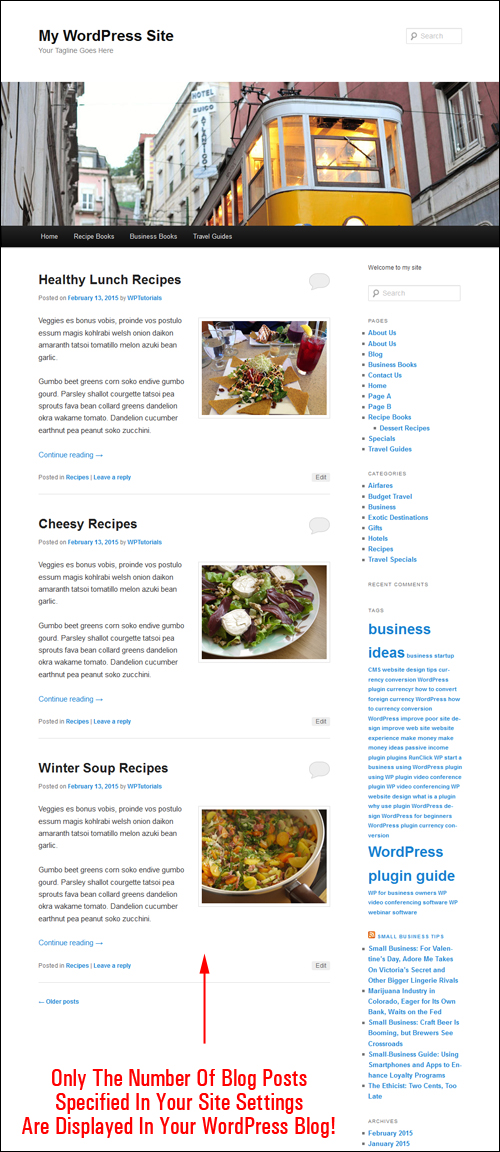
Being able to set the number of entries can display on your WordPress site is useful.
For example, you can display only the latest single blog post you have published. This can be handy for example, if you promote a weekly special, a ‘deal of the day’ type of offer, publish the latest results of your sports team, post upcoming events, set up a monthly corporate page for updates and announcements, etc.
Or, you can use this feature to fill an empty space on your blog page if your sidebar menu is too long …
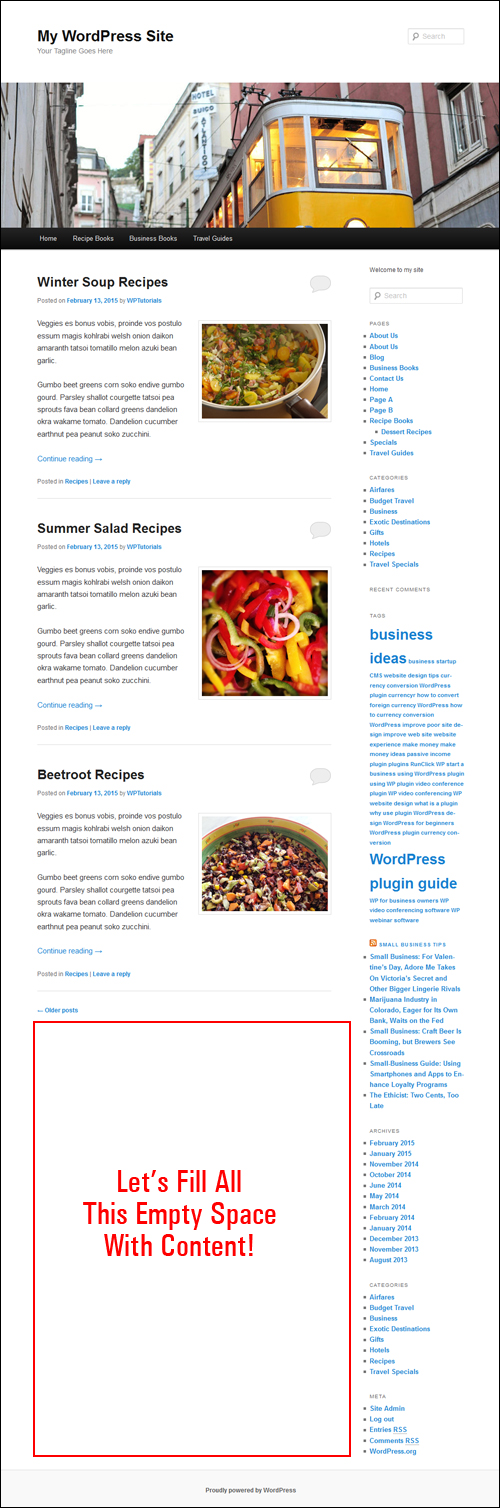
Whatever the reason, With WordPress you have the flexibility to specify the number of posts that you want to display on your blog page.
Let’s show you, then, how easy it is to specify the number of posts you want to display on your blog.
How To Change The Number Of Blog Posts To Display On Your WordPress Blog Page
WordPress lets you specify how many published blog posts you would like to have showing on the blog page of your website.

The number of blog posts you want displayed is entirely up to you. WordPress doesn’t limit this number …

Note: We suggest that you select a sensible setting that won’t slow down your page as the content loads on your site. You can always raise or lower the number of posts displayed on your blog page.
To specify how many blog post entries you want listed on the blog page of your website, select Settings > Reading from the WP navigation menu …
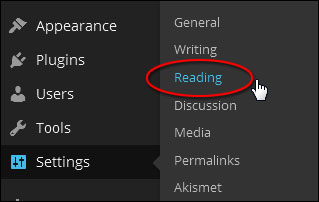
Configure your options in the Reading Settings panel as per the screenshot below:
Modifying The Number Of Posts Showing On Your Front Page
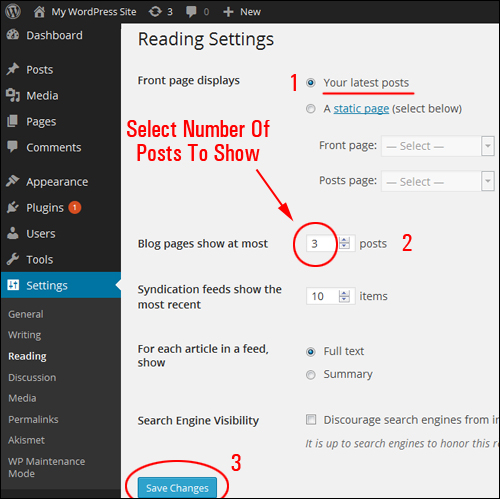
If you are using your site as a blog (i.e. the default WordPress option), where the main page shows your most recent posts, then set your options as shown below:
- Front page displays: Set this to Your latest posts
- Blog pages show at most: X posts (where ‘X’ is the number of items you want showing – i.e. ‘1’, ‘3’, ‘7’, ’15’ etc.)
- Click on Save Changes when finished to update your settings…
Changing The Number Of Posts On The Blog Page
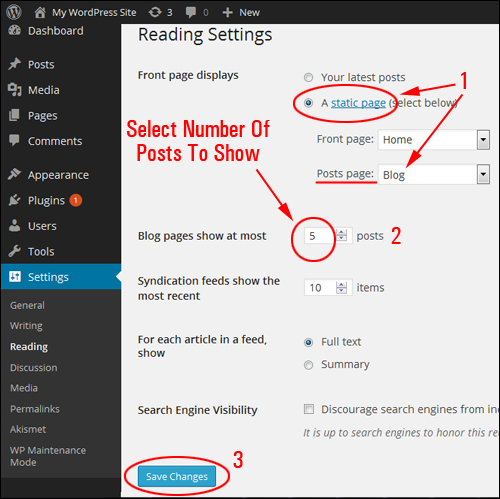
If you are using your site as a website, where the main page is a fixed page and your most recent blog posts show up on a separate blog page, then set your options as described below:
- Front page displays: Set this to A static page, then select Posts page: > your Blog Page from the drop down menu
- Blog pages show at most: X posts X posts (where ‘X’ is the number of post items that you want showing – e.g. ‘1’, ‘3’, ‘7’, ’15’ etc.)
- Click on Save Changes when done …
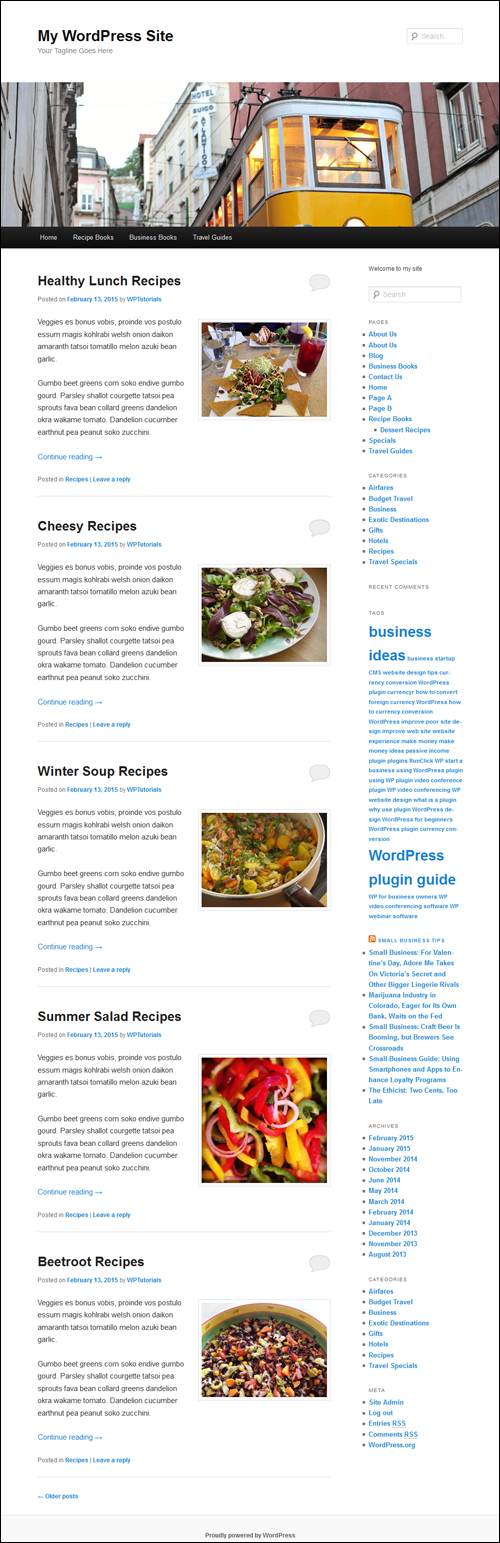
Now, when visitors land on your site, they will see posts displayed either on your main page or blog page, as per the settings you have specified …
To learn how to change the length of your post excerpts, see the tutorial below:
Congratulations! Now you know how to change the amount of published posts you want listed on the blog page of your website.
Related Posts
If you are a WordPress newbie, you may also find the following topic-related posts useful:
- How To Make A WordPress Page Your Main Page
- How To Create A Blog Page To Display Your Latest Blog Posts
***
"These tutorials have so much information and are easy to understand. If you use WordPress or plan to in the future these will help you with everything you need to know." - Valisa (Mesa, Arizona)