 The development of powerful website management systems like the WordPress CMS platform has effectively improved web design and web development for users.
This is a great thing for non-technical users thinking of getting a website that they can fully manage themselves.
Before blogging and the development of powerful and effective content management systems, if you needed to get a professional website for your business, you had to wait until both the website development and website design processes were completely done. This process could take weeks, sometimes even months!
The introduction of WordPress themes have changed all this. In this post, we look at what themes are, how they help you save money, and how themes make it easy to customize your WP site.
Web Site Design Evolution
More website owners today will benefit from a revolution in web design that has been going for a number of years now. If you are a business owner, you will want to know more about this, because it could save your business a lot of time and money on website development and website design costs.
Let’s briefly review how things worked in “traditional” website development before CMS applications like WordPress were introduced:
The first step would be to meet with a website developer or web site designer for a brief. After that, the actual design would be discussed and agreed upon. This required spending time with a professional website designer discussing design elements of your site such as the layout, colours, formats, page elements, content, etc.
Every page of your site then had to be individually created with the design elements and codes written into your content. All pages were then assembled into a website using hyperlinks and navigation menus and uploaded to your server, along with all other files required to make your site work – script libraries, images, media, etc.
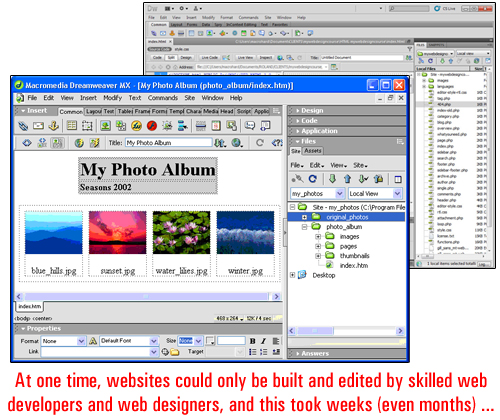
(image source:adobe.com)
Only once everything had been tested and functioned how it was supposed to (and looking the way the client had imagined it to look), was the web site deemed to be finished and ready to go live.
Then, web design “templates” came along”. A web template allows the presentation of the website to be worked on separately from content on the page. The development of templates helped speed up the process of developing websites and resulted in reduced production costs. This also allowed web development agencies to work with business clients and clients with less money to spend on marketing …
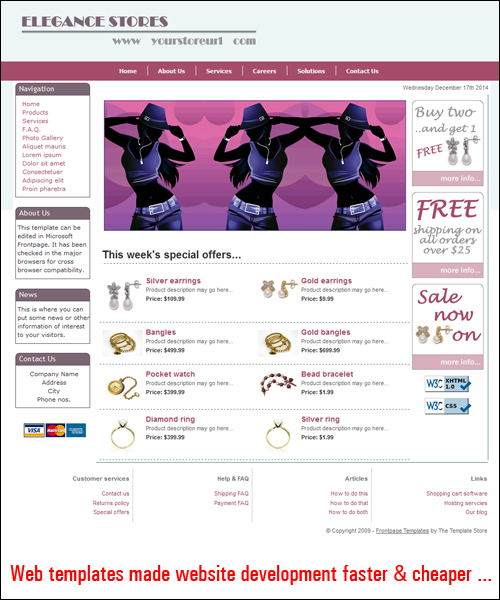
(image source: www.dreamweaver-templates.org)
As more businesses started choosing “template-based” websites, templates were introduced that could provide different custom features, such as colour palettes, the ability to specify different formats or elements, and so on.
As websites and web building software developed, website templates also started transforming into web templating ”systems”, allowing website owners and web designers to control the design elements of a web site.
Then, a “blogging” software called WordPress was developed and helped to start a new digital publishing revolution …
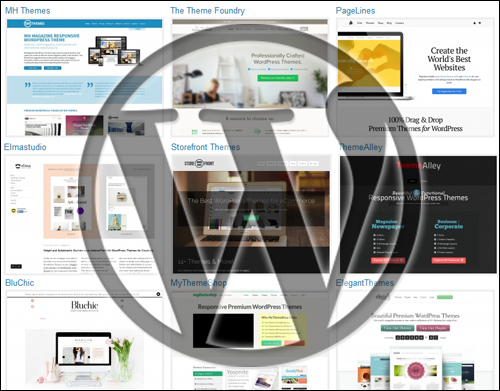
(WordPress – A Content Publishing Revolution)
To learn more about content management systems and the benefits of the WordPress CMS, see the tutorial below:
About WordPress Themes
WordPress themes improve web template systems even further.
A WordPress theme controls the design areas of the web site. It allows you to add a “skin” to your entire site similarly to what a template system does but it also also provides users with more control over the management and ability to customize template options.
As the official WordPress site explains …
A WordPress Theme is a collection of files that work together to produce a graphical interface with an underlying unifying design for a weblog. These files are called template files. A Theme modifies the way the site is displayed, without modifying the underlying software. Themes may include customized template files, image files (*.jpg, *.gif), style sheets (*.css), custom Pages, as well as any necessary code files (*.php).
(source: WordPress.org)
As the above quote states, one of the unique features of the WordPress theme is that how your site displays to site visitors on the outside in no way affects your site’s functionality and content management.
In simple terms, what this means is that a theme lets you change the design of your website as much and as often as you like without modifying your website’s content and all the functionality you’ve built into it. For example, if your website has been set up for e-commerce, replacing the theme won’t affect the content or the functionality of the web site. All e-commerce features, plugin settings and product information will remain intact, but the site will look completely different.
This is huge! Why?
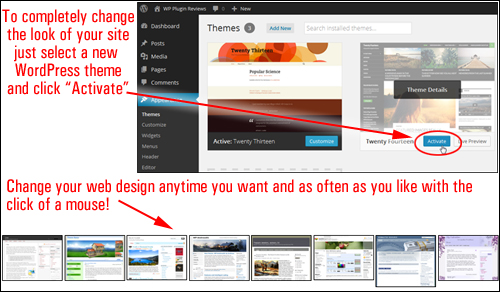
Because with WordPress, you no longer need to spend weeks or months waiting for your site to be done. You can get your website built simply and get started with any theme you like, and then change the entire look, feel and design of your site in mere seconds, whenever you decide … and as many times as you like!
Even better, you can easily replace any theme on your WP site without requiring website code editing knowledge. Simply choose a theme you like, upload it to your site and activate it. WordPress allows you to change your site’s design and customize elements like header images, page layout, style settings and more in less than a few minutes …
Since WordPress is distributed as open source software, web design companies all around the world can design themes specifically for the WordPress CMS platform using the WP templating system.
This means that loads of high quality WordPress themes are made available to WP users. WordPress are generally distributed for FREE under the terms of the GNU General Public License, or sold as Premium (i.e. paid) WP themes.
The WordPress development team maintains a FREE directory of WordPress themes which allows WordPress users to download and access, thousands of excellent WP themes completely free of charge …
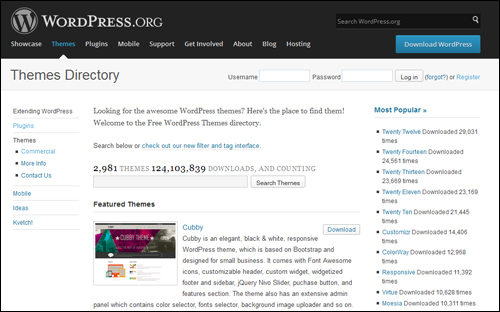
(WordPress.org – Free WP Theme Directory)
As more businesses turn to WordPress for online publishing, more designers are now focusing on developing themes for a wider audience of web users.
Themes range from professional-looking, to designs that are simply beautiful and could typically cost many hundreds of dollars to design. Surprisingly, most premium themes are quite inexpensive.
You can view several WordPress theme galleries containing various examples of great premium themes in this article:
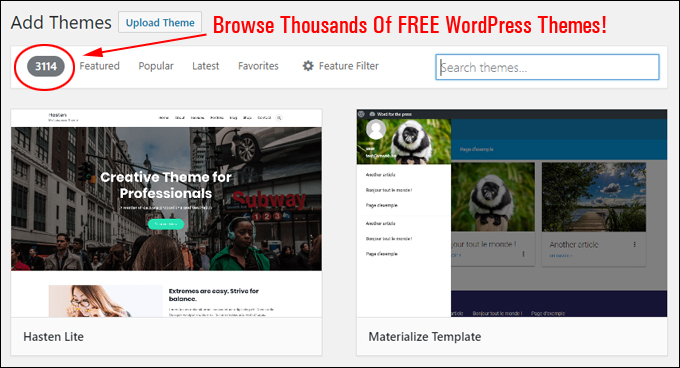
(Browse Thousands Of FREE WordPress Themes!)
Benefits Of Using WordPress Themes
Here are just some of the many benefits and advantages of using WordPress themes over using traditional web design:
Installation Is Easy, Simple & Quick
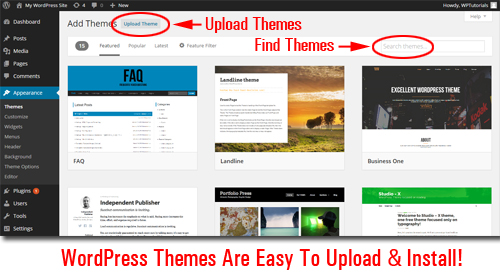
WP themes are very easy to install on your site. Simply upload it to your Plugins folder via your WordPress dashboard and activate. Even easier still, you can install any of the themes listed in the free WordPress theme directory at WordPress.org) directly inside your WordPress dashboard.
Additionally,
- WordPress has a thriving community of professional theme designers who, collectively, contribute thousands of high quality WordPress Themes available to users. Many of these themes are 100% free to use!
- Themes give sites a consistent “look and feel” across all your site’s elements, i.e. pages, headers, footers, menus, etc …
- A “theme” works independently of your blog’s content. This means you can replace themes as often as you want without modifying your website’s underlying data.
- Many WP themes come with additional functionality and settings that enable you to customize the theme’s style and design elements to create a unique look to suit your needs.
- Many WP themes are built using a framework that lets you upgrade themes to newer theme versions without losing any customizations (e.g. styles)
- WordPress allows you to search, upload, install and update WordPress Themes automatically right within the admin panel.
- Themes lets you save hundreds of dollars on website design costs. Free themes cost nothing and most “Premium”WordPress themes are typically quite affordable.
Responsive WordPress Theme Design
Many theme developers are now developing themes that incorporate “responsive” design.
A responsive theme allows websites to automatically resize to display smoothly over different screen sizes and resolutions, as well as different platforms) …
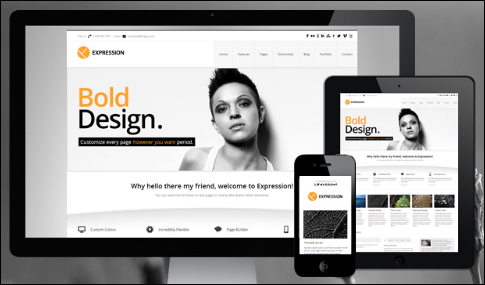
Responsive themes are also optimized for different types of devices. Users can scroll, read and load a site on a range of device browsers without having to resize anything, or requiring website owners to install additional themes.
Note: When selecting, WordPress themes, we strongly recommend choosing a responsive WordPress theme. Not only will a responsive theme ensure that the content and layout of your site displays well across your visitors’ devices, but it also means that the theme is newer than most non-responsive themes and therefore complies with the latest standards, practices and techniques of website design.
I hope that the above article has given you a better understanding of WP themes, what WordPress themes are, how they can help your business save money on website development costs, and how themes allow you to easily customize your website.
In the next blog post on understanding basic features and functionality of WordPress, we show you where to find great WP themes for your website.
***
"This is AMAZING! I had learnt about how to use WordPress previously, but this covers absolutely everything and more!! Incredible value! Thank you!" - Monique, Warrior Forum
***