 Are you planning to sell products or services online?
WordPress developers not only make great e-Commerce plugins available to users, but there are also lots of excellent website templates for WordPress that you can use to easily set up and run your online store.
In this blog post, we’ll show you where to find many professionally-designed and beautiful website templates for setting up a WordPress-based online store.
Find Great WordPress Website Templates For e-Commerce

When looking for e-Commerce web templates here are a number of important things to keep in mind:
Theme Style
As well as finding a beautiful and versatile theme for your online store, you will want the theme to have a clean layout and be fairly easy to edit and customize, so it can be used for any type of shop you have in mind (e.g. fashion accessories, selling electronic goods online, art store, etc).
Functionality
In many cases, most of the e-Commerce functionality in your web store will come from the plugins you choose to power your e-Commerce store.
As you will see, however, a number of themes also have additional options and settings that can enhance your store’s e-Commerce capabilities and help you provide a better online shopping experience for your site visitors without requiring you to install extra plugins.
This can include the ability to easily control your website’s overall colour scheme without editing web code, toggle theme features on and off, reconfigure your store layout at the click of a button, manage sitewide advertisements, search engine optimization for product descriptions, shortcodes and more.
Easy Cart & Store Integration
Most professional eCommerce themes provide easy shopping cart setup & integration with various payment processing merchants and solutions, allowing you to accept different types of payment online (e.g. credit cards, PayPal, 2Checkout, etc.) and start processing orders online without undergoing lengthy technical implementation processes or delays.
Responsive Theme Layout
A responsive theme enables a website to automatically reconfigure the layout to display smoothly across different screen sizes and resolutions, as well as different devices (e.g. PCs, iPads, mobile phones, etc).
We have written a detailed post about the importance of choosing responsive themes here:
Support
If you are planning to sell products or services online, there are many unexpected things that can happen with the online selling process itself. The last thing you want to experience when dealing with emails or support tickets unhappy or even angry and abusive customers is to be using an outdated theme that is causing errors and you can’t get the theme developer to get the support you desperately need.
For this reason, we highly recommend that you carefully consider choosing WordPress themes that offer support and regular updates when searching for a template for your web shop. Often, you have a better chance of getting support and updates from premium theme developers, than by using a free theme.
With the above in mind, let’s now take a look at a number of web templates you can use to set up a web store that will keep visitors buying products from your website:
Free e-Commerce Themes For WordPress
Virtue
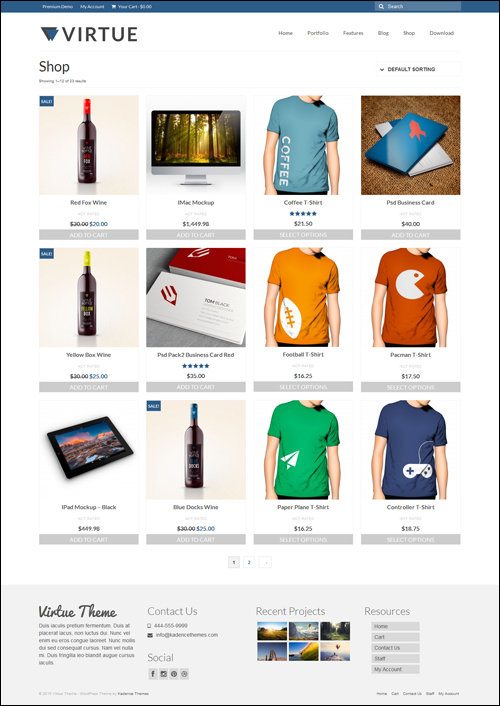
Virtue by Kadence Themes is versatile. Even though there is a paid of the theme available that includes many additional features like sliders, lightboxes, built-in icons, Google fonts, SEO options, unlimited sidebars, color options, pre-made skins, custom post types and shortcodes, the free version of the theme comes already fully loaded with loads of great features and is also easy to customize.
Virtue also features a simple, clean and modern design, is built with the latest design technologies (html5 and css3) and uses a powerful responsive framework, making it a fully responsive and mobile friendly e-Commerce.
Additionally, Virtue Free theme is WooCommerce-ready (see below) and comes with all the tools you need to design an awesome web shop.
Some of the features of this theme include:
- Portfolio posts and pages (use these to show your products). The versatile design of the Virtue theme is ideal for any kind of e-Commerce business site, online shop, portfolio or personal site.
- A powerful options panel where you can set things like your home layout, sliders, custom fonts, and completely customize the look of your site without requiring CSS knowledge.
- Translation-enabled. The Virtue theme comes with built-in support for Spanish, Russian and Italian language files and can also be translated into any other language, allowing you to sell products to a worldwide customer base.
Go here for more information: Virtue Free WP eCommerce Theme
***
FabThemes Free e-Commerce Themes For WordPress
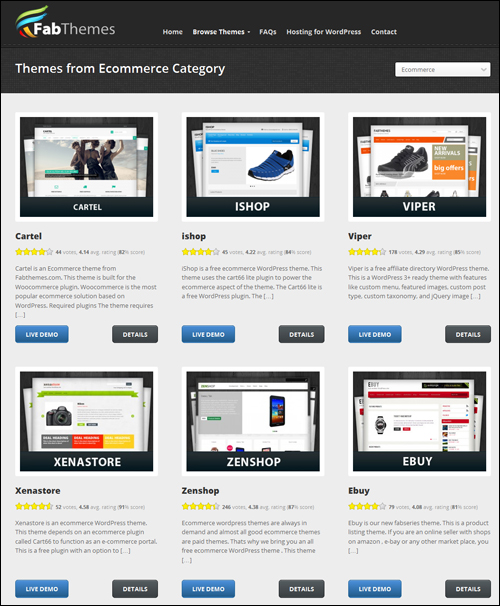
Fabthemes makes available many stylish and premium quality WordPress themes for e-Commerce for free.
All themes come with an Options panel that lets you adjust and configure various theme options and settings. Also, theme footer files are not encrypted to help reassure you that you will be downloading and using safe theme files on your site.
In addition to developing free WordPress themes that work in a range of applications, Fabthemes provides themes suitable for setting up online stores.
Go here for more information about the FabThemes range of eCommerce themes like “Cartel“, “Viper” and “Xenastore“, go here: FabThemes WP eCommerce Themes
***
WordPress.org WP Themes Directory
A great place to look for free themes for eCommerce is the free theme repository at WordPress.org.
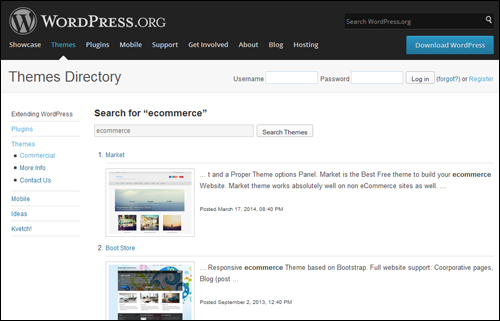
You can find free WP themes for e-Commerce in the directory using the following methods:
- Go to WordPress.org/themes and search for keywords like ”ecommerce”
- Type the following URL into your web browser (or just click on this click): https://wordpress.org/themes/search.php?q=e-Commerce
An easier method to search for free eCommerce themes for WordPress is to log into your WordPress dashboard and use the WordPress theme search feature in the Appearance > Themes page …
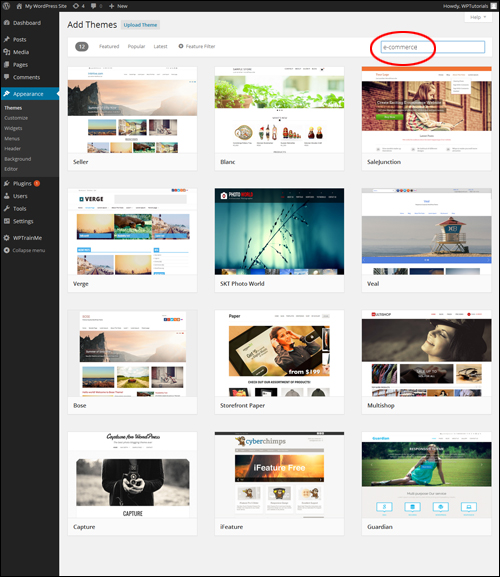
Look for free WordPress themes for eCommerce here: WordPress.org Free WP Themes For eCommerce
Now that you know where to search for great free WP themes for e-Commerce, let’s take a look at paid e-Commerce themes for WordPress.
Paid WordPress e-Commerce Themes
Below are some of the best places on the net where you can find many excellent and professionally-designed themes for selling products or services online with WordPress, as well as some great WordPress e-Commerce themes we recommend:
StoreFront – WordPress eCommerce Themes
Storefront Themes provide gorgeous themes for selling products online …
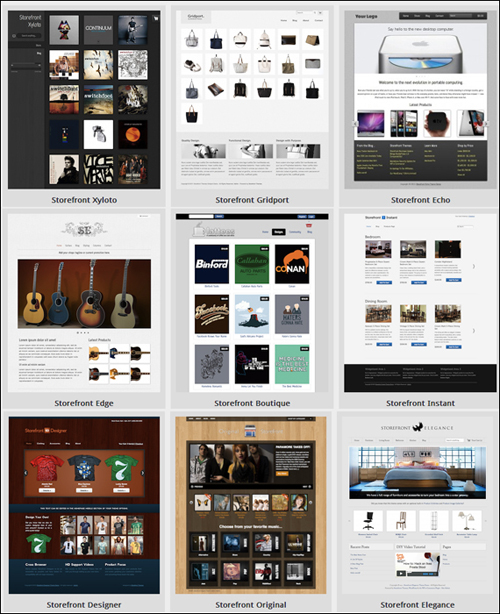
Click Here To Browse StoreFront Themes …
StoreFront themes for e-Commerce provide great support and feature responsive design …

The entire collection of responsive StoreFront eCommerce themes is also very customizable, with beautiful product pages that have a unique look across different screen sizes …
For more details go here: StoreFront Themes For WordPress
***
Elegant Themes For WP eCommerce
Elegant Themes employs a team of extremely talented and professional web designers to create simple, beautiful and professional premium WordPress themes.
As stated on their website …
Our goal is to create the best WordPress Themes with a pixel-perfect eye for detail and a high standard for aesthetic excellence.
In general, all themes created by Elegant Themes pay great attention to detail and provide loads of powerful built-in features such as shortcodes, page templates and theme options that give website owners, including complete control over their sites, plus top-notch customer support from an experienced and dedicated team …
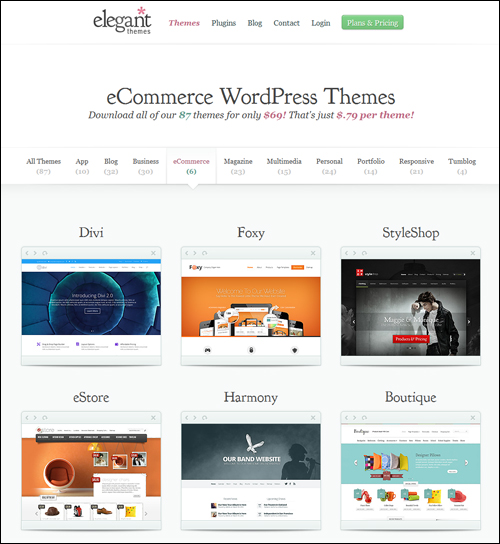
Click Here To Browse Elegant Themes …
Here are just a few of the beautiful WordPress themes for e-Commerce available at Elegant Themes:
eStore
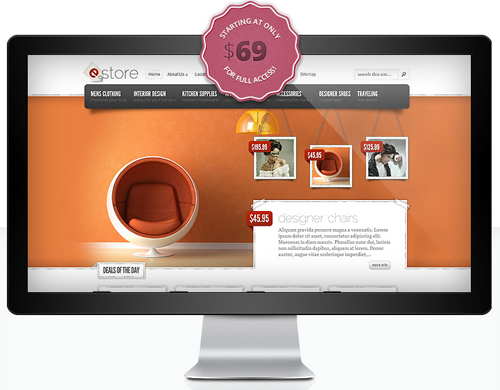
eStore offers an elegant theme for selling products online. This theme is simple to configure and integrates easily with many popular and free eCommerce plugins, like eShop and Simple PayPal Shopping cart, plus additional shopping carts.
In addition to being compatible with all main browsers and providing localized support for easy translation, eStore is available in a range of unique colours …

For more details visit this site: eStore
Boutique e-Commerce WordPress Theme
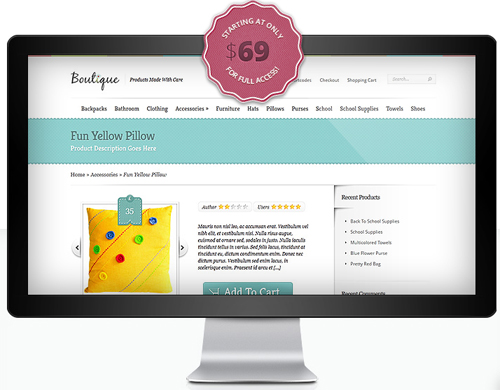
Boutique allows you to integrate with some of the most popular eCommerce plugins available, allowing you to use your favorite solutions without experiencing conflicts.
For more details go here: Boutique
Like all Elegant themes in the Theme catalog, both eStore and the Boutique theme shown above come with a built-in feature called “ePanel” that automatically displays inside the WP dashboard the moment the theme is activated …
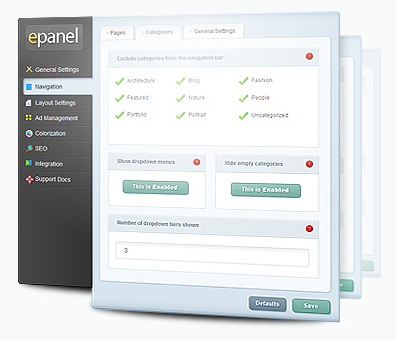
The ePanel theme options panel allows you to control your web site without modifying template code. ePanel allows you to toggle features on and off, adjust your store layout easily, banner advertising management, search engine optimization for product categories, shortcodes and more.
One of the other benefits of using Elegant Themes apart from all of the beautiful themes they make available is that Elegant Themes offer a range of plans that let you access all of their themes for one low annual fee.
For more details go here: Elegant Themes For WP
***
WooCommerce For WordPress
WooThemes provide dozens of themes for WordPress-based eCommerce.
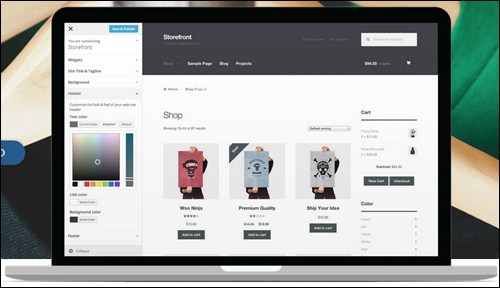
WooThemes are especially designed to integrate with the WooCommerce plugin, giving you a full-featured e-Commerce solution. Over 300,000 websites use WooCommerce themes and plugins to sell products online and there are dozens of fantastic WooThemes WP themes you can choose to build your store online.
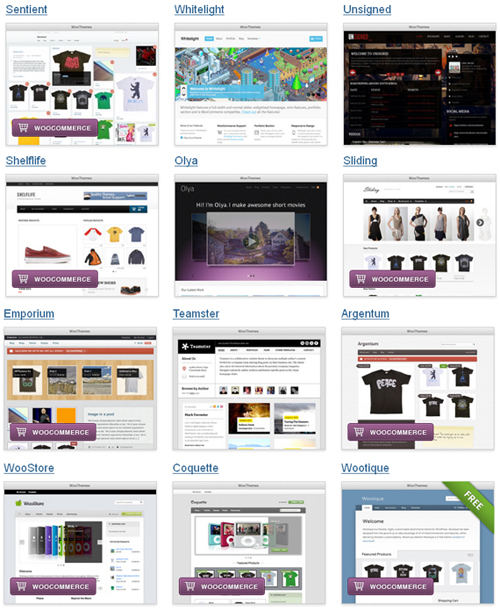
Click Here To View All WooCommerce Themes …
***
ThemeForest Themes
Theme Forest is an online theme marketplace where you can search for many professionally designed WordPress themes and buy quality WordPress themes starting from as little as $5.
Below are just some of the many WordPress e-Commerce themes available at Theme Forest …
Simplicity eCommerce WP Theme
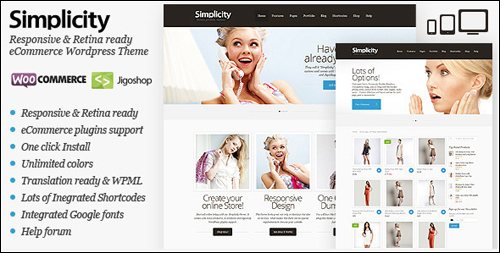
Simplicity is a flexible and elegant theme for doing e-Commerce with WordPress that offers responsive design, is retina-ready and supports e-Commerce plugins like WooCommerce and JigoShop.
For more details visit this site: Simplicity
VintageStyle
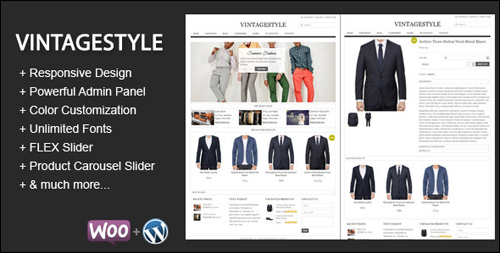
VintageStyle eCommerce theme is a clean and elegant WordPress eCommerce theme designed for corporate websites and eCommerce ventures. The theme is suitable for small to large business setups, and online stores.
Supported with custom templates, widgets, shortcodes, and many other customization options, this WP theme suits a variety of different business and e-Commerce projects.
To learn more about this theme visit this site: VintageStyle
SmartShop WordPress Theme
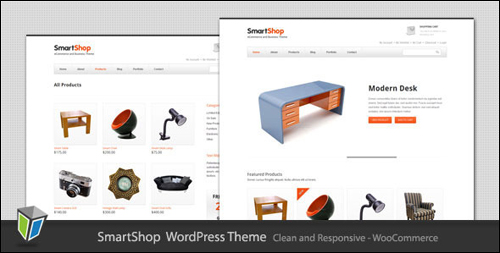
SmartShop is a clean and responsive eCommerce theme for WordPress and shopping cart webstores.
This theme is also fully compatible with the WooCommerce System.
To learn more about this theme visit this site: SmartShop
Lathika e-Commerce WP Theme
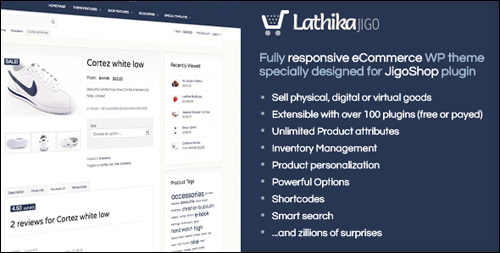
Lathika is a responsive WordPress theme for eCommerce designed specifically for use with the JigoShop plugin …
JigoShop is plugin for eCommerce.
To learn more about JigoShop go here: http://wordpress.org/plugins/jigoshop/
The Lathika theme comes equipped with detailed graphical order and stock reporting integrated to WP Admin, built-in shortcodes and ready-made widgets, stock manager, shipping calculator and loads of other features, making it an ideal theme for selling digital, physical or virtual products.
For more details visit this site: Lathika
MeariShop
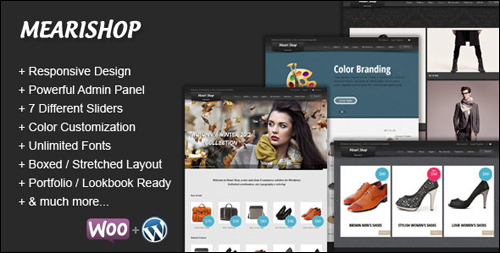
MeariShop is a clean and flexible WP e-Commerce theme that utilizes the functionality of WooCommerce plugins to create a versatile WordPress-powered online store with unlimited layout options and unlimited skins.
MeariShop is powered by the advanced Hana Panel, which provides tons of options to help you manage and change any aspect of the theme – this theme is well suited for both new website owners with no coding knowledge and developers.
To learn more about this theme go here: ThemeForest WP eCommerce Themes – MeariShop
In addition to the themes shown above, you can browse hundreds of eCommerce themes for WordPress listed on the ThemeForest directory just by searching through the WordPress > eCommerce category …
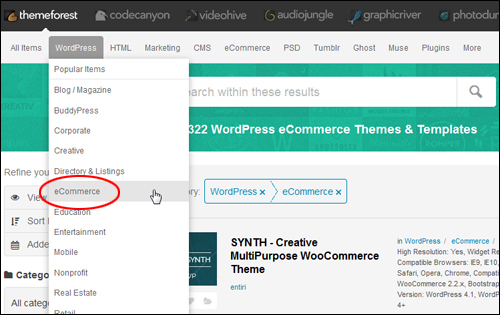
Click Here To Browse ThemeForest Themes …
As you can see, there is no reason at all why your WordPress-based web store can’t provide your business with the same ability to sell products online as more expensive e-Commerce platforms and look beautiful too!
We hope the above has inspired you to search for the right eCommerce theme to set up a WordPress-based store online.
To learn more about the differences between free themes and premium WP themes, see this article:
Finding Great Paid And Free Responsive WordPress Web Templates On The Web
***
"Wow! I never knew there's so much to learn about WordPress! I bought one of the WordPress for Dummies three years ago, such authors need to be on this course!" - Rich Law, Create A Blog Now