 Experienced marketers understand the power of mailing lists.
This is because a mailing list gives you immediate traffic and access to repeat buyers.
Marketing studies show that, on average, 50%-80% of web visitors will leave and never return. That’s a lot of money and opportunities that you’re almost certainly missing out on. Research also shows that it takes an average of 7 interactions with your business before a purchase decision is made. It’s of the utmost importance, therefore, to look for a strategy that will help you get repeat interactions with visitors.
How can you do this, however, if most visitors leave and never return?
The answer, of course, is to get visitors to give you their details while they’re still on your website or blog, so you can continue communicating with them after they have exited your site.
Building a list is absolutely essential when it comes to building a successful online business. A great list of contacts has the potential to become your most profitable business leverage point.

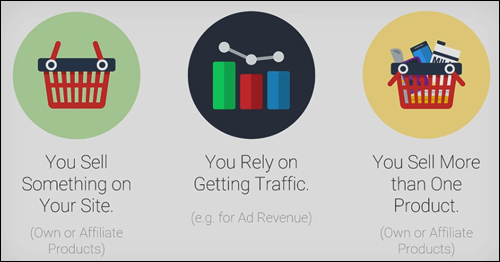
If you sell one or more products on your website, or your business relies on traffic, then building a list is essential, because it is the key to having access to repeat visitors and building a relationship.
Now … there are many ways and different strategies to build an opt-in list, but until very recently, it was very hard to find an affordable and simple solution that integrates most types of list-building methods available to capture email addresses on a website.
Thrive Leads – Mailing List Builder For WordPress

Plugin Description
Thrive Leads WordPress mailing builder lets you build a list of subscribers fast using a wide range of opt-in forms, test different offers, boost your conversions, and get traffic on tap, working directly from your WordPress dashboard …

As mentioned earlier, there are many different ways and effective strategies to build an email list, and almost all of these methods and strategies require using opt-in forms.
One of the key differences between Thrive Leads and all other list-building software is that Thrive Leads comes with some of the most effective conversion and list-building strategies already built-in.
The Thrive Leads mail list-building plugin for WP is developed by Thrive Themes, a conversion-focused WP theme developer. As you will soon see, the plugin was developed to help WordPress users not just build a mailing list, but to build a mailing list faster.

For more details go here:
Plugin Benefits
Here are just a few of the benefits of using Thrive Leads to build a list of subscribers fast and get traffic on call on your web site:
It’s WordPress
Thrive Leads mail list-building plugin for WordPress eliminates the need to install multiple plugins . This not only reduces any potential problems resulting from plugin conflicts, but the “lean and clean” nature of the plugin keeps your site’s loading speed down.
Fast Installation
Thrive Leads is very easy to install. Just upload a zip file containing the plugin files to your Plugins folder via your WordPress administrator account and activate.
Very Simple To Use
With Thrive Leads, you can easily set up one or more opt-in forms, use their pre-designed form templates and start collecting subscriber details. No technical skills or design skills are required at any point of the process.
In order to get the most out of the plugin, you will want to make use of the advanced targeting, testing and reporting features. If you are a new user, allow 25-40 minutes to learn how to use all of the software’s functionality. Fortunately, ThriveThemes provides extensive tutorials, webinars and a responsive support team that is available to help you and answer any questions you have.
Every Type Of Opt-In Form You Will Ever Need
With the plugin, you can begin to capture email addresses using pre-designed templates, and every kind of opt-in form you will ever need.
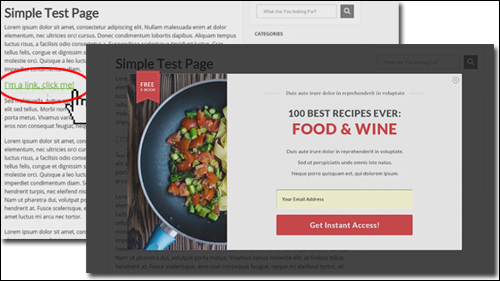
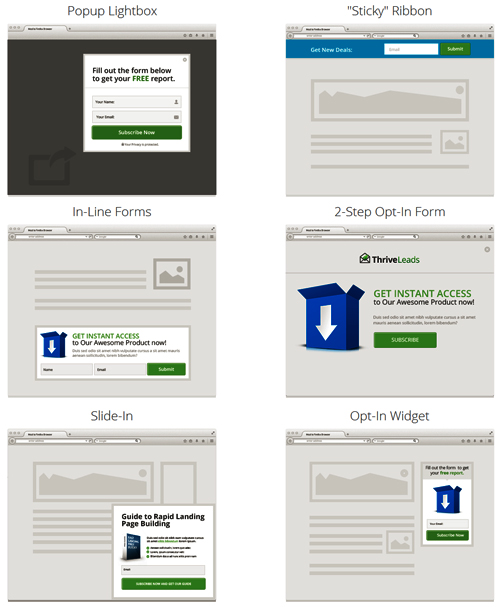
For example, you can use the plugin to display unblockable “pop-up” forms …

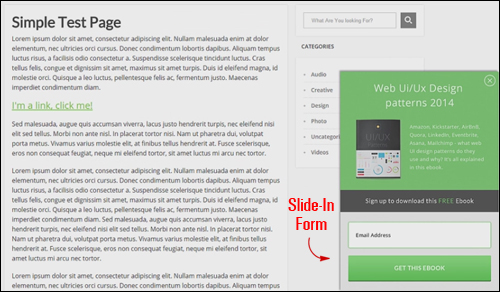
Insert opt-in forms that slide in from the edge of your page …
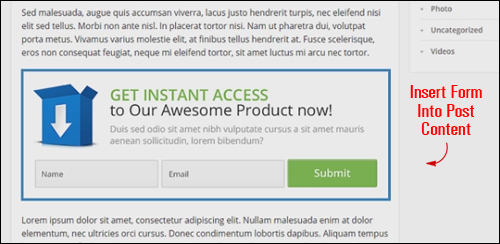
You can use Thrive Leads to add forms anywhere inside your content, or the bottom of your blog posts …
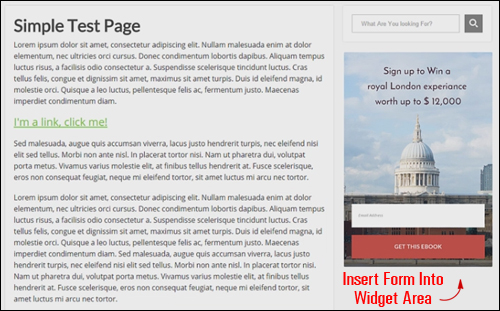
Insert an opt-in form into any widget area of your website …
You can insert two-step opt-in links that open a lightbox form when visitors click on a content link …
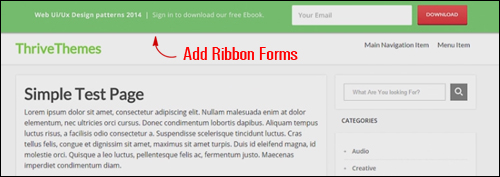
And even add ”sticky” ribbon forms to your site that display at the top of the screen and remain “sticky” even while the visitor scrolls down your page …
As you can see, Thrive Leads integrates every kind of subscription form you need in one single WP plugin …
Thrive Leads also lets you add ‘smart’ Exit Popups that display opt-in forms with exit intent technology, which allow you to capture visitor details when they exit your site.
And it gets better …
Thrive Leads Features
Thrive Leads offers many great features to WordPress users. Here are just some:
Quick And Simple To Install And Use
Ready to start using in minutes. As already mentioned, ThriveThemes provides extensive training content and tutorials, webinars, case studies, plus a dedicated support team.
This list-building software not only integrates every kind of opt-in form you need into a single plugin, as you’ve just seen, but it also lets you run your list-building strategies without ever leaving your own administrator account.
Integrated List Building Strategies
Thrive Leads integrates all of the list-building strategies you need to boost your conversions into one easy-to-use plugin:
Design & Deploy
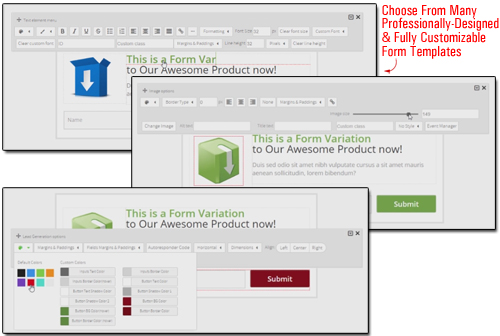
The Thrive Leads plugin comes with an extensive library of built-in professionally-designed and web optimized form templates that can be fully customized to suit your needs, with no technical skills required.
Simple “point and click” technology and a drag-and-drop editor allows you to easily create, modify and customize your forms …
A/B Testing Engine
A/B testing is the fastest way to optimize your conversion rate and speed up the growth of your list.
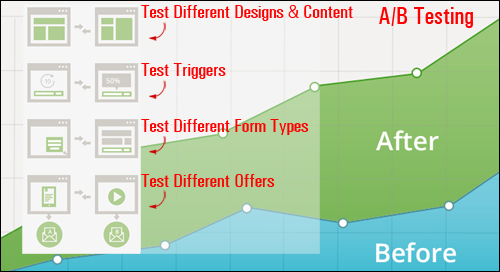
Thrive Leads comes with a powerful A/B testing engine built-in that makes it easy to test a whole range of variables, including:
Test Multiple Opt-In Form Designs And Content
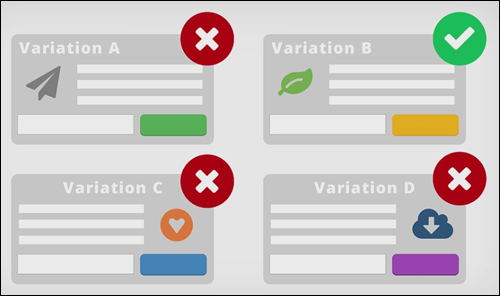
Thrive Leads lets you test different opt-in form designs and content, and provides a “set and forget” feature that allows you to set the plugin to automatically eliminate the losing variations, and continue showing only the ones that convert well after sufficient data has been collected.
You just begin testing and the plugin will handle everything else, automatically picking the winners and hiding the losing variations over time.
A/B Test Opt-In Form Triggers

Thrive Leads lets you easily customize when and how your forms should appear to visitors.
For example, you can set up:
- Time-based triggers to present an offer on your screen after 35 seconds
- Scroll-depth triggers where a message will appear only when your visitor scrolls down at least 15% of the web page
- Exit-intent triggers that can detect when someone is about to exit your page and presents them with a pop-up form.
Furthermore, you can also test if forms should appear instantly, or animate into view (e.g. slide in). You can test all of these triggers against one another to further increase conversion rates.
Split-Test Opt-In Form Types
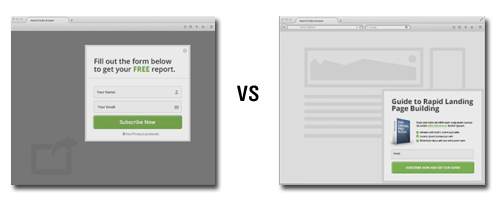
The plugin also lets you run tests on different form types. For example, you can test a widget form on your sidebar vs a slide-in form and see which form type performs better for your business.
Split-Test Different Offers
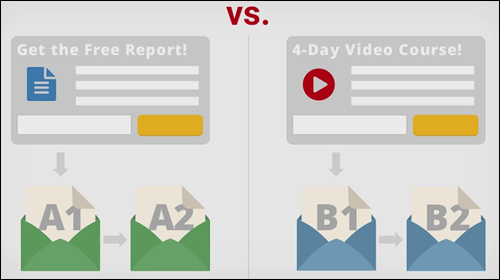
The Thrive Leads plugin even lets you split-test completely different offers.
For example, you can assign different forms to different follow-up sequences to help you decide which offer delivers the best conversion rates.
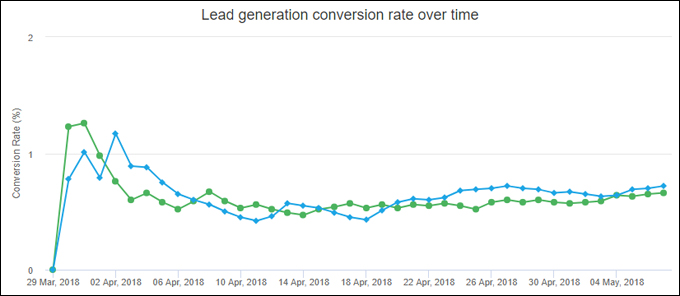
(Split-test different offers)
Not only does this plugin give you enormous flexibility when it comes to split-testing your opt-ins, but you can also easily clone an existing form – even make multiple copies of a form, then edit the element(s) you want to test and instantly start running your A/B split test again, and all of this can be done with just a few mouse clicks.
Additional features of the Thrive Leads plugin include:
Smart Targeting Features
You can create hyper-targeted offers for your visitors with three advanced targeting levels (Easy, Advanced, Ultimate). You are given precise control over how you target your offers to make your offers highly relevant.
For example, you can create a “catch-all” offer to show on all posts and pages or only your blog posts, or specify exactly where kinds of offers — even specific designs — will display across your entire site based on certain rules you set (e.g. a slide-in form on all Posts), including which page templates, archive pages, etc. or, conversely, where to exclude forms from displaying on your site.
You can even create specific “content upgrade” offers for your most valuable posts. Use this feature to create hyper-targeted and extremely profitable lists.
You can even use different lists with different services and different forms.
Supports Advanced Lead Generation Forms
Advanced form features supported include multiple fields, checkboxes, radio buttons & drop-down menus.
100% Mobile Responsive
Your forms and list marketing campaigns will look great on any device or screen size.
Thrive Leads is also compatible will all major browsers.
Gain Actionable Insights
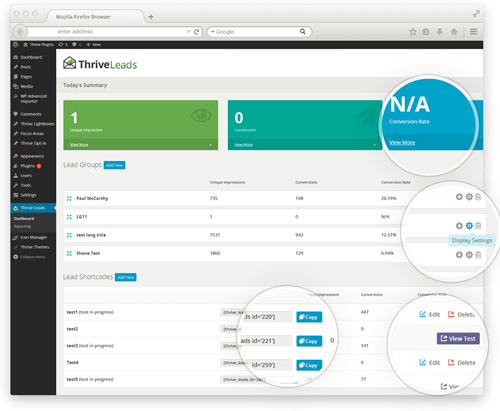
Thrive Leads gives you access to detailed reports that let you see exactly how your opt-ins and A/B tests perform over time.
Plus, the plugin provides a “lead sources” report that shows you exactly where your most valuable traffic is coming from, allowing you to plan your campaigns strategically for getting the most highly qualified traffic from the best sources.
Integrates Seamlessly With Major Autoresponders & Email Marketing Solutions
If your email marketing solution allows embedding of HTML forms then Thrive Leads with work seamlessly with your service.
Plus, you can use different lists and different services with different forms, so you’re not dependent on any one system.

As you can see, Thrive Leads gives users opt-in testing capabilities that extend well beyond any other list-building software.
User Feedback
Here are a couple of the testimonials plugin users have submitted regarding Thrive Leads:
“Your stuff is beautifully designed, fast and has great options for marketers that you just don’t see with other themes. Great, great job! Absolutely love Thrive!” David Coleman
***
“I really look forward to more training from the Thrive Themes team. Love the product and want to get better!” Cristina Favreau
Support
As mentioned earlier, ThriveThemes provides extensive tutorials, webinars and a dedicated support team that is available to help users sort out any issues they might experience.
Tutorial videos that explain exactly what you’re seeing and how to use the plugin are provided throughout the plugin interface. You can also access an extensive knowledgebase of tutorials, training webinars, case studies and list building strategies, so you can learn how to get the most out of the Thrive Leads plugin.
The software is well-supported, and users get 1-year software upgrades with their purchase, backed by a risk-free, 30 day, full money-back guarantee.
Plugin Pricing
The Thrive Leads plugin is available in the following editions:
- Single Site License – The Single Site edition allows you to install & activate the plugin on 1 single website. Includes all plugin features, plus Free, unlimited updates, with 1 year of support included. Cost = $49.00.
- Unlimited Websites License – This edition lets you install & activate the plugin on unlimited websites that you own and operate. Includes all plugin features, plus Free, unlimited updates, with 1 year of support included. Price = $97.00.
- Agency – This license allows you to install & activate the plugin on unlimited sites that you own and operate, and on all of your client sites. All plugin features are included, plus Free, unlimited updates, with 1 year of support included.. Price = $199.00.
Please Note: Pricing details of the Thrive Leads product depends on whether there are any promotions or limited-time specials being offered. The price shown above was current at the time this content was published. This may not be the actual price charged by the product developer when you visit the product website and there may be additional upsells or one-time offers after you’ve purchased.
Check the plugin’s website for current pricing details:
Additional Plugin Tips
Even on an existing website with hundreds of blog posts, you can install Thrive Leads and use the targeting feature to retroactively display the most relevant and higher-converting opt-in forms across your entire website.
For ”how to” videos of the plugin, including installation instructions and tutorials, FAQs, support helpdesk, contact details and more, visit the Thrive Leads website.
We Recommend
Building a list is absolutely essential when it comes to building a successful online business. When it comes to growing a targeted email list, the only way to improve your results is by running tests and then analyze your performance to find out what works best for your business. Thrive Leads makes a powerful tool available to WordPress users without technical or cost barriers, such as requiring expert coding skills or ongoing subscriptions.
With Thrive Leads, you have 100% control over exactly where and how your opt-in forms are shown to visitors, and intelligent reporting that helps you improve your subscription rates. There are other form plugins and solutions for list-building, but the main difference is that other list-building plugins are designed to focus more on functionality, such as allowing the user to create and add popups to their site. Thrive Leads starts with this kind of functionality, but their real focus is on conversion optimization.
As stated on their website …
“It’s not just about helping you build your mailing list. It’s about helping you build your mailing list as fast as possible!”

For more details, check out the plugin here: Thrive Leads – WP Mailing List-Building Plugin
By the way …
We use Thrive Leads here on WPCompendium.org. Check it out for yourself …
***