 In Part 1 of this article, we looked at some of the reasons why WordPress makes an ideal platform for marketing your business on social media.
In this section, we examine a number of tracking tools, services and applications that allow you to:
- Search, find, sort, organize and target users according to demographic criteria, psychographic indicators, etc.
- Monitor and listen to social conversations online
- Identify consumer buying signals.
With this information, you can start meaningful conversations with your audience and pitch them information about your products or services.
Let’s move on now to some of the actual technologies you can use to monitor social media content. If you’ve been searching for smarter ways to increase sales using social media, then here are dozens of social management tools & resources for businesses and WordPress users.
WordPress And Social Media – Useful Social Tracking Resources

(Discover what people are saying about you, your business, or your competition on social media)
Wouldn’t it be great if there was a simple and easy (and free) way to find out what is new in your industry or niche that would save you a massive amount of time doing research? Well, there is. It’s called …
Google Alerts
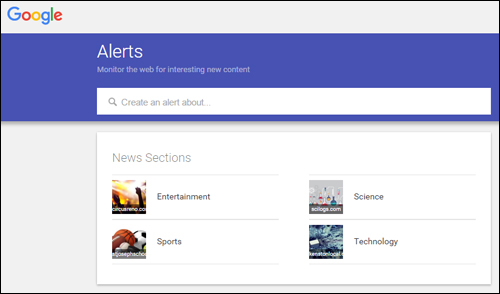
(You can monitor the web for new content with Google Alerts)
Google Alerts is a free, simple and useful tool for keeping up with news and information about all kinds of topics, staying informed about people, brands and companies, and tracking what other people publish online about you and your business.
Google Alerts is not only useful for helping you manage your reputation online, but also for automatically receiving news about people, companies, and any other subject you are interested in.
With Google Alerts, you just subscribe to a keyword or topic and you’re done. Whenever Google’s indexing bots (Googlebot) crawl a new web page, news update, blog post, press release, a video, tweet, or any other indexable content related to the topic you’ve subscribed to, it will automatically send you an email or RSS update.
We’ve created a simple tutorial on how to set up alerts with Google here: How To Set Up Google Alerts - Three Quick & Easy Steps
Hootsuite

(Hootsuite.com)
Hootsuite is a social media management application that lets you manage all of your social media activities from one dashboard.
Hootsuite provides solutions for social media management, social marketing, social selling, and social customer service. Users can schedule Tweets and Facebook posts, track conversations, quickly create and customize analytics reports, streamline workflows amongst teams, departments, or regions, assign tasks, receive real-time notifications, have internal conversations from the dashboard, and collaborate with team members.
Hootsuite is one of the leading social media management tools (SMMT). It allows you to post to many social networks, and offers integration with Twitter, Facebook, Google+, LinkedIn, Foursquare, WordPress and more.
To learn more, go here: Hootsuite
Buffer
(Buffer)
Buffer lets you schedule social content. Add updates to your Buffer account and it will be posted for you at spaced out intervals over the day.
You can schedule updates for a day, week, or month. Scheduling times are preset, but you can change these in your settings. In addition to a web interface, Buffer also provides mobile apps and a browser extension.
Visit this website to learn more: Buffer
SocialMetrics
(SocialMetrics)
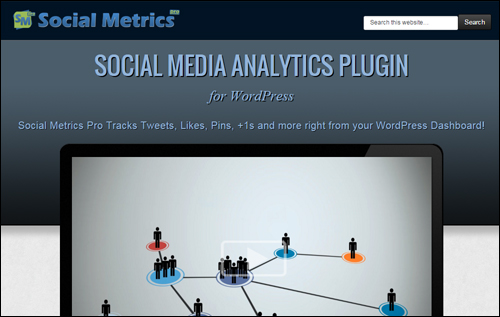
SocialMetricsPro is a plugin for WordPress that lets you track social activity from leading social media networks like Google+, Twitter, Facebook, Pinterest, StumbleUpon, LinkedIn, and Digg.
Some of the powerful features included in Social Metrics Pro include Excel-like conditional formatting, built-in and external widgets, sort, search and filter data, export data capabilities, 1-click auto-update functionality, and a simple social search improvement system.
We have written a detailed article about Social Metrics Pro here: Social Metrics
Sociocaster
(Sociocaster – Social media management for online marketers)
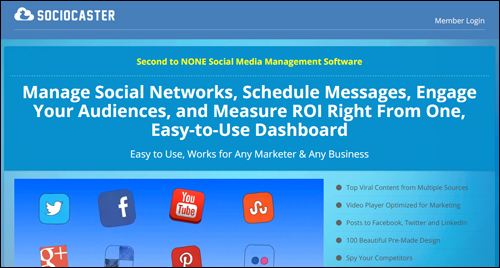
Posting to Twitter, Linkedin, WordPress, and Facebook can be very time-consuming. To get all of these tasks done usually requires different tools, web applications, or plugins. With Sociocaster, you can do this all from one single dashboard.
Sociocaster includes loads of powerful social and marketing features: a powerful visual designer, top viral video finder and posting tool, responsive mobile user interface, unlimited social account management (agency license), and much more.
More information: Sociocaster
SproutSocial
(SproutSocial)
SproutSocial is a robust social media management tool built for small to large businesses as well as the enterprise sector.
SproutSocial has a built-in Customer Relationship Management system, advanced scheduling tools, monitoring, support for teams and multiple profiles, helpdesk for customer support, team collaboration tools, security features, reports and analytics, mobile apps, RSS feed integration, etc.
Go here for more information: SproutSocial
SocialReport
(SocialReport)
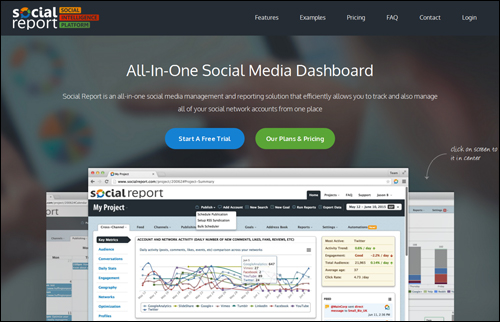
SocialReport is an all-in-one social media management tool that allows you to track and manage all of your social media accounts from one place.
Social Report tracks the performance of your Facebook pages and Twitter profiles, business reviews, website performance and blogs, and returns data from your social channels on a simple and intuitive dashboard. You can quickly and easily organize your data by customers or business, and track competitor profiles in addition to your own.
To learn more, visit this site: SocialReport
Followerwonk
(Followerwonk Twitter Analytics)
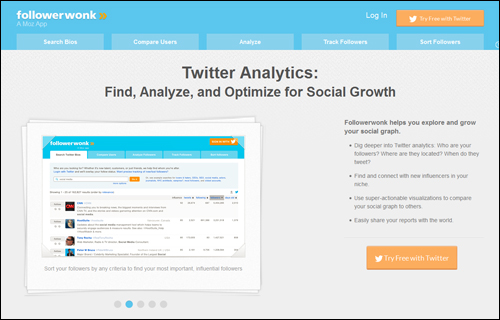
Followerwonk is a Twitter analytics tools that provides insights into your Twitter followers and lets you search Twitter bios, compare users, analyze, track, sort and compare followers, match your activities to gains and losses in followers to give your followers what they like best, discover who your most important, influential followers are, where they are located, when do they tweet, hone your social graph by following and unfollowing users, etc.
To learn more, visit this site: Followerwonk Twitter Analytics
ManageFlitter
(ManageFlitter)
ManageFlitter provides a set of powerful tools that help you work smarter and faster with Twitter.
ManageFlitter lets you sort followers and following lists using a range of criteria, find out when most of your followers are online and schedule tweets appropriately, easily search inside your Twitter stream to find and follow the right accounts for your business, use tweet analytics to track keywords and beat your competitors, clean up and manage who you follow, and more.
Go here for more info: ManageFlitter
Beevolve
(Beevolve.com)
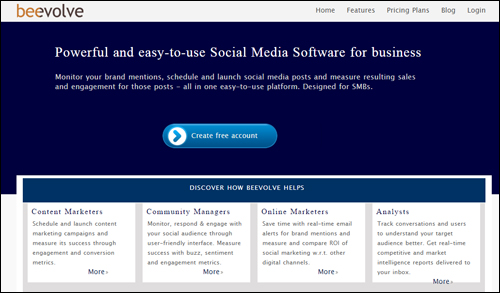
Beevolve.com is a social media monitoring platform designed for small and medium sized businesses, analysts, community managers, online marketers, and content marketers. Beevolve lets you monitor your brand mentions, schedule and launch social media posts, and measure resulting sales, engagement, and conversion ROI, sentiment, buzz, and more of posts from a single platform.
Visit this website to learn more: Beevolve
HowSociable
(HowSociable.com)
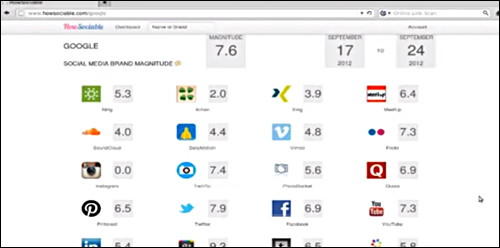
HowSociable is a simple social media monitoring tool that allows you to see brand mentions on the social web.
HowSociable displays brand viability metrics and gives you a “social magnitude” score. This social numerical view lets you know how well you are doing on social media.
More info: HowSociable
Mention
(Mention)
Mention provides media monitoring for all kinds of businesses, CEOs, marketers, agencies, etc., and allows anyone to know what’s being said about them online and on social media in real time.
Mention’s algorithms take billions of data points into account, so when someone mentions your keyword online, you have access to real time, intelligent and actionable data that can help you with your business goals. Mention also allows you to collaborate with different team members.
More info: Mention
Google Analytics

(Google Analytics)
With so many great social media monitoring tools available, it’s easy to forget that applications like Google Analytics can help you track posts made from your website to your social media sites.
Hootsuite has published a great tutorial on tracking social media links with Google Analytics on their blog.
Facebook Insights
(Facebook Insights)
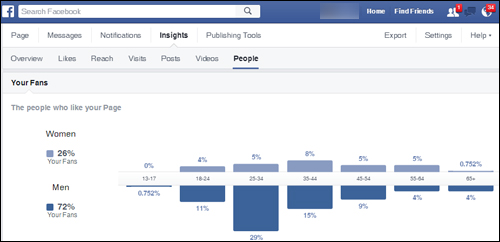
Facebook not only lets you add like, follow, and share social plugins and commenting features to your website, it also provides a comprehensive analytics tool called Facebook Insights. This lets you see how your content is performing on Facebook.
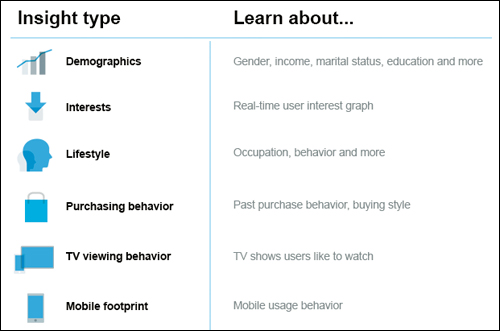
(Facebook – Insight Types)
The Facebook Insights dashboard can be viewed by all the administrators of your page and can help you with your marketing efforts by allowing you to analyze page metrics like engagement, post reach, page likes, etc.
You can use Facebook’s Page Insights to see which of your posts are attracting the most likes, comments, and shares and to learn about about your audience. You can then use this information to publish content when your content is most likely to reach your target audience.
Go here to learn more: Facebook Insights
Twitter Analytics
(Twitter)
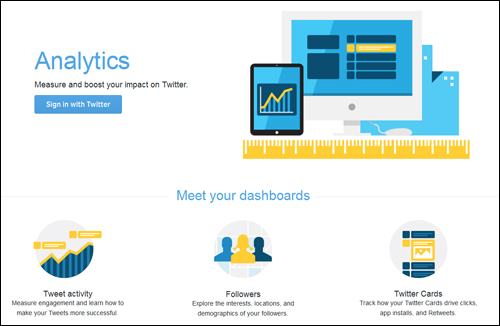
Twitter Analytics let you see how your content is performing and provides a monthly break down of your tweet impressions, profile views, followers, top tweets, and tweets linking back to you.
Twitter’s Analytics dashboard also provides you with useful information about your tweets in the form of Tweet highlights, allowing you to better plan your Twitter marketing strategy.
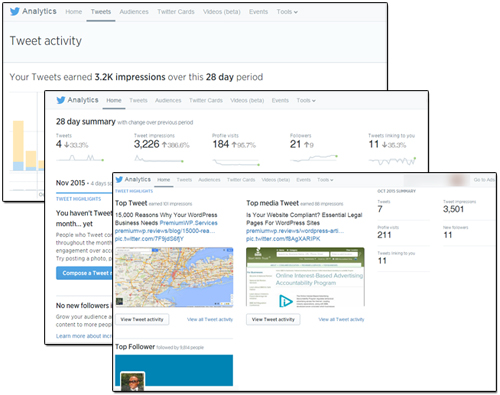
(Twitter Analytics – Tweet activity)
Go here for more information: Twitter Analytics
YouTube Analytics

(YouTube Analytics)
YouTube Analytics lets you see how your channel is performing on YouTube.
You can monitor views, viewer demographics, sources of traffic, average video viewing duration, revenue from playbacks, etc.
More information: YouTube Analytics
Pinterest Analytics
(Pinterest Analytics)
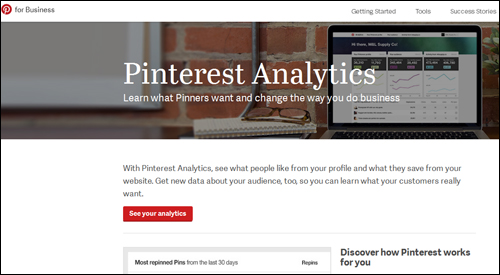
Pinterest Analytics lets you see what people like from your profile, what they save from your website, and how much traffic your site gets when you pin content to your boards. You can get data about your audience and learn what your customers want.
More info: Pinterest Analytics
Other Social Media-Related Web Tools
Many new tools and technologies are being launched each year to help businesses make sense of social media.
Here are some other social media services. Keep in mind that web technologies continually evolve. If anything changes in the list below, please let us know.
 Wunderlist

Wunderlist is a task management tool with a social twist. It lets you create professional and personal task lists and share your lists with colleagues, friends and family.
SDL/Alterian

SDL acquired Alterian and transformed it into an all-in-one global web experience management solution that lets you create engaging digital experiences with your customers.
Answerbase
Answerbase lets you create social Q&A communities. The Answerbase Q&A Platform allows users to ask questions, view Q&A content, and get their questions answered.
Appinions

Appinions, makers of an influence analytics marketing platform built on patented natural language processing and social network analysis technology is now part of ScribbleLive, a content marketing and live publishing SaaS platform for planning, creating and distributing content. You can optimize campaigns by quickly finding, tracking and connecting with opinion leaders who are most likely to influence a trend, idea, product or brand. Appinions enables brands to view the web through the lens of people’s opinions. The software provides answers to questions like “what should we write about?”, “where should we publish?”, etc.
ViralHeat

Viralheat is part of Cision, a global media intelligence software company. Viralheat is a powerful data analytics platform that delivers insights from social media analytics. It is a highly scalable social media analytics and management platform. Viralheat offers predictive social analytics and a comprehensive social media management stream combining monitoring, publishing, analytics and reporting for all major social networks in an intuitive interface. Customers can schedule and publish updates, access metrics and KPI, follow conversations, and deliver presentation-ready reports.
Bambuser

Broadcast live using your mobile device or webcam, share to your blog or favorite social network and engage with viewers. Share via your smart device and stream to your blog.
BlogDash

BlogDash connects and brings brands and bloggers together. Bloggers choose the types of opportunities they would like to be contacted about.
BrandWatch
Brandwatch Analytics is a powerful social media monitoring and analytics platform that allows you to collect, analyze and report on your social media data.
Buzzflash

Buzzflash is an independent platform for transformative ideas that features daily headlines whose goal is to inspire direct social action.
CircleCount
 CircleCount
CircleCount helps users better understand how to use Google Plus. CircleCount lets you discover all of the Google Plus circles that include your profile. If your profile isn’t already being monitored on CircleCount.com, you can easily add your Google Plus profile and it will start tracking your circles.
Commun.it

Commun.it lets you manage your Twitter relationships, focus on influencers and customers, manage multiple profiles and schedule posts, and view Twitter analytics data.
Contax.io

Contax.io tracks your followers and friends on Twitter and provides detail that helps you decide when to follow back.
Conversocial

With Conversocial you will never miss another comment about your brand. Conversocial lets you manage customer service flow and discussions on social media channels such as Facebook, Twitter, Instagram and YouTube.
SocialStudio

Social Studio helps you build more meaningful relationships with customers by tapping into the power of social media across your customer service, sales organizations, and marketing..
Disqus

Disqus is a free service that connects people online through blog discussions. Millions of websites covering just about every topic imaginable use Disqus.
Echofon
Echofon provides users with full featured, clean social apps for Facebook and Twitter. Echofon apps notify you of messages and mentions. Echofon for Twitter means you’ll never read a tweet twice by avoiding duplicate alerts on different devices, makes viewing and sharing photos, videos, locations, and links simple, and Echofon for Facebook provides simple, streamlined navigation and an uncluttered Facebook experience, browse your newsfeed and timelines, comment and like with ease and post videos or photos.
Everytime
Everytime is a creative social media tool. If you work with videos, images, or audio, you can save any moment from Youtube, Vimeo, Soundcloud and any media to your computer. Those moments are then easy to share, privately or publicly, easy to discuss about and easy to find.
Icerocket
Meltwater IceRocket is a social media search engine which allows you to search the blogosphere, Twitter, Facebook, or all at once for any keywords you like.
GroupHigh

GroupHigh is a blogger outreach tool that lets you sort, filter, and search to find and prioritize your blogger outreach based on which bloggers are active and building communities on popular social networks. GroupHigh makes it easy to build a list of bloggers based on location, topics, content, and more.
Klout

Klout is a social media monitoring and performance analyzing tool. Klout brings influencers and brands together, rewards experts in specific topics and areas of interests with Perks, and ranks users social influence using a “Klout Score”. You can use Klout to suggest shareable content that your friends, fans, and followers haven’t seen yet, and track how retweets, likes, and shares change your Klout Score.
KnowAboutIt
Know About It lets you discover the most engaging and relevant content lost in your social stream. The stories are gathered from the Know About It system from the previous 24 hours, and are ranked by the number of comments that the KnowAboutIt system is aware of in relation to that story.
LiveFyre

LiveFyre lets you access user-generated content (UGC) from the social web.
TailWind

Tailwind is a social media monitoring tool designed specifically for Pinterest. Tailwind lets you schedule pins, monitor analytics, analyze industry trends and measure performance and results.
ViralWoot

ViralWoot (formerly Pinwoot) is a social media marketing platform for small and medium sized businesses using Pinterest. Viralwoot lets you view how your pins are performing, find which are your top performing boards, etc. using the built-in analytics reports.
TweetReach
TweetReach allows you to measure the reach of your tweets for hashtags, search queries, and your keywords. TweetReach estimates the potential reach of your tweets for your given query.
Keyhole
Keyhole is a real-time social media search tracking application that allows users to track keywords, hashtags, and URLs on Twitter and Instagram. Analytic metrics are presented in an easy to understand visual reports.
Riffle
Riffle integrates with every Twitter platform (SocialEngage, SocialFlow, Zendesk, etc) and provides you with Twitter analytics, engagement, interest, and real-time social monitoring tools. It integrates with most popular Twitter platforms allowing users to easily add it into their existing social media activities.
Merchii

Merchii links consumers, online merchants, and bloggers by tagging images on the web. Approved users can earn money from every purchase made.
MutualMind

MutualMind provides a complete social data platform that lets you monitor, analyze and engage with social media. One web-based solution provides users with all the tools they need to display data on collaborative screens, detect moments or trends in the data and instantly route insights back to the enterprise.
Unified Social / PageLevel

PageLever, a leading Facebook analytics company, was acquired by Unified Social in January 2013. Since then, Pagelever’s comprehensive, real-time reporting has been integrated with Unified Social’s operating platform. These tools form a complete marketing suite allowing top global brands and agencies to aggregate, warehouse and activate their social data.
Refollow

Refollow provides powerful tools designed to grow and manage your social media presence.
RetweetRank

RetweetRank lets you get insights into your tweets, track engagement and monitor your brand.
Searchmetrics

Searchmetrics provides enterprise-level social and content marketing solutions and SEO/social media analytics.
SimplyMeasured

SimplyMeasured provides a powerful social analytics solution for global brands.
SocialBakers

SocialBakers delivers deep, competitive social media analytics that let you see how your social performance stacks against wider industry benchmarks and the competition. You can create, manage, and optimize all your Twitter and Facebook ads in one place, quickly identify your best content and top posting times, gain powerful insights about your audience, and track your brand’s performance over the long term.
Synthesio

Synthesio is a social intelligence tool. Synthesio provides scalable monitoring and analytics solutions to hundreds of leading brands and agencies around the globe. Users can cut through social noise, find the conversations that matter, measure digital reputation, manage their consumer relationships and boost their social activities’ ROI.
Sysomos

Sysomos monitors billions of conversations and helps you monitor, analyze, gather insights and make decisions aimed at creating better services and products for your customers. Type in your keyword and instantly see what people are saying both historically and in real-time on any topic across all social channels. Discover influencers, find new and related topics, and get insights into communities that matter most to you.
ThisMoment

ThisMoment allows businesses to engage with everyone, everywhere. Depending on what business you run, ThisMoment’s Content Cloud helps you to find, mix and share a variety of content through various channels across the Enterprise.
Trackur

Trackur provides affordable, fast, and simple social media monitoring and social analytics insights including trends, keyword discovery, automated sentiment analysis & influence scoring.
TrapIt
Trapit is lets you easily support your sales enablement, social selling, and employee advocacy efforts by providing relevant content to your employees. With the click of a button, your teams can share content with their social networks, customers, and prospects.
Tweepi

With Tweepi, you can follow a @user’s followers, follow a @user’s friends, follow using a Twitter list, and follow by copy/pasting lists.
Followadder
Followadder provides automated social networking management software. It lets you get real Instagram followers, real photo likes and comments, schedule posts, follow/unfollow Instagram users, like back photos, automate photo likes and direct messaging, create lists, search by hashtag, and more.
Twellow
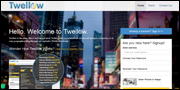
You can think of Twellow as being like the Yellow Pages for Twitter. You can search many relevant business categories, or your geographical area for followers on Twitter.
TwentyFeet
TwentyFeet was acquired by SumAll, and provides users with a powerful social reporting tool that lets you visualize your Facebook, Twitter, YouTube and Instagram accounts along with any other service you use. Learn which of your tweets, posts, videos or photos get the most engagement in seconds.
TwitterFall
Twitterfall lets Twitter users view upcoming trends and patterns posted by other Twitter users in the form of tweets.
Wajam

Wajam gives you search results based on what your friends share on top of your normal search results.
Addictomatic
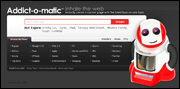
Instantly create a page that displays the latest buzz on any topic.
Bitly
Bitly lets you optimize content, analyze social media engagement, and measure exactly how you’re spending your budget.
MyTopTweet

MyTopTweet is a simple social monitoring tool that displays your best performing tweets.
SocialMention
SocialMention is a real-time social search and analysis platform.
Twazzup
Twazzup provides real-time monitoring and analytics for Twitter.
TweetDeck
TweetDeck is a powerful Twitter tool for real-time tracking, organizing, and social engagement.
***
We hope that you have found this information useful. To learn more about the benefits of using WordPress to grow your business online, please see our related posts section below.

***
"Learning WordPress has been a huge stumbling block for me. I've been looking for something that covers absolutely everything but doesn't cost an arm and a leg. Thank you so much ... you have just provided me with what I have been looking for! Truly appreciated!" - Tanya