 In Part One of this article, we looked at some of the reasons why WordPress makes an ideal platform to market your business on social media.
In this section, we look at a number of monitoring tools, services and applications that let you:
- Search, find, segment, filter and organize users according to specific demographics, their interests, etc.
- Monitor social conversations online
- Identify consumer buying signals.
With this information, you can start meaningful conversations with a targeted audience and pitch them your message.
Let’s move on now to some of the actual tools you can use for monitoring social media content. If you’ve been searching for ways to improve your business results with social media, then here are 29 social management tools & resources for engaging with your ideal customers.
WordPress Resources For Social Media Tracking

(Discover what people are saying about you, your business, or your competition on social media)
Wouldn’t it be great if there was a free, easy and simple way to access information about what is happening in your industry or niche that would save you time doing research? Well, there is, and it’s called …
Google Alerts
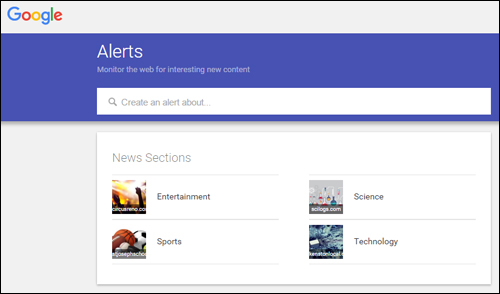
(Google Alerts lets you monitor the web for new content)
Google Alerts is a free, simple and useful tool for keeping up-to-date with the latest news and information about all kinds of topics, staying informed about people and companies, and tracking what other people post about you and your business online.
Google Alerts is not only great for helping you manage your reputation online, but also for sourcing the latest news about people, brands, companies, or any other topic you are following.
With Google Alerts, you just subscribe to a keyword or topic and you’re done. Whenever Google’s indexing robots (Googlebot) crawl a new web site, news update, blog post, press release, a tweet, video, or any other indexable content related to that topic, you will automatically receive an email or RSS update.
If you need to learn how to set up alerts with Google, see this simple tutorial: A Simple & Easy Tutorial On How To Set Up Google Alerts
Hootsuite

(Hootsuite.com)
Hootsuite is a social management application that lets you manage all of your social media activities from a single dashboard.
Hootsuite provides solutions for social media management, social selling, social marketing, and social customer service. You can schedule Tweets and Facebook posts, monitor conversations, quickly create and customize analytics reports, share the workload amongst teams, departments, or regions, assign tasks, receive real-time notifications, have internal conversations from the dashboard, and collaborate with team members.
Hootsuite is one of the most used social media management tools (SMMT). It allows you to post to many social networks, and provides integration with Twitter, Facebook, Google+, LinkedIn, Foursquare, WordPress and more.
Go here for more info: Hootsuite
Buffer
(Buffer)
Buffer lets you schedule your social content. Add updates to your Buffer account and it will be posted for you at spaced intervals.
You can schedule updates for a day, week, or month. Scheduling times are preset, but you can change these in your settings. In addition to a web interface, Buffer is also available as a web browser extension and as a mobile app.
Go here for more details: Buffer
SocialMetrics
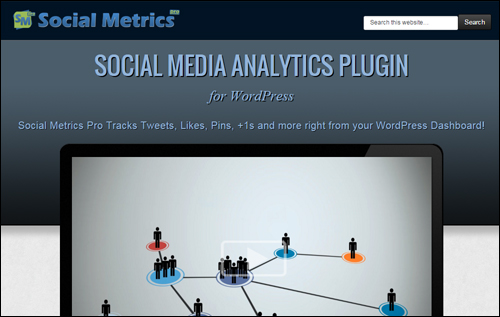
(Social Metrics Pro)
Social Metrics is a plugin for WordPress that monitors social signals from many leading social networks like Twitter, Facebook, GooglePlus, Pinterest, LinkedIn, Digg, and StumbleUpon.
Some of the powerful features included in SocialMetrics include Excel-like conditional formatting, built-in and external widgets, sort, search and filter data, export data capabilities, 1-click auto-update functionality, and a simple social search improvement system.
Go here to learn more about SocialMetricsPro: SocialMetricsPro Social Analytics Plugin For WordPress
Sociocaster
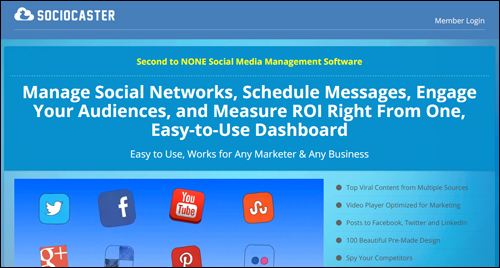
(Sociocaster)
Sociocaster is easy to use and works for any marketer or business. You can easily schedule messages, manage your social media networks, engage with audiences, and measure ROI from one easy-to-use dashboard.
Sociocaster is a powerful tool for entrepreneurs and internet marketers. It includes powerful social and marketing features: professional image-sharing templates, royalty-free image finder, opt-in marketing tool, agency license to manage unlimited social accounts, and more.
To learn more, go here: Sociocaster
SproutSocial
(SproutSocial)
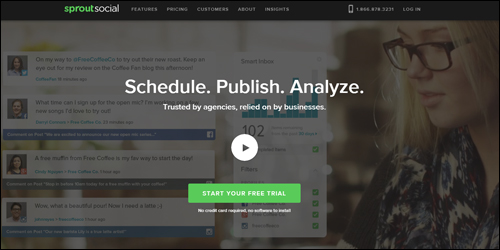
SproutSocial is a premium social media management tool aimed at small to large businesses as well as the enterprise sector.
SproutSocial has a built-in Customer Relationship Management system, advanced scheduling tools, social monitoring, support for teams and multiple profiles, helpdesk, team collaboration tools, security features, analytics and reports, mobile apps, RSS feed integration, etc.
For more information, go here: SproutSocial
SocialReport
(SocialReport)
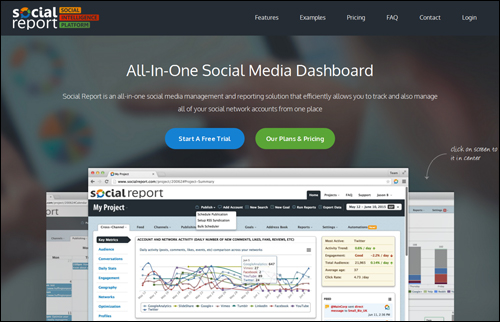
SocialReport is an all-in-one social media management and reporting tool that allows you to track and manage all of your social network accounts from one place.
It tracks the performance of your Facebook pages and Twitter profiles, business reviews, website performance and blogs, and returns data from your social channels using a simple and intuitive dashboard. You can organize your data by business or customers, and track competitor profiles in addition to your own.
More information: SocialReport
Followerwonk
(Followerwonk Twitter Analytics)
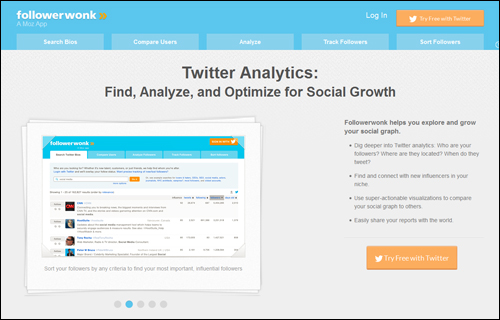
Followerwonk is a Twitter analytics tools that lets you search Twitter bios, compare users, analyze their tweeting habits, track, sort and compare followers, match your activities to gains and losses in followers to give your followers what they like best, discover who your most important, influential followers are, where they are located, when do they tweet, hone your social graph by following and unfollowing users, etc.
Go here for more info: Followerwonk
ManageFlitter
(ManageFlitter)
ManageFlitter provides a set of easy to use tools that empowers work smarter and faster with Twitter.
ManageFlitter lets you sort followers and following lists by a range of criteria, find out when most of your followers are online and schedule tweets appropriately, search twitter bios to easily find and follow the right accounts for your business, use tweet analytics to track keywords and beat your competitors, clean up and manage who you follow, and more.
For more details, visit this website: ManageFlitter
Beevolve
(Beevolve)
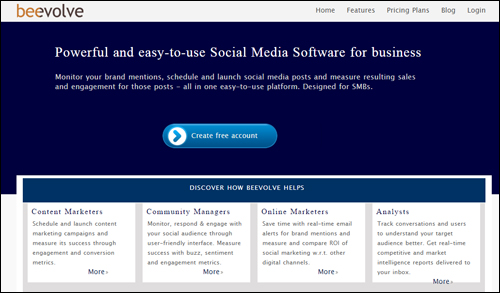
Beevolve is a social media monitoring tool for SMBs, content marketers, analysts, online marketers, and community managers. It lets you monitor your brand mentions, schedule and launch social media posts, and measure engagement, conversion, and sales ROI, sentiment, buzz, and more of posts from one platform.
More information: Beevolve
HowSociable
(HowSociable)
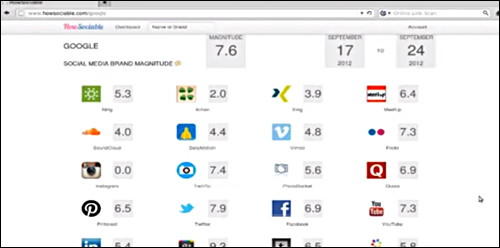
HowSociable is a simple tool that allows you to see how brands and businesses are mentioned on the social web.
How Sociable displays brand viability metrics across dozens of social channels and gives you a “social magnitude” score that lets you know how well you are doing on social media, and what areas can be improved.
For more details, visit this website: HowSociable
Mention
(Mention)
Mention is a social monitoring tool for every type of business, agencies, CEOs, marketers, etc., and allows anyone to know what’s being said about them on news, blogs, websites, YouTube, Twitter, and Facebook in real time.
Mention’s algorithms monitor billions of data points, so when someone mentions your keyword online, you have the ability to detect this, and access to intelligent, actionable data that can help you with your business goals. Mention is cross-device compatible.
To learn more, go here: Mention
Google Analytics

(Google Analytics)
Google Analytics is not only a great analytics software application, it can also help you monitor posts made from your WP website to your social media sites.
Hootsuite has published a simple 6-step tutorial that shows you how to track social media links with Google Analytics on their blog.
Facebook Insights
(Facebook)
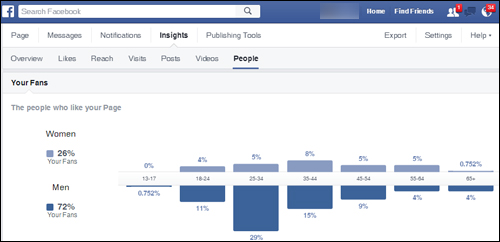
Facebook not only lets you add share, follow, and like social media plugins and commenting features to your WordPress site, it also provides a comprehensive analytics tool called Facebook Insights that lets you analyze how your site is performing on Facebook.
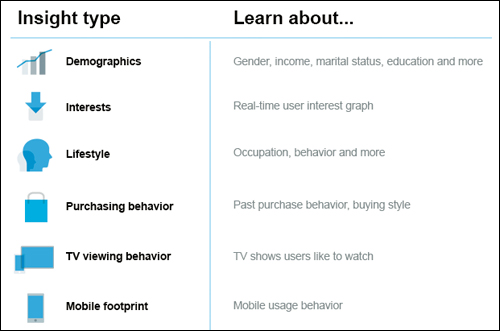
(Facebook.com – Insights)
Facebook Insights can track active users on your page. This can help improve your business marketing efforts.
You can use Facebook’s Page Insights to learn about your posts — which are attracting the most shares, likes, and comments and to learn about audience demographics. You can then use this data to publish content when your posts are most likely to reach your target audience.
More info: Facebook Insights
Twitter Analytics
(Twitter Analytics)
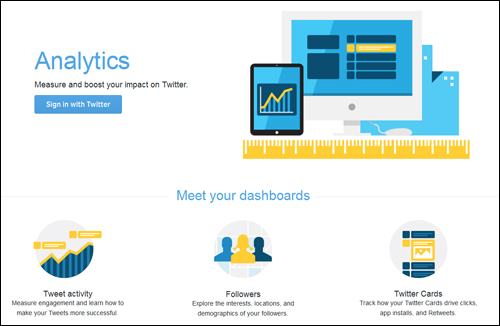
Twitter Analytics let you see how your content is performing and provides a breakdown of your top tweets, tweet impressions, followers, profile views, and tweets linking back to you.
The Twitter Analytics dashboard also provides you with useful information about your tweets in the form of Tweet highlights, allowing you to better plan your Twitter marketing strategy.
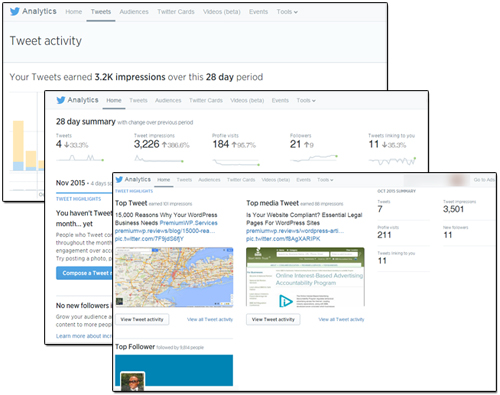
(Twitter – Tweet activity)
More info: Twitter Analytics
YouTube Analytics

(YouTube Analytics)
YouTube Analytics lets you see how your channel is performing on YouTube.
You can monitor views, demographics, traffic sources, video viewing time, estimated revenue from playbacks, and more.
For more details, go here: YouTube Analytics
Pinterest Analytics
(Pinterest Analytics)
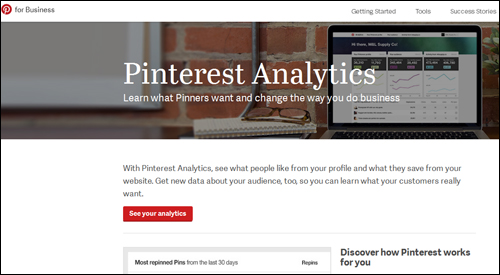
Pinterest Analytics lets you see what people like from your profile, what they save from your website, and how much traffic your site gets when you pin new content. You can use the information to improve the way you pin.
For more information, go here: Pinterest Analytics
Additional Social Media-Related Tools & Services
With the explosive growth of social media predicted to continue rising, many new tools and technologies are being developed to help business engage and make sense of social data.
The list below contains a number of other social media services. Keep in mind that web technologies are continually evolving. If any of the tools below change, please let us know.
 Wunderlist

Wunderlist is a task management tool with a social twist. Create personal and professional lists and share your lists with family, friends and colleagues.
SDL/Alterian

SDL acquired Alterian and transformed it into an all-in-one global web experience management solution that allows you to create engaging digital experiences with your customers.
Answerbase
Answerbase lets you create social Q&A communities. The Answerbase Q&A Platform allows users to ask questions, view Q&A content, and get their questions answered.
Appinions

Appinions, makers of an influence analytics marketing platform built on patented natural language processing and social network analysis technology was acquired by ScribbleLive, a content marketing and live publishing SaaS platform that lets you plan, create and distribute content. Appinions’ deep data science patent protected technology allows customers to optimize all stages of the content marketing lifecycle. The ScribbleLive acquisition enables brands to view the web through the lens of people’s opinions. This tool provides answers to questions like ”who should we listen to or partner with?”, ”what keywords do we use to make our content discoverable?”, etc.
ViralHeat

Viralheat (formerly ArgyleSocial – a social media marketing platform for marketers) is part of Cision, a global media intelligence software company. Viralheat runs a powerful data analytics tool that delivers insights from social media analytics. It is a highly scalable social media analytics and management platform. Viralheat offers predictive social analytics and a comprehensive social media management stream that combines monitoring, publishing, analytics and reporting for all major social networks in an intuitive interface. Users can follow conversations, schedule and publish updates, access metrics and KPI, and deliver presentation-ready reports.
Bambuser

Broadcast live using your webcam or mobile device, share to your favorite social network or blog and engage with your viewers. Share via your smartphone and stream to your blog.
BlogDash

BlogDash connects brands looking for ways to promote their services and products with bloggers who are willing to write content aimed at bringing brands the positive attention they are searching for.
BrandWatch

Brandwatch Analytics is a powerful social media monitoring and analytics platform that lets you collect, analyze and report on your social media data.
Buzzflash

Buzzflash is an independent platform for transformative ideas that features daily headlines whose goal is to inspire direct social action and participation.
CircleCount
 CircleCount
CircleCount is a GooglePlus education tool. CircleCount lets you discover all of the GooglePlus circles following your profile. If your profile isn’t already being tracked on CircleCount.com, you can easily add the url of your GooglePlus profile and it will start tracking your circles.
Commun.it

Commun.it lets you manage your Twitter relationships, focus on customers and influencers, schedule posts and manage multiple profiles, and view Twitter analytics data.
Contax.io

Contax.io can be used to track your followers and friends on Twitter and other social networks and manage relevant, real-time relationship data.
Conversocial

Conversocial provides cloud-based social customer service solutions that help brands improve customer experience and operational efficiency by managing the flow of customer service enquiries and discussions on social media channels such as Twitter, Facebook, YouTube and Instagram.
SocialStudio

Social Studio helps you build more meaningful relationships with customers by tapping into the power of social media across your customer service, sales organizations, and marketing..
Disqus

Disqus is a free service that facilitates the growth and spread of online communities through blog comments and discussions. Disqus is used by millions of websites covering pretty much any topic imaginable.
Echofon
Echofon provides users with full featured, clean social apps for Facebook and Twitter. Echofon apps notify you of messages and mentions. Echofon for Twitter automatically keeps unread tweets in sync between apps on different devices, makes viewing and sharing photos, videos, locations, and links simple, and Echofon for Facebook provides simple, streamlined navigation and an uncluttered Facebook experience, browse your newsfeed and timelines, comment and like with ease and post videos or photos.
Everytime
Everytime is a creative social media tool. If you work with images, videos, or audio, you can save moments from Youtube, Vimeo, Soundcloud and any media to your computer. Those moments can then be easily shared, discussed, and found online with social collaboration.
Meltwater Icerocket
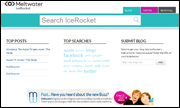
Icerocket is a social media search engine which allows you to search Twitter, Facebook, the blogosphere, or all of these for any keywords you like.
GroupHigh

GroupHigh is a blogger outreach software that lets you filter, sort, and search to find and prioritize your blogger outreach based on which bloggers are active and building communities on popular social networks. GroupHigh’s blog search makes it easy to build a list of bloggers based on content, location, topics, and more.
Klout

Klout is a social media monitoring and performance analysis tool. Klout brings influencers and brands together, rewards experts in specific topics and areas of interests with Perks, and ranks your social influence using a “Klout Score”. You can use Klout to suggest shareable content that your friends, fans, and followers haven’t seen yet, and track how retweets, likes, and shares change your Klout Score.
KnowAboutIt

KnowAboutIt is a simple service that monitors popular news sources for stories that are generating a lot of conversation. The stories are gathered from the KnowAboutIt system from the past 24 hours, and are ranked by the number of comments that the stories attract.
LiveFyre

LiveFyre lets you access user-generated content (UGC) from the social web.
TailWind

Tailwind is a Pinterest marketing, management, and analytics tool. Tailwind lets you schedule pins, monitor Pinterest analytics, analyze industry trends and measure results and performance across Pinterest.
ViralWoot

ViralWoot is a social media marketing tool that lets business using Pinterest schedule, promote, manage and grow their accounts. Viralwoot lets you view the performance of your pins using the built-in analytics reports.
TweetReach

TweetReach allows you to measure how well your tweets, hashtags, keywords, and search queries are doing on Twitter. TweetReach gives you the estimated potential of the tweets for your given query.
Keyhole
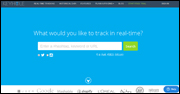
Keyhole is a real-time social media search monitoring service that lets users track URLs, hashtags, and keywords on Twitter and Instagram. Analytics are presented in an easy to understand visual reports.
Riffle
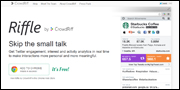
Riffle integrates with over a dozen Twitter platforms and provides you with insight into the current and potential value of Twitter users, engagement, and tracking tools. It integrates with most popular Twitter platforms allowing users to easily add it into their existing social media activities.
Merchii

Merchii links bloggers, consumers, and online merchants by tagging images on the web. Merchii provides a financial incentive for creating social engagement. Approved users can earn money from every purchase made.
MutualMind

MutualMind provides a complete social data platform that lets you monitor, analyze and engage with social media. One web-based solution provides users with all the tools they need to display data on collaborative screens, detect moments or trends in social data and route the insights back to the enterprise instantly.
Unified Social / PageLevel

Unified Social acquired PageLever, a leading Facebook analytics company, in January 2013. Since being acquired, Pagelever’s comprehensive, real-time reporting has been integrated with Unified Social’s operating platform. These tools form a complete marketing suite for top global brands and agencies to aggregate, warehouse and activate their social data.
Refollow

Refollow makes it easy to discover, manage, and protect your Twitter social circle.
RetweetRank

Get insights into your tweets, track engagement and monitor your brand with Retweet Rank.
Searchmetrics

Searchmetrics delivers enterprise SEO and content marketing analysis, recommendations, forecasting and reporting for companies that want potential customers to find them faster.
SimplyMeasured

SimplyMeasured provides easy social media analytics for all of your data in a single place.
SocialBakers

SocialBakers delivers deep, competitive social media analytics that let you see how your social performance stacks against the competition and wider industry benchmarks. You can create, manage, and optimize all your Facebook and Twitter ads in one place, quickly identify your best content and top posting times, gain powerful insights about your audience, and track long-term brand performance.
Synthesio

Synthesio is a social intelligence tool. Synthesio provides scalable monitoring and analytics solutions to hundreds of global brands and agencies. Users can cut through social noise, find conversations that matter, measure online reputation, manage consumer relationships and boost their social activities’ ROI.
Sysomos

Sysomos provides powerful social media analytics that lets you monitor, analyze, gather insights and make decisions aimed at creating better services and products for your customers. Simply type in your keyword and instantly see what people are saying on any topic both in real-time and historically across all social networks. Discover influencers, find new and related topics, and gain valuable insights into the audiences and communities that matter to you.
ThisMoment

ThisMoment allows businesses to engage with everyone, everywhere. Depending on what business you run, ThisMoment’s Content Cloud helps you find, mix and share a variety of content through many channels across the Enterprise.
Trackur

Trackur provides fast, affordable, and simple social media monitoring.
TrapIt
Trapit is a social selling, employee advocacy and content marketing tool. With the click of a button, your teams can share content with their prospects, social networks, and customers.
Tweepi

Tweepi provides multiple ways of searching for users that could be interested in your brand. After finding your targeted group of users, you can easily interact with users by ‘following’, ‘adding to list’ or ‘@mentioning’ them. Twitter then notifies those users via mobile notifications and email, and interested users may check your profile and follow back.
Followadder

Followadder provides users with automated social networking Instagram management tools. It lets you get real Instagram followers, real photo likes and comments, schedule posts, follow/unfollow Instagram users, like back photos, access automated photo liker and automated direct message, create lists, search by hashtag, and more.
Twellow
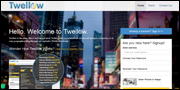
You can think of Twellow as being like the Yellow Pages for Twitter. Twellow lets you search dozens of business categories, or your geographical area for Twitter followers.
TwentyFeet
TwentyFeet provides users with a powerful social reporting tool that lets you visualize your Twitter, Facebook, YouTube and Instagram accounts along with any other social service you use. Find out which of your posts, tweets, photos, or videos get the most engagement in seconds.
TwitterFall
Twitterfall is based in the UK and allows users on Twitter to view upcoming trends and patterns posted by users.
Wajam

Wajam is a tool that gives you search results of what your friends are sharing above your normal search results.
Addict-o-matic
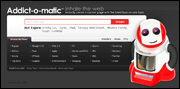
Instantly create a page that displays the latest buzz on any topic.
Bitly
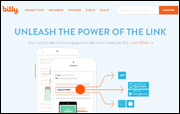
Bitly can help you analyze social media engagement, optimize content, and measure how you’re spending your budget.
MyTopTweet

My Top Tweet is a simple social monitoring tool that shows your top performing tweets.
SocialMention
SocialMention is a real-time social media search and analysis platform.
Twazzup
Twazzup provides real-time analytics and monitoring for Twitter.
TweetDeck
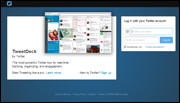
TweetDeck is a Twitter tool for real-time tracking, organizing, and social engagement.
***
We hope that you have found this information useful. To learn more about the benefits of using WordPress to grow your business online, please see other articles and tutorials we have published on this site.

***
"This is an awesome training series. I have a pretty good understanding of WordPress already, but this is helping me to move somewhere from intermediate to advanced user!" - Kim Lednum