
This is Part 3 of our detailed article on ways to build your health or medical-related business web presence.
So far, we have provided in-depth information on the following topics:
- Online Challenges For The Health & Medical Profession
- Opportunities For Health Services Providers
- Your Web Pages
- Ways To Improve Your Content
In this section, we continue exploring more ways to grow your medical-related business online by looking at the best health themes for your health business:
Top Medical Themes For Your Healthcare Business
WordPress has many professional themes to build any type of healthcare or medical-related website, including sites for doctors, physicians, surgeons, dentists, medical clinics, doctor’s offices, hospitals, and any type of healthcare field or facility imaginable.
To get the best features and professional look for your website, it’s best to choose a theme specifically suited for health or medical-related businesses.
This is a list of WordPress themes for medical services and health practitioners that are highly configurable and professionally designed. Most include plugins, shortcodes, widgets and page templates for doctors, client testimonials, FAQ’s, contact/enquiries, schedules, etc. These themes will help give your medical practice a professional and polished web presence.
Medica Pro

(Medica Pro Theme For WordPress)
This premium theme is a clean, flat theme for building a medical website. It can be a blog, a website, or both.
It includes several widgets that increase the theme’s functionality. It contains page templates, including Doctors which allows you to add an image, a brief bio and social media links. There are also pages for testimonials and a contact template page complete with map and contact form. You can also add a medical blog.
You can easily customize theme settings like layout, colors, social media links and logo from the theme settings section. You have an unlimited choice of colors. It’s responsive so your content displays correctly on small screen sizes. It’s already localized so your content will translate into the language your readers are using. The theme has also been developed using clean code, which helps your site load quickly in all browsers.
Medica a nice choice for any medical-related practice or facility. Medica Pro includes an option panel where you can make customizations and selections for your business logo, links to social pages, colors and layout. You have unlimited color choices. It includes custom widgets. It’s a responsive theme, designed to display your content correctly on all mobile devices. It’s localization ready so the text can easily translate into the language used by your site visitors.
More info: Medica Theme For WordPress
Medicenter – Responsive Theme
(MediCenter Theme)
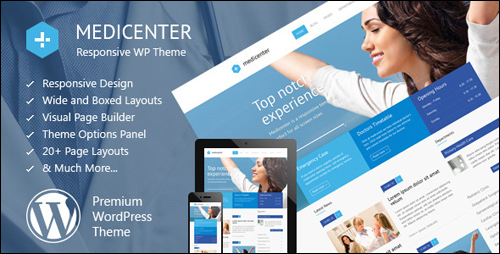
MediCenter is ideal for doctors, hospitals, health clinics and medical organizations. It is also suitable for most health-related businesses like a veterinary clinic, gyms, pharmacies, or health care professionals like surgeons, dentists, ophthalmologists, veterinarians, physiotherapists, psychiatrists or psychologists, etc.
It includes several custom header variants, 20+ web page templates, 6 home page layouts, wide and boxed layout, and an AJAX contact form to save users time waiting for the page to reload. It also includes the Visual Composer Page Builder plugin with 60+ page builder elements and Timetable Responsive Schedule Plugins, which allows you to add departments and a database of doctors (or other professions), define consultation days and work hours, add a description or additional tooltip and display all the information in a timetable.
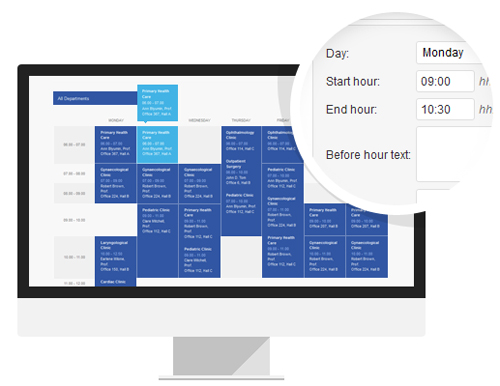
(Built-In Schedule (Timetable) Manager – MediCenter)
You can customize your website easily from the theme options area where you can adjust your layout, colors, icons, fonts and logo. It’s responsive so your content displays properly on small screen sizes.
Shortcodes include sliders, pricing tables, carousel, testimonials, announcements, accordion, notifications, icons, tabs, lists, etc. There are also several layouts for home pages, blogs, galleries and more. It also includes a full-width slider.
More information: MediCenter WP Theme
MedicalPress
(MedicalPress)
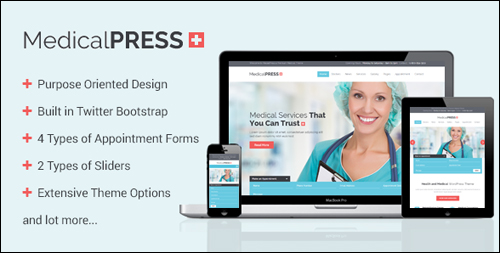
This premium theme for WordPress is a clean theme that loads fast and looks very modern and professional. MedicalPress is a great theme for health clinics, hospitals, medical practitioners, dental services, ophtalmologists, psychiatrists, physiotherapists, psychologists and all types of health or medical organizations.
The theme includes four different appointment forms. It includes 2 different sliders including the Revolution Slider that will display images, links, video, and more. MedicalPress lets you choose from multiple layout options so you can display your content in 1-4 columns. Three different home page designs are included. It has shortcodes and templates to manage featured sections, facilities, appointment forms, services, FAQs, galleries, practitioners, testimonials and more. It also has a return to top of the page button.
You can modify your website however you like through the extensive set of theme options. It includes the Visual Composer plugin for free allowing you to drag and drop components to create your own layouts. It’s responsive so your content displays properly on small screens. It integrates with WooCommerce to process any type of sales or payments. It includes one sample child theme.
To learn more about about this theme, visit the theme website: MedicalPress WP Theme
Medi
(Medi Theme)
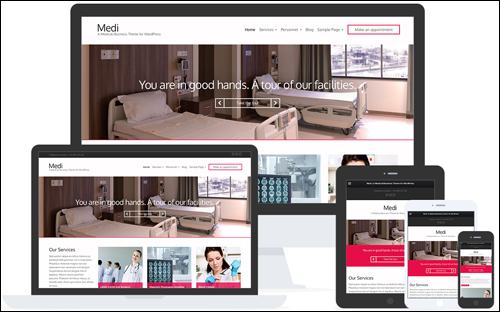
This is an elegant premium WordPress theme with a drag and drop homepage focused the medical field. It includes several pre-made page layouts and adds Personnel, Services, and Slider content types. Lots of custom widgets such as content widgets, social networking, Flickr, etc. are included. You can select multiple color schemes and even assign a different color scheme to each page.
It’s responsive and Retina ready to look great on all screens. It’s also speed optimized to help give your site visitors a fast-loading website. it’s also search engine optimized and translation ready.
Go here for more details: Medi – WordPress Theme
Care
(Care WordPress Theme)
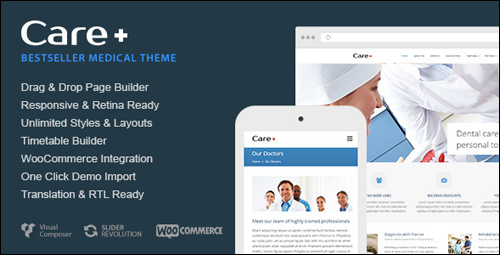
Care is a theme aimed at doctors, dental services, and other health-related fields. The theme includes a schedule manager, Revolution Slider plugin, pre-defined background patterns, multiple blog layouts, unlimited headers and sidebars, parallax effects, and lots of other features, including:
- Powerful Timetable Builder
- Drag&Drop Page Builder
- Custom Background Uploaders For Sections
- Unlimited Sidebar Creation
- Updates Right From Dashboard
- And more …
It includes a custom layout creator for all post types. Care lets you design your layout however you want using the drag and drop page builder plugin called Visual Composer. It includes an advanced option panel to customize the site. Google fonts are included. It’s responsive and Retina ready. You can choose your content width and add scalable vector icons.
More info: Care WordPress Theme
Dentist
(Dentist WP Theme)
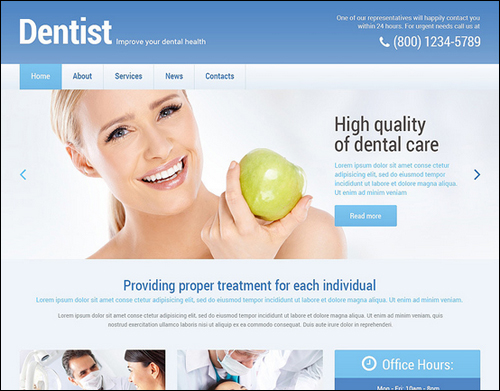
Dentist is an elegant theme for dental services or any other health-care practice. Over 80 built-in shortcodes lets you add many features to your website including columns, elements, custom widgets for social sharing, comments, etc., includes custom post types and formats, a filterable portfolio, sliders, loads of color options, and more. It also includes stock photos. Web page templates include FAQ, Archives, Filter Pholio Page, Full Width Page, Testimonials, Home Page, and more. Custom post types include Portfolio, Testimonials, Our Team, etc. It also includes four gallery scripts: Carousel, Isotope, Accordion and Slider.
This theme is built on the Cherry Framework and can be edited fully through advanced options. You have complete control over colors, styles, widths, sidebar layouts, sliders, and lots more. It includes Google Maps, back to top button, and more. It’s also 100% responsive, multilingual ready, and search engine optimized.
More information: Dentist WP Theme
HealthPress
(HealthPress – WordPress Theme)
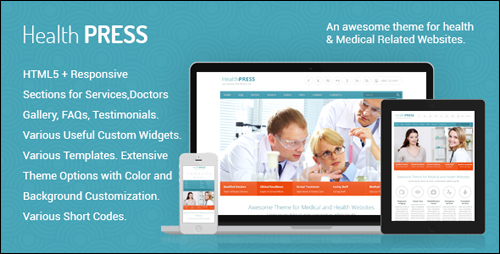
HealthPress is a clean-looking, search optimized and responsive premium theme that is suitable for anyone in healthcare including hospitals and clinics, surgeons, doctors, dentists, ophtalmologists, physiotherapists, psychiatrists, psychologists and other types of healthcare or medical organizations.
It has page templates and special features for managing services that include doctors, home page, gallery templates, testimonials, news posts, FAQ’s, schedules, etc., with multiple templates for each. The theme also includes four appointment forms and 2 different kinds of sliders including Slider Revolution. The gallery will display 2-4 columns. Multiple post types are included.
There are extensive theme options for fonts, layouts, colors, etc. It supports custom backgrounds. There are several widgets including Google Maps, and AJAX contact form with CAPTCHA, AJAX appointment form with CAPTCHA, newsletter subscription, footer information, footer location, recent posts with thumbnail, and a quick contact form. All PSD files are included with the theme.
More information: HealthPress
Alean

(Alean WP Theme)
Alean is a clean theme for medical practitioners. It features a white background with a compact slider design that’s clean and fully responsive. It features custom sidebars with multiple layouts. You can also select no sidebar page layouts for full-width content. It includes Google Maps, a contact form, a dynamic content loader to load content without reloading the page, a social share bar, powerful shopping cart features that fully integrate with your website, multicolored-related posts, anti-spam without CAPTCHA, and more.
Alean was built on the SMT 2.0 framework and offers loads of configuration options. It is SEO optimized to help you rank higher in search engine results. There are many advanced editor options, allowing you to add design to your posts and pages. You can translate your website into any language using just one page in the administration panel.. Alean is a most suitable choice for medical practitioners and healthcare providers. It offers both a FREE and paid versions.
Incidentally, SMThemes, the theme developer has also created a number of WordPress themes that are perfectly suited for anyone in the medical profession or a health-related field including hospitals and clinics, surgeons, doctors, dentists, ophtalmologists, psychiatrists, physiotherapists, psychologists and other types of health or medical organizations.
For example:
- Vaccination
- Medicine
- Dentist
- Paramedic
- Diet
- Healthcare
- Toothmed
- And many more …
For more details, go here: Alean – WordPress Theme
Eyesite
(Eyesite)
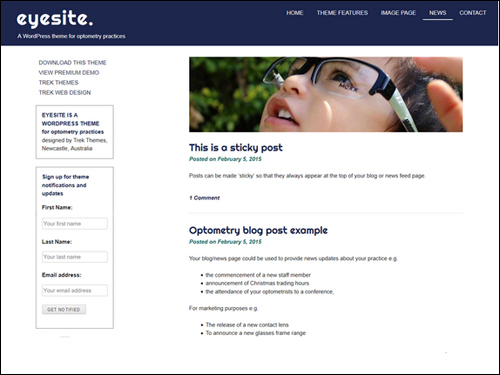
Eyesite is a very simple and clean theme for all types of health and medical businesses. It’s a great choice for using as an information page and can be expanded with 3rd-party plugins to include any features you want. It’s responsive to fit any size screen. You can also customize the theme and change the colors and fonts. Eyesite lets you create a a website with blog, a single page site, or just a blog. A premium version offers additional color options and fonts.
More information: Eyesite Theme
Avada
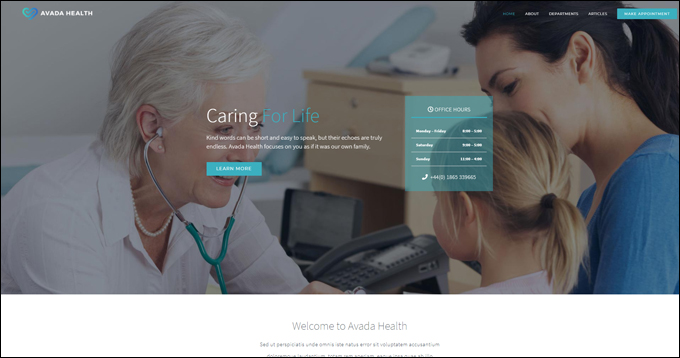
(Avada Health WordPress Theme)
Avada is a fully responsive and versatile multipurpose theme that lets you easily build, configure, and run any kind of website you want without touching code, including a website for a medical or health-related organization.
To learn more about the Avada theme for WordPress, go here: Avada
Hopefully, you have found this comprehensive guide on WordPress plugins & themes that improve SEO, increase user engagement and increase web traffic generation helpful.


Subscribe below to receive 101+ useful WordPress tips that will help you grow your business …
***
"Your training is the best in the world! It is simple, yet detailed, direct, understandable, memorable, and complete." Andrea Adams, FinancialJourney.org
***