 In Part 1 of this guide on ways to grow your accounting business web presence, we provided practical tips and suggestions on the following topics:
- Challenges Accountants Face Online
- Opportunities For Professional Accountants
- Improving Your Website Pages
- Improving The Content On Your Site
In this section, we discuss more ways to grow your accounting business online. Topics covered include:
- Ways Of Improving Web Traffic
- Tips For Generating New Leads & Enquiries
- Improve SEO, Improve User Engagement And Increase Web Traffic Generation Using WordPress Plugins & Themes

For more information about WordPress plugins and themes, see these articles:
Improve Traffic
Your web traffic is a vital part of your business growth. This section will help you improve your web traffic.
Optimizing Your Site For Search Engines
There are lots of ways that WordPress helps improve SEO:
- Search Engine-Friendly URLs – WordPress lets you set the permalinks to use the title of the posts as the URL of your pages.
- Post Tags – WordPress lets you select the keywords that you want your posts to be indexed by in the search engines.
- Categories – Add SEO-friendly categories for keeping your content organized and easy to find.
- Excerpts – Create an excerpt that will appear in search results.
- Images – title images used in your content with keywords for better search results.
- Internal Content Linking – WordPress has a built-in feature that lets you easily create internal links for faster page indexing
- Pinging – Set up your site to automatically notify other search directories immediately upon publishing a new post on your website.
Improving SEO, Increase User Engagement And Drive More Traffic With Plugins
As well as the built-in features of WordPress, the WordPress development community makes available quite a number of plugins that improve SEO, increase user engagement and drive more web traffic to your website.
Here are some plugins you can use to improve your site’s search engine optimization:
- All in One SEO – WordPress SEO plugin
- Google XML Sitemaps – WordPress sitemap plugin (for search engines)
- Page-List – WordPress site map plugin (for visitors)

(Use a plugin like Yoast SEO to improve your site’s search engine optimization)
Other WordPress plugins you can use to improve your accounting or financial services site’s SEO, increase engagement and drive more visitors to your business are to add a forum, newsletters, commenting, and social features. Here are a few more WordPress plugins that can help:
- BuddyPress – This free plugin allows you to set up your own social network on your site.
- bbPress – Use the bbPress WordPress plugin to set up and run a discussion forum on your website.
- E-Newsletter – Use E-Newsletter to send professional email newsletters, track results and manage subscribers from your WordPress dashboard.
- Disqus – Power discussions and helps to increase engagement on your website.
- Floating Social – Use this WordPress plugin to add social buttons and features that allow visitors to share your content online to your pages and posts.

(You can easily add social sharing to your website with WordPress plugins)
Generating Leads & Enquiries
Let’s take a look now at how to improve your sales and generate leads and enquiries.
Providing An Email Newsletter
Adding an email newsletter is a great way to build a list of subscribers. Adding an email newsletter provides a number of benefits, like:
- Sends targeted traffic
- Keeps readers from forgetting about you
- Provides updates
- Provides a highly targeted marketing channel
- Allows you to offer special products or services to a select audience
- Increases interaction
- Provides additional ways for readers to share your content
A proven way to entice your visitors to subscribe to your newsletter is to provide them with information of high value and give them free gifts in exchange for their details. This can be a handy guide, checklists for handling finances, access to financial calculators, discount coupons, membership access to videos, contests, etc.
Add A Contact Form
A contact form makes it easy and simple for readers to get in touch with you. Users can provide feedback, ask questions to specific departments, ask for quotes, give suggestions and more.
Contact forms provide many benefits and advantages including:
- Reduces spam
- Automated response
- Gives you control over what gets sent to you
- Allows you to keep your email address private
- Contact forms can be added to any page or post
- Improves the professional look of your site
- Is convenient for visitors
One of the most popular contact form plugins for WordPress is Contact Form 7.
Contact Form 7

(Contact Form 7 Plugin For WordPress)
Contact form 7 is a free plugin that is easy to install and set up and lets you insert multiple contact forms into any post or page, customize the form and the email contents, add fields, and more.
Contact Form 7 supports international languages, Ajax-powered submissions, CAPTCHA, Akismet spam filtering and so on.
Something to consider is to segment your contact form so visitors can select the department they want to contact. This helps you get the comment to the right person.
Add A Map
Adding a map helps your visitors and customers find you.
Adding maps (e.g. Google Maps) to your website also provides visitors with many benefits, such as:
- A map increases local SEO
- Visitors can easily find you
- Show location of events
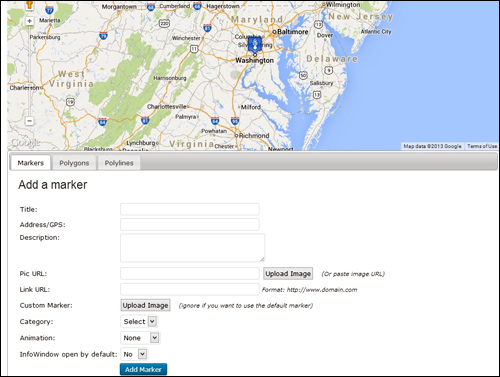
(Adding a map to your site helps your visitors and clients find you)
Popular Google Maps plugins include:
- Google Maps
- Advanced Google Maps Plugin for WordPress
- WP Google Maps
- Comprehensive Google Map Plugin
Improving SEO, Increase User Engagement And Increase Web Traffic Generation With Plugins
WordPress Financial Plugins
WordPress lets you add a number of plugins to your website to immediately add a range of functional tools for users. Here are just some of these:
Calculator Pro Calculators

(Calculator Pro Calculators WP Plugin)
This plugin provides a free collection of 400+ calculators that you can provide to users on your website. It also supports internationalization
Most of them aren’t focused specifically on accounting, but there are a few you can use for:
- Interest rate
- Rate of return
- Tax
- Equity
- And more
For more details, go here}:
Show Stock Quotes

(Show Stock Quotes)
This plugin lets you add a widget that displays up to 20 different stock quotes per portfolio. You can display as many portfolios as you like.

(Show Stock Quotes WP Plugin – Stock Portfolio)
For more details, go here}:
Custom Stock Ticker

(Custom Stock Ticker Plugin)
This free plugin lets you place custom stock tickers on any post, page or sidebar using shortcodes.
Custom Stock ticker offers several customizable ticker. You can choose from built-in themes or customize these yourself to match the look and feel of your website. You can also create custom stocks for specific categories.
Customize the appearance by changing colors, speed, text, etc.
For more details, go here}:
Finance Calculator

(Finance Calculator – WordPress Plugin)
This free plugin lets your users calculate indicative repayments online. This is a great tool for vehicle loans, property loans, or other large loans.
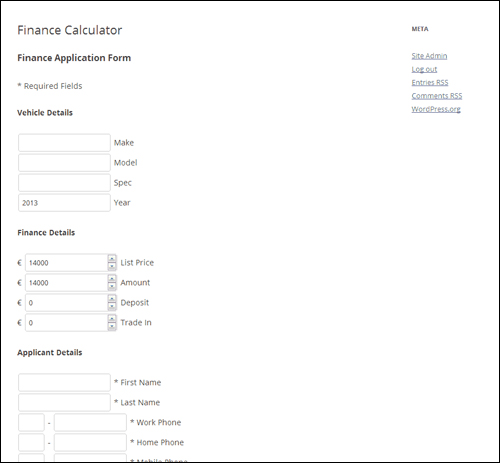
(Finance Calculator – WordPress Plugin – Loan Calculator)
The Finance Calculator plugin also contains an application form that sends a notification message to the email address you specify.
It will show payment protection, calculate 12 to 60 months loans and create forms that can be placed in any page or post.
For more details, go here}:
WP-Invoice

(WP-Invoice – WordPress Plugin)
WP-Invoice is ideal for WordPress users with clients to bill.
This plugin lets you integrate billing into WordPress. You can send itemized invoices, set up recurring billing and expand functionality with both free and premium add-ons that let you manage locations, accept electronic signatures from clients, create PDF versions of invoices, create quotes, create single-page checkout forms, and more.
The plugin ties into WP’s user management database to keep track of clients and their information, and integrates with payment processors like PayPal, Authorize.net, Stripe, 2Checkout, PayPal Payments Pro, and others.
The plugin gives you the ability to add custom payments and charges, create pre-defined line items and discounts, view invoice status and progression, filter and find invoices, show invoice receipts and invoice history, create notification e-mail templates, display reports (collected vs uncollected invoices, most valuable clients and top grossing line items), and more.
For more details, go here}:
All In One Business Management Application
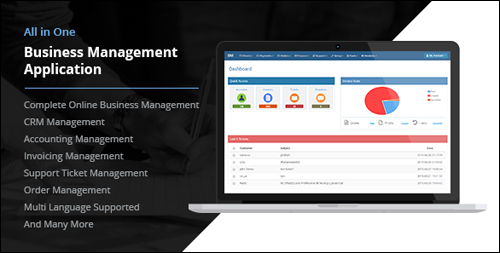
(All In One Business Management Application Plugin)
This complete business management solution includes accounting management, invoicing, order management, help desk with ticket system, client relationship management and many more features.
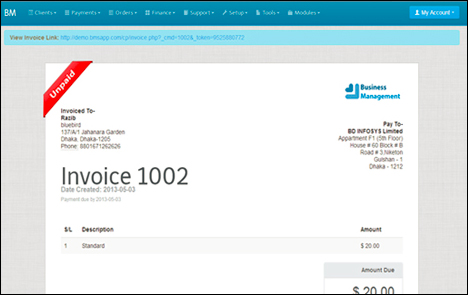
(All In One Business Management Application – WordPress Plugin – Invoice)
The plugin supports different languages, is fully customizable and provides additional tools such as document management, notice board, and more.
For more details, go here}:
iBilling – Accounting And Billing Software
(iBilling – Accounting and Billing Software)
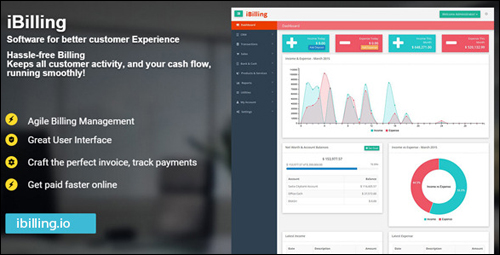
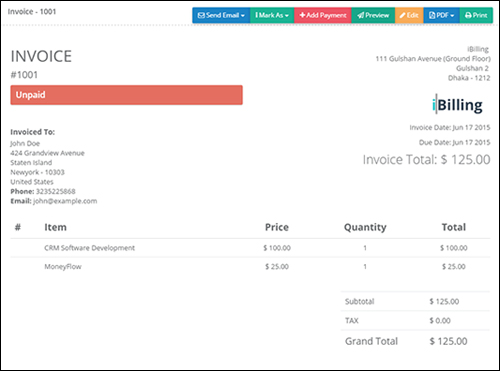
iBilling is a scalable business software that lets you manage and communicate with clients, tracks your company’s cash flow and net worth, send single-click payment reminders and payment confirmations, and lots more.
(iBilling – Accounting and Billing Software – Invoicing)
iBilling integrates with several online payment gateways.
For more details, go here}:
WordPress Themes - Financial Services
To get the best features and professional look for your website, we recommend choosing a theme specifically suited for accounting. Below is a list of some of the best accountancy themes available. With the themes listed below you can own a professional accounting website within minutes.
Accounting Pro
(Accounting Pro Theme)
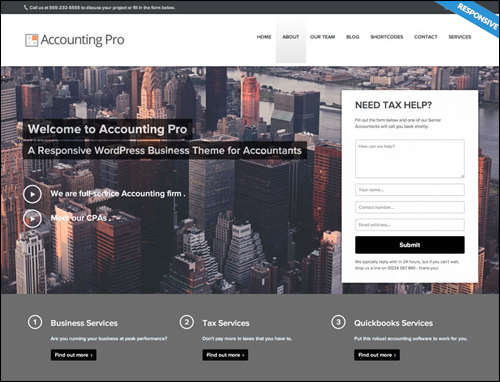
This premium theme is a turn-key theme designed for accountants and accounting firms. It’s responsive, has a drag-and-drop page-builder, has several page templates, a custom menu feature, a content composer (gives you an improved WordPress editor), a sidebar manager, performs auto resizing for images, and a whole lot more.
Accounting Pro can be expanded by installing premium add-ons.
More info:
Accountancy

(Accountancy – WordPress Theme)
Accountancy offers a variety of styles and layouts to help make your accounting website look and feel professional.
This fully responsive theme includes a custom slider, a featured testimonial, it’s lightweight, search optimized, and fast loading. Accountancy provides what your business needs without bloating your theme. Free updates and 1 year of support is included in your purchase.
More information:
Accounting
(Accounting – WordPress Theme)
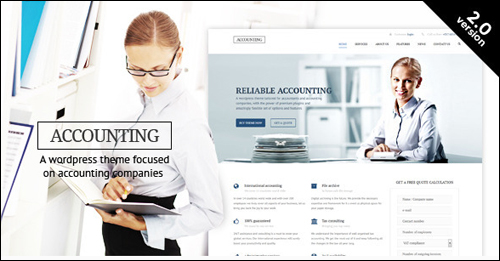
This premium WordPress theme includes a drag-and-drop builder that allows you to design your site any way you want. It also has unlimited sidebars and custom widgets, four different types of headers, a custom admin panel, four color schemes, custom slider, three different blog types, and is fully responsive (mobile-friendly). Accountancy looks clean and modern and loads fast.
For more information, go here:
Kathryn

(Kathryn WP Theme)
This premium theme was created specifically for accounting businesses. It has a slider, multiple layouts, multiple sidebars, author boxes for single or multiple bloggers, a variety of colors, is easy to use, search optimized, and is mobile-friendly. Although it can easily fit any profession, it builds a great looking accounting theme. It includes a license for the Soliloquy plugin and is a separate purchase from the Genesis Framework.
Go here for more information:
Accounting WordPress Theme

(Accounting WordPress Theme)
This one was designed to enhance professionalism within the accounting industry. Every color, layout element, icon, menu item, page structure, call-to-action, etc., is specifically designed to give your accounting business website a professional look. It’s a turn-key installation but you can still modify it if you want. It’s fully responsive (mobile-friendly) and includes pages for your services, contact form section with consultation requests (downloadable as a CSV file), testimonials, and a blog.
More info:
WP Advocate

(WP Advocate)
This is a free corporate theme built for professional service providers such as accountants and attorneys. Use the bundled images or upload your own. WP Advocate includes a custom post type adding staff profiles. It will also integrate with BeSpoke profile templates. It’s a clean-looking and fast-loading theme.
More information:
Divi
(Divi WP Theme)
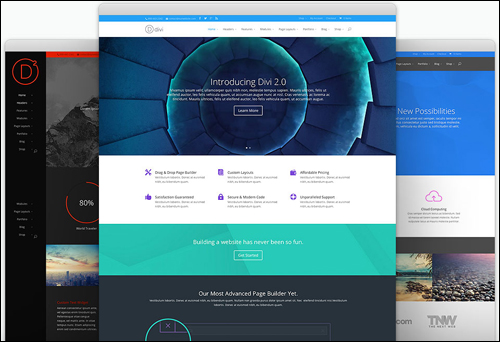
This premium WordPress theme is the most flexible theme in Elegant Themes‘ entire theme collection. You can create a professional site using its page builder or beautiful pre-made layouts. You can change your layout to your heart’s content.
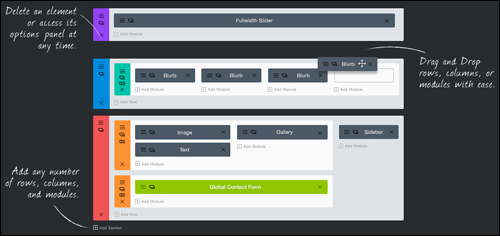
The builder transforms web elements into visual building blocks, allowing anyone to understand and easily redesign the structure of their page without touching any code.
(Divi Theme – Page Builder)
It comes with 40 content modules that you can drag and drop anywhere you want. These modules include multiple layouts, a slider, you can place pricing tables, testimonials, call-to-action, and lots more. It is responsive and completely customizable. Theme prices start at $69 per year and includes full access to over 80 themes.
More info:
The Corporation

(The Corporation – WordPress Theme)
This premium theme for WordPress from Elegant Themes was specifically built to make corporate sites look great.
This theme has a sleek page-based home page design with a prominent slider. It also has a blog design. It comes with 6 color schemes. It also has multiple page templates which include contact pages, blog feeds, sitemaps, search page, gallery page, and more. Themes start at $69 per year and includes access to all stunning themes.
More information:
Adviser

(Adviser WordPress Theme)
This theme was specifically designed to help finance industry professionals build trust through clean web design. It’s perfect for those that provide services like investing or tax advice. The theme includes a recruitment page with hiring announcements and where to send applications. It also includes a lease calculator. It includes multiple shortcodes and widgets, and includes the drag-and-drop visual composer.
More info:
Tax Help

(Tax Help)
Tax Help was developed for financial organizations, tax and finance advisors, and firms providing tax services. The theme is designed to show your services in a professional way and help grow your business reputation. It comes with different blog styles, uses the drag-and-drop visual composer, includes a shortcode builder, the Revolution Slider, and many custom shortcodes.
Visit the theme site to learn more about this theme:
Finance Business

(Finance Business WP Theme)
Finance Business was designed specifically for organizations that provide financial services including tax help, consulting, finance, insurance, corporate, loans, accounting, and more. It includes a custom CMSMasters Visual Content Composer plugin. It also has around 100 shortcodes that includes charts and financial content. It also includes a custom drag-and-drop composer, two premium sliders, page settings, color management, animations, and a whole lot more.
More info:
Avada
(Avada Finance WordPress Theme)
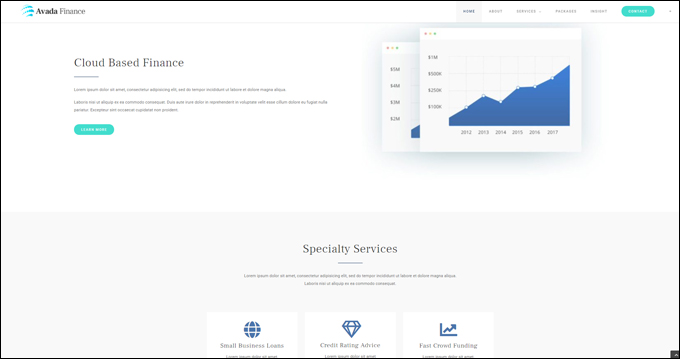
Avada is a fully responsive and versatile multipurpose theme that lets you easily build, configure, and run any kind of website you want without touching code, including a website for an accounting or finance-related organization.
To learn more about the Avada theme for WordPress, go here: Avada
Hopefully, you have found this article on WordPress plugins for improving search engine optimization, increasing user engagement and web traffic generation helpful.


Subscribe below to receive 101+ useful WordPress tips that will help you grow your business …
***
"This is an awesome training series. I have a pretty good understanding of WordPress already, but this is helping me to move somewhere from intermediate to advanced user!" - Kim Lednum
***