
This is Part Three of our detailed article on ways to improve your medical-related business web presence.
So far, we have provided in-depth information on the following areas:
- Online Challenges For The Health Profession
- Opportunities For Health Businesses In The Digital Economy
- Improving Your Website Pages
- Ways To Improve Your Content
In this section, we discuss more ways to grow your health services online by looking at the best WordPress themes for health and medical-related practices:
Top Healthcare And Medical-Related Themes For Your Health Business
WordPress provides many professional themes that can be used to build any type of healthcare or medical-related website, including websites for doctors, medical practitioners, surgeons, dental services, medical clinics, medical centers, hospitals, and every other type of health care field or facility imaginable.
To benefit the most from using WordPress to grow your business online, we recommend choosing a theme specifically suited for health or medical-related businesses.
Below is a list of themes for medical practitioners and healthcare-related services that are highly configurable and professionally designed. Most of the themes listed below include shortcodes, plugins, widgets and page templates for doctors, FAQs, patient testimonials, contact, appointment bookings, etc. All of the themes below will help give your medical practice a polished and professional look online.
Medica Pro

(Medica Pro – WordPress Theme)
This is a clean, flat theme that can be used to create an impressive website for medical businesses. It can be used as a blog, a website, or both.
Medica Pro includes a number of widgets to increase the theme’s functionality. It has a number of page templates including Our Doctors, Testimonials, and Contact Us. It includes a contact form, slider, image gallery and Google Maps. You can display with a sidebar or full-width pages.
You can customize your theme easily from the theme options section where you can adjust your colors, layout, social media links and logo. You have an unlimited palette of colors to choose from. It’s responsive so your content displays correctly on small screen sizes. The theme is also localized so the text will translate to the language your readers are using. Its clean code helps your site to load quickly in any browser.
Medica a great choice for any medical practice or facility. Medica Pro includes an option panel that allows you to make customizations and adjust settings for your logo, social links, color palette and design layout. It offers unlimited color choices. Custom widgets are included. It’s responsive to display your content correctly on all devices. It’s localization ready so the text can translate easily into the language your readers are using.
Visit this website to learn more about using this WordPress theme: Medica Pro
Medicenter
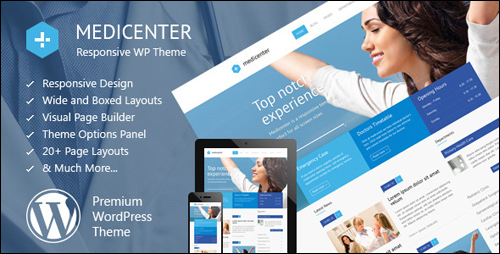
(Medicenter)
Medicenter is ideal for doctors, health clinics, hospitals and medical organizations. It is also suitable for any health-related businesses like a veterinary clinic, a gym, pharmacies, or health care professionals like a dentist, surgeon, ophthalmologist, veterinarian, psychologist, physiotherapist, or psychiatrist, etc.
This theme includes several predefined custom headers, over 20 web page templates, 6 home page layouts, both a wide and boxed layout, and an AJAX contact form that saves users time waiting for the page to reload. It also includes the Visual Composer Page Builder plugin and Timetable Responsive Schedule Plugins, which allows you to add various departments and a database of doctors (or other practitioners), select consultation days and available hours, add a description or additional tooltip and display all the information in a timetable.
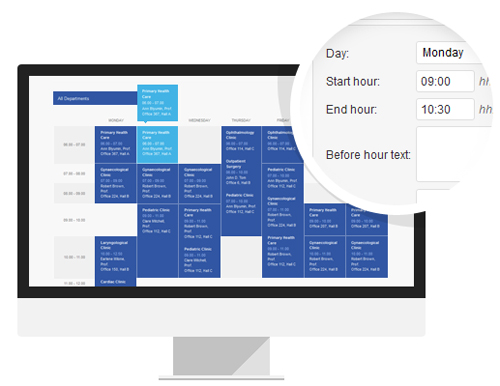
(Built-In Schedule (Timetable) Manager – MediCenter Theme)
You can customize your website easily from your theme options area. Here you can adjust your layout, colors, logo, icons and fonts, etc. It’s responsive so it works properly on every device and size screen.
Shortcodes include pricing tables, testimonials, carousel, accordion, announcements, notifications, icons, lists, tabs, etc. There are also various layouts for home pages, blogs, galleries and more to choose from, plus a full-width slider.
For more information, go here: MediCenter
MedicalPress
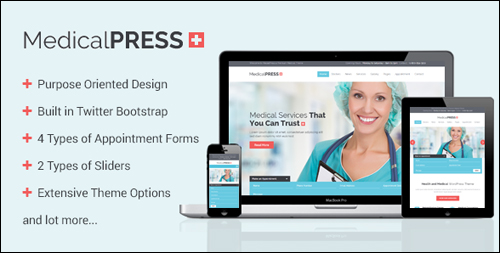
(MedicalPress Theme For WordPress)
This theme is a clean theme that loads fast and looks modern and professional. It’s suitable for hospitals, health clinics, surgeons, doctors, dentists, ophthalmologists, veterinarians, psychiatrists, physiotherapists, psychologists and every type of health or medical organization.
MedicalPress includes four different appointment forms, 2 different sliders including the Revolution Slider that will display images, links, videos, and more. MedicalPress has multiple layout options so you can display your content in 1-4 columns. Three different home page designs are included. It has shortcodes and templates that let you manage featured sections, services, facilities, appointment forms, practitioners, FAQ’s, patient testimonials, gallery items and more. It also has a back to top of the page button.
You can customize your website as much as you want using an extensive set of theme options. It includes the Visual Composer plugin for free so you can drag and drop elements to create your own layouts. It’s a responsive theme so your content displays properly on small screen sizes. It integrates with WooCommerce to process any type of sales or payments. It includes one sample child theme.
More info: MedicalPress Theme For WordPress
Medi
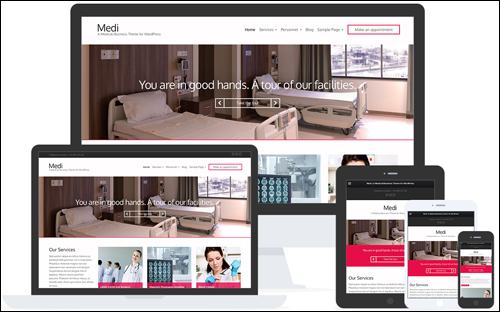
(Medi – WordPress Theme)
This is an elegant premium WordPress theme featuring a drag and drop homepage that is ideal for the medical field. This theme includes several pre-made layouts and lets you add Personnel, Services, and Slider content types. It also has lots of custom widgets such as content widgets, Twitter, Flickr, etc. There are multiple color schemes to choose from and you can choose a different color scheme for each page.
It’s responsive, and Retina-ready, so it works great on small screen sizes. It’s also speed optimized to give you fast loading web pages. It’s translation-ready and SEO optimized.
Visit the theme website to learn more about using this WordPress theme: Medi – WordPress Theme
Care
(Care Theme)
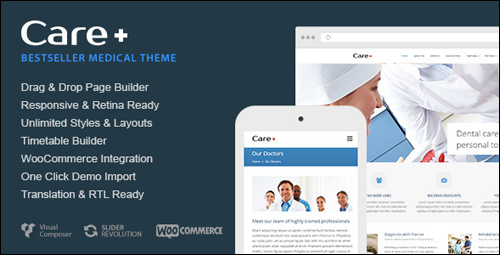
Care is a theme aimed at doctors, dental services, and various other health-related fields. It includes a schedule manager, Revolution Slider plugin, pre-defined background patterns, multiple blog layouts, unlimited sidebars and headers, parallax effects, and loads of other features, including:
- RTL Support
- Content Width Choice
- Post Format Enabled Blog
- Parallax Effects
- Free Lifetime Updates
- And more …
The theme also includes a custom layout creator for all post types. Design your layout however you want using the the Visual Composer drag and drop page builder plugin. You can customize your site using the advanced option panel. Google fonts are included. It’s fully responsive and Retina ready. You can specify the width of your content. It includes scalable vector icons.
Go here to learn more this WordPress theme: Care WordPress Theme
Dentist
(Dentist WP Theme)
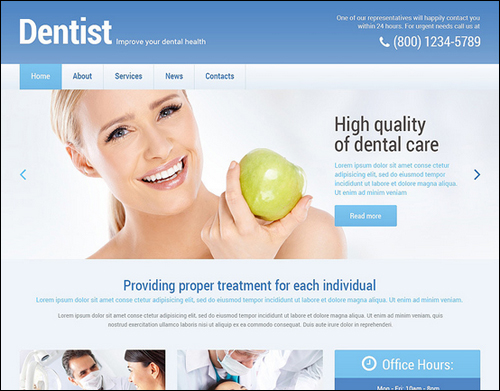
Dentist is an elegant WordPress theme for dentists or any other health-related practice. Over 80 built-in shortcodes lets you add many features to your website including columns, elements, comments, custom widgets for social sharing, etc., includes custom post types and formats, a filterable portfolio, sliders, many color options, and more. Stock images are also included. Web page templates include FAQ, Archives, Filter Pholio Page, Full Width Page, Testimonials, Home Page, and more. Custom post types include Testimonials, Our Team, Portfolio, etc. It also includes 4 gallery scripts: Accordion, Isotope, Carousel and Slider.
The Dentist theme is built on the Cherry Framework and is fully editable through advanced options and settings. You have complete control over not only colors and styles but also over widths, sliders, sidebar layouts, and lots more. It includes Google Maps, back to top button, and more. It’s fully responsive, SEO optimized, and multilingual ready.
To learn more about using this theme, visit this site: Dentist WP Theme
HealthPress
(HealthPress WordPress Theme)
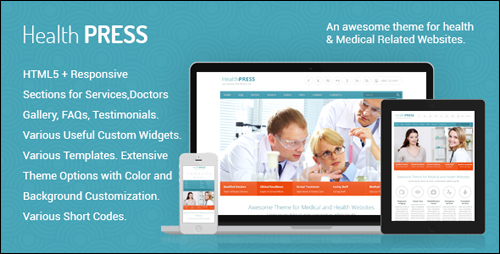
HealthPress is a clean-looking and responsive theme that is suitable for anyone in healthcare including health clinics, hospitals, surgeons, doctors, dentists, ophthalmologists, veterinarians, physiotherapists, psychiatrists, psychologists and every type of medical and healthcare business.
It has web page templates and special features for managing services that include home page, doctors, patient testimonials, galleries, schedules, blog posts, FAQ’s, etc., with multiple templates for each. It includes 4 appointment forms and 2 different types of sliders including Slider Revolution. The galleries will show 2-4 columns. It includes multiple post types.
There are easy and extensive theme options for colors, layouts, fonts, etc. It supports custom backgrounds. There are several custom widgets including Google Maps, and AJAX contact form with CAPTCHA, AJAX appointment form with CAPTCHA, newsletter subscription, footer location, footer information, recent posts with thumbnail widget, and a quick contact form. The theme includes all PSD files.
To learn more about about this theme, go here: HealthPress – WordPress Theme
Alean

(Alean Theme)
Alean is a clean theme for medical businesses. It uses a white background with a compact slider design that’s clean and fully responsive. Alean features custom sidebars with multiple layouts. You can also have no sidebars for full-width pages. It includes Google Maps, a contact form, a dynamic content loader that loads your content without reloading the page, a social share bar, supports ECWID (e-commerce widgets) and WooCommerce, anti-spam without CAPTCHA, multicolored related posts, and more.
Alean features loads of configuration options. It is search engine optimized. There are many advanced editor options, allowing you to add originality in the design of your pages and posts. You can translate your site into any language inside the administration panel.. Alean is an excellent choice for healthcare practitioners and medical service providers. It offers both a FREE and paid versions.
SMThemes, the theme developer has also produced several themes for WordPress that are perfectly suited for anyone in the medical profession or healthcare including clinics, surgeons, doctors, dentists, ophthalmologists, veterinarians, psychiatrists, physiotherapists, psychologists and other types of healthcare or medical businesses.
For example:
- Vaccination
- Medicine
- Dentist
- Paramedic
- Diet
- Healthcare
- Toothmed
- And many more …
More info: Alean WP Theme
Eyesite
(Eyesite)
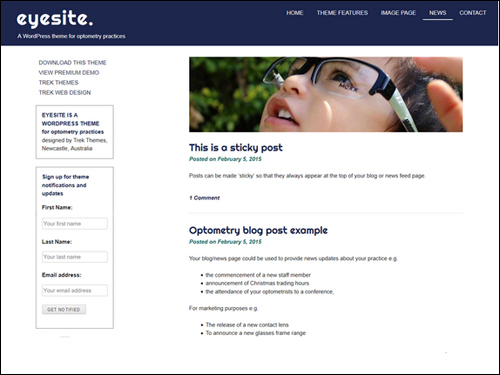
Eyesite is a very simple, clean theme suitable for all types of health care and medical practices. It’s a great choice for using as an information page and can be expanded with 3rd-party plugins to include any features you want. It’s a web responsive themes. It’s also customizable so you can change the color scheme and fonts. With this theme you can create a single information page site, a website with blog, or just a blog. A premium version offers additional color schemes and fonts.
To learn more about this theme, go here: Eyesite – WordPress Theme
Avada
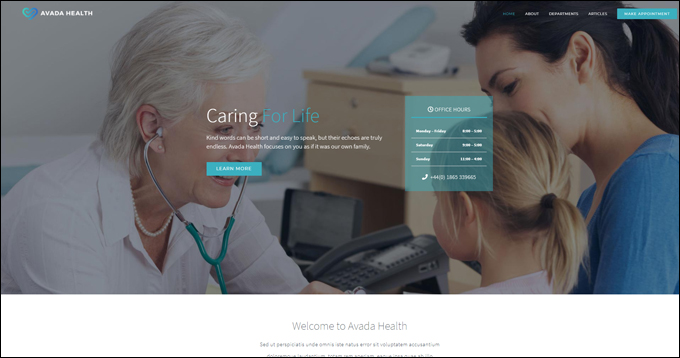
(Avada Health WordPress Theme)
Avada is a fully responsive and versatile multipurpose theme that lets you easily build, configure, and run any kind of website you want without touching code, including a website for a medical or health-related organization.
To learn more about the Avada theme for WordPress, go here: Avada
We hope that you have found this comprehensive guide on ways to improve your website with WordPress helpful.


Subscribe below to receive 101+ useful WordPress tips that will help you grow your business …
***
"This is an awesome training series. I have a pretty good understanding of WordPress already, but this is helping me to move somewhere from intermediate to advanced user!" - Kim Lednum
***