 In Part One of this article on ways to build your health or medical business online, we provided in-depth information on the following areas:
- Online Challenges For Health Professionals
- Opportunities For Medical And Health Services Practitioners
- Basic Website Pages
- Tips On How To Improve The Content On Your Website
In this section, we will continue looking at more ways to grow your medical services online.
Areas covered include:
- Improving Traffic Using WordPress
- Ways To Generate New Leads & Enquiries
- Improve Search Engine Optimization, Improve User Engagement And Generate More Visitors To Your Site With Plugins & Themes

To learn more about WordPress plugins and themes, go here:
- Using WP Plugins To Extend Your Website’s Features And Functionality
- WP For Business – An Introduction To WordPress Themes
Note: Plugins are described in this section. Health and medical themes are listed in Part Three.
Improving Web Traffic
Your web traffic is an integral part of your online business growth. In this section, we discuss ways of improving your business online with WordPress.
Optimize Your Site For Search Engines (SEO) Using WordPress
There are so many ways that WordPress helps optimize your website for search engines:
- SEO-Friendly – Set the permalinks to use the title of the posts as the web address of your pages.
- Post Tags – Choose the keywords that you want your articles to be indexed for in the search engines.
- Post Categories – Create categories for keeping your content organized and easy to find.
- Excerpts – Create descriptions for your posts that visitors will see in the search engine results.
- Images – add search-optimized titles to your images for better search engine results.
- Internal Content Linking – WordPress has a built-in feature that lets you easily link your content to other posts
- Post Notification – Configure your site to automatically notify (ping) other search directories whenever a new post is published on your site.
Improve Search Engine Optimization, Increase User Engagement And Increase Web Traffic Generation With Plugins
As well as the built-in features of WordPress, the WordPress community makes available many plugins that improve your website’s SEO, increase user engagement and drive more traffic to your business.
For example, you can use the plugins below to improve your website’s search engine optimization:
- Yoast SEO – WordPress SEO plugin
- Google XML Sitemaps – WordPress XML sitemap plugin
- Page-List – WordPress site map plugin

(A plugin like Yoast SEO (formerly known as WordPress SEO by Yoast) can improve your website’s SEO)
Other things you can do to improve your website’s SEO, increase user engagement and drive more visitors to your business are to add a forum, newsletters, comments, and social features. Here are a few more WordPress plugins that can help (many of the plugins described below are also free):
- BuddyPress – BuddyPress lets you run your own social networking community on WordPress, with member profiles, messaging, activity streams, user groups, and more.
- bbPress – Run your own online discussion forum on WordPress.
- E-Newsletter – Send email newsletters, track results and manage subscribers from your WP dashboard, without a third party subscription.
- Disqus – use this WordPress plugin to power discussions and increases engagement on your website or blog.
- Social Media Feather – Use this WordPress plugin to add social buttons and features that allow visitors to share your content online to your site.

(You can add social sharing buttons to your site easily using free or inexpensive WordPress plugins)
Generating New Leads & Enquiries Using WordPress-Based Tools
In this section we discuss ways to improve sales and generate leads and enquiries online.
Add A Newsletter
Adding an email newsletter is a great way to grow and retain your readership. Adding a newsletter provides several benefits and advantages, like:
- Drives targeted traffic to your website
- Keeps your business at the forefront of your reader’s minds
- Provides updates
- Provides a highly targeted marketing channel
- Allows you to provide special services or products to a select audience
- Increases user interaction
- Provides you with additional ways for readers to share your content
A proven strategy for enticing your visitors to subscribe to your newsletter is to provide high value content and give users a free gift in exchange for their details. This can be an exclusive guide, tips for improving health and nutrition, access to medical apps, discount coupons, membership access to videos, podcasts, etc.
Contact Forms
Contact forms provide an easy and simple way for readers to get in touch with you. Visitors can report concerns, contact specific departments, request a quote, and more.
A contact form provides many benefits, like:
- Reducing spam
- Automated response
- Gives you control over what is sent to you
- You can keep your email address private
- They can be added to any page or post
- Looks professional
- Convenient for visitors
One of the most popular contact form plugins for WordPress is Contact Form 7.
Contact Form 7

(Contact Form 7 Plugin)
Contact form 7 is a free plugin that is easy to install and set up and lets you add and manage multiple contact forms, customize your forms and the email contents, add fields, and more.
International languages, Ajax-powered submitting, CAPTCHA, and Akismet spam filtering is supported.
Something else to consider if you plan to set up a website for a health center or medical clinic is to add sections to your contact form so prospective clients can select the practitioner they want to contact. This helps visitors get their comment to the correct recipient.
Add A Map
Adding maps to your website helps your visitors and clients find you.
Adding maps, such as Google Maps to your website also provides many benefits, such as:
- They help to increase local SEO
- Visitors can easily find you
- Show location of events
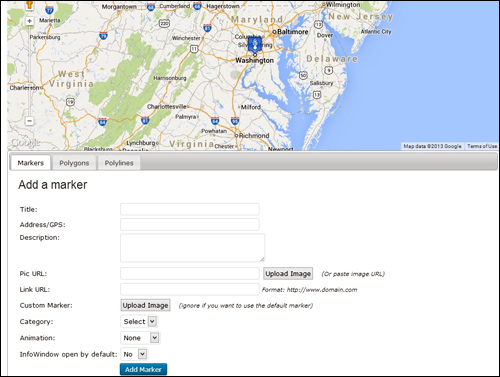
(Adding a map to your site helps your visitors and customers find you)
Here are just some of the more plugins that let you embed, customize and display maps on your website:
- Google Maps
- Advanced Google Maps Plugin for WordPress
- WP Google Maps
- Comprehensive Google Map Plugin
How To Improve SEO, Increase User Engagement And Generate More Visitors With Plugins
Health Services Plugins For WordPress
WordPress lets you add a number of plugins to your medical-related site that will immediately make available a range of practical tools for visitors. Here are just some of the plugins you can choose from:
Booking Calendar
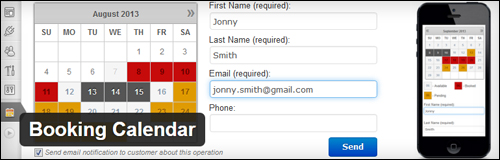
(Booking Calendar WordPress Plugin)
The Booking Calendar plugin lets you add appointment booking services to your site. Booking Calendar provides an intuitive interface and flexible functionality. It is highly suitable for a range health and medical consulting businesses, e.g. dental practitioners, physicians, massage therapists, booking sessions with personal trainers, etc.
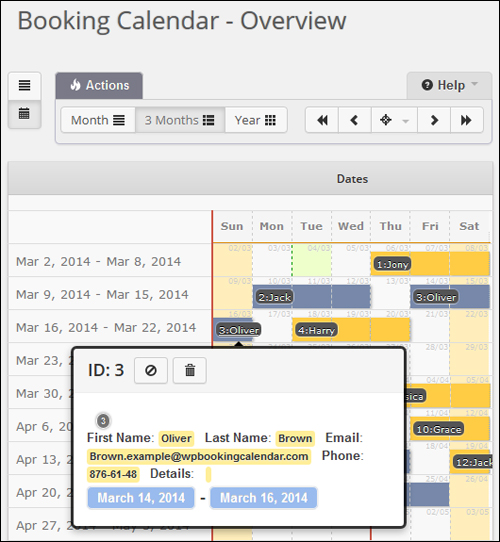
(Booking Calendar Plugin For WordPress – Overview)
This plugin works out of the box. Your website visitors can check availability of services you offer and book appointments online easily. Site administrators and visitors receive booking confirmations. The plugin is also widget-ready, and supports multiple languages. A premium version with extra features is also available.
For more details, go here}:
Event Espresso
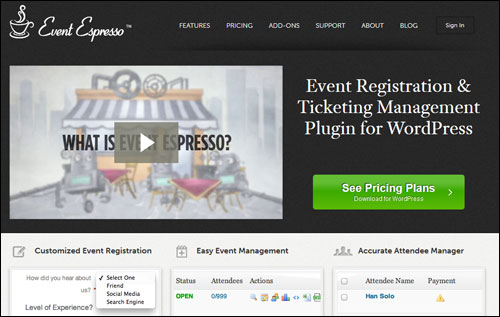
(Manage Bookings & Registrations Online Using Event Espresso For WordPress)
If your business involves running health seminars, then you need a plugin like Event Espresso.
The Event Espresso online event registration plugin allows you to easily schedule an event and begin accepting bookings in just a few minutes

(Event Espresso – WordPress Event Management And Ticketing Registration Plugin)
Event Espresso is a flexible and feature-rich application that gives you full control of your event registration management process.
We have written a comprehensive article on Event Espresso. Learn more here:
Calculator Pro Calculators

(Calculator Pro Calculators WP Plugin)
Calculator Pro Calculators provides a free collection of 400+ calculators. You can embed these into your posts, pages, or sidebars using shortcodes. Internationalization is supported.
Most of them aren’t specifically designed for medical or health applications, but there are quite a few you can add to your site, including:
- Body Statistics – e.g. Body Fat Calculator, Durnin/Womersley Skinfold Body Fat Calculator, Goal Weight Calculator, Modification of Diet in Renal Disease (MDRD) GFR Calculator, Waist to Hip Ratio Calculator, etc.
- Calorie – e.g. Daily Calorie Calculator, Daily Energy Expenditure Calculator, Calories Burned Swimming Calculator, etc.
- Fitness Tests – e.g. Push-Up Test Calculator, Bruce Treadmill Test Calculator, etc.
- Miscellaneous – e.g. Bike Size Calculator, Blood Sugar Converter Calculator, Ovulation Calculator, Running Pace Calculator, etc.
- Nutrition – e.g. Calcium Calculator, Creatine Calculator, etc.
- Weight – e.g. Ideal Weight Calculator (kg), Weight Loss Percentage Calculator, etc.
For more details, go here}:
Calculated Fields Form

(Calculated Fields Form Plugin For WordPress)
The Calculated Fields Form plugin lets you create forms with dynamically calculated fields to display the calculated values, including:
- Health & Fitness Calculators
- Ideal Weight Calculator
- Pregnancy Calculator
- Calorie Calculators
- And more
A premium plugin version is also available with many additional features.
For more details, go here}:
Weight Loss Tracker
(Weight Loss Tracker)
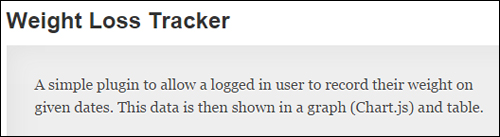
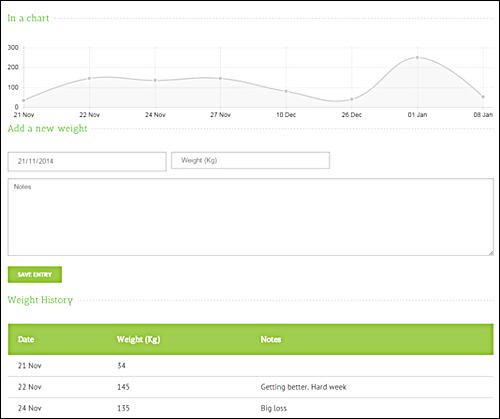
Weight Loss Tracker lets users record their weight on given dates. This data is then displayed in a graph and table.
(Weight Loss Tracker – WordPress Plugin – Graph)
The plugin allows users to enter target weights and supports the following weight formats: Metric (Kg), Imperial – Stones & Pounds, Imperial – Pounds only.
For more details, go here}:
Simple Body Mass Index Calculator
(Simple Body Mass Index Calculator Widget)
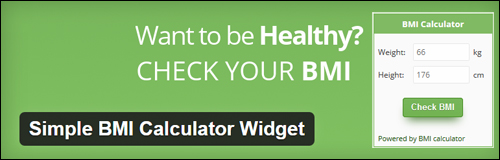
Simple Body Mass Index Calculator installs a widget on your sidebar that can be configured and customized to match your theme.
In addition to Simple Body Mass Index Calculator, there are additional WordPress plugins you can look at that perform similar functions:
- BMI BMR Calculator – A BMI and BMR calculator that saves calculation data for logged-in users and gives an overview to the trainer (site administrator).
- BMI / IMC Calculator – A simple calculator to show your users their BMI
- Calotor Calorie Counter – Lets visitors figure out their basal metabolic rate, based on their age, sex and weight.
- And many more
For more details, go here}:
Drug Interaction Data Plugin

(Drug Interaction Data)
This plugin retrieves and displays drug information, including what the drug is used to treat and what other medications the drug is known to interact with.

(Drug Interaction Data – WordPress Plugin – Database Results)
Information about drugs can be displayed as a widget or inside your web content. The plugin loads the drug and pharmaceutical data from the U.S. National Library of Medicine and the U.S. National Institutes of Health and converts common names of drugs to their standardized RxNorm name as defined by the U.S. National Library of Medicine.
For more details, go here}:
PubMed Posts

(PubMed Posts Plugin)
This plugin adds a dashboard widget that lets you crate posts from PubMed articles, as well as a search feature that finds posts with specific data. An editor that lets you change the layout of data in the post content is also included.
PubMed includes over 25 million citations for biomedical literature from MEDLINE, online books and life science journals.
For more details, go here}:
MJM Clinic

(MJM Clinic – WordPress Plugin)
The MJM Clinic Plugin was designed to add functionality to medical and health care related websites, such as inserting service pages with booking forms, related health conditions, service locations, patient feedback entries and more.
For more details, go here}:
Treato

(Treato)
This plugin lets you display information about drugs on your site and see what read what patients are saying about different drugs.
Treato gathers and analyzes patient experiences from forums and blog posts, then aggregates the content to generate useful insights about users’ medications, diseases and symptoms. Users receive valuable insight about 14,000+ conditions and over 26,500 medications from over 2.2 billion collected posts.
For more details, go here}:
HealthTap Concierge

(HealthTap Plugin)
HealthTap Concierge allows users to consult with real doctors via HD video or text chat from any mobile device, personal computer, or smartwatch.
With the widget installed, users can type in a health question and based upon their location and type of question, they will receive a list of doctors in their geographic area who specialize in that particular topic. They can then select a doctor, chat over video or text, or send the doctor their question and get answers with the HealthTap service, which has a database of over 73,000 doctors.
For more details, go here}:
Trend MD

(TrendMD Plugin)
This plugin adds the TrendMD recommendations widget to your website. The TrendMD recommendations widget is used by scholarly publishers to increase their readership and revenue by allowing people to discover, read or cite interesting scholarly content from your journals or websites through personalized recommendations.
For more details, go here}:
WP Nutrition Facts
(WP Nutrition Facts WordPress Plugin)
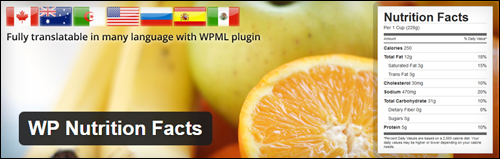
WP Nutrition Facts is a simple plugin that lets you insert a nutrition facts table into your pages and posts, allowing your site visitors to make informed food choices.
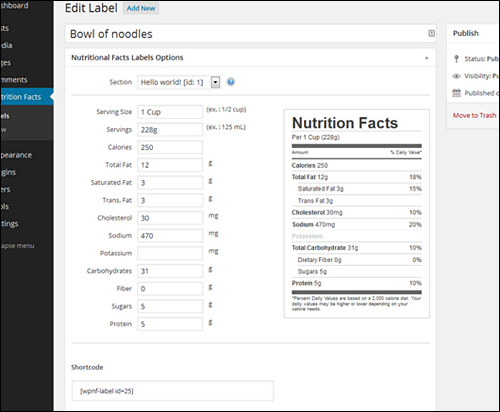
(WP Nutrition Facts Plugin – Label Creation)
WP Nutrition Facts uses the Canadian Food Inspection (CFIA) nutrition labelling regulations.
For more details, go here}:
WP Ultimate Recipe
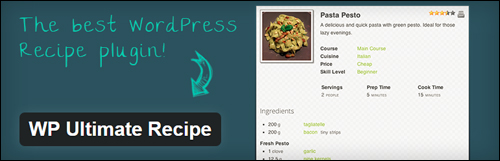
(WP Ultimate Recipe – WordPress Plugin)
If you own a health or fitness-related website that provides nutrition or healthy eating suggestions, a great source of content that will engage your readers is to add recipes.
A plugin like WP Ultimate Recipe lets you publish healthy and delicious recipes on your site.
Other recipe plugins for WordPress include:
- Recipe Card – Create and publish search optimized recipes with nutrition facts that your site users can print, save and review.
- EasyRecipe – EasyRecipe makes publishing recipes on your site easy with features like cut and paste, auto conversion of your plain text recipe posts, Google Recipe View formatting and preview button, live custom formatting, automatic ratings and conversion from other recipe plugins.
- ZipList Recipes – Easily format recipe text and add images. Additional features like SEO and Google Recipe View formatting are included.
- And many more.
For more details, go here}:
Awesome Fitness Testimonials

(Awesome Fitness Testimonials)
Awesome Fitness Testimonials allows you to display fitness and wellness testimonials, case studies and reviews, before and after photos, etc. on your site.
For more details, go here}:
Exercise Images by Everkinetic

(Exercise Images by Everkinetic WordPress Plugin)
Exercise Images lets you display a database of exercise diagrams on your site.
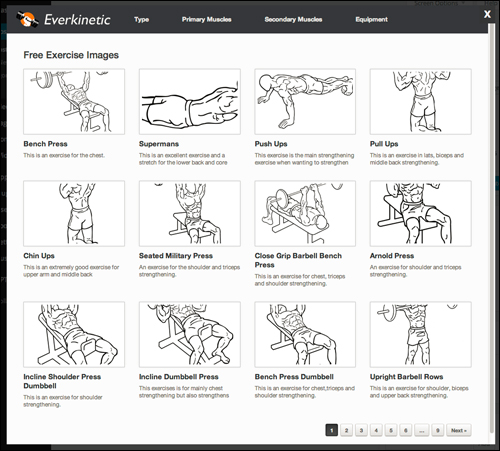
(Exercise Images by Everkinetic Plugin – Image Catalog)
For more details, go here}:
In the next section of this detailed guide, we will look at medical themes for WordPress.

***
This is the end of section 2 of this guide on ways to improve your medical or health business web presence.
Click here to view the rest of this article:
***
***
"This is an awesome training series. I have a pretty good understanding of WordPress already, but this is helping me to move somewhere from intermediate to advanced user!" - Kim Lednum