 Do you plan to set up an e-commerce website, or sell any products globally? If so, then here’s a great idea: consider providing users with currency conversion.
Currency converting tools allow your web visitors to translate international currency amounts into their local currency at the point of sale. It also allows your visitors to view the exact amount their credit card or PayPal account will be charged, displayed in their own local currency.
One advantage of adding currency conversion is that it lets your customers view and understand pricing in foreign countries in their own home currency, and makes it easier for purchasers to calculate their costs and expenses.
Fortunately, if you are a WordPress user, you can add a currency conversion plugin to your WordPress website or blog, allowing your customers to quickly and easily perform currency conversions to determine the cost of your products.
Currencyr – Currency Converting Tool For WordPress
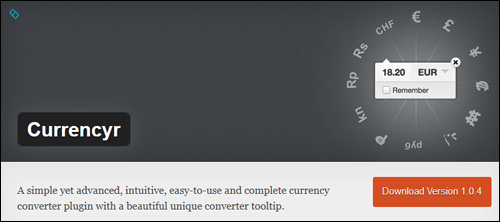
Currencyr is a simple, easy-to-use and complete currency converter WP plugin with a visually attractive converter tooltip. It’s also free!
Some of the useful features of this great plugin include:
- Inline conversion tool
- Supports a number of exchange rates providers, such as Yahoo! and FoxRates
- Supports Shortcodes
- Currency table and converter widget
- Can be integrated with various e-store plugins such as WooCommerce, WP-eCommerce, Shopp, and Easy Digital Downloads.
- Automatic local currency detection
- Translation support
Important: The Currencyr plugin requires your server to be running PHP 5.3.0 or later. Do not use this plugin if you currently have an older version of PHP installed on your server. Alternatively, ask your webhosting company to update your PHP server installation if necessary.
***
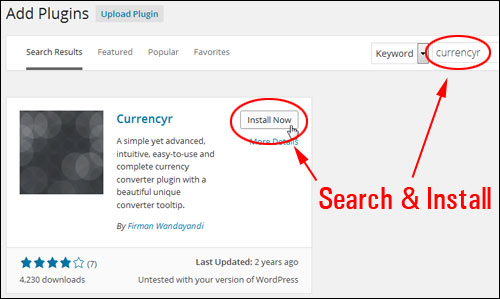
You can install the currency conversion plugin from your WP admin area by typing in “currencyr” into the Plugins search field and clicking “Install Now” …
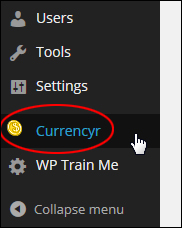
After installing and activating the plugin, you can get to the plugin’s settings area by selecting Currencyr from your WP dashboard menu …
This takes you to the plugin settings area …
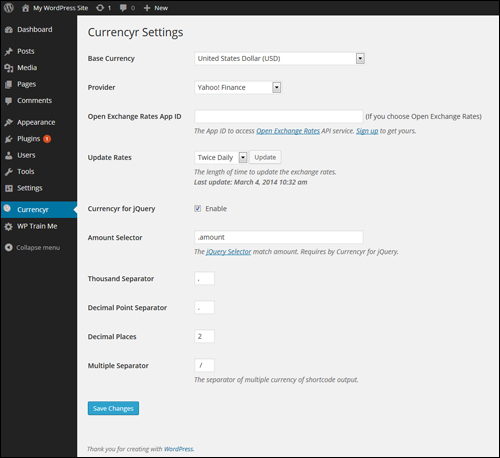
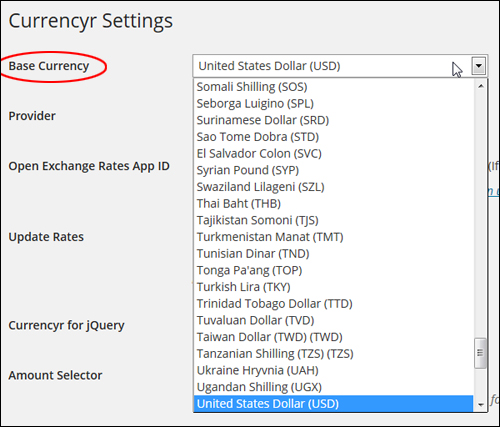
For example, you can choose a base currency from the ‘Base Currency’ drop-down menu. The default currency is ‘USD’ …
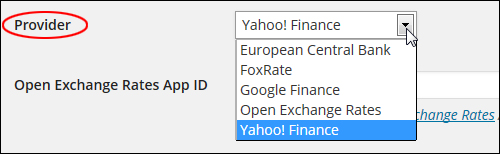
Similarly, you can choose any supported data provider from a drop-down menu. The default provider is Yahoo Finance, but you can select another provider, like European Central Bank or Google Finance …
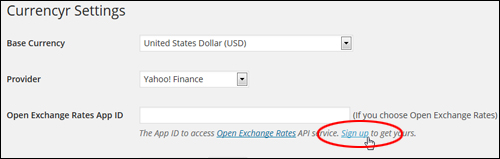
Note: If you choose Open Exchange Rates, you will need an API (Application Programming Interface) ID …
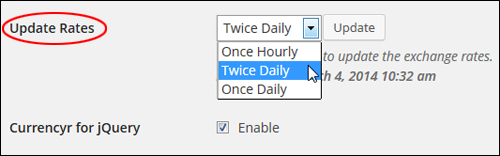
You can specify how often you would like the currency exchange rates to be updated by selecting an option from the ‘Update Rates’ drop-down menu …
The plugin uses jQuery, which allows web developers to add things like animation effects to web applications (like WordPress plugins).
If you have no reason to edit the jQuery settings, you can just ignore this section …
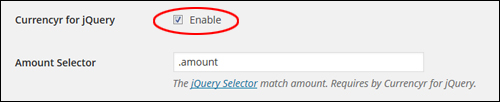
Configure the remainder of the settings to suit your needs and remember to click the Save Changes button when finished …
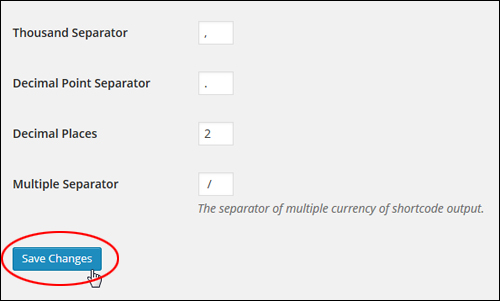
Once your plugin settings have been configured, you can easily start adding currency conversion to all of your WP pages using shortcodes.
See the ‘Additional Plugin Notes’ section further below to learn more about using currency codes (e.g. USD, GBP, CAD, etc …) with this plugin.
Plugin Shortcodes
You can add currency conversion to posts, pages and widgets without touching your web templates using shortcodes.
Let’s take a look at some examples of currency shortcodes that you can add to your WordPress posts and pages:
Let’s say that you sell goods for a fixed price (e.g. $175) in US Dollars (USD), and you want to show your conversion amount in British pounds (GBP) on your product information page.
All you need to do is add the shortcode below to your page content …

Note: You can also add pricing in dollars and cents (for example, 19.95, 97.00, 1356.87, etc …)
The example below shows how your shortcode will look when added to a page …
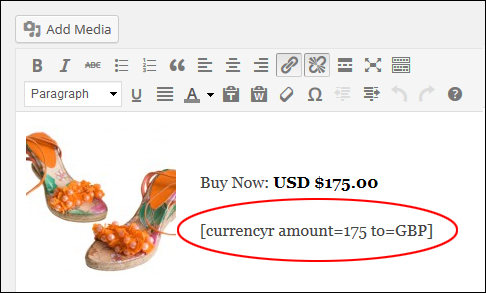
When your page or post has been published, your currency conversion will then appear as you can see in the example below …
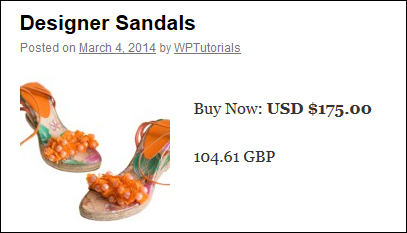
Using the above example, let’s also translate the same amount into multiple currency formats.
To do this, use following shortcode (add as many currency symbols as you like separated by vertical pipes) …

You can see how the above shortcode appears when you add it to a page …
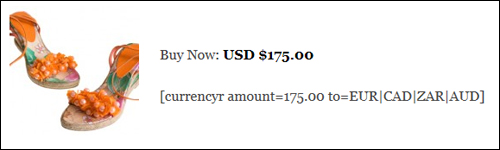
Once your post has been published, the currency conversion will then appear as you can see in the screenshot below …
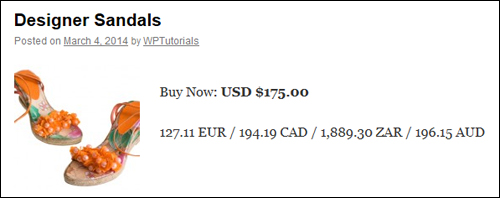
refer to the ‘Additional Plugin Notes’ section further below to learn more about changing the currency separator symbol in this plugin.
Now, let’s say that you want to specify a different base currency than the one set as your default.
For example, say you have specified your default base currency as EUR and you have a section on your site targeted to non-European customers (e.g. Australia or Canada), you can change the base currency using the following shortcode …

The screenshot below now shows how the shortcode appears when you add it to a page …
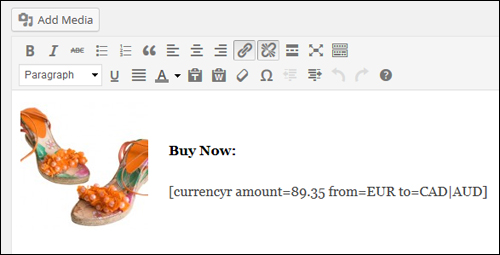
Once your content has been published, the converted currency will then display like this …
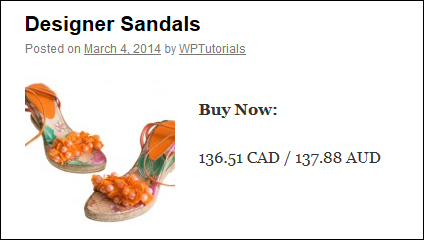
Widget
You can also add currency conversion to your site’s sidebar using the plugin’s widget.
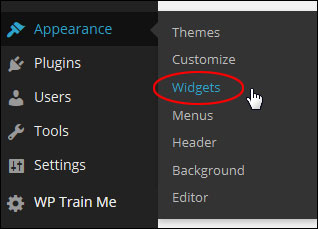
To add the currency converter to your sidebar, select Appearance > Widgets in the WordPress admin menu …
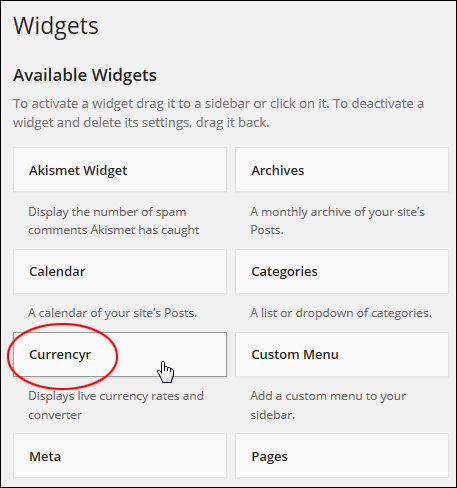
In the Widgets > Available Widgets area find the ‘Currencyr’ widget and drag it to the ‘Active Widgets’ location …
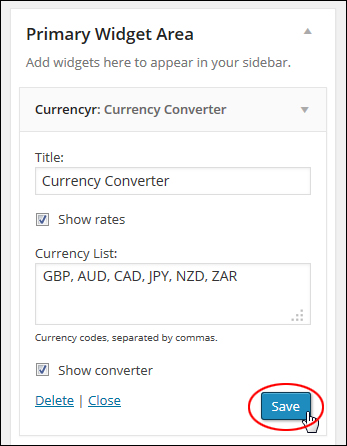
Configure the widget options as shown in the example below (add the currency codes you want to display on your widget separated by a comma), and click Save to update your settings …
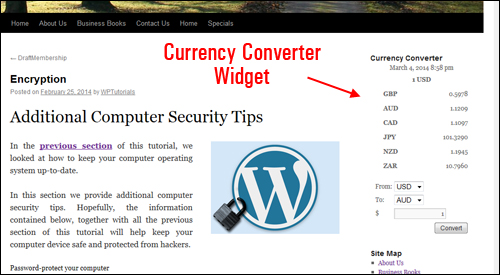
Your currency conversion tool will now appear on your site’s sidebar with the options you have specified when configuring the widget …
Additional Plugin Notes
Here are some additional notes and useful information about using the Currencyr plugin.
Currency Separator
The Currencyr plugin lets you specify a symbol of your choice to display as the currency separator when using multiple currencies.
You can select a different symbol in the ‘Multiple Separator’ settings field.
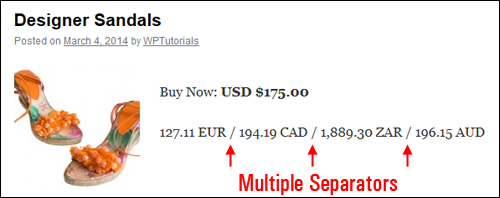
So, for example, using the default symbol “/” (forward slash) …

Separates all your currency amounts with the forward slash as you can see in the example below …
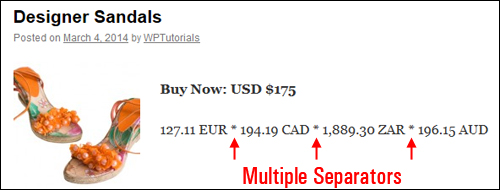
If you modify the symbol and resave your settings …

Your site visitors will see the new symbol used as the currency separator …
Integration With e-Commerce Platforms
As described earlier, the Currencyr plugin can be integrated with a number of WordPress-compatible e-commerce plugins such as WooCommerce, Shopp and Easy Digital Downloads …
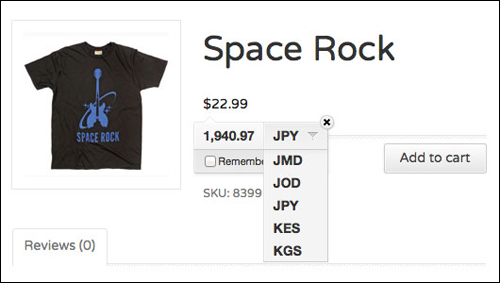
(image sourced from Currencyr plugin website)
Congratulations! Now you can go and easily add currency conversion to your e-commerce web site.
To learn more about WordPress e-commerce plugins, see the tutorial below:
***
"If you're new to WordPress, this can stand on its own as a training course and will stay with you as you progress from beginner to advanced and even guru status." - Bruce (Columbus, Ohio)