 WordPress has evolved from being just a simple blogging application to a tool that can be used to design all types of web pages – marketing pages, product showcase pages, business pages, etc.
Whatever you can imagine, somewhere around the world someone is bound to be already building it with WordPress!
In this article you will discover the fastest visual content builder for WordPress web sites.
Drag And Drop Content Editors For WordPress
The WordPress Content Editor – Is There A Smarter Option To Create And Edit Content In WordPress?
With so many advancements that WordPress has undergone in recent years, many WordPress developers and users feel that using the WordPress visual content editor to create or edit complex website pages can sometimes be quite challenging.
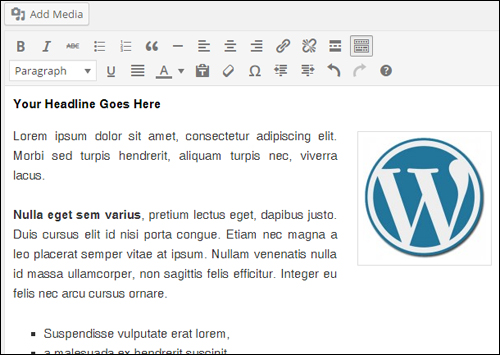
(The WordPress WYSIWYG editor is great for adding, formatting and editing “linear” text and images, but adding complex layouts can be challenging!)
For example, let’s say you want to create something like the content shown below …
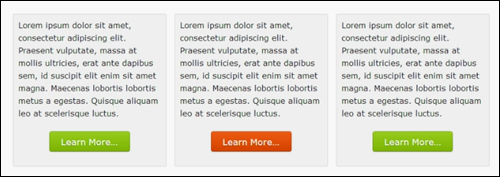
To add the above to your content would require adding something like this into your WordPress content editor …
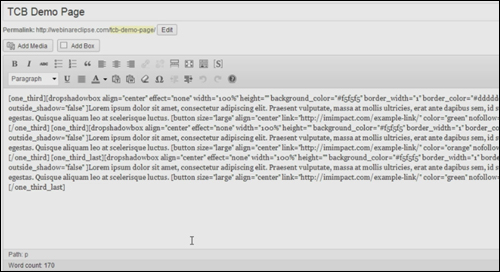
Generally, this is not an issue … unless you want to change some part of your layout (for example, move part of the content from box 3 into box 2, or change the button in a box from green to orange. Then, you’re stuck having to mess around with page code.
The WordPress content editor is supposed to provide users with an easy-to-use WYSIWYG content editor, but as you can see, if you are trying to create complex layouts, often what you see on your screen is not what you get …
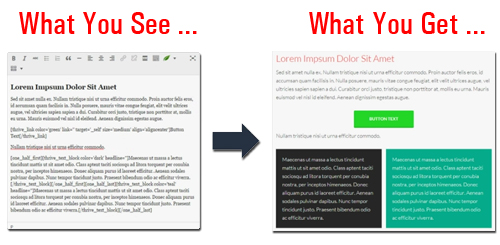
(“What You See” isn’t always “What You Get” … unless you can visualize code!)
In some cases, users could even be better off working directly inside the html (text) editor tab instead of the WordPress visual editor when trying to add non-linear page elements …
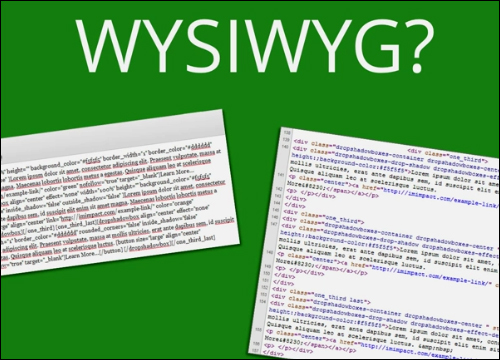
Even though WordPress is the most user-friendly CMS platform available, this makes it hard for non-technical users to have full control of their own content.
The fundamental issue about using HTML and shortcodes to create content with WordPress can be summarized as follows:
1) Speed – How long will it take to create a page using this editor?
2) Abstraction – How closely does the content in the editor resemble the content in the “front end” when you are creating or editing a page?
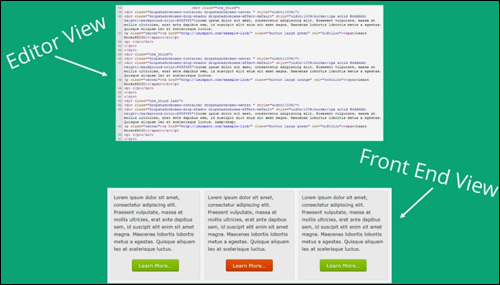
As you can see from the above, what you see when working in the back end looks nothing like what you see in the front end. This means that you need to translate mentally what the content will look like when working with complex layouts. Other solutions require taking multiple steps before you can start configuring your page layout, or endlessly going back and forth between tabs and performing tweaks and updates to see how your content is progressing, which can affect how fast you can create your content, as you wait for the content to reload.
A number of WordPress developers have come up with a range of solutions aiming to address this issue. Some of these alternative solutions range from standalone plugins you can install on your site that add new functionality to the editor, to WP themes that come with built-in features like drag and drop editing …
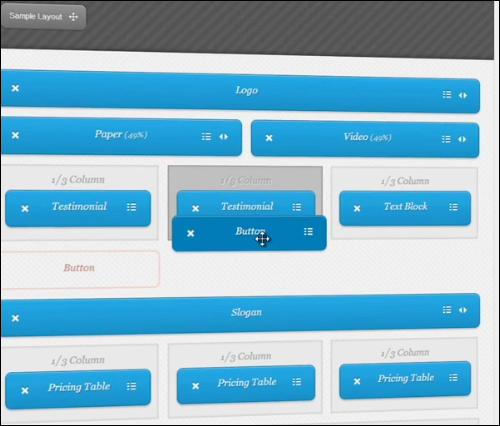
(WordPress “drag and drop” editors aim to make content creation easier!)
Some solutions end up requiring so many page design features, that users end up with complicated-looking front end content editors …
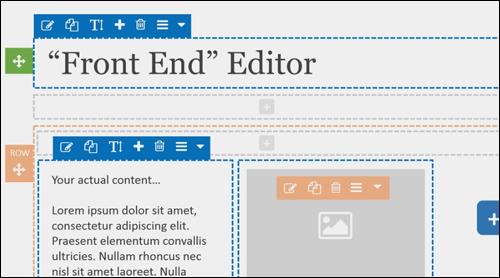
Many of these solutions work, but they still don’t address the fundamental issue of using HTML and shortcodes as described earlier. Adding and editing sophisticated content elements on a page becomes overly complicated, involves multiple steps and doesn’t match what users expect to see on the “front end.”
If you want to create or edit complex page layouts quickly, this can start to become very frustrating after a while.
Ask yourself this …
If there were no technical constraints, how would you like to build and edit your web content?
Now that you’ve asked this question, imagine this …
- You spot something in the content that needs changing so you, just click on the content and start typing. Your content is instantly edited.
- You simply drag and drop items on the page, and see them exactly as they will appear on the front end without having to mentally translate HTML or shortcodes.
- You have an idea for some content that you’d like to create, so you just start typing, and you build your web page on the fly, with no delays, without switching tabs, and without waiting for new content to reload.
Would that not be the perfect way to build content for your WordPress site? A true visual editor where all you have to do is click-to-edit and drag and drop elements around your pages and posts?
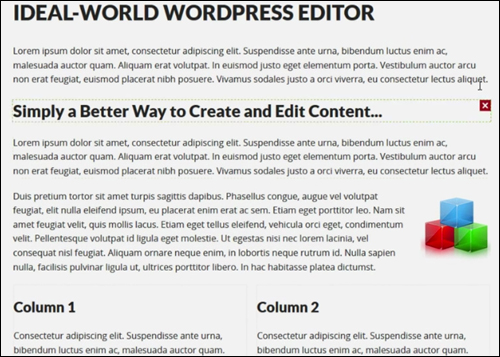
(Imagine being able to create complex pages in real-time for your web content with no technical constraints!)
If you are ready to change the way you create content in WordPress site, then here is a plugin that you may want to consider using …
Thrive Landing Pages And Content Builder – WordPress Click-To-Edit Drag And Drop Content Creation Plugin
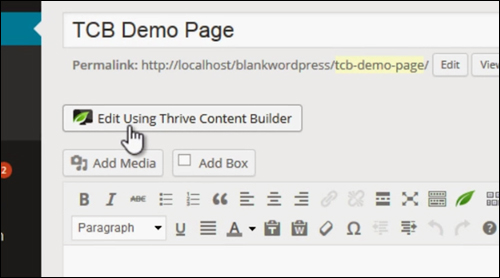
Plugin Description
Thrive Content Builder is a revolutionary WordPress plugin that allows you to easily add beautiful content to WordPress posts and pages using a powerful click-to-edit and drag and drop content editor.
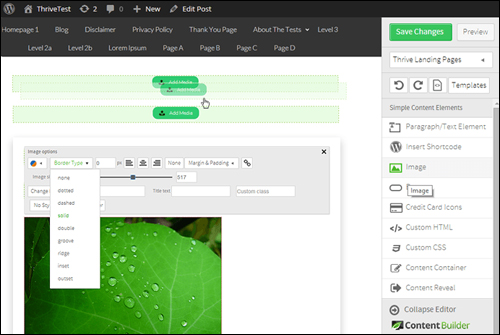
The Thrive Content Builder plugin is a new and exciting way to speed up the process of adding amazing content to WordPress sites.
Once installed, the plugin adds a visual content editor with an item menu that lets you drag and drop elements on your web page …
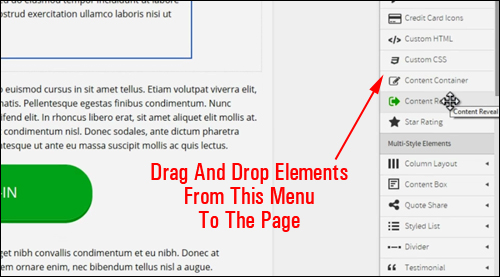
(Thrive Content Builder adds a new visual content builder to your WordPress site)
The plugin is actually a combination of the Thrive Content Builder and Thrive Landing Pages plugins rolled into one, plus an additional plugin feature called Thrive Lightbox.

We’ll examine all of the above plugins and how all of this functionality works seamlessly together to help you transform and improve your business online and create awesome sales pages and content.
Thrive Content Builder
With the Thrive Content Builder plugin, you can easily add content to your web pages and build complex page layouts using drag and drop elements …
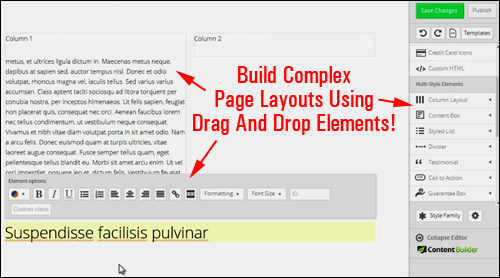
Every aspect of your page can be built by ”clicking-to-edit” and “dragging and dropping” things around the page …
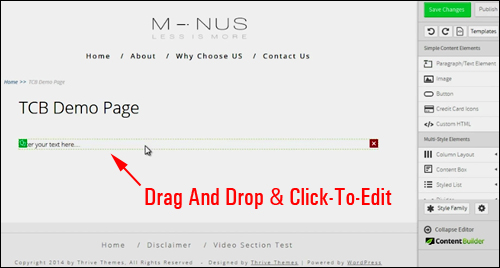
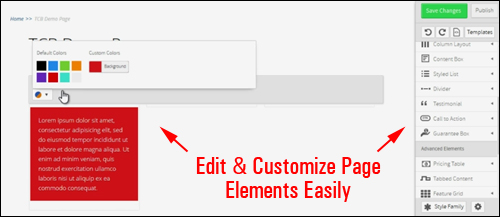
Once you have placed your elements on your page, you can then continue to customize or edit these without going through additional steps or switching tabs …
You can also work inside highly attractive landing pages and easily edit these …
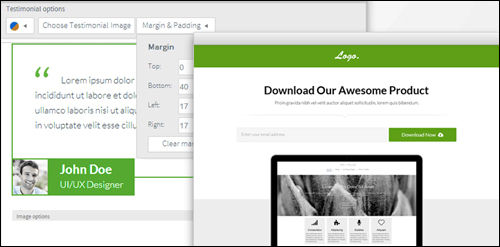
Thrive Content Builder and Landing Pages is simple, easy to use, and ideal for all WordPress users at all levels. In fact, designing pages with Thrive Landing Pages and Content Builder installed is so effortlessly easy, that the developers warn that once you start using it, you’ll never look back!
More info: Thrive Content Builder

The integrated Thrive Content Builder and Landing Pages plugin was created by the same team that developed Thrive Leads, another terrific plugin for WordPress we’ve previously recommended on this site.
See this post to read more about this plugin:
Benefits
Here are just a few of the benefits of using Thrive Content Builder to speed up the process of designing pages and creating content for your WordPress website:
Fast And Easy To Install And Implement. Ready To Go To Work In Very Little Time.
Thrive Content Builder is quite easy to install. Simply upload it to your Plugins folder via your WP administrator login and activate.
Edit Content In Real Time
Thrive Content Builder is is not only very simple to use, it also lets you build and add content to your pages in real-time.
What You See Is Truly What You Get
With Thrive Content Builder installed, what you see on the “back end” as you work within the content editor – fonts, visual elements, page layouts, etc. is exactly what you get in the front end of your site.
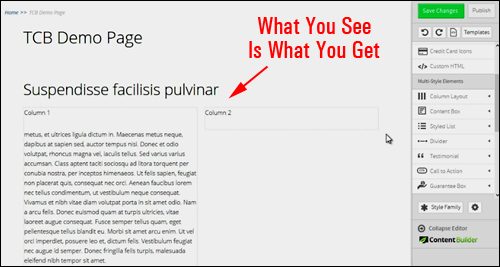
Some additional benefits of using the plugin include the following:
- Design Stunning Page Layouts With Drag And Drop Ease: Create any layout you can imagine with intuitive drag and drop functionality.
- Add Design Elements With No Shortcodes Involved: With the Thrive Content Builder plugin you not only get a drag and drop WordPress content editor, but the plugin also includes an impressive collection of functional and eye-catching design elements that you can customizable and add to your web pages without using short codes, such as pricing tables, content reveal feature, section dividers, custom HTML and CSS, etc.
- Ideal For Non-Technical Users: Not having to deal with technical stuff, or having to wait for for your updated content to reload frees up your attention and allows you to build the pages your business needs, quickly and without having to edit code or click through multiple steps to get what you need done.
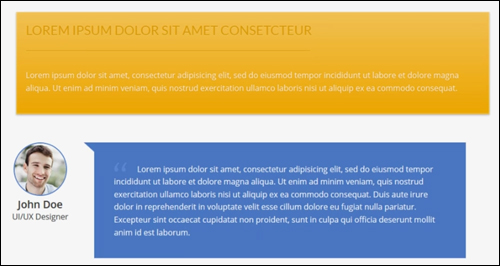
(Create, edit and customize page elements like testimonial boxes, tabbed content, table of contents builder, call to action buttons, responsive videos, etc.)
Features
Thrive Content Builder provides WordPress users many features. Here are just a few of these:
- Regular WordPress Content Functionality Is Still Available: You have all of the built-in content editing options that you are used to (e.g. bold formatting, left-aligned text, font sizes, etc.),
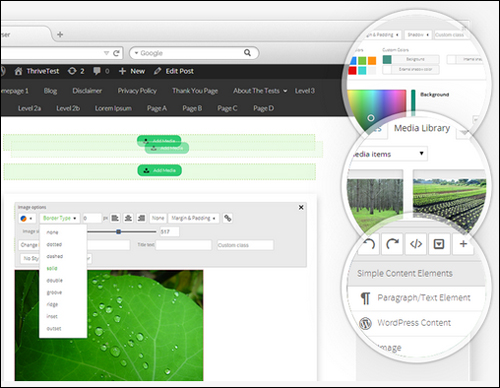
- Drag And Drop Elements: The plugin makes a “drag and drop” table of multi-style elements available on your post or page screen when creating or editing content.
- Conversion-Boosting Elements: The plugin comes with various eye-catching and customizable elements that will help you increase the effectiveness of your sales pages, including buttons and call-to-action elements, testimonial boxes, and guarantees. In addition to being customizable, multiple design options are also available for various elements.
- Mobile-Friendly Design: Add mobile-friendly columns, boxes, content section dividers, e.g. which will display correctly on devices with differently sized screens.
- Add Animation To Web Pages: The Event Manager feature lets you add animated page content, trigger lightboxes and more!
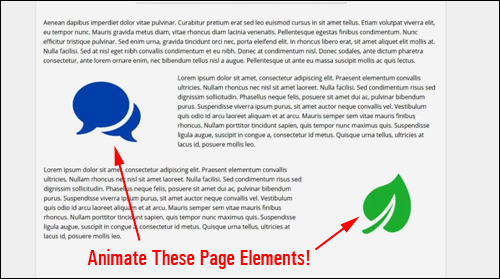
(Add Animated Elements To Your Pages)
Thrive Landing Pages – Landing Page Template Sets
Landing page template sets are templates that work together logically and use the same conversion-optimized design language to take your visitors all the way from signup to purchase, product download and more.
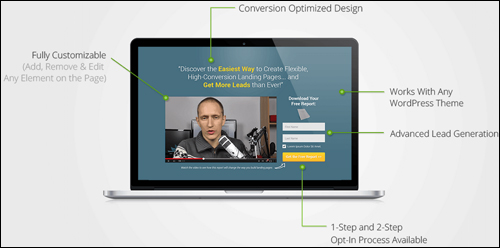
(Thrive Landing Pages gives you conversion-optimized web page templates)
Thrive Landing Pages Plugin – Benefits
- Hosted on your own WordPress site
- Save time and money designing beautiful-looking landing pages for your web site
- 100% conversion-optimized page templates
- No technical skills needed
- Works with all themes
Thrive Content and Landing Page Builder not only can be used to create beautiful-looking content in your WordPress posts and pages, but you can also choose from dozens of beautifully designed, conversion optimized web page templates and fully customizable …
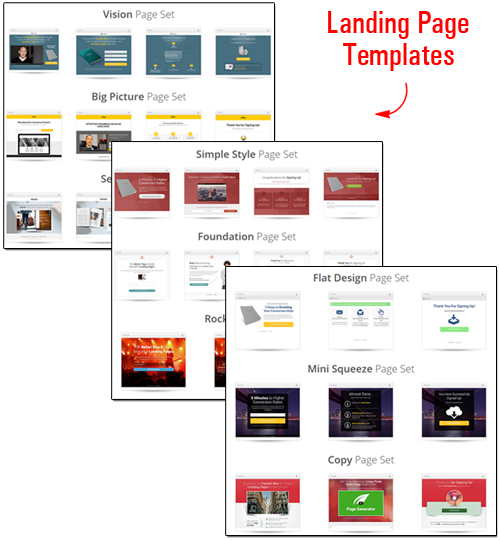
(Landing page template sets that work together logically and use the same conversion-optimized design language)
There are over thirty templates available, with more templates being worked on. In addition to the templates that are currently available, expect to see new templates in the future for email lead generation, sales pages, lesson pages, personal branding pages, webinar pages and more.
Customize Your Landing Page Template Sets
Typically, in order to fully customize landing page templates, you would need to either hire a web site designer to do the work, or learn web coding languages like HTML and CSS and figure out what to do yourself.
As Shane Melaugh, co-founder of Thrive Themes says …
“There are many ways to get a pre-designed page published quickly, but the problem comes with customization. Total design freedom requires either hiring web developers to do the work for you, or learn how to do it yourself, which involves learning how to code or use complicated editors. Customizable usually means complicated, expensive or time-consuming. So, you can either have something that is fast and easy to set up, or something that is customizable and flexible. But you couldn’t have both … until now! With Thrive Landing Pages you get the best of both worlds for creating conversion-optimized web pages.”
Thrive Landing Pages gives you beautiful pre-built page templates that are fully optimized and ready to go, and complete design freedom that allows you to change or customize any aspect of the page templates …
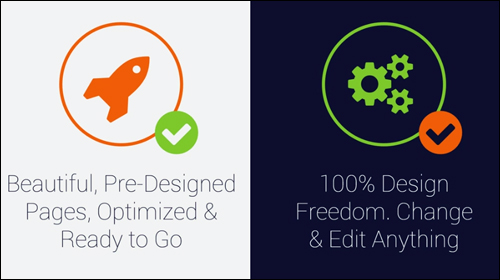
The landing page templates included with this plugin let you do the following:
- Edit text in any bullet point, headline, button, etc.
- Delete text, images or any other element of your landing page
- Change the background image and edit colours
- Edit the color of links, text, buttons, etc.
- Choose your own fonts
- Select your own images
- Modify content area size
- Rearrange the order of elements on your pages
- Translate everything on the page into different languages
- Add custom content anywhere in your pages
- Use pre-designed, customized pages, or create your own pages from scratch and save them as new web page templates.
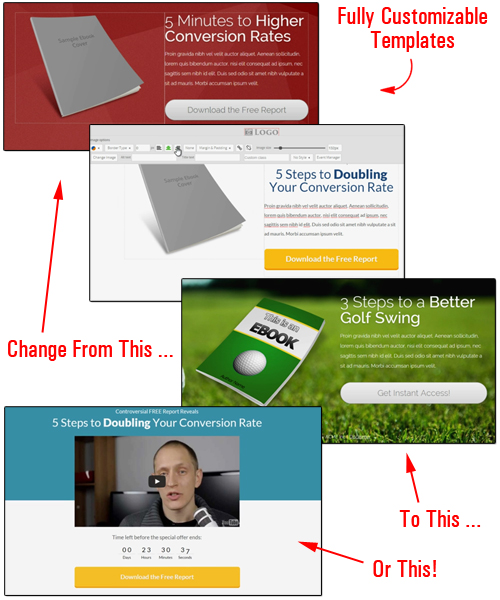
(Change and edit any element of the page templates)
Transform Your Web Site Into A Powerful Marketing Machine With Thrive Lightbox Plugin
The Thrive plugin package also includes Thrive Lightbox, which lets you add fully editable 2-step opt-in forms and animated elements to your website …
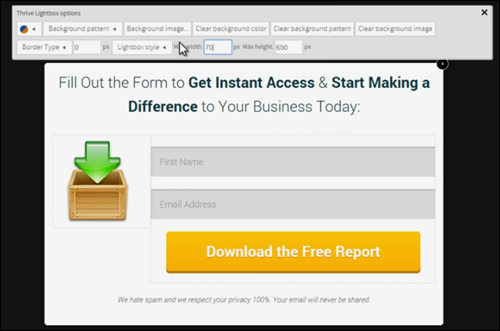
(Add opt-in forms and events to your web pages with the Thrive Lightbox plugin)
Two-Step Opt-in Forms
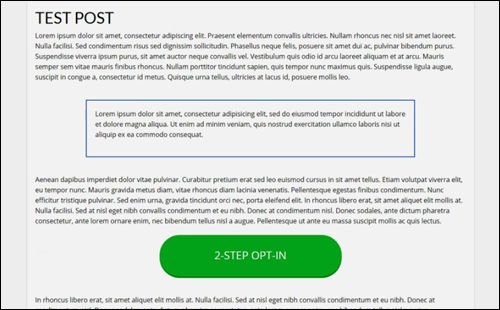
A 2-step opt-in process can help increase your conversion rates. Visitors click on an image or button, and then they are presented with your opt-in form …
(Opt-in forms help improve your conversion rates.)
Event Manager
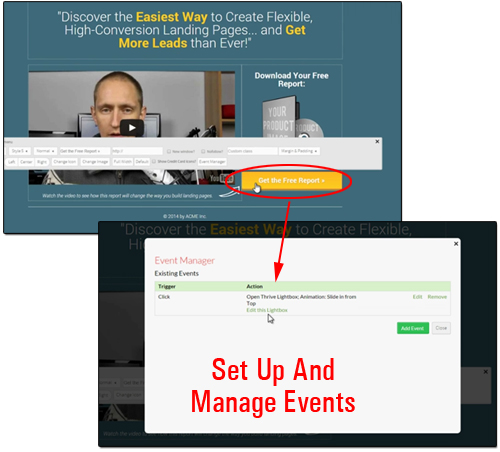
An “event” consists of a trigger and an action. You can make opt-in forms appear when your visitor clicks or hovers their mouse over a button or graphic elements, or when someone scrolls down to a certain point on the page. You can also use the Event Manager to animate images on your page, using a range of effects (e.g. zoom in, slide in from right to left, rotate, etc.
(Set up and manage events on your pages with the Thrive Lightbox plugin)
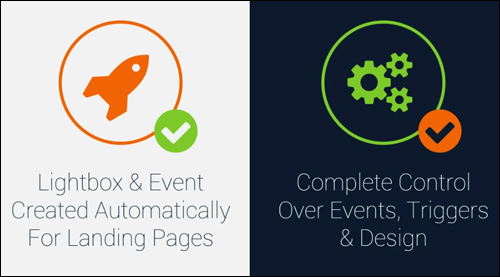
A lightbox and event is created automatically for your landing pages, but you also have complete control over events, triggers and design.
Testimonials From Plugin Customers
Below are a couple of the testimonials and feedback plugin users have published about the Thrive Content Builder plugin:
“I have had nothing but the best experience imaginable with this tool since I purchased it. This is by far one of, if not the best plug-in I have purchase to date and it has definitely made working with WordPress a whole new experience. Jim Bond”
***
”Your stuff is beautifully designed, fast and has great options for marketers that you just don’t see with other themes. Great, great job! Absolutely love Thrive! David Coleman”
Useful Tips
Thrive Content Builder works with any theme in WordPress, not just with the Thrive Landing Pages plugin. You cannot use Thrive Content Builder to edit content on pages or posts that were not created with the plugin.
You can add shortcodes inside the Content Builder or Landing Pages plugin and they will display correctly on the front end.
Thrive Lightbox works with any content built with Thrive Content Builder.
Support
Thrive Content and Page Builder Plugin comes with free updates, new landing pages and upcoming features. The plugin developers are constantly working on adding new features and improving existing ones.
Thrive software is very well-supported, and users get lifetime software upgrades, and one year unlimited support with their purchase, backed by a risk-free, 30 day, complete refund guarantee.
This is an exciting product that just keeps getting better.
Plugin Price
At the time of writing, the pricing information shown below includes all three components described above (Thrive Content Builder, Thrive Landing Pages & Thrive Lightbox):
- Single Site License – This lets you use the plugin on a single website. Pricing includes full feature set, unlimited updates and one year of unlimited support. Cost = $59.00.
- Unlimited Sites License – This license lets you run the plugin on unlimited websites that you personally own. Includes full feature set, unlimited updates and one year of unlimited support. Price = $87.00.
- Agency Edition – Use on your domains & on client sites. Pricing includes access to Thrive Content Builder, plus all Thrive Themes & Thrive Plugins. Price = $247.00 per year.
Please Note: The cost to purchase the product depends on whether there are any promotions or limited-time specials being offered. The above reflects the pricing when this article was published. This may not be the actual pricing set by the plugin developer when you visit the product website and you may be shown additional upsells or one-time offers after your purchase.
Check the plugin’s website for the latest price here:
Additional Plugin Information
The developers of the Thrive Content and Page Builder plugin emphatically maintain that the plugin’s architecture gives you the “best of both worlds,” and help bring back the “joy of creating content.”
On the one hand, you have time-saving features like ready-made page elements and template sets that help make designing your pages faster, and on the other hand, you have 100% control over the design process and the freedom to edit anything and everything on your web page, using the plugin’s visual content editor, that allows you to work unhindered by overly complicated options.
For ”how-to” videos of the plugin, including installation instructions and tutorials, FAQs, support help desk, contact details and more, visit the plugin website.
The Bottom Line …
If you want to edit something, just click on the element and start editing. If you want to change something, do it, and you’ll see the change happen immediately. If you want to move something, simply drag it and drop it into its new position. There are no complicated steps involved.
If you want to transform and improve your business online and create amazing sales pages and engaging content, Thrive Content Builder and Landing Pages delivers an incredible conversion-boosting package with a single, inexpensive plugin.
For more details, check out the plugin here:
***