 In Part 1 of this guide on ways to grow your accounting business online, we provided in-depth tips and suggestions on the following topics:
- Online Challenges For Accounting And Financial Businesses
- Online Opportunities For Accountants
- Improve Your Web Pages
- Ways To Improve Your Content
In this section, we discuss more ways to grow your accounting services business online. Topics covered below include:
- Improve Web Traffic
- Generating New Leads & Enquiries Using WordPress-Based Applications
- WordPress Plugins That Can Help Improve Search Engine Optimization, Create Better User Engagement And Generate More Visitors

To learn more about WordPress plugins and themes, see the articles below:
Tips For Improving Web Traffic Using WordPress
Web traffic is a vital part of your business growth. This section discusses how to improve your website with WordPress plugins and themes.
Optimizing Your Site For SEO With WordPress
There are so many ways that WordPress helps improve SEO:
- URLs – configure the permalinks to create search engine-optimized web addresses for your article pages.
- Tags – WordPress lets you select the keywords that you want search engines to index your articles for.
- Categories – Create SEO-friendly categories for your posts and products.
- Excerpts – Create descriptions for your posts that search engines will show in their search result pages.
- Images – add search-optimized titles to your content images for improved search results.
- Internal Linking – WordPress has a built-in feature that lets you easily link internal content
- Pinging – Set up your WordPress site to automatically notify (ping) other sites and directories as soon as a new post is published on your website.
WordPress Plugins For Improving Search Engine Optimization, Increasing User Engagement And Generating More Visitors To Your Site
In addition to the built-in features of WordPress, the WP community makes available many plugins that will improve SEO, increase engagement and drive more web traffic to your business.
For example, here are some plugins you can use to improve your website’s SEO:
- All in One SEO – WordPress SEO plugin
- Google XML Sitemaps – WordPress XML sitemap plugin
- Page-List – WordPress site map plugin (for visitors)

(A plugin like Yoast SEO (previously called WordPress SEO by Yoast) can improve your website’s SEO)
Other things you can do to improve your accounting site’s SEO, increase user engagement and drive more traffic to your site are to add a forum, newsletters, comments, and social sharing features. Here are some plugins that can help:
- BuddyPress – Use this free plugin to run your own online social community on your WordPress site, with member profiles, activity streams, messaging, user groups, and more.
- bbPress – Set up your own online forum on WordPress.
- E-Newsletter – E-Newsletter lets you send professional email newsletters, track results and manage subscribers from your WordPress dashboard, without requiring third-party subscriptions.
- Disqus – This plugin lets you power discussions and helps to increase engagement on your website.
- Social Media Feather – Use this plugin to add social sharing features to your pages and posts.

(WordPress users can easily add social sharing buttons to their site with free or inexpensive plugins)
Generating New Leads & Enquiries
This section covers ways to improve sales and generate leads and enquiries.
Add A Newsletter
Adding an email newsletter is an excellent way to build a subscriber list. It] provides many benefits and advantages, like:
- Sends targeted traffic to your site
- Keeps your business at the forefront of your reader’s minds
- Provides updates that could save businesses time and money
- Provides a highly targeted marketing channel
- Allows you to provide special products or services to a select audience
- Provides new opportunities for increasing user engagement
- Provides you with additional opportunities for subscribers to share your content
A proven strategy for attracting subscribers is to provide users with information of high value and give them free gifts or bonus items in exchange for their personal details. This can be a guide, checklists for handling tax, access to tax calculators, discount coupons, access to subscriber-only content, contests, etc.
Contact Forms
A contact form provides an easy and simple way for readers to contact you. A contact form also allows users to report issues, ask questions to specific departments, request quotes, and more.
A contact form provides several benefits and advantages, like:
- Reducing spam
- Set up automated responses
- Gives you control over what is sent to you
- Allows you to keep your email address private
- Can be added to any post or page
- Looks professional
- More convenient for site visitors
A popular contact form plugin is Contact Form 7.
Contact Form 7

(Contact Form 7 Plugin)
This free contact form plugin is easy to install and set up and allows you to create multiple contact forms into any post or page, customize the forms and the email contents, add fields, and more.
Supports international languages, Ajax-powered submissions, CAPTCHA, Akismet spam filtering and so on.
Something else to consider is to segment your contact form so users can select the topic they want to discuss. This ensures that visitors’ requests reach the right person.
Adding Maps
A map helps your visitors and customers find you.
Maps are useful tools for several reasons:
- Maps increase local SEO
- Visitors can find you more easily
- Display location of events
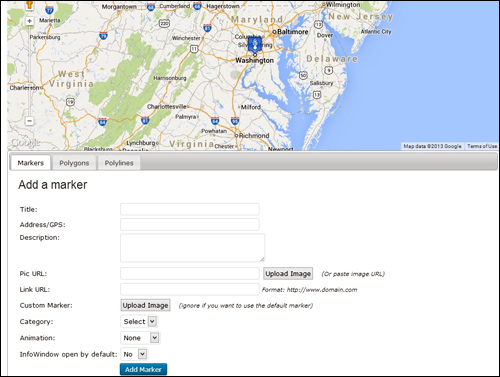
(Adding a map helps your visitors and customers find you)
Some of the most popular map plugins for WordPress include:
- Google Maps
- Advanced Google Maps Plugin for WordPress
- WP Google Maps
- Comprehensive Google Map Plugin
Improving SEO, Increase User Engagement And Drive More Visitors To Your Accounting Website Using Plugins
WordPress Plugins
WordPress provides a number of plugins you can add to your site that will immediately make available a range of functional tools for visitors. Here are just some of these:
Calculator Pro Calculators

(Calculator Pro Calculators Plugin)
This plugin provides a free collection of 400+ calculators. You can embed them into your pages, posts, or sidebars using shortcodes. The plugin supports internationalization
Most of them aren’t focused specifically on accounting, but there are quite a few for:
- 401k
- Loans
- Leases
- Credit
- And lots more
For more details, go here}:
Show Stock Quotes

(Show Stock Quotes)
This plugin gives you a widget that displays a number of different stock quotes per portfolio. You can display as many portfolios as you want.

(Show Stock Quotes Plugin For WordPress – Stock Portfolio)
For more details, go here}:
Custom Stock Ticker

(Custom Stock Ticker Plugin)
This plugin lets you place custom stock tickers on any sidebar, post or page with shortcodes.
Custom Stock ticker provides a number of customizable features. You can choose from built-in themes or customize these yourself to match the look and feel of your site. You can also create custom stocks for individual categories.
Customize the appearance by changing colors, size, text, etc.
For more details, go here}:
Finance Calculator

(Finance Calculator Plugin)
This free calculator lets your users calculate indicative repayments. This is a useful financial tool for calculating repayments on car loans, property, or other large loans.
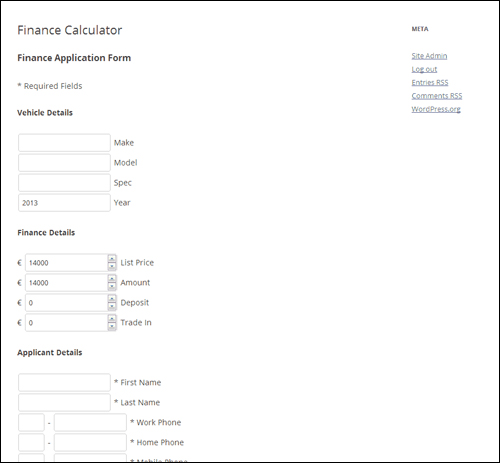
(Finance Calculator Plugin – Loan Calculator)
The plugin also contains an application form that sends a message to a specified email address.
It will display payment protection, calculate 12 to 60 months loans and create a form that can be placed in any page or post.
For more details, go here}:
WP-Invoice

(WP-Invoice)
WP-Invoice is ideal for WordPress users with clients to bill.
This plugin integrates billing into WordPress. You can send clients itemized invoices. It also allows you to set up recurring billing. It can be expanded through both free and premium add-ons that let you manage business, accept electronic signatures, create PDF versions of invoices, provide quotes, create single-page checkout forms, and more.
The plugin ties into your WP user management database to keep track of your clients and their information, and integrates with payment processors like PayPal, Authorize.net, Stripe, 2Checkout, USAePay, and others.
The plugin gives you the ability to add custom payments and charges, add pre-defined line items and discounts, quickly view invoice status and progression, filter and find invoices, see invoice receipts and invoice history, create e-mail notification templates, access reports (collected vs uncollected invoices, most valuable clients and top grossing line items), and more.
For more details, go here}:
All In One Business Management Application
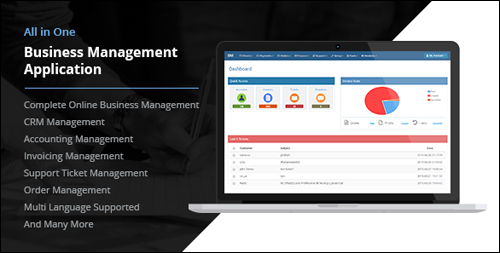
(All In One Business Management Application WordPress Plugin)
This is a complete business management system that includes accounting management, invoicing, order management, helpdesk with support ticket management system, CRM and lots more.
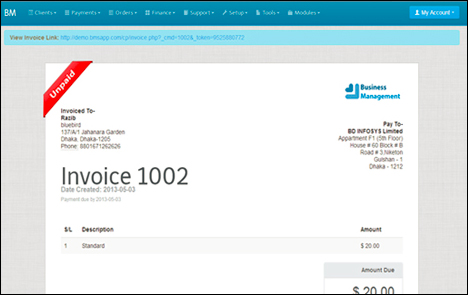
(All In One Business Management Application Plugin For WordPress – Client Invoicing)
The plugin supports multiple languages, is fully customizable and provides powerful tools such as document management, to do app, and more.
For more details, go here}:
iBilling – Accounting And Billing Software
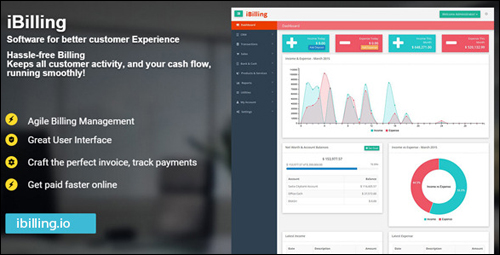
(iBilling – Accounting and Billing Software WP Plugin)
This is a scalable business software that lets you manage and communicate with customers, tracks your company’s cash flow and net worth, send single-click payment reminders and payment confirmations, and lots more.
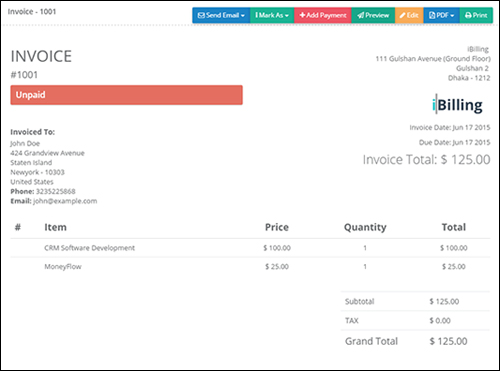
(iBilling – Accounting and Billing Software – WordPress Plugin – Invoicing)
iBilling Accounting and Billing Software allows you to get paid faster online by integrating with several online payment gateways.
For more details, go here}:
WordPress Financial Themes
To benefit the most from using WordPress to grow your business online, it’s best to choose a theme specifically for accounting businesses. Here is a look at some of the best WordPress themes available for accountancy businesses. With the themes below you can own a professional-looking accounting website within minutes and save hundreds to thousands of dollars on the cost of website design.
Accounting Pro
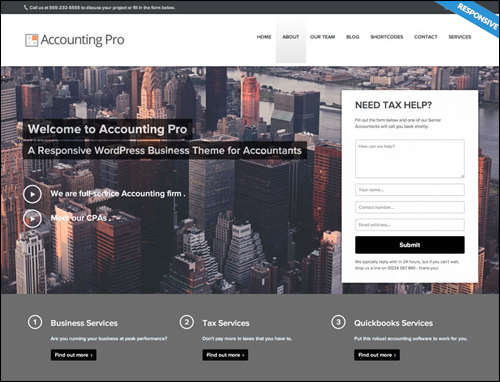
(Accounting Pro Theme)
This premium theme is a turn-key theme developed for accountants and accounting firms. It’s responsive, has a drag-and-drop page-builder, offers several page templates, custom menus, a content composer (which improves on the standard WordPress editor), a sidebar manager, auto-resized images, and lots more.
You can customize Accounting Pro by installing premium add-ons.
To learn more about this WordPress theme, go here:
Accountancy
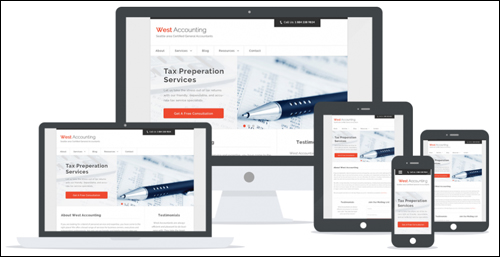
(Accountancy Theme)
Accountancy offers a variety of built-in styles and layouts to make your accounting website look and feel professional.
This mobile-friendly theme includes a custom slider, a featured testimonial section, it’s lightweight, search engine optimized, and fast loading. Accountancy provides what you need without bloating your theme. Your purchase price includes free updates and one year of support.
Visit the theme site to learn more about using this theme:
Accounting
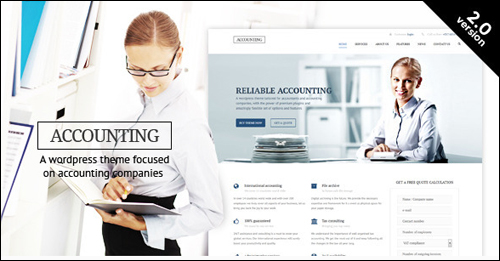
(Accounting Theme For WordPress)
Accounting Theme includes a drag-and-drop builder so you can design your website any way you want. The theme also has unlimited sidebars and custom widgets, four different header types, a custom administration panel, different color schemes, a custom slider, 3 blog types, and is fully responsive (mobile-friendly). Accountancy looks clean and modern and loads fast.
More information:
Kathryn

(Kathryn Theme)
This premium theme was developed specifically for accounting services. It has multiple layouts, slider, multiple sidebars, a variety of color choices, is easy to use, search engine optimized, and is mobile-friendly. Although this theme could easily suit any profession, it builds a great looking accounting theme. It includes a license for the Soliloquy WordPress responsive slider plugin and must be purchased separately from the Genesis Framework.
For more details, go here:
Accounting WordPress Theme
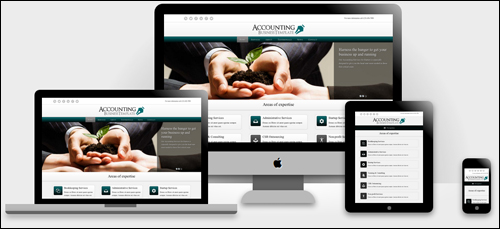
(Accounting WordPress Theme – WP Theme)
Accounting WordPress Theme was designed with the idea of professionalism within the accounting industry. It features an authoritative color scheme and elements specifically designed to make your accounting business site look professional without looking dull. It’s a turn-key installation but you can still modify it if you want. It’s mobile-friendly and includes pages for your services, contact details section with consultation requests (downloadable as CSV), testimonials, and a blog.
More information:
WP Advocate
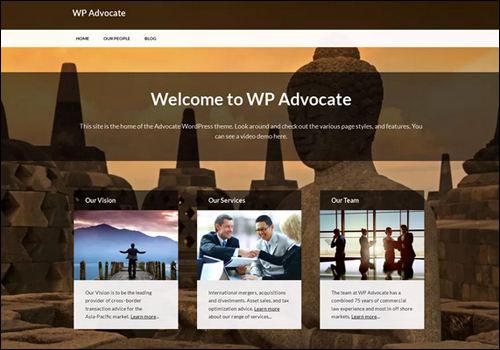
(WP Advocate – WordPress Theme)
WP Advocate is a free corporate theme developed specifically for professional service providers such as accountants and attorneys. You can use the bundled images or upload your own. WP Advocate also includes a custom post type adding staff profiles. It will also integrate with BeSpoke profile templates. It’s clean-looking and fast-loading.
More information:
Divi
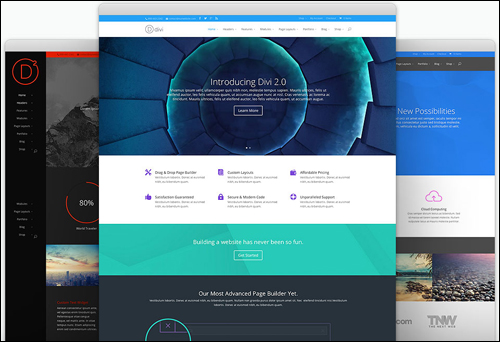
(Divi)
Divi is the most flexible theme in Elegant Themes‘ collection. Divi lets you create any style of professional site you want using the page builder or beautiful and unique pre-made layouts. You can modify your layout to your heart’s content.
The builder transforms web elements into visual building blocks, allowing you to understand and edit the structure of their pages without touching any code.
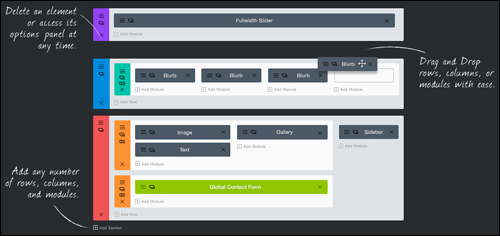
(Divi Theme For WordPress – Page Builder)
Divi comes with 40 content modules that you can drag and drop anywhere you want. Modules include bar counter, blog, code, divider, image, map, person, pricing table, social media follow, video, fullwidth image, fullwidth portfolio, fullwidth slider, and more.. Divi is mobile-friendly and completely customizable. Themes start at $69 per year and includes access to 80+ professional themes.
Go here to learn more about this theme:
The Corporation

(The Corporation Theme)
This theme from Elegant Themes was created specifically to make corporate sites look good.
This theme has a page-based home page design with a eye-catching slider, blog design, six different unique color schemes, multiple page templates that include contact pages, blog feeds, sitemaps, search page, gallery page, and more. Prices start at $69 per year and includes access to all stunning themes.
For more information about using this WordPress theme, visit the theme website:
Adviser

(Adviser)
This theme was designed to help those in the financial industry to build trust online through clean design. It’s perfect for those that provide services like investing or tax help. The theme includes a recruitment page with hiring announcements and where to send applications. It also includes a lease calculator. It includes multiple shortcodes and widgets, and includes the drag-and-drop visual composer.
Visit the theme site to learn more this theme:
Tax Help

(Tax Help)
Tax Help was specifically built for financial companies, tax and financial advisors, and firms offering tax services. The theme is designed to showcase your services professionally and help establish your professional reputation. It has different blog styles, uses the drag-and-drop visual composer, includes a shortcode builder, the Revolution Slider, and additional custom shortcodes.
More info:
Finance Business

(Finance Business Theme)
This premium WordPress theme was developed specifically for organizations that provide financial services such as consulting, tax help, corporate, finance, insurance, accounting, loans, and more. This theme includes a custom CMSMasters Visual Content Composer plugin, around 100 shortcodes that includes charts and financial content, a custom drag-and-drop composer, two premium sliders, page options, color management, animated elements, and a lot more.
Go here for more info:
Avada
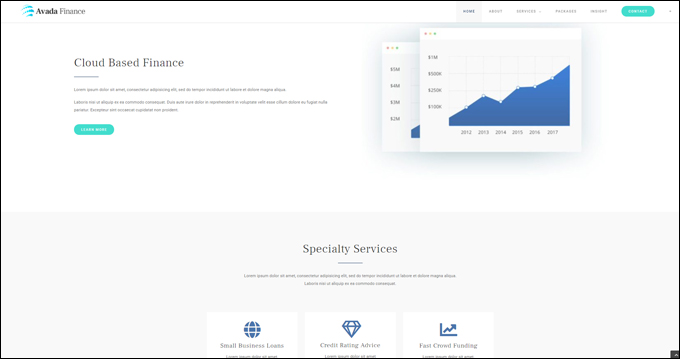
(Avada Finance WordPress Theme)
Avada is a fully responsive and versatile multipurpose theme that lets you easily build, configure, and run any kind of website you want without touching code, including a website for an accounting or finance-related organization.
To learn more about the Avada theme for WordPress, go here: Avada
We hope that you have found this article on WordPress plugins for improving search engine optimization, increasing user engagement and generating more visitors to your accounting site helpful.


Subscribe below to receive 101+ useful WordPress tips that will help you grow your business …
***
"This is an awesome training series. I have a pretty good understanding of WordPress already, but this is helping me to move somewhere from intermediate to advanced user!" - Kim Lednum
***