
Note: Since this post was written, the developers of RunClick have rewritten the software and turned it from a plugin into a web-based hosted solution called Webinar JEO.
Read our new post here or visit the website to learn more about this product.
***
Webinars are a useful and effective way to do business, promote new information and discuss ideas. The problem, however, is that the cost of accessing webinar software can be quite expensive or even prohibitive for many users, with some services requiring monthly subscriptions, and/or restricting the number of people who can attend.
Fortunately, if you are a WordPress user, there is now a way to run webinars with no limits or ongoing expenses.
RunClick – Video Conferencing Plugin For WordPress
(RunClick – Webinar and Video Conferencing Software)
Plugin Description
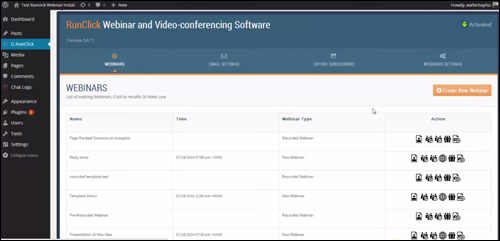
The RunClick WP webinar & video conferencing plugin allows you to manage a business-level webinar platform on your WordPress site using Google Hangouts.
Google Hangouts is an amazing broadcasting application, but it’s not a marketing solution. RunClick lets you take advantage of the high quality audio visual capabilities of Google Hangouts, and also gives you the power of ever green webinars at no extra cost, plus built-in lead capture and follow-up functionality, giving you a complete webinar and video conferencing solution.
RunClick (previously known as “Hangout Plugin”) is a very simple-to-install and easy-to-use WordPress webinar & video conferencing plugin that will help to promote and broadcast your information to an unlimited global audience, build engagement with your attendees, close sales live online, turn your presentations into webinars that can be scheduled to play automatically, and instantly set up automated follow-up campaigns.
More info: RunClick
Plugin Benefits
Here are just some of the many benefits and advantages of using RunClick to run webinars and video conferences using Google Hangouts on your website:
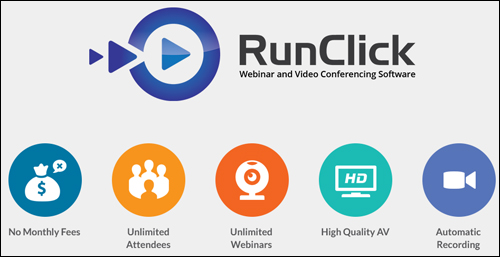
Unlimited Events
RunClick lets you hold as many webinars, web conferences, training courses and live presentations as you want.
No Ongoing Expenses
Unlike many solutions that restrict the number of people who can participate in your web meetings, RunClick lets you present information to an unlimited number of viewers.
No Monthly Costs
Many webinar and video conferencing services can be quite expensive or require you to stay subscribed and pay ongoing fees, even if you have no events planned. Some other services, for example, cost hundreds of dollars per month.
Additional benefits of the RunClick plugin include the following:
- Hold Web-Based Meetings: RunClick allows you to hold web-based meetings with anyone anywhere around the world, track attendance, send out minutes, and use Google’s video meeting technology to provide superior audio and video quality to your virtual meetings.
- Boost Interactivity: You can chat online, run surveys and share live information with attendees to boost your interactivity and monitor performance with real-time reports.
- Profit With Evergreen Products: Your training broadcasts are automatically captured, enabling you to schedule ongoing replays and profit from evergreen content.
Plugin Features
RunClick is a complete webinar and digital conferencing solution that offers many features to WordPress users. Here are just a few of these:
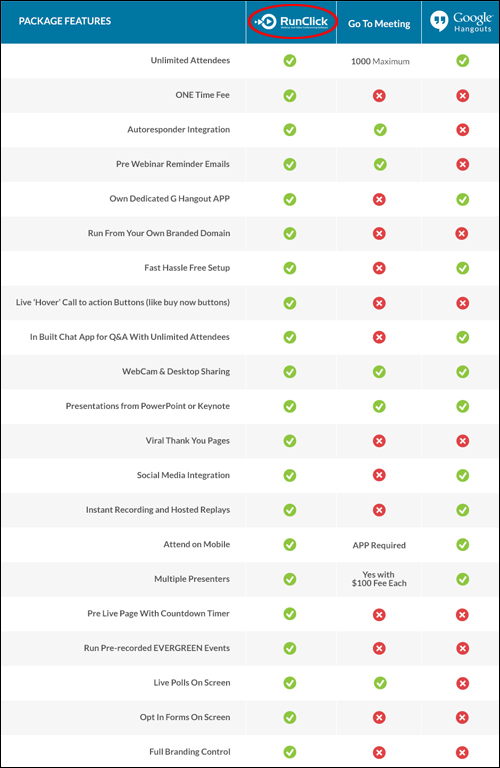
- Easy Setup & Installation: Unlike many webinar and web meeting hosted services, RunClick installs easily on a domain. Leads can be added to your autoresponder and emailed a link to your replay later!
- Excellent Quality AV: RunClick takes advantage of Google’s own webcasting system to deliver excellent audio and visual quality to your presentations.
- Automatic Webinar Capture: Simply click on the “Go” button and begin running your presentation. The plugin will automatically record it.
- Control Of Your Branding: RunClick includes a variety of quality templates, giving you control of your pages and branding. You can even add your own custom template designs.
RunClick also enables you to replay pre-recorded sessions and gives software users extra options for replays like:
- Scheduling: You can schedule replays to be available and display expiring timers to increase urgency and maximize registrations. Once the scheduled time period has lapsed, replays then become automatically unavailable.
- Replay Access Options: Schedule replays to become available anyone and everyone, or restrict access to event registrants only.
User Testimonials
Below are a couple of the testimonials and comments that users have provided for the RunClick plugin:
”For anyone else considering Walt’s plugin, don’t even consider – just do it! His plugin will become the gold standard – if it is not already.” Sydney, CEO Wealthy Investor Limited
***
“I seldom considered running webinars because of the cost associated with them. Your plugin changed all that.” Robert Blake
***
Useful Tips
You can instantly create digital products from your slide presentations and seminars and generate residual streams of income with the RunClick video conferencing plugin installed on your website.
The software automatically records your presentations, so with a little imagination and a minimum investment of time and effort on your part, you can significantly grow your range of products and increase your bottom line.
For example, even if you are not that well-known in your area of interest yet, you can easily record webcasts featuring guest speakers who will then answer your questions or discuss a specific topic providing thus much of the information for your webcasts. This will provide you with high quality content that needs no expertise on your part to create.
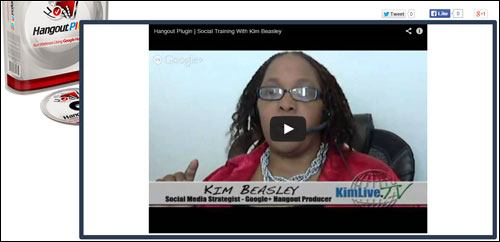
Support
RunClick was developed by Walt Bayliss, a well-known and highly respected WordPress plugin and software developer. The software is well-supported, and users get lifetime updates and new releases for free with their purchase, backed by a no-risk, thirty day, 100% refund guarantee.
”It is truly rewarding to find someone who not only stands behind his product but is there to handle any question in a timely manner.” Cary Ganz, President Mobile Market Creator Inc.
Plugin Pricing
The RunClick software license gives you the ability to run unlimited webinars and can be downloaded for a one-time purchase fee of US$97.
Note: The price of the RunClick plugin depends on whether there are any promotions or limited-time specials being offered. When we last checked, the software sells for the pricing shown above. This may not be the actual price set by the plugin author when you visit the product website and you may be shown additional upsells or one-time offers after your purchase.
Check the plugin’s website for the current price here:
Additional Information
For ”how to” videos showing how the plugin works, including help documentation and tutorials, FAQs, support helpdesk, contact details and more, visit the RunClick website.
Our Recommendation
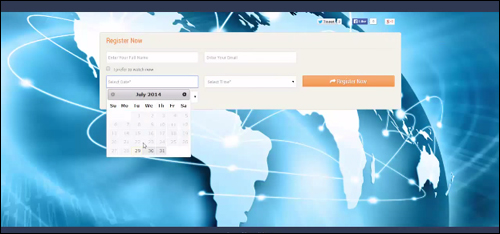
RunClick lets you schedule web meetings and provide high-quality webinars, web casts, sales presentations and more without limits on how many people you can present to, and with no long-term costs.
If you run a business or sell products or services online, or if you plan to provide assistance to remote users, manage online meetings, make sales presentations, etc… then we highly recommend downloading and installing RunClick. It is a cost-effective, easy to use, well-supported and feature-rich webinar and video conferencing software system that installs and integrates easily with your WordPress site.
For full details, check out the plugin here: RunClick – Webinar And Video Conferencing Plugin
***