
Welcome to Part 3 of our Web Traffic Blueprint article series, where we show you how to turn your site into an automated web traffic generation machine using the WordPress CMS platform.
In Part 1 of this series, we described the process, and explained why using an expertly configured WordPress website or blog is the key to automating traffic to your site …
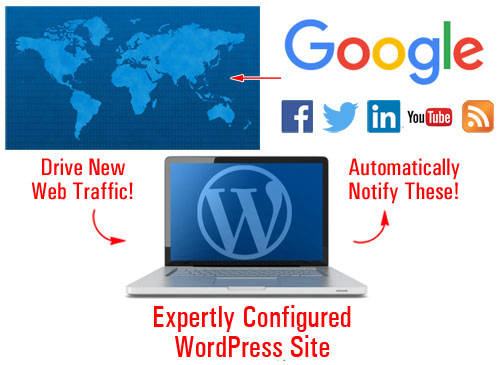
(With an expertly configured WordPress website, all you have to do is post new content on a regular basis to start generating web traffic!)
In Part 2, we looked at the setup phase of the traffic automation process. We helped you understand the best way to start if you don’t have a website yet, how to set everything up if you already have a site, and what to do if your existing website was built using WordPress.
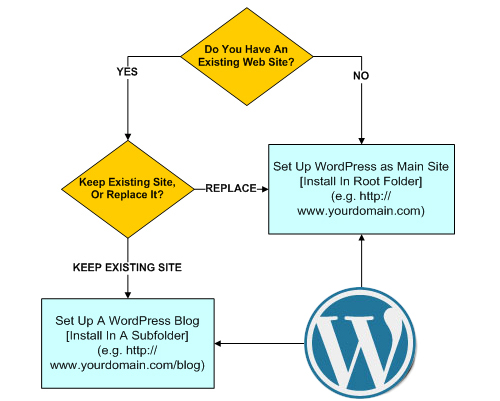
(In Part 2 we show you how to set up a WordPress website or blog on your domain)
In this section, we discuss the configuration phase of the WordPress traffic automation system. We explain how to configure a WordPress site so you can start attracting traffic automatically just by publishing fresh content on your WordPress site.
WordPress Web Traffic System – Configuration Phase
The ability to drive more traffic to one’s website is often cited by most business owners as one of the greatest challenges they face online. Businesses are becoming ever more competitive and are researching any opportunity they can to increase their competitiveness online.
The ability to generate traffic on demand can provide website owners with a huge advantage over the competition. For business owners, having an expertly configured website gives WordPress users a flying start from the moment their website is launched.
The Configuration Stage Is The Difference
There is a difference between an expertly configured WordPress site and a site that has been professionally set up by an expert website builder but not necessarily configured to take advantage of everything WordPress has to offer.
Here’s one way to describe the main difference:
With a WordPress website that has been expertly configured you get a professional web presence with online business marketing automation!
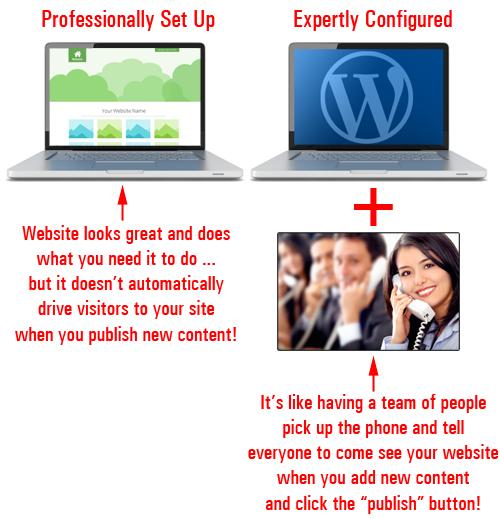
(An expertly configured site gives you a web presence and a built-in automated online business marketing system!)
Not only does a whole lot more labor go into building and integrating an automated online business marketing process into your website, but also a special type of expert knowledge.
Let me illustrate this point with a joke.
A True Story (Kind Of) …
All was going well in the gizmo factory when everything came to a sudden stop.
As no one could figure out what was wrong, the floor manager decided to call in an expert.
Shortly after arriving, the expert immediately headed to the main control box. After staring silently at the control unit for about 2 minutes, the expert then produced a tiny little hammer and made a gentle tap near the left corner of the control unit.
Immediately, the assembly line sprang to life.
The manager was greatly relieved as he thanked the expert, who left just as quickly as he had arrived.
A few days later, the factory manager received an invoice for $5,000.
The manager dialled the expert, demanding to know why they were being charged so much for so little time spent delivering such a minimal amount of work and promptly requested an itemized invoice before hanging up.
The next day, a bill of payment arrived and was placed on the manager’s desk. Upon opening the envelope, this is what he saw:
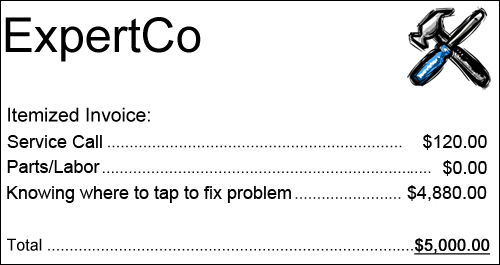
The #1 challenge most businesses face online is being able to drive new traffic consistently to their sites.
In the story we’ve just described, how much money did the gizmo plant stand to lose when production ground to a halt and no one in the business had the expertise to fix it? Did the expert in our story not have every right to demand fair compensation for years spent acquiring the knowledge, skills and expertise that allowed him to immediately assess and fix a costly problem?
Similarly, if you could have your site set up so all you ever had to do is publish new content and search engines, social media and dozens of other traffic-generating web properties would be instantly notified, how much time and money would this save you?
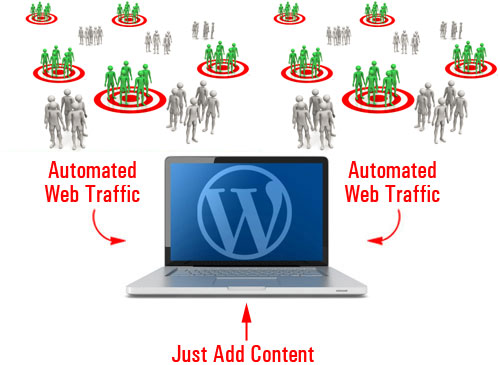
(How much better would your business be if you could automate the process of driving traffic to your website?)
Although experts often make complex solutions look simple, it rarely turns out to be that way.
Knowing how to expertly configure a WordPress site requires more than simply installing a website and configuring a few internal settings. It also involves knowing where to tap! This includes knowing things such as:
- Which plugins you need to install for specific things to occur on your site.
- Which accounts you need to set up and activate to achieve specific results
- Which options you need to configure to make sure things work as expected, etc.
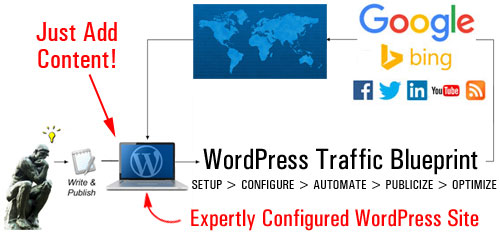
(Driving traffic automatically with WordPress is a process that requires expertise)
Although this part of the traffic automation system may not seem so technically challenging, it can be quite involved. This is because it’s not as simple as installing and configuring a plugin, clicking a couple of buttons … it’s all this and so much more.
The configuration phase involves the integration of many components such as your web server, your WordPress site, and a number of third-party sites …
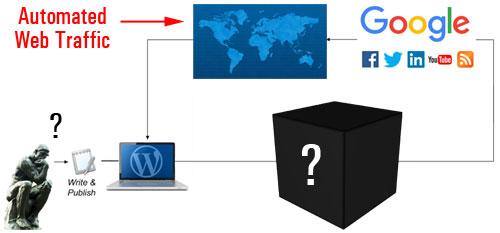
(Expertly configuring your website involves more than just configuring a few settings in WordPress)
If the configuration process were to be flowcharted, it would look something like this …
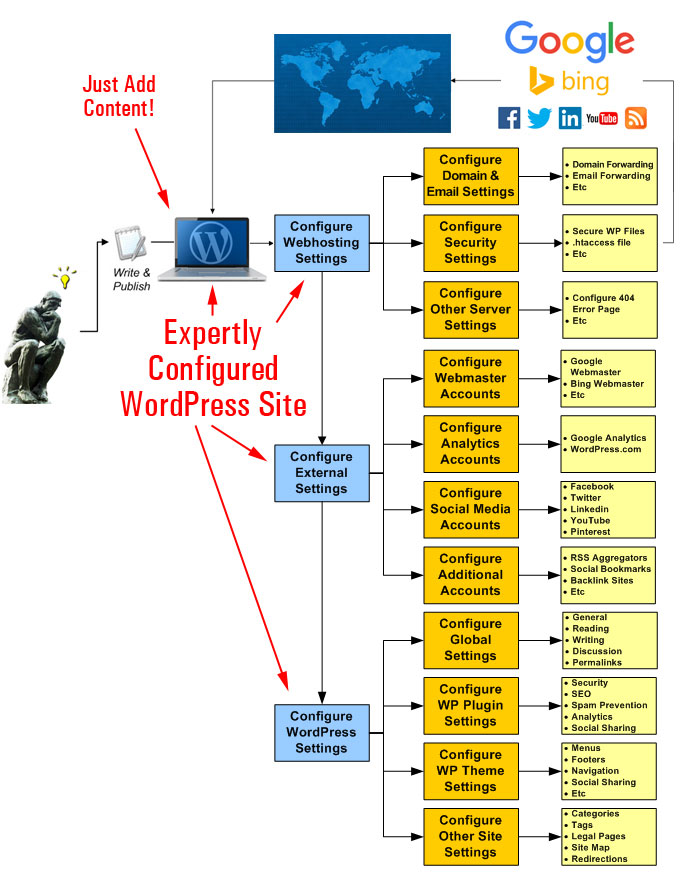
(A simplistic diagram showing all the steps involved in the configuration phase)
Let’s examine these areas in more detail.
Your Server
We’re not talking about the process of configuring your web hosting account for website installation purposes (this is normally done during the Setup phase). We’re talking about tweaking settings and options in your web server specifically for handling web traffic …
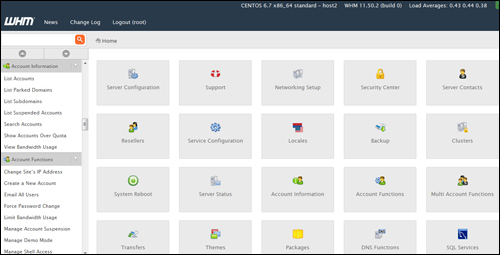
(In the configuration phase, your server settings need to be fine-tuned for handling both good and bad traffic)
Not all traffic is beneficial traffic. Some of the traffic your website can attract will be unwelcome traffic like spam, security threats, brute-force bot attacks, etc.
This part of the configuration process, therefore, is all about planning for both good and unwelcome traffic and adjusting settings in your server accordingly. This can include looking at things like server-level spam protection and preventing security threats, to configuring your domain and email redirections, etc …
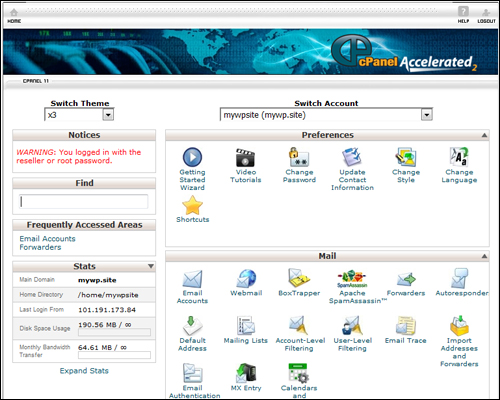
(Have you configured your webhosting settings for handling things like email forwarding, page error redirections, etc?)
After your server settings have been checked and configured, the next step of the configuration phase is to set up various external sites.
Third-Party Accounts Configuration
The purpose of choosing external sites is that all content will be posted to a central location (your WordPress site) and from there, it will get distributed automatically to other components of your web traffic system, or notify traffic-related web properties and services.
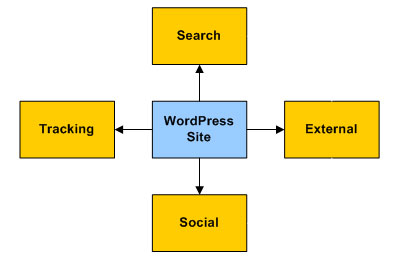
Once you incorporate these external sites into your system, content with links pointing back to your website gets automatically fed to search, social and aggregator sites. Your website will receive exposure online, helping you tap into new sources of traffic.
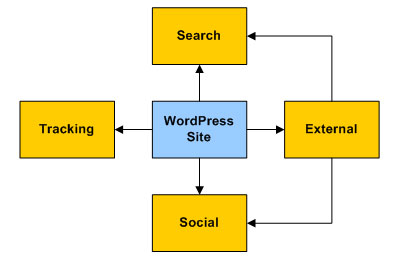
Some of the sites will need to be set up before configuring your site to help speed up the configuration process and some will need to be done later, during the automation phase.
For example, you will want to set up the following accounts before configuring your WordPress site’s settings:
Google Search Console
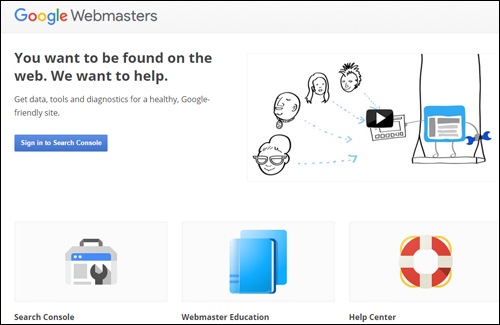
(Google Webmaster Tools – create a Google-friendly site)
Google Webmasters lets you notify Google about your site’s pages, submit XML sitemaps for automatic page indexing, and provides you with useful data, SEO tools and reports about your website.
Once your account is set up, this information can be used with traffic-related settings and notifications in WordPress (e.g. using plugins like Yoast SEO) and other applications.
Google Analytics

(Google Analytics)
Google Analytics lets you improve your website’s results, SEO, user engagement, marketing efforts, sales conversions, and more, by tracking all user engagement, pages visited, keywords searched for, search engine referrers, etc.
Once your Google Analytics account and site data are set up, you can add visitor tracking code to all of your pages in WordPress via a Google Analytics plugin and feed data automatically to many other online applications.
Bing Webmaster Tools
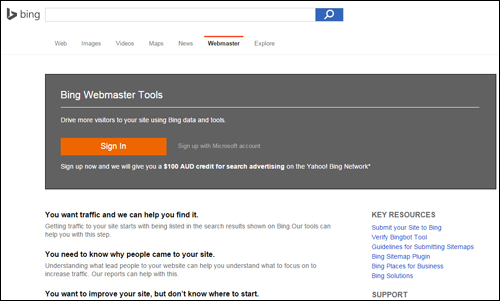
(Drive more traffic with Bing Webmaster Tools)
Bing Webmaster Tools is similar to Google Search Console. Once your account and site data with Bing have been set up, you can use your account information to automate web traffic-related settings and notifications in WordPress using plugins like Yoast SEO (see further below) and other applications.
WordPress.com
(WordPress.com)
As explained in Part 2, WordPress provides users with the option of a hosted vs self-hosted website. We recommended choosing the self-hosted WordPress platform if you plan to build a professional online presence for your business.
WordPress.com (the hosted option), however, provides some great features, which can be accessed by various WordPress plugins. We recommend setting up an account with WordPress.com, therefore, and we’ll show you how to integrate these features into your web traffic generation system in Part 4 of this series.
Social Media Sites

(Syndicate your content automatically to your social media and social bookmarking accounts and attract new visitors to your site)
You will need to set up your various social media accounts before you can integrate these with your traffic generation system.
After setting up and configuring everything, you will be able to syndicate your content automatically to your social media pages and attract new traffic to your site.
Make sure you have accounts and pages set up with all of the leading social networks – Facebook, Twitter, LinkedIn, Pinterest, YouTube, etc.

There are many social bookmarking sites you can set up accounts with and post your content to. You don’t need to create accounts with all of them, just select the ones that will work with your system and/or content syndication tools (we will look at some of these tools in greater detail during the Automation phase).
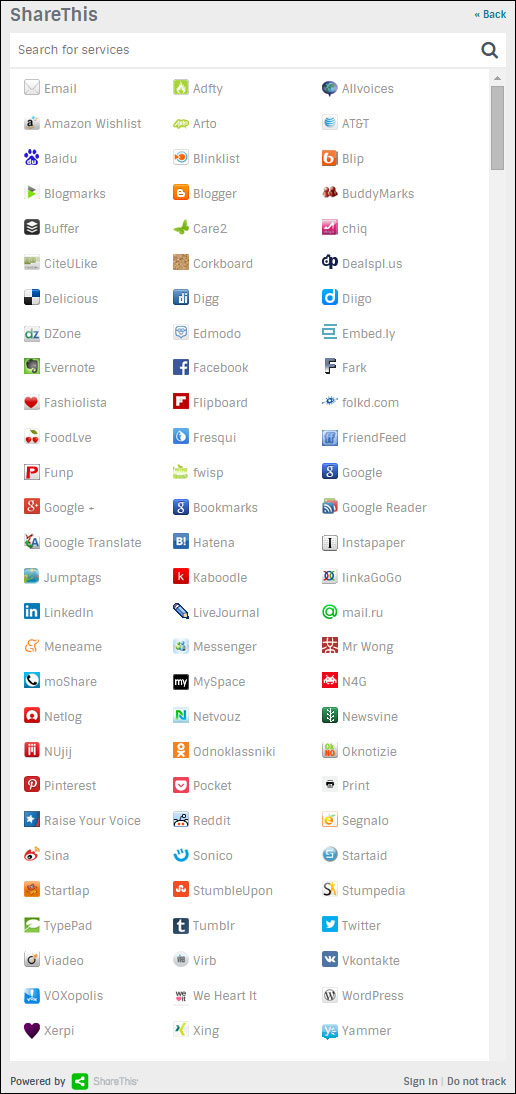
(You can post your content to many social bookmarking sites. Image: ShareThis.com)
Additional Solutions, Aggregators, Etc.
There are a number of emerging web platforms and content aggregators that can act as secondary-level traffic generation sources. Some are free or provide free accounts, and some offer a range of pricing plans to suit different user types.
For example, here is a content aggregator that allows you to add a feed from your WordPress site …
RebelMouse

(RebelMouse)
RebelMouse is a news aggregator for your RSS feeds and social profiles. Your content displays in a Pinterest-like format and visitors can follow your RebelMouse account.

There are various solutions that can be incorporated into your traffic system. Please contact us if you would like to explore some of these further and discuss a strategy to suit your needs.
After you have configured your server settings and set up accounts with third-party sites, it’s time to configure your site.
WordPress – Configuring Your Website For Traffic
The first step in configuring your WordPress site for traffic is to ensure that its global settings have been set up correctly.
Let’s go over some key areas.
Configuring WordPress Settings
By default, WordPress includes a Settings section that allows you to set up your site’s main settings …
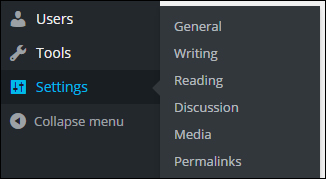
(WordPress admin menu – Settings)
General Settings
Fields like Site Title and Tagline can affect your site’s SEO, search indexing, etc …
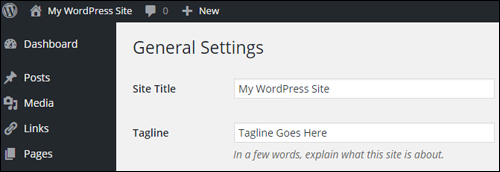
(Settings Menu – General Settings)
Writing Settings
The Writing Settings area contains an important and frequently overlooked traffic notification system …
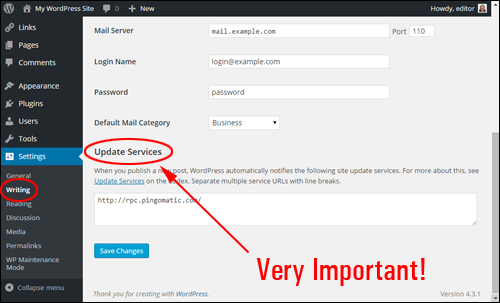
(Settings Menu – Writing Settings Screen)
As described in the Update Services section,
When you publish a new post, WordPress automatically notifies the following site update services …
Unless you have specifically configured your site settings to discourage search engines from indexing your site – see next section, then your site will automatically ping the list of services entered into the Update Services field
By default, this section contains only one entry …
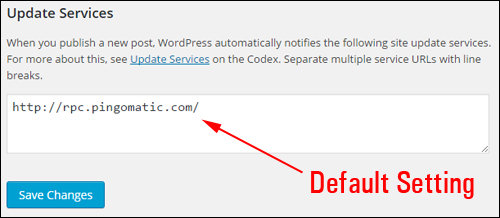
(Update Services – A Powerful Traffic Feature Of WordPress)
You can notify dozens of update services automatically with WordPress – just add a list of update services to this section and WordPress will do the rest …
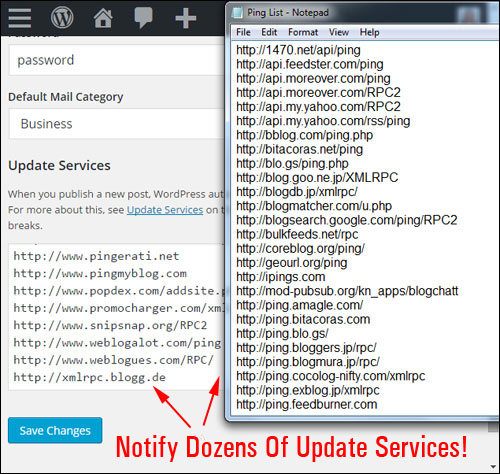
(WordPress lets you notify dozens of update services automatically!)

Download A Comprehensive List Of Ping Services For Your WordPress Site!
Click the link below to download a comprehensive list of reliable and authoritative ping services for your WordPress site or blog:
Download A List Of Ping Services For Your WordPress Site
***
Note: If you need help setting up the list of ping services on your site, we recommend using a professional web services provider. You can find professional WordPress service providers in our WordPress Services Directory.
Reading
This section affects how visitors will see your content when they visit your home page and blog pages.
The syndication settings on this page can have an influence traffic. For example, choosing to display the full content vs summaries of your post, affects how your content displays in RSS feeds and blog post digests, and could impact someone’s choice to explore your site further, and whether or not they will visit your website or blog to read the rest of the content from excerpts, or read the content in full without the need to click through to your site.
The most important setting here as far as traffic is concerned is whether the Search Engine Visibility check box is ticked or not.
Typically, you want search engines to visit your site. Leaving this box unchecked allows WordPress to notify your list of update services when new posts get published (see Writing Settings above). Unless there is a specific reason to discourage search indexing spiders from visiting your site, do not check this box …
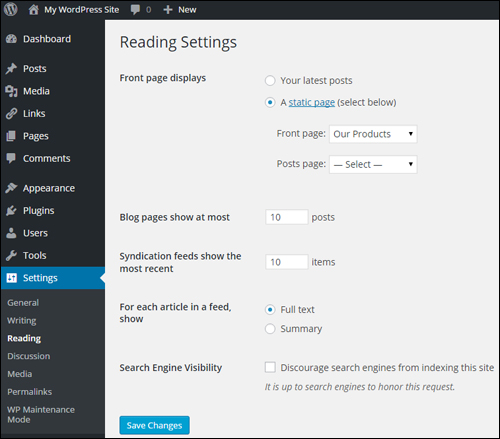
(Global Settings – Reading Settings)
Discussion Settings
Although discussion settings are mostly concerned with how users engage with content on your site, you have the option to allow notifications to sites linked to from your posts, and to allow link notifications from other blogs (pingbacks and trackbacks). This can work for you, but it can also drive bad traffic in the form of SPAM comments …
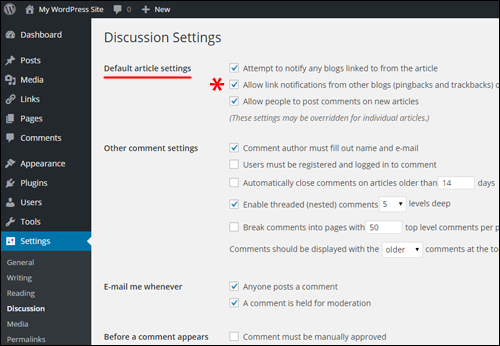
(Settings Menu – Discussion Settings)
Permalink Settings
Permalinks allow you to create search engine-friendly URLs …
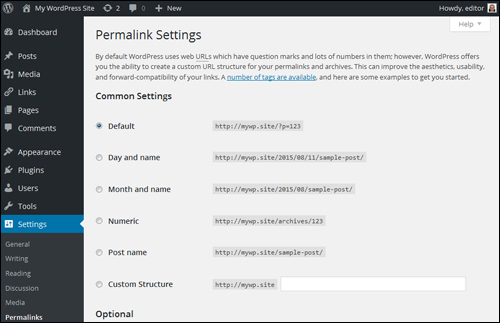
(Settings Menu – Permalink Settings Screen)
Here are some of the ways permalinks can be configured …
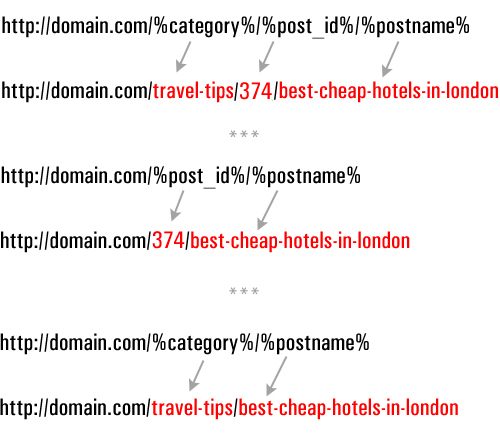
(Configuring post permalinks)
If you need help setting up permalinks in WordPress, go here: How To Improve Your WordPress SEO With SEO-Friendly URLs
Plugin Settings
The WordPress developer community makes available plugins that can add almost every kind of functionality to your site, including plugins that add traffic generation capabilities.
Here are some types of plugin categories that affect traffic and plugin examples
Blog Defender
Once again, it’s important to configure your site for dealing with the effects of both good traffic and bad traffic. No site is completely safe from cyber attacks.
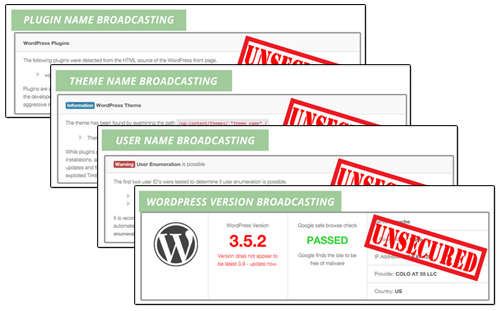 (Security Plugins help prevent bad traffic from harming your web presence)
Security plugins like Blog Defender help to make your blog invisible to botnet and hacker attacks.
Go here for more information:
SEO Plugins – Yoast SEO
WordPress SEO plugins help drive traffic by improving improving how search engines like Google find, classify and index your website …

(WordPress SEO plugins help drive traffic by improving the search engine friendliness of your website)
A plugin like Yoast SEO (previously known as WordPress SEO by Yoast) can improve your SEO. Properly configured, this plugin not only makes your website easier for search engines like Google to find, classify and index, it also lets you specify how to display your content in Google’s search results and social media sites Facebook, Twitter, and Google+.
Social Sharing Plugins
Allowing visitors to share your content online can help drive more traffic to your site, especially if your site provides great content that adds real value to readers.
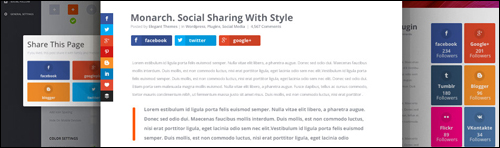
(WordPress users can easily add social sharing to their site with free or inexpensive WordPress plugins)
There are loads of social sharing plugins to choose from.
Most social sharing plugins let you specify which social sites visitors can share your content to, embed social buttons into your content, set up custom post messages, display/hide share counters (e.g. number of followers), etc. Some social plugins even allow you to set up protected content areas on your site which users can unlock by liking your page.
Configuring WordPress Theme Settings For Traffic Generation
As well as configuring various plugins, many WordPress themes also include features that can help improve your site’s traffic generation capabilities.
For example, in addition to options and settings for configuring the design and layout of your website, many themes also include built-in features that let you improve search optimization and site linking structure for better indexing, easily add tracking code, social sharing buttons, etc …
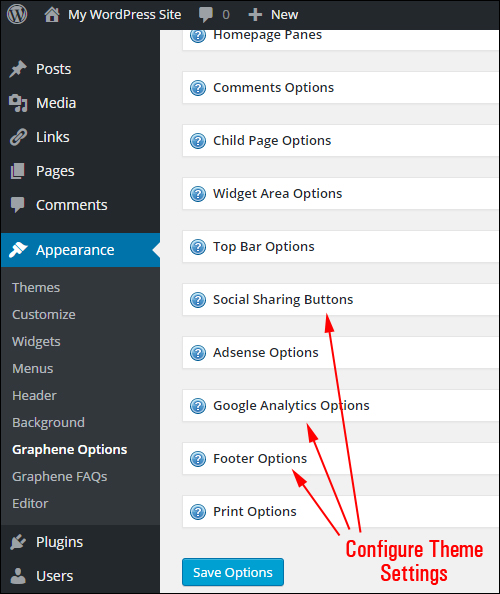
(Many WordPress themes allow you to configure settings for improved traffic results)
With many WordPress themes, adding social sharing buttons to your site is as easy as selecting the option to enable this functions …

(Many WordPress themes have built-in social sharing features that can be easily turned on with the click of a button)
WordPress Traffic Configuration – Additional Features
Last but not least in the web traffic configuration process, are the things that need to be configured outside of the global settings.
These include the following:
Legal Web Pages
Once again, when preparing your website for a growth in traffic numbers, it’s important to plan not only how to handle bad and good traffic but also for all the situations that can cause serious damage to your business when more and more people begin to visit your website.
If you engage in any form of business online, it’s important that your site is compliant with legal requirements of government agencies that regulate business online.
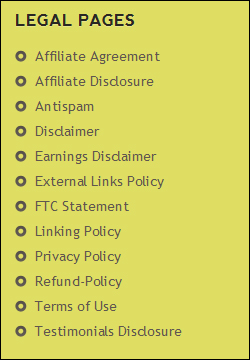 (Is Your Website Compliant?)
If you need help adding compliance pages to WordPress, go here:
WordPress Categories And Tags
Tags & post categories help search engines index your pages, which improves traffic.
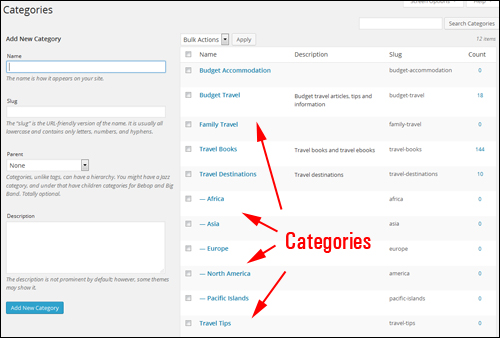
(WordPress categories help search engines better organize and index your website, which improves traffic.)
As we strongly recommend in this article, your site’s post tags and post categories should be discussed and set up during the Website Planning Process.
In the configuration phase, you will want to review and make sure that your site’s post categories and tags have been correctly set up to deliver optimal benefits and results.
Add A Site Map
A site map that displays all of your site’s pages and posts to visitors is not only a useful navigation tool for users, it can also help external applications discover your online content …
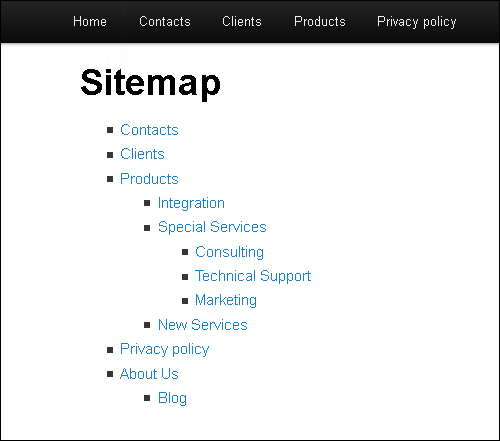
(A site map is not just great for visitors, but for traffic too!)

It’s important to note that an HTML site map and an XML sitemap are different things. Although search engines like Google can index your site just from an XML sitemap (which plugins like Yoast SEO will create for you – see earlier section), allowing visitors to find more pages on your site results in increased traffic.
Your Site’s 404 Error Page
When visitors searching online for your website type in the wrong web address into their browser or click on a link pointing to an incorrect destination on your website, they are greeted with a 404 error page …
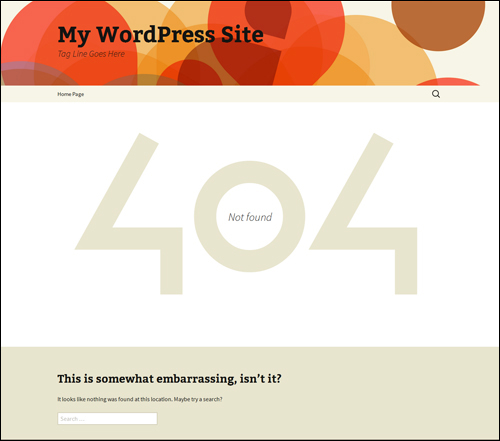
(Default WordPress 404 Error Page)
Configuring your 404 page allows you to redirect traffic that may otherwise be lost. …
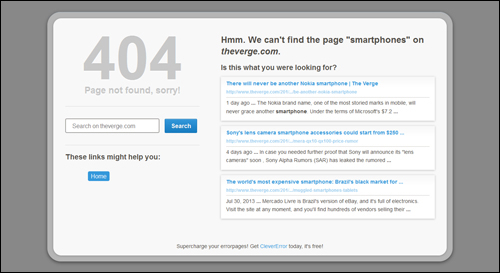
(Configuring your 404 Error Page allows you to redirect traffic that may otherwise be lost.)
Although a 404 error page can be set up in your web server, there are plugins for WordPress that let you easily configure your 404 page inside your WordPress dashboard.
WordPress Traffic System: Configuration Phase – Summary
Once your website has been fully set up and expertly configured, all you have to do then to begin attracting more web traffic is publish content on a consistent basis.
The process of expertly configuring your WordPress site, however, can be quite involved and requires the configuration and integration of a number of different components and web properties …
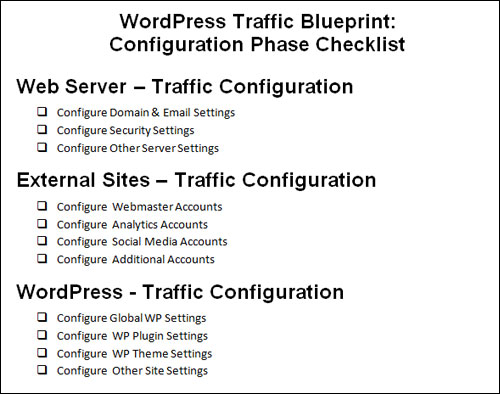
(WP Traffic Blueprint – Configuration Phase Checklist)
The kind of skills and knowledge required to perform this process can take many website developers a long time to acquire.
Once you have expertly configured your WordPress site, the next step is to automate the process. This step is explained in the next section of our WordPress Traffic Blueprint series.
This is the end of Part 3
To keep reading, click on the link below:

This tutorial is part of a comprehensive article series aimed at helping you learn how to grow your business online and drive traffic sustainably using a WordPress-powered website or blog and proven online marketing methods.
Want To Get Notified When New Tutorials Are Published? Then Subscribe Using The Form Below!
***
"If you're new to WordPress, this can stand on its own as a training course and will stay with you as you progress from beginner to advanced and even guru status." - Bruce (Columbus, Ohio)
***