 In Part 1 of this step-by-step article on ways to grow your health or medical business online, we covered the following topics:
- Online Challenges For Medical & Health Businesses
- Online Opportunities For Medical And Health Services Practitioners
- Ways To Improve Your Website Pages
- Improving Your Content
In Parts Two & Three, we explore more ways to grow your health or medical business online.
Areas covered include:
- Improving Web Traffic
- Generate Leads & Enquiries With WordPress-Based Tools
- WordPress Plugins And Themes For Improving SEO, Increasing User Engagement And Driving More Web Traffic

To learn more about WordPress plugins and themes, see these articles:
- Using WordPress Plugins – The Easy Way To Extend Your Site’s Functionality
- WordPress For Newbies – An Introduction To WordPress Themes
Note: Plugins are listed in this section. Medical and health-related themes are listed in Part Three.
Improve Traffic Using WordPress
Web traffic is vital to your online business growth. This section explores ways to improve search engine optimization, increase user engagement and increase web traffic generation with WordPress plugins and themes.
Optimize Your Site For Search Engines (SEO) Using WordPress
There are many ways that WordPress helps optimize your medical-related website for search engines:
- SEO-Friendly – Set the permalinks to use the title of the post.
- Post Tags – WordPress lets you select the keywords that you want search engines to index your article pages for.
- Post Categories – Add categories for your posts and products.
- Post Excerpts – Create the description for your posts that search engines will show in their search result pages.
- Images – add search-optimized titles to your images for better search engine results.
- Internal Content Linking – WordPress has a built-in feature that lets you easily create internal links
- Pinging – Set up your site to automatically notify other search directories whenever a new post is published on your website.
WordPress Plugins That Can Improve Search Engine Optimization (SEO), Improve User Engagement And Increase Traffic Generation
As well as the built-in features of WordPress, the WordPress community makes available a number of plugins that will improve your health-related website’s SEO, increase user engagement and drive more visitors to your business.
For example, here are some plugins you can use to improve your SEO:
- Yoast SEO – WordPress SEO plugin
- Google XML Sitemaps – WordPress sitemap plugin
- WP Tree – WordPress site map plugin (for visitors)

(A plugin like Yoast SEO (previously called WordPress SEO by Yoast) can improve your website’s search engine optimization)
Other ways to improve your medical or health site’s SEO, increase user engagement and drive more traffic to your website are to add a forum, newsletters, commenting, and social sharing features. Here are some plugins that can help:
- BuddyPress – Run your own social network on your website, with member profiles, messaging, user groups, activity streams, and more.
- bbPress – Use the bbPress plugin to set up and run your own community forum on your WordPress site.
- E-Newsletter – E-Newsletter lets you send email newsletters, track results and manage subscribers from your WordPress site.
- Disqus – use this plugin to power discussions and increases user engagement on your website or blog.
- Monarch – Use this plugin to add social buttons and features that allow visitors to share your content online to your site.

(You can add social sharing to your website easily using free or inexpensive plugins)
Generating New Leads & Enquiries Using WordPress-Based Tools
Let’s discuss now ways to improve your sales and generate leads and enquiries online.
Providing A Newsletter
Providing an email newsletter is an excellent way to build a list of subscribers. It provides a number of benefits and advantages including:
- Drives targeted traffic
- Keeps your business at the forefront of your reader’s minds
- Provides updates that can save businesses time and money
- Provides you with a targeted marketing channel
- Allows you to provide special products or services to a select audience
- Provides new opportunities for increasing interaction
- Provides you with another way for your content to be shared around with other prospective clients
An effective way to entice visitors to become subscribers is to provide high value content and offer users a free gift in exchange for their personal details. This can be a guide, tips for improving health, fitness and well-being, access to fitness tools, free trials, access to subscriber-only content, contests, etc.
Add A Contact Form
A contact form makes it easy and simple for readers to get in touch with you. Readers can report problems, ask questions to specific departments, request quotes, send suggestions and more.
Contact forms provide many benefits including:
- Reduces spam
- Set up automated responses
- Giving you control over what gets sent to you
- You can keep your email address private
- Contact forms can be added to any page or post
- Looks professional
- Convenient for users
A popular WordPress contact form plugin is Contact Form 7.
Contact Form 7

(Contact Form 7)
Contact form 7 is a free plugin that allows you to create multiple contact forms into any page on your site, customize the forms and the mail contents, add fields, and more.
International languages, Ajax-powered submitting, CAPTCHA, and Akismet spam filtering is also supported.
Something to consider if you are setting up a website for a medical center is to add sections to your contact form so prospective clients can select which practitioner they want to contact. This will make sure that visitors get their message to the correct department.
Map
Maps help your visitors and clients find you.
Adding maps, such as Google Maps to your site also provides many benefits, such as:
- They help to increase local SEO
- Allows customers to better plan their meeting and appointments
- Shows location of events
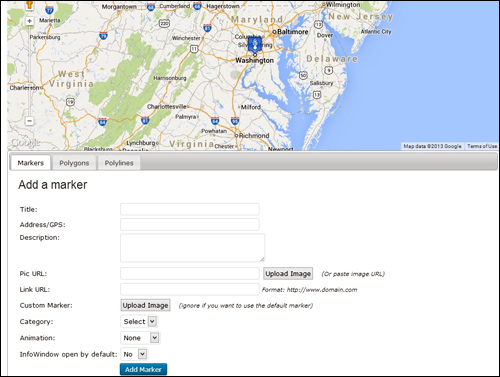
(A map helps your visitors and customers find you)
Below are some of the more popular plugins that let you embed, customize and display maps on your site:
- Google Maps
- Advanced Google Maps Plugin for WordPress
- WP Google Maps
- Comprehensive Google Map Plugin
Improve Search Engine Optimization, Increase User Engagement And Increase Web Traffic Generation Using Plugins
Medical – WordPress Plugins
WordPress lets you add a number of plugins to your health-related site that will immediately make available a range of functional tools for your site visitors. Here are some of these:
Booking Calendar
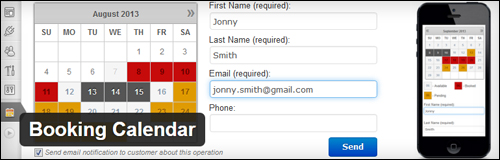
(Booking Calendar Plugin For WordPress)
The Booking Calendar plugin allows you to add online booking services to your site. Booking Calendar has an intuitive and user-friendly interface and flexible functionality. It is suitable for a wide range medical, fitness and sports businesses, such as medical practitioners, specialists, health spas, booking yoga classes, etc.
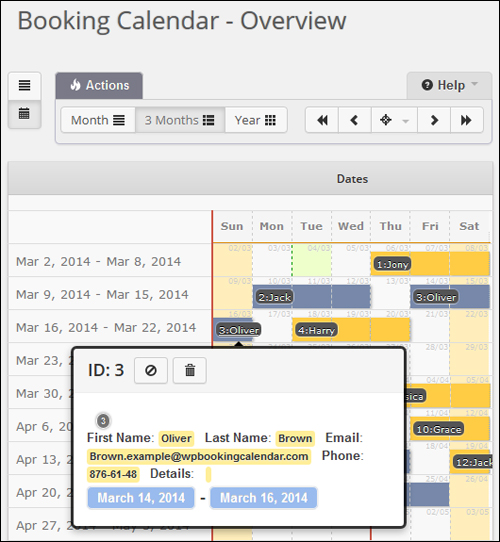
(Booking Calendar Plugin For WordPress – Overview)
This booking reservations plugin works out of the box. Your website visitors can check the availability of services you offer and make a booking quickly and easily. Site administrators and visitors receive email notifications. The plugin also lets you add a calendar or booking form to your site’s sidebar, and supports multiple languages. A premium version is also available and includes additional features and functionalities.
For more details, go here}:
Event Espresso – WordPress Event Registration & Ticket Management Plugin
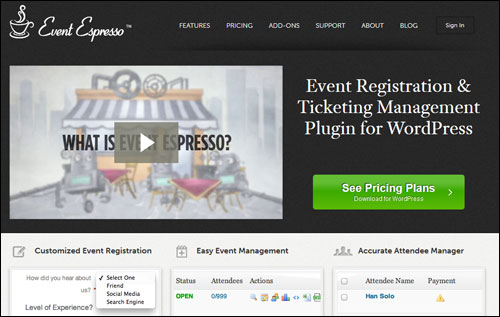
(Manage Your Events Automatically With Event Espresso WordPress Plugin)
If your business involves running health events like seminars or workshops, then you need a plugin like Event Espresso.
The Event Espresso online event registration software enables you to easily schedule multiple events and begin receiving bookings in a few minutes

(Event Espresso – WordPress Event Manager And Ticket Registration Software)
Event Espresso is a feature-packed application that gives you full control over your event registration management process.
We have written a comprehensive article about Event Espresso. Go here to learn more:
Calculator Pro Calculators

(Calculator Pro Calculators)
This is a free collection of over 400 calculators. You can embed them into your posts, pages, or sidebars using shortcodes. It supports internationalization
Note: Most of the calculators aren’t designed for health-related uses, but there are several you can add to your site, including the following:
- Body Statistics – e.g. ANC Calculator, FENa Calculator, GFR (Glomerular Filtration Rate) Calculator, Ponderal Index Calculator, US Navy Body Fat Calculator, etc.
- Calorie – e.g. Calorie to kJ Calculator, kJ to Calorie Calculator, Calories Burned Calculator, etc.
- Fitness Tests – e.g. BAI (Body Adiposity Index) Calculator, Bruce Treadmill Test Calculator, etc.
- Miscellaneous – e.g. One Rep Max Weight Lifting Calculator, Cigarette Savings Calculator, Pregnancy Calculator, Target Heart Rate Calculator, etc.
- Nutrition – e.g. BMR Calorie Calculator, Water Intake Calculator, etc.
- Weight – e.g. BMI Calculator, Weight Loss Calculator, etc.
For more details, go here}:
Calculated Fields Form

(Calculated Fields Form Plugin)
This plugin is great for creating forms with dynamically calculated fields to display the calculated values, such as:
- Health & Fitness Calculators
- Ideal Weight Calculator
- Pregnancy Calculator
- Calorie Calculator
- And more
The plugin is also available in a premium version with additional features.
For more details, go here}:
Weight Loss Tracker
(Weight Loss Tracker – WordPress Plugin)
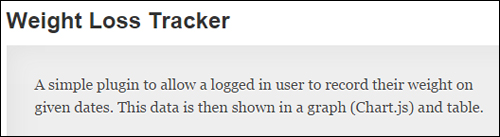
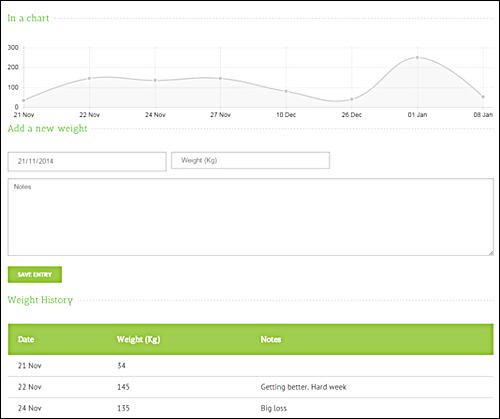
Weight Loss Tracker is a simple plugin for WordPress that lets logged-in users record their weight on given dates. The data is then displayed in a graph and table.
(Weight Loss Tracker – WordPress Plugin – Graph)
The plugin allows users to insert target weights and provides support for the following weight formats: Metric (Kg), Imperial – Stones & Pounds, Imperial – Pounds only.
For more details, go here}:
Simple BMI Calculator Widget
(Simple Body Mass Index Calculator)
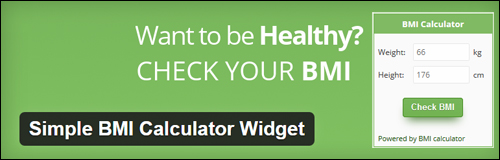
Simple BMI Calculator is a simple plugin that installs a widget on your sidebar that can be configured and customized to match your theme.
As well as Simple Body Mass Index Calculator, there are additional WordPress plugins you can check out that perform similar functions:
- BMI BMR Calculator – A Body Mass Index and BMR calculator that saves calculation data for logged-in users and gives an overview to the trainer (administrator).
- BMI / IMC Calculator – A simple calculator to show users their BMI
- Calotor Calorie Counter – Lets visitors figure out their basal metabolic rate, based on age, sex and weight.
- And lots more
For more details, go here}:
Drug Interaction Data Plugin

(Drug Interaction Data Plugin)
Drug Interaction Data can be used to display information about drugs, including what the drug is used to treat and what other medications the drug is known to interact with.

(Drug Interaction Data Plugin – Results)
Drug information can be displayed on your site. The plugin loads the drug and pharmaceutical data from the U.S. National Library of Medicine and the U.S. National Institutes of Health.
For more details, go here}:
PubMed Posts

(PubMed Posts Plugin)
PubMed Posts adds a dashboard widget that creates posts from PubMed articles, plus a search widget that finds posts with specific data. A content editor is also included.
PubMed comprises more than 25 million citations for biomedical literature from MEDLINE, life science journals, and online books.
For more details, go here}:
MJM Clinic

(MJM Clinic WordPress Plugin)
MJM Clinic was designed for medical and health care related websites. You can add service pages with booking forms, multiple service locations, provide information to site visitors on symptoms and health conditions, create case studies, link indication tags to services and conditions, etc.
For more details, go here}:
Treato WordPress Plugin

(Treato WP Plugin)
Treato lets you embed the Treato healthcare search engine into your WordPress sidebar so your site visitors can search drugs and read what patients are saying about different drugs.
Treato gathers and analyzes experiences sourced directly from patients from forums and blog posts, then aggregates the content to generate useful insights about users’ medications, diseases and symptoms. Users receive valuable insight about the side effects of 26,600+ medications, drug comparisons across 14,500+ medical conditions, which drugs people feel work, and more, from over 2 billion collected posts.
For more details, go here}:
HealthTap

(HealthTap – WordPress Plugin)
HealthTap Concierge allows visitors to consult with doctors who specialize in a given health topic via HD video or text chat from any mobile device, computer, or smartwatch.
With the plugin installed, users can type in a health question and receive a list of doctors in their geographic area who specialize in that particular topic. They can then choose a doctor, connect in real time over video or text chat, or send the doctor a question and get answers with the service, which has a database of over 70,000 doctors.
For more details, go here}:
TrendMD

(TrendMD Plugin For WordPress)
TrendMD will add the TrendMD recommendations widget to your WordPress site. The TrendMD recommendations widget is used by scholarly publishers to increase their readership and revenue by allowing people to discover, cite or read interesting scholarly content from your journals or websites through personalized recommendations.
For more details, go here}:
WP Nutrition Facts
(WP Nutrition Facts Plugin)
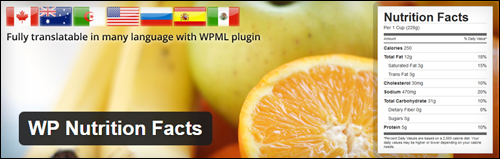
WP Nutrition Facts lets you insert a nutrition facts table into your posts and pages, allowing your site visitors to learn about the nutrient content of food in a standardized format.
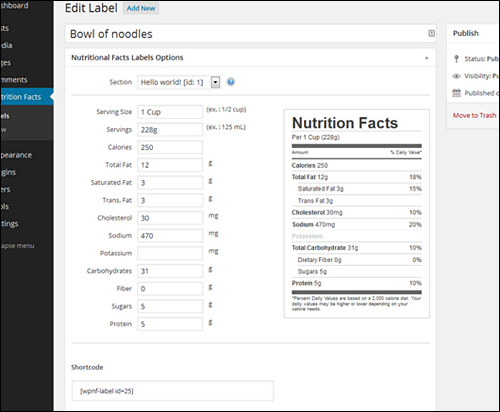
(WP Nutrition Facts Plugin For WordPress – Creating Labels)
This plugin uses the Canadian Food Inspection (CFIA) nutrition labelling regulations.
For more details, go here}:
WP Ultimate Recipe
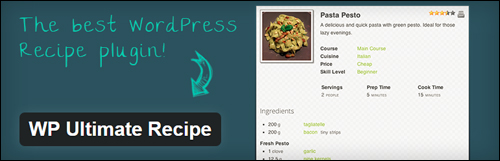
(WP Ultimate Recipe)
If you run a health or fitness business that provides dietary or healthy eating suggestions, a great way to add content that will engage your readers is to publish great recipes.
Plugins like WP Ultimate Recipe let you publish delicious and healthy on your site.
Other WordPress recipe plugins include:
- Recipe Card – Create recipes that your site visitors can print, save and review.
- EasyRecipe – EasyRecipe lets you easily publish recipes on your site with features like cut & paste, auto conversion of your plain text recipe posts, live custom formatting, Google Recipe View formatting, automatic ratings and conversion from other recipe plugins.
- ZipList Recipes – You can easily format recipe text and add images. Includes additional SEO and Google Recipe View formatting features.
- And many more.
For more details, go here}:
Awesome Fitness Testimonials

(Awesome Fitness Testimonials)
Awesome Fitness Testimonials allows you to display fitness and wellness testimonials, reviews and case studies on your health & fitness-related sites.
For more details, go here}:
Exercise Images by Everkinetic

(Exercise Images by Everkinetic Plugin)
Exercise Images lets you display a database of exercise drawings on your site.
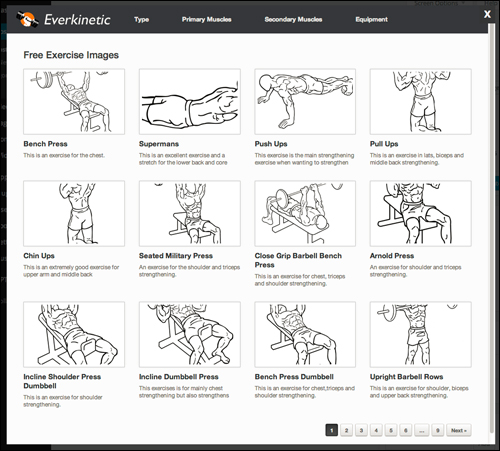
(Exercise Images – Database)
For more details, go here}:
In part three, we will be discussing medical themes.

***
This is the end of section two of this article on ways to build your medical web presence.
Click on this link to view the rest of this article:
***
***
"If you're new to WordPress, this can stand on its own as a training course and will stay with you as you progress from beginner to advanced and even guru status." - Bruce (Columbus, Ohio)