
Welcome to Part Three of our WordPress Web Site Traffic Blueprint article series, where we show you how to automate traffic to your site using WordPress.
In Part 1 of this article series, we provided an overview of the process, and explained why using an expertly configured WordPress site is the key to generating automated web traffic …
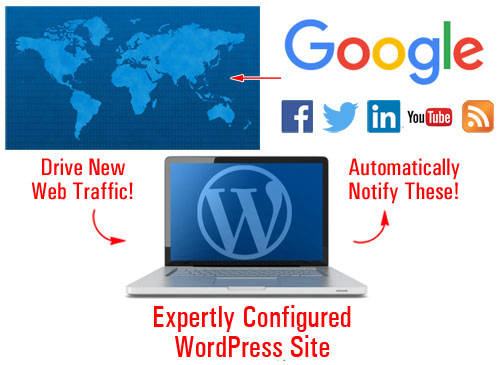
(With an expertly configured WordPress blog, all you have to do is publish new content consistently to automatically generate traffic!)
In Part Two, we discussed the setup phase of the traffic automation process. We explained the best way to start if you don’t have a web presence yet, how to set things up if you already have a website, and what to do if your site was built using WordPress.
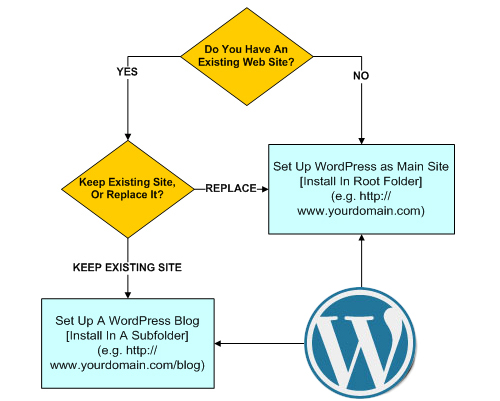
(In Part two we show you how to set up a WordPress website on your domain)
In this section, we will discuss the configuration phase of the WordPress traffic automation system. We will help you understand what makes an expertly configured WordPress site different than a professionally configured site, and how much work is required to make sure that when everything is set up and fully configured, you can automatically begin driving new traffic whenever you add new content to your web site.
WordPress Traffic Blueprint – Configuration Phase
Being able to attract more visitors to one’s website is often cited by many website owners as one of their greatest challenges online. With business becoming increasingly more competitive on a global scale, it’s worth looking into any and every opportunity you can to improve your results and performance online.
The ability to generate traffic on demand is a huge advantage over other competitors. Having an expertly configured website gives you a flying start from the moment your site is launched.
Configuration Is The Difference
There is a significant difference between an expertly configured WordPress site and a website that has been professionally installed and set up by a web-building expert but not necessarily configured to take advantage of everything WordPress can offer you.
Here’s one way to understand the main difference:
With a WordPress website that has been expertly configured you get a web presence and online business marketing automation!
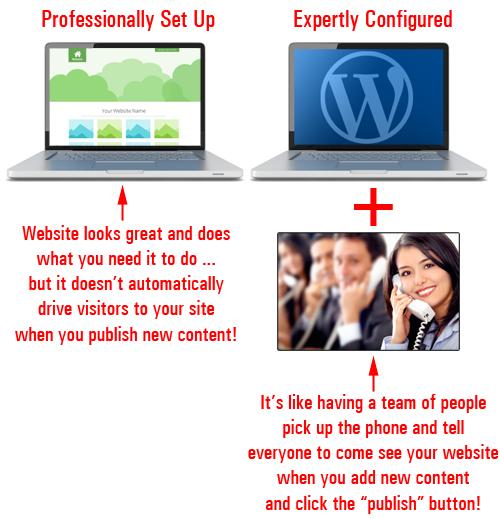
(An expertly configured site gives you a web presence and an automated online business marketing tool!)
Not only are more steps required to build and integrate an automated online business marketing system into your website, it also takes a special kind of expertise.
Let’s illustrate this with an anecdote.
Are Experts Worth The Money They Charge?
Everything is going fine in the gizmo-making factory when all of a sudden, the machines grinds to a halt.
As no one can figure out what’s happened, the floor manager decides to call in an expert to try and fix the problem.
Promptly after arriving, the expert heads straight towards the main control box. After staring at the wiring board for no more than 2 minutes or so, the expert then produces a teeny-weeny little hammer from his pocket and makes a single tap near the left side of the control unit.
Immediately, the whole workshop lights up and springs to life again.
The manager is greatly relieved as he thanks the expert, who leaves as quickly as he had arrived.
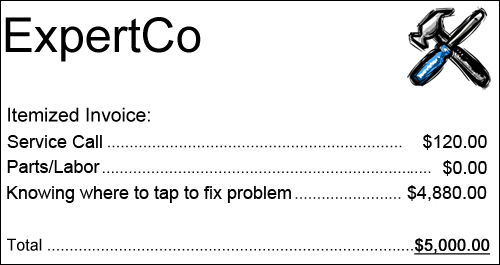
A couple of days later, the factory manager receives a request of payment for services for $5,000.
With great anger, the manager calls the expert. Demanding to know why the expert has charged them so much for so little time spent delivering a minimal amount of work, he promptly requests an itemized invoice to be sent and hangs up.
The next day, a bill of payment arrives in the manager’s intray. Upon opening it, this is what he sees:
The #1 challenge most businesses face online is driving traffic to their sites.
How much money did the widget plant stand to lose when the machines ground to a halt and no one in the business was able to fix it? Did the expert in our story not have the right to demand fair compensation for having invested years building up the knowledge and expertise that allowed him to assess and avert a serious crisis?
Similarly, if you could have a website or blog fully set up so all you had to do is publish content to it and Google, Facebook, Twitter, LinkedIn, YouTube and dozens of other online properties would be immediately notified, how much time and money would this save you?
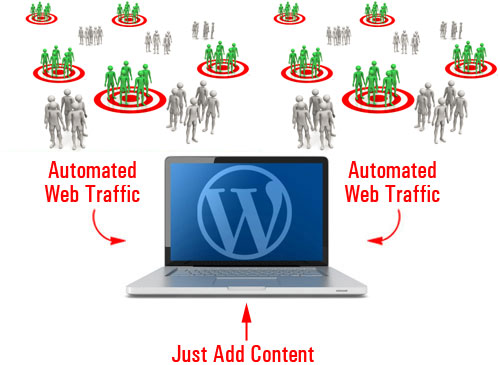
(How much time and money would you save if you could automate the process of driving traffic to your website?)
Although the solution to many challenges often seems ridiculously simple once implemented, it rarely turns out to be that way.
Knowing how to expertly configure a WordPress site involves more than simply installing a website and configuring settings for the client. It also involves knowing where to tap! In other words, knowing things like:
- Which plugins you need to install to add specific functionalities to your site.
- Which accounts need to be set up and activated to achieve certain results
- Which internal and external settings you need to configure in order to make sure everything functions as envisioned, etc.
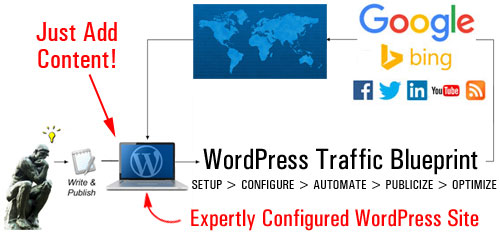
(Generating new traffic automatically with WordPress is a process that requires knowledge and expertise)
This stage of the WordPress traffic automation system is not so technically difficult, but it’s quite involved. It’s not as easy as installing a solution, clicking a button, or configuring some options and settings in your admin area … it’s all this and so much more.
Expertly configuring your website involves the integration of different parts including your web hosting server, your website or blog, and a number of third-party sites and services …
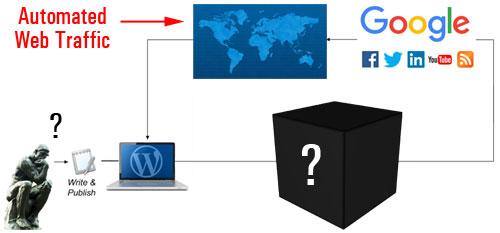
(The configuration stage involves more than just configuring some WordPress settings)
If we create a simple flowchart showing the steps involved in the configuration process, it would look something like this …
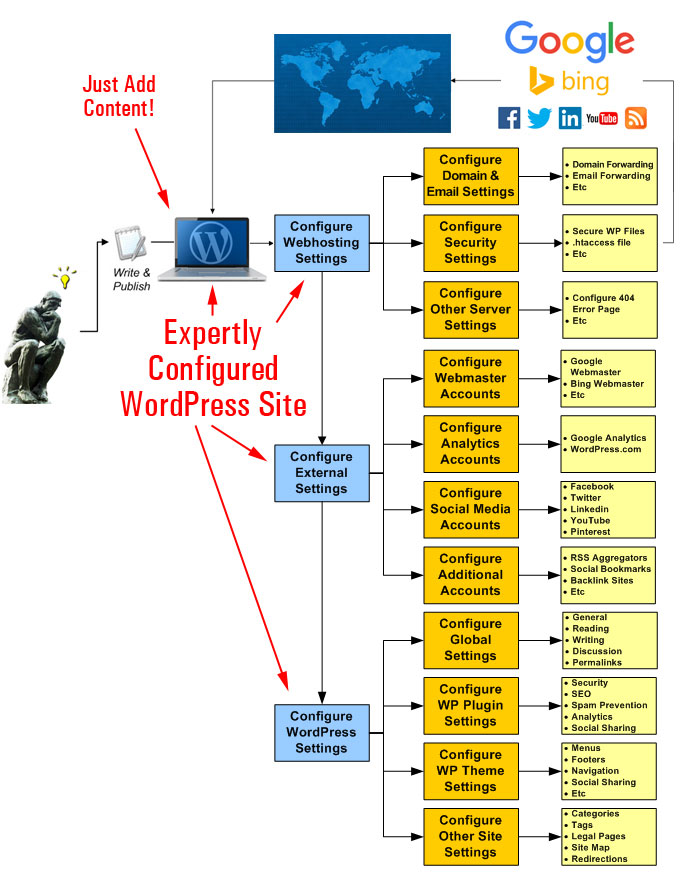
(A simplistic flowchart showing the activities involved in the configuration process)
Let’s examine these steps in more detail.
Configuring The Server
We’re not talking about the process of configuring your webhosting account for installation purposes (this should have been done during the Setup phase). We’re talking about configuring settings and options in your web hosting account that affect how your website will handle all web traffic …
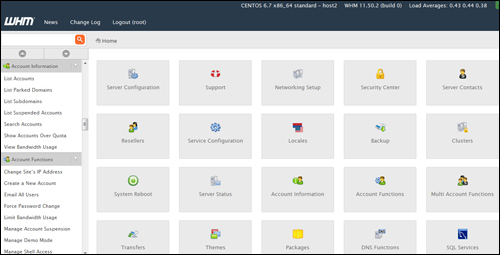
(In the configuration stage, your web-hosting account settings need to be fine-tuned for handling both good and bad traffic)
Not all traffic is beneficial traffic. Some of the traffic you will attract will be unwanted traffic like bot spam, security threats, brute-force bot attacks, etc.
This stage of the configuration process, therefore, is all about evaluating your needs, planning for both good and unwelcome traffic and adjusting settings in your server accordingly. This includes looking at things like integrating spam protection and preventing security threats, to configuring your domain and email forwarding, etc …
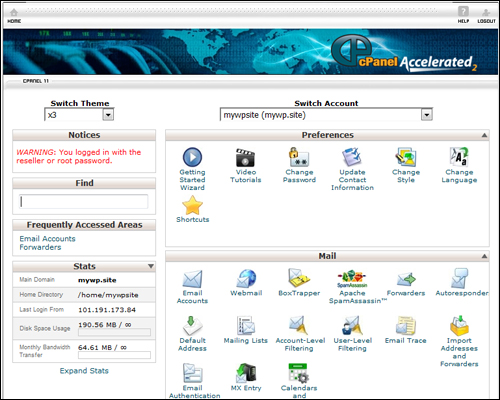
(Have you configured your hosting control panel settings for handling things like emails, page errors, etc?)
After checking your web server settings and configuring these (if required), the next step is to set up and configure a number of third-party sites and/or online solutions.
External Services
The purpose of setting up external sites is that all of your content is published to a central location (your WordPress site) and from there, it gets distributed automatically to other components of your web traffic generation system, or notify traffic-related web properties and applications.
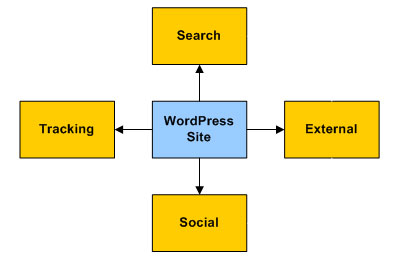
After incorporating these external platforms into your network, content pointing back to your website gets automatically added to these platforms. Your content and website will be exposed to a new audience and new sources of traffic.
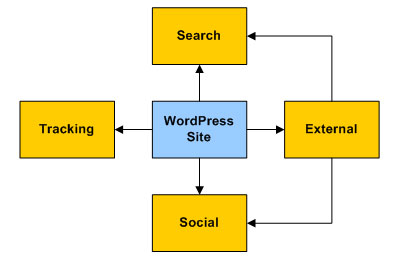
Some of the external sites will need to have accounts set up before configuring your site’s settings to help save time and some will need to be done later, during the automation phase.
For example, you will want to set up the following accounts before configuring your WordPress site:
Google Search Console
(Google Webmasters)
Google Search Console lets you notify Google about your site’s pages, submit XML sitemaps for automatic page indexing, and provides site owners with useful information, SEO tools, and reports about their website.
After setting up your account and entering site data, this information can be used with traffic-related settings and notifications in WordPress (e.g. using plugins like Yoast SEO – see further below) and other applications.
Google Analytics

(Google Analytics)
Google Analytics lets you improve your site’s results, SEO, marketing efforts, sales conversions, and more, by tracking all user behavior, pages visited, keywords searched for, social media referrers, etc.
After setting up your Once you have set up your Google Analytics account, you can add visitor tracking information to WordPress via a simple Google Analytics plugin and feed data instantly to other online applications.
Bing Webmaster Tools
(Bing Webmaster Tools)
Bing Webmaster Tools is similar to Google Search Console. After setting up your account and entering site details, use this information to integrate and automate traffic-related settings in WordPress using plugins like Yoast SEO and other applications.
WordPress.com
(WordPress.com)
As explained in Part Two, WordPress provides users with a self-hosted and a hosted option. We recommended choosing the self-hosted WordPress version if you plan to grow a professional business presence online.
WordPress.com (the hosted option), however, provides a number of useful tools, which can be accessed by a number of WordPress plugins. We recommend setting up an account with WordPress.com, therefore, and we’ll explain how to integrate these features into your automated web traffic system in Part 4 of this article series.
Social Media And Social Bookmarking

(Syndicate your content automatically to your social media sites and bring new traffic to your site)
You will need your various social media accounts set up before you can configure these as part of your traffic generation system.
Once you have set up and configured everything, you will be able to syndicate your content automatically to your social media pages and get new traffic to your site.
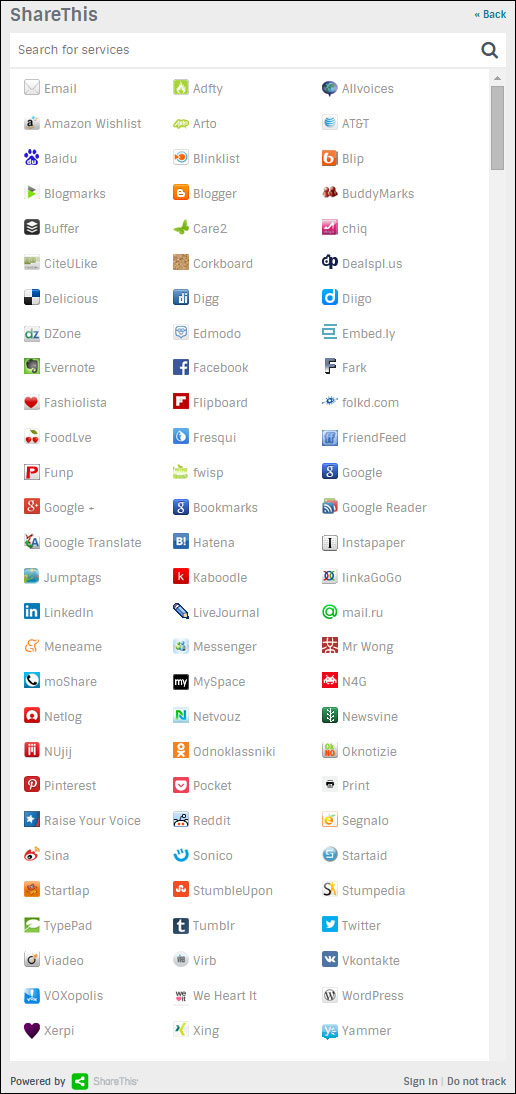
You should have profiles set up with all of the main social networks – Facebook, Twitter, YouTube, LinkedIn, Pinterest, etc.

There are lots of social sites you can set up. You don’t need to create accounts with all of them, just select the ones that will work with your setup and/or content syndication tools.
(There are many social sites you can syndicate your content to. Image source ShareThis.com)
Additional Sites, RSS Aggregators, Etc.
There are many new online web platforms and RSS aggregators that can act as secondary-level traffic generation sources. Some are free or provide free access levels, and some offer a range of pricing plans.
For example, here is a content aggregator that allows you to add an RSS feed from your website …
RebelMouse
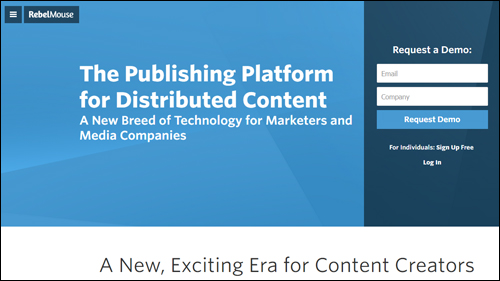
(RebelMouse – Publishing platform for distributed content)
RebelMouse is a news aggregator for your RSS feeds and social profiles. Your content is displayed in a Pinterest-like format and visitors can follow your own RebelMouse account.

There are many different solutions you can incorporate into your own traffic blueprint. Please contact us if you would like to explore this area further and discuss a strategy to suit your needs.
Once you have configured your server settings and set up accounts with third-party services, it’s time to configure your WordPress site.
WordPress – Configuring Your Website Or Blog
The first step in configuring your WordPress site for traffic is to make sure that its global settings have been set up correctly.
Let’s go over some of the important points.
WordPress Settings
By default, all WordPress installations include a Settings section that allows you to set up your site’s main settings …
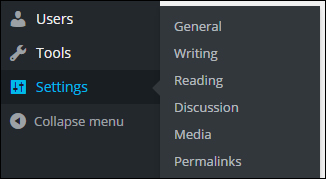
(WordPress menu – Settings)
General Settings
Sections like Site Title and Tagline can influence your site’s SEO, search results, etc …
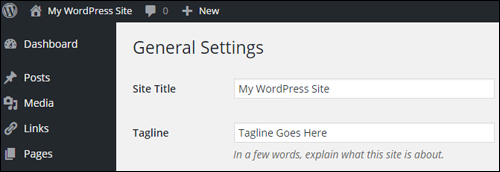
(Settings Menu – General Settings Section)
Writing
The Writing Settings area contains one of the most powerful and frequently overlooked automated traffic notification systems available to WordPress site owners …
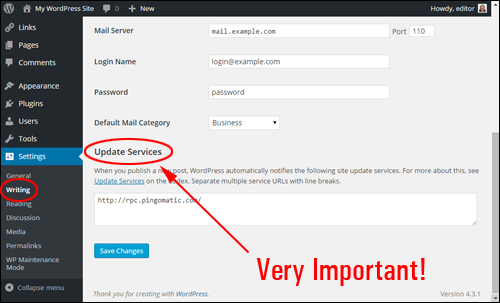
(Settings Menu – Writing Settings Screen)
As stated in the Update Services section,
When you publish a new post, WordPress automatically notifies the following site update services …
Unless you or your webmaster have purposely configured your settings to prevent search engines from indexing your site, then your site will automatically notify the services entered into the Update Services text area
With an ‘out of the box’ WordPress installation, only one service is available …
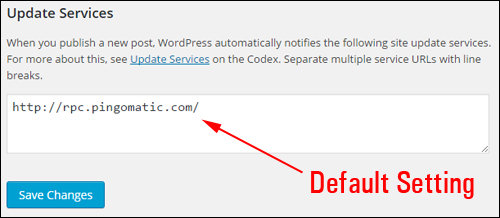
(Update Services – A Powerful Traffic Feature)
WordPress lets you notify dozens of update services automatically …
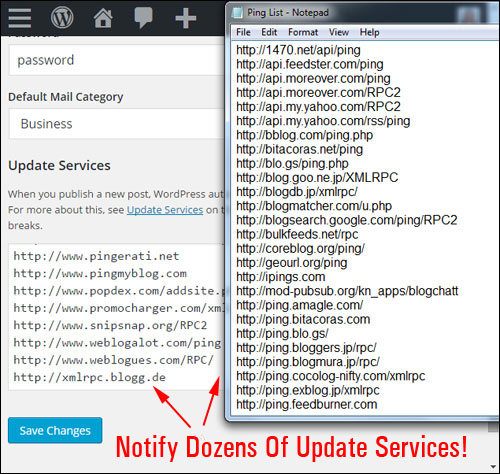
(You can notify dozens of update services automatically!)

Download A Comprehensive List Of Ping Services For Your WordPress Site!
Click the link below to download a comprehensive list of reliable and authoritative ping services for your WordPress site or blog:
Download A List Of Ping Services For Your WordPress Site
***
Note: If you need help setting up the list of ping services on your site, we recommend using a professional web services provider. You can find professional WordPress service providers in our WordPress Services Directory.
Reading
This section affects how visitors will see your content when they visit your home page and blog pages.
The syndication settings in this section can have an influence web traffic. For example, your choice to display the full text vs summaries of your post, affects how your content displays to users in RSS readers and blog post digests, and could play a part in someone’s choice to explore your site further, and whether or not they will visit your website or blog to view the rest of the content from excerpts, or read the content in full without the need to click through to your site.
The most important setting here as far as traffic is concerned is whether the Search Engine Visibility checkbox is ticked or not.
Normally, you want to encourage search engines to visit your site. Leaving this box unchecked allows your site to instantly notify the update services list whenever a new post gets published (see Writing Settings above). Unless you have a specific reason why search engines should not visit your site, do not check this box …
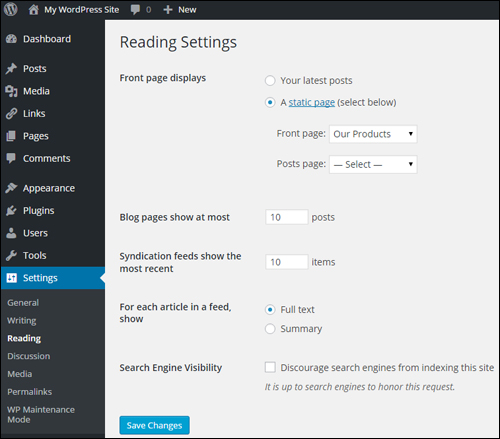
(Global Settings – Reading Settings Section)
Discussion
Although this section is mostly concerned with how users engage with content on your site, you have the option to allow notifications to sites linked to from your posts, and to allow link notifications from other blogs (pingbacks and trackbacks). This can work for you, but it can also drive bad traffic in the form of SPAM comments …
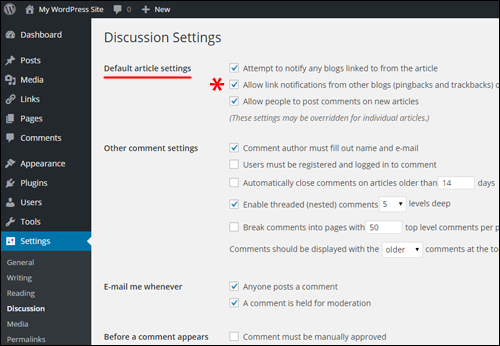
(Global Settings – Discussion Settings)
Permalinks
Permalinks allow you to publish posts with SEO-friendly URLs …
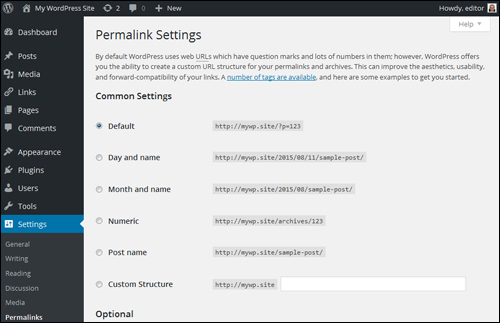
(Global Settings – Permalinks)
The examples below show some of the ways post permalinks can be configured …
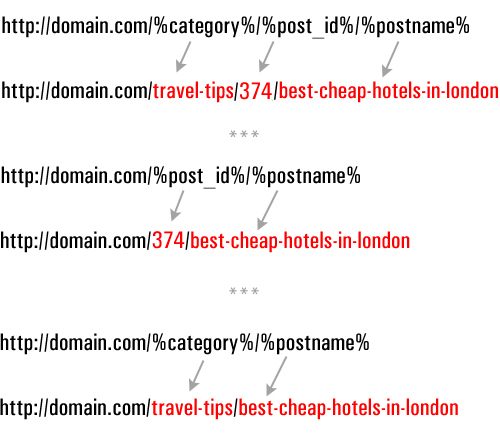
(Configuring search-friendly URLS)
We have created a detailed tutorial on using permalinks in WordPress here: How To Change Your WordPress Permalinks
Plugin Settings
The WordPress developer community makes available thousands of plugins that help to add just about every type of functionality to your website, including plugins that add traffic generation capabilities.
Let’s take a brief look at examples of plugin categories and plugins that can improve traffic generation
Blog Defender
Once again, it’s important to configure your WordPress site for handling both good traffic and bad traffic. No matter what kind of business you run or plan to run online and how small you think your web presence is, web security is something you simply cannot afford to ignore.
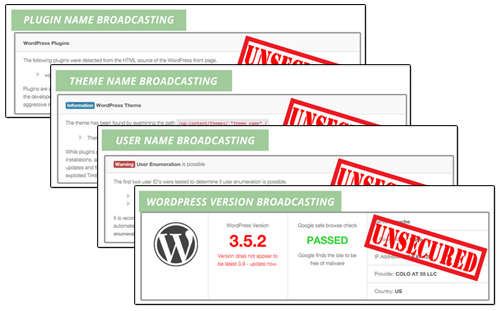 (WordPress Security Plugins help prevent bad traffic from causing your website harm)
Security plugins like Blog Defender help to make your website invisible to attacks from hackers and bots.
Go here for more info:
WordPress SEO Plugins – Yoast SEO
SEO plugins help drive more traffic by making your web content easily indexable …
(Yoast SEO – WordPress SEO Plugin)
A plugin like Yoast SEO can improve your site’s SEO. When properly configured, the Yoast SEO plugin not only makes your web pages easier for search engines to index, it also gives you control over how your content is presented in Google’s search results and social media sites Twitter, Facebook, and GooglePlus.
Social Plugins
Allowing visitors to share your content with members of their own online communities can help to increase traffic to your site, especially if your site provides great content that adds value to readers.
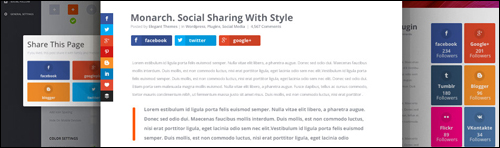
(WordPress users can easily add social features to their website using free or inexpensive WordPress plugins)
WordPress users can easily add social sharing features to their site using free or inexpensive plugins.
Many social plugins allow you to choose which social sites your content can be shared to, embed social buttons into your content, set up default post messages, display/hide share counters (e.g. number of likes), etc. Some social sharing plugins even allow you to ‘lock’ content or downloads which users can unlock by sharing your page.
Theme Settings
As well as configuring various plugins, many WordPress themes also include features that help improve your site’s traffic generation capabilities.
For example, as well as options and settings for configuring the design and layout of your website, some themes also include built-in options for improving search optimization and site navigation structure for better indexing, add tracking, social sharing buttons, etc …
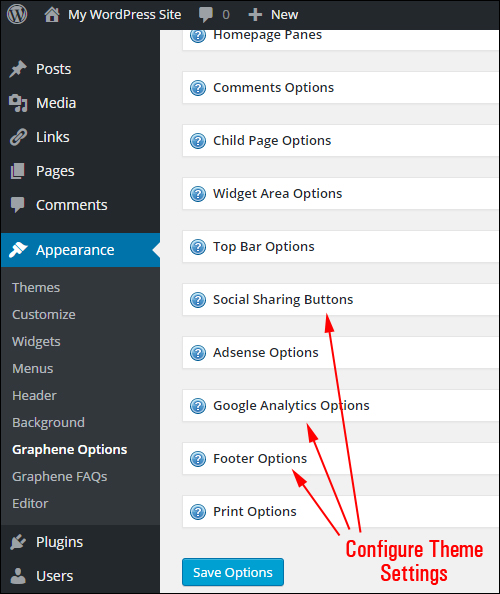
(Many WordPress themes like Graphene (a free theme) come with built-in traffic optimization features)
With a number of WordPress themes, adding social sharing buttons and features to your website is as easy as selecting the option to enable this functions …

(Many WordPress themes provide users with built-in social sharing features that can be easily enabled on with the click of a button)
Additional Features To Configure For Improved Traffic
Last (but by no means least) in the configuration process, are the components that need to be configured outside of the global settings.
This includes:
Website Compliance Pages
Once again, when preparing your website for an increase in visitor numbers, it’s important to plan not only for both bad and good traffic but also for all the situations that can cause serious damage to your business when more and more people start finding and visiting your website.
If you engage in any form of business online, you need to make sure that your website remains compliant with legal requirements of government agencies that regulate online business practices.
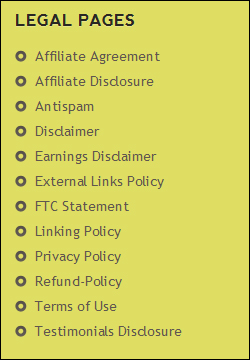 (Does Your Website Or Blog Comply With The Law?)
If you need help adding compliance pages to WordPress, go here:
Post Categories And Tags
WordPress categories and tags help improve traffic by improving your site’s SEO.
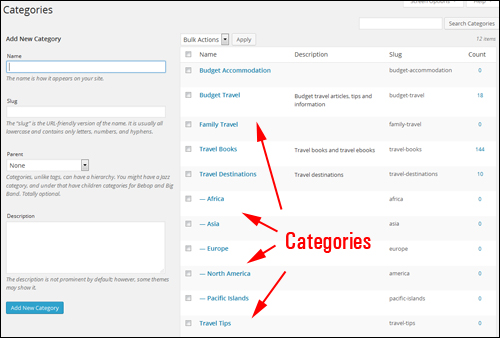
(Categories help improve traffic by allowing search engines to better understand and index your web pages.)
As we recommend in this article, it’s best to review and set up your website’s post categories and tags during the Website Planning Process.
When looking at ways to automate and improve web traffic, you will want to review and make sure that the tags and categories that have been set up.
Add A Site Map
A site map that displays all of your site’s posts and pages is not only a useful navigation tool, it can also help external tools find more of your site’s content …
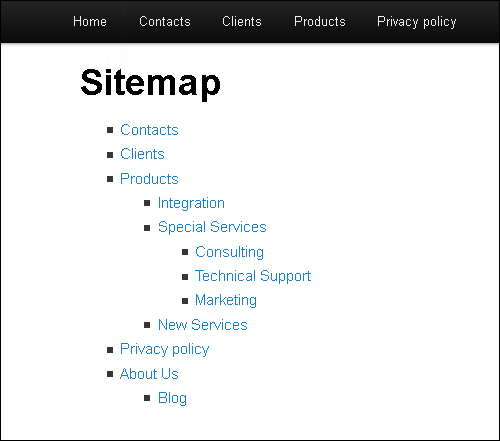
(A site map is not just great for visitors, but for traffic too!)

Note: An HTML site map and an XML sitemap are two different things. Although search engines like Google can index your site just using an XML sitemap (which plugins like Yoast SEO can provide – see earlier section), allowing visitors to find more pages on your site can result in increased traffic.
404 Page – Don’t Forget This!
When visitors searching online for your website type in the wrong web address into their browser or click on a dead link, they will typically be presented with a 404 Not Found error page …
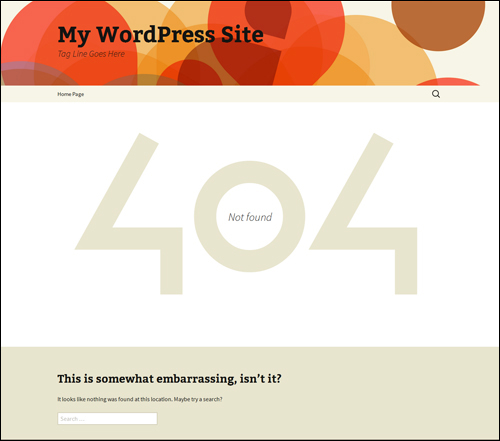
(A 404 Not Found page)
Configuring your 404 Not Found page allows you to recover web traffic that may otherwise be lost. …
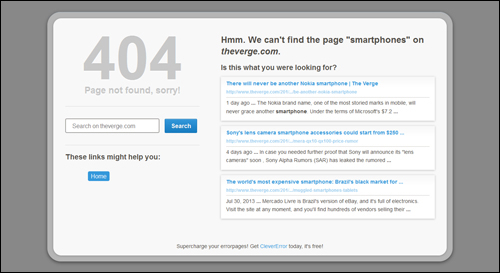
(Configuring your 404 Not Found page allows you to recover web traffic that may otherwise be lost.)
Although a 404 page can be set up in your server, there are WordPress plugins that allow you to easily configure your 404 page inside your WordPress admin.
WordPress Traffic System: Configuration Stage – Summary
Once you have your WordPress site fully set up and expertly configured, all you need to do is post great content regularly to begin attracting new web traffic organically.
The process of expertly configuring your WordPress site, however, is quite involved and elaborate and requires the configuration and integration of a number of different components and external web properties …
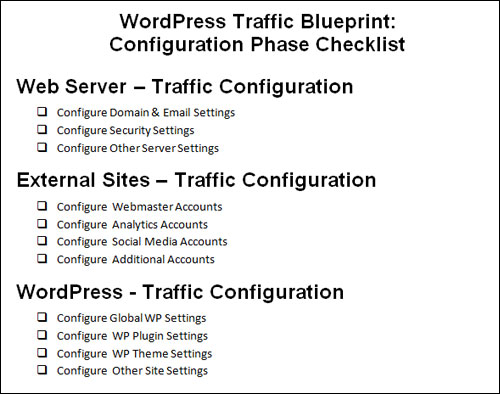
(WP Traffic System – Configuration Checklist)
The kind of knowledge and expertise required to perform the configuration stage of the traffic automation process typically takes many web developers months to acquire.
Once you have configured your WordPress site, the next step is to automate the aspects of the process that can be automated. This step is explained in the next article in our series.
This is the end of Section 3
To keep reading about this topic, click here:

This tutorial is part of a comprehensive series of articles designed to help you learn how to grow your business online and drive traffic organically with a WordPress website or blog and proven web marketing strategies.
Subscribe To Our Site And Get Notified Of New Tutorials!
***
"I have used the tutorials to teach all of my clients and it has probably never been so easy for everyone to learn WordPress ... Now I don't need to buy all these very expensive video courses that often don't deliver what they promise." - Stefan Wendt, Internet Marketing Success Group
***